.avif)
1. The page starts with a header section that includes the company logo, a navigation menu with links to other pages of the website, and a prominent call-to-action button to schedule a demo. 2. The first section of the main content highlights the various integrations available with Junip, including Shopify, BigCommerce, Magento, and WooCommerce. Each integration is showcased with an image and a brief description. 3. The second section provides more detailed information about each integration, including features and benefits, set-up instructions, and customer reviews. This section is divided into tabs for each integration, and users can easily navigate between the tabs to read about the integration they are interested in. 4. The third section showcases the various features of Junip, including review management, Q&A, and more. Each feature is accompanied by an icon and a brief description. 5. The fourth section provides information about Junip's pricing and plans, with a clear breakdown of what is included in each plan and how much it costs. There is also a prominent call-to-action button to sign up for a free trial. 6. The footer section includes links to various pages of the website, as well as social media links and a contact form for users to get in touch with the team.
.webp)
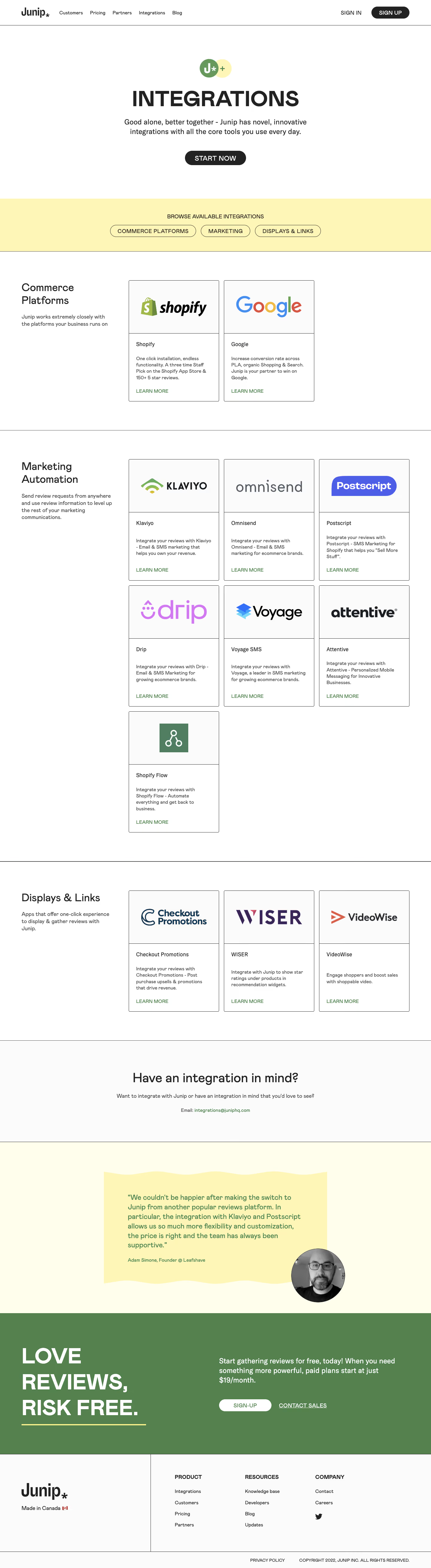

Junip Integrations

Junip
Reviews for products worth talking about
Designed by
No items found.
Category
Patterns
No items found.
Tech Stack
No items found.
Added on
February 14, 2023