.avif)

Below is a numbered list that describes the structure of the Intercom Press page: 1. The page has a header section that contains the Intercom logo on the left and a navigation menu on the right, which includes links to the company's main website, blog, and careers page. 2. The second section is the hero image, which is a high-quality image of two people collaborating on a laptop, along with a headline and a brief introduction. 3. The third section is a list of recent company news and updates, presented in reverse chronological order. Each item in the list contains a headline, a brief summary, and a date. 4. The fourth section is a list of press releases, also presented in reverse chronological order. Each item in the list contains a headline, a brief summary, and a date, along with a link to read the full release. 5. The fifth section is a media resources section, which contains a collection of assets that journalists and other media professionals might need for their coverage of Intercom. These assets include the company logo, product screenshots, photographs of company executives, and more. 6. The sixth section is a list of recent Intercom coverage in the media, with links to the relevant articles or videos. 7. The seventh section is a contact form, which media professionals can use to get in touch with the company's communications team. 8. The eighth section is a footer section that contains additional links to the company's social media accounts, terms of service, and privacy policy.
.webp)
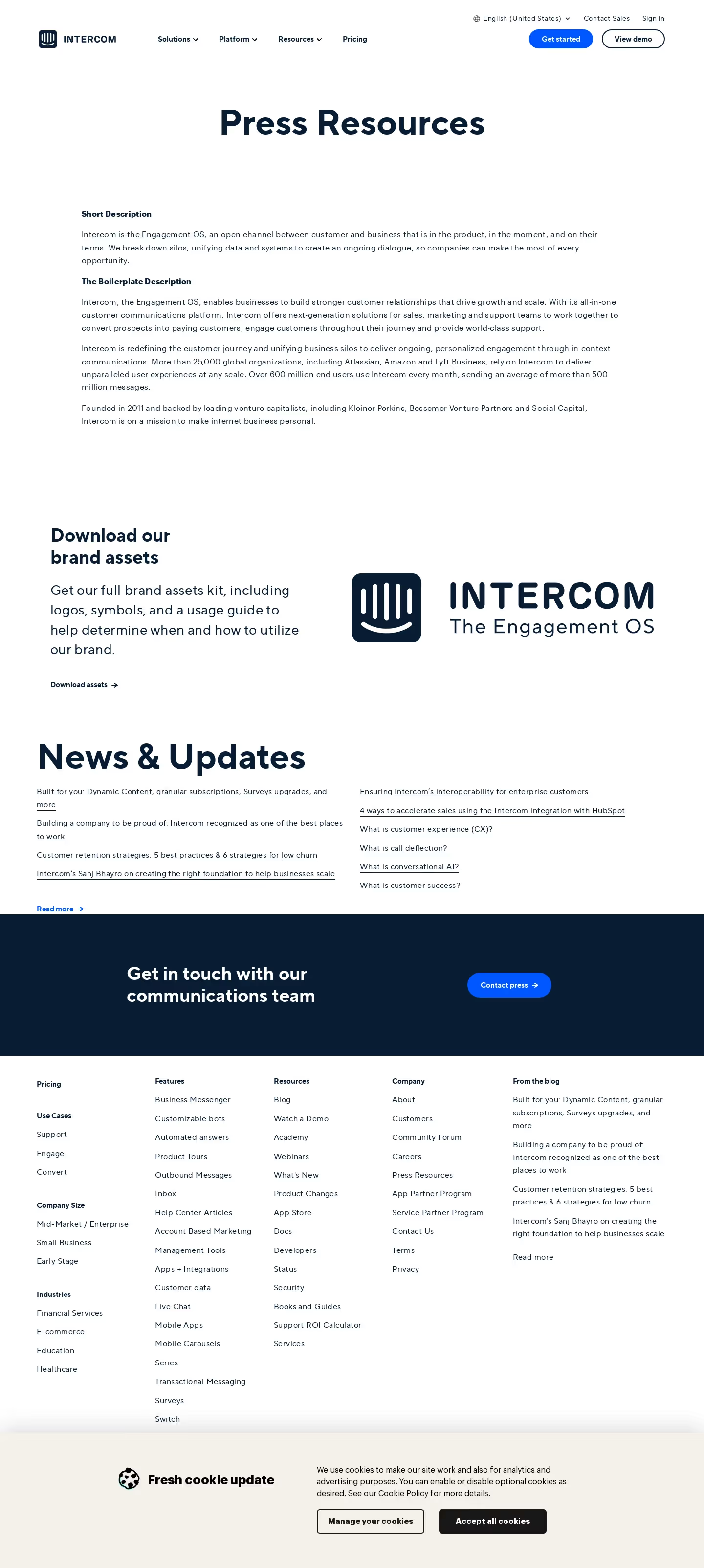

Intercom Press Page

Intercom
Customer Messaging
Designed by
No items found.
Category
Patterns
No items found.
Tech Stack
Added on
July 5, 2020