.webp)
Thank you! Your submission has been received!
Oops! Something went wrong while submitting the form.
Get SaaSFrame Pro
Monthly
$18
Quarterly
$48
Yearly
$180
Upgrade to access this feature
Browse all screens & flows
Filter and search screens & flows
Access Figma files
Access mobile versions
Bookmark screens & flows
Join now
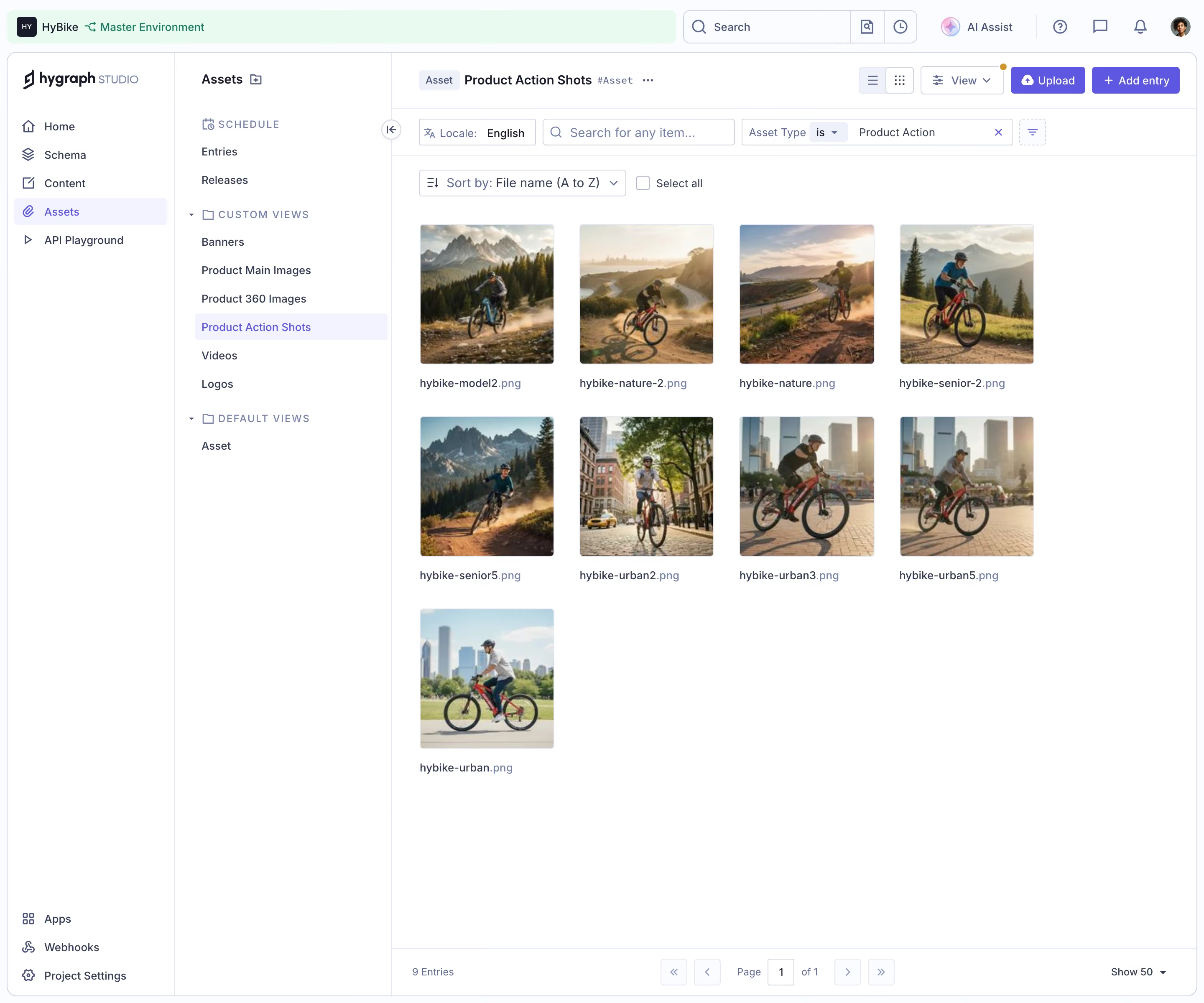
GraphCMS Media asset library grid

GraphCMS
Rapidly deliver digital content at scale
Designed by
No items found.

Bookmark
Bookmark

Design with AI
Thank you! Your submission has been received!
Oops! Something went wrong while submitting the form.
# Design from Reference: GraphCMS Media asset library grid
Create an original, high-fidelity visual design inspired by the reference. Prioritize composition, typography, colors, spacing, and component styling over technical implementation.
## Reference
- **Product:** GraphCMS
- **Category:** Import & Export
- **Screenshot:** https://cdn.prod.website-files.com/5e9dc792e1210c5325f7ebbc/6acad0dc5af75170c4bbe1e5_6acad07a857335a2ffbcb318_cms-4c766f6d433fbed52ee3f439.webp
Analyze the screenshot first. If inaccessible, request it rather than guessing.
## Content
{{content.instructions}}
{{content.data}}
Preserve essential messaging and factual accuracy. Adapt structure and copy length for visual balance; never invent product claims.
## Visual Design
### Overall aesthetic
- **Character:** A structured media-library workspace uses white panels, pale lavender borders, indigo accents, compact controls, and a clean photographic asset grid.
- **Brand evidence:** The visible interface is branded hygraph Studio, regardless of the record’s GraphCMS-oriented name.
- **Observed scale:** The source measures 2880 × 2400 pixels. CSS estimates assume a 2× capture, equivalent to 1440 × 1200; actual pixel ratio is unverified.
### Page composition
- **Global strip:** A pale green project/environment region occupies the upper left, followed by global search, small utility buttons, AI Assist, help/message/notification icons, and an avatar.
- **Primary navigation:** A roughly 200-pixel left rail contains branding, Home, Schema, Content, Assets, and API Playground. Apps, Webhooks, and Project Settings sit lower down.
- **Asset-view sidebar:** A second column roughly 260 pixels wide lists schedule entries/releases, custom views, and a default Asset view.
- **Main header:** The selected asset view name appears beside an Asset chip and overflow menu. View controls, Upload, and Add entry align at right.
- **Filter rows:** Locale, item search, and an Asset Type condition occupy one row. A sort selector and Select all checkbox sit below.
- **Asset grid:** Nine cycling photographs appear in four columns: four in each of the first two rows and one in the third. Filenames sit below each image.
- **Bottom pagination:** A ruled footer shows the entry count, page controls, current page, and Show 50 selector.
### Information hierarchy
- **Navigation state:** Assets is highlighted in the primary rail; Product Action Shots is highlighted in the custom-view list and repeated in the main header.
- **Filter context:** The Asset Type condition visibly limits the grid to a product-action category, while locale is English.
- **Asset-first content:** Photographs dominate the working area. Small filename labels identify each item beneath its thumbnail.
- **Primary creation:** Upload and Add entry use filled indigo controls, standing above outlined view/filter actions.
- **Count and page:** The footer reports nine entries on one page. No selected asset or detail editor is shown.
- **Scope limit:** Thumbnail subjects are visible cycling scenes; metadata beyond filenames and the filter condition is not established.
### Typography
- **Typeface appearance:** A compact neutral sans-serif is used. Exact font identity is unverified.
- **View heading:** Approximately 15–16 CSS pixels, semibold, with an adjacent small code-like asset identifier.
- **Navigation labels:** Around 14 pixels, regular/medium, with active items colored indigo.
- **Group headings:** Sidebar section labels are around 12 pixels, uppercase, with expanded tracking.
- **Controls:** Search, sort, filters, and action labels use roughly 13–14 pixels.
- **Filenames and footer:** Around 12–13 pixels, regular, with extensions in a softer purple tone.
- **Alignment:** Sidebar labels and filenames are left aligned; toolbar icons and labels share consistent vertical centers.
### Colors & surfaces
- **Measured base:** #FFFFFF dominates the interface. #F9FBFF supports pale shell/control areas.
- **Measured environment surface:** #E9FBF1 supplies the soft green project/environment band.
- **Measured selection:** #F3F3FF appears in pale lavender selected rows.
- **Measured borders:** #E6E9F3 and #D0D4E5 contribute to fine cool outlines and separators.
- **Measured accent:** #5D57E1 supplies the filled indigo action family.
- **Measured text:** #343A55 appears in dark blue-gray interface text; #EEF0F9 supports additional pale detail.
- **Photographic contrast:** Natural greens, warm sunlight, gray mountains, and city tones add richness within an otherwise restrained UI.
### Components
- **Project/environment control:** A small dark initial tile precedes project text and a green environment label within a broad pale green region.
- **Global search:** A rounded outlined search box includes a magnifying glass and adjacent utility segments.
- **Primary rail:** Icon-label navigation rows use thin line symbols. The selected Assets row has a pale lavender rounded fill.
- **Custom-view groups:** Small chevrons and folder symbols introduce grouped links. The selected action-shot view uses indigo text and pale fill.
- **Main actions:** Upload includes a cloud/upload symbol; Add entry includes a plus. Both are compact filled indigo rectangles with small radii.
- **View controls:** List/grid icon buttons and a View dropdown precede creation actions.
- **Filter controls:** Locale, search, and a segmented Asset Type condition use thin outlined rectangles. The condition includes an operator dropdown and a clear x.
- **Sort/select row:** A filename A-to-Z dropdown sits beside an empty Select all checkbox.
- **Thumbnail:** Each image is approximately 160–166 pixels square with slight corner rounding. The grid uses broad horizontal gaps and about 32 pixels between filename and next row.
- **Asset content:** Images show cyclists in mountain/trail and urban settings. Their photographic compositions are varied rather than uniform product cutouts.
- **Pagination:** First/previous/next/last controls surround a boxed current page and one-page total. The count and page-size selector occupy opposite ends.
- **Unshown states:** No hover selection, asset checkboxes over images, upload progress, detail pane, or open menu is visible.
### Visual rhythm
- **Layered columns:** Two navigation columns create a stable left structure before the broad asset area.
- **Compact chrome:** Several short toolbar rows precede the grid, each separated by light rules.
- **Grid regularity:** Four equal columns and square thumbnails create a consistent rhythm despite varied photo subjects.
- **Large unused area:** After the ninth asset, white space extends to the footer rather than filling with placeholders.
- **Accent restraint:** Indigo identifies selection and creation; most boundaries remain pale and low contrast.
### Responsive
- **Evidence limit:** Only a desktop media library is captured. Mobile and panel-collapsing behavior are unverified.
- **Recommended navigation:** Collapse the primary rail and view sidebar into accessible drawers or stacked selectors on narrow screens.
- **Recommended grid:** Reduce columns according to minimum readable thumbnail width, retaining filenames and selection affordances.
- **Recommended filters:** Wrap or consolidate filters into a panel while keeping active conditions visible.
- **Recommended footer:** Allow pagination and page-size controls to wrap without hiding entry counts.
- **Recommended accessibility:** Provide meaningful asset names, keyboard navigation, selected-state semantics, and labeled icon buttons.
### Adaptation guidance
- **Preserve library hierarchy:** Separate project context, global navigation, saved views, filters, assets, and pagination.
- **Use a reusable asset tile:** Keep image dimensions, filename treatment, selection, and focus behavior consistent.
- **Support real data variation:** Handle long filenames, mixed aspect ratios, missing previews, loading, errors, and large result sets from actual requirements.
- **Do not infer metadata:** The screenshot does not establish licenses, upload dates, file sizes, or selected-image details.
- **Build from measured tokens:** White surfaces, pale lavender borders/selection, indigo actions, and a green environment strip form the core palette.
- **Use approved imagery:** Replace example cycling photographs and project identifiers with appropriate assets and account context.
Use this context to reproduce the reference's visual language: layout, typography, colors, spacing, borders, radii, and distinctive elements. The screenshot takes priority if descriptions conflict.
## Direction
{{preferences.fidelityInstructions}}
## Output
{{output.instructions}}
Deliver a polished, cohesive design with precise alignment, hierarchy, and spacing. Produce the requested visual artifact, not just a description. If unsupported, explain the limitation.

.avif)
Category
Tech Stack



Added on
September 19, 2026

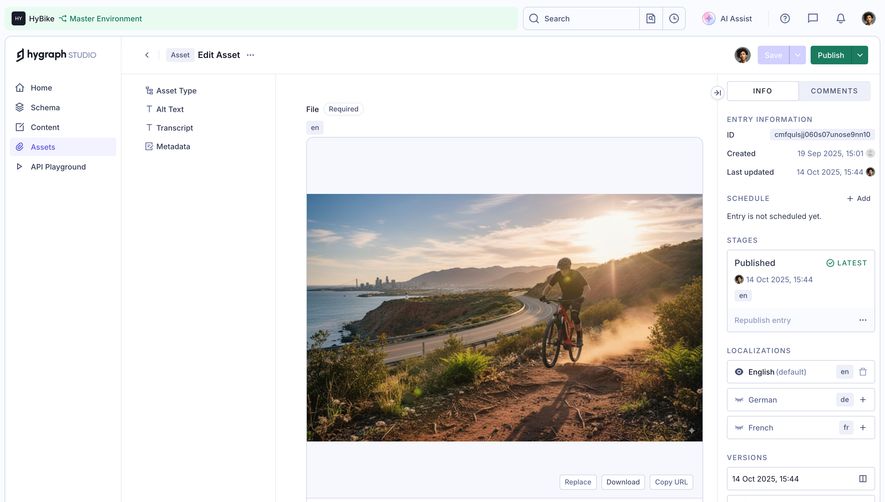
Similar screens



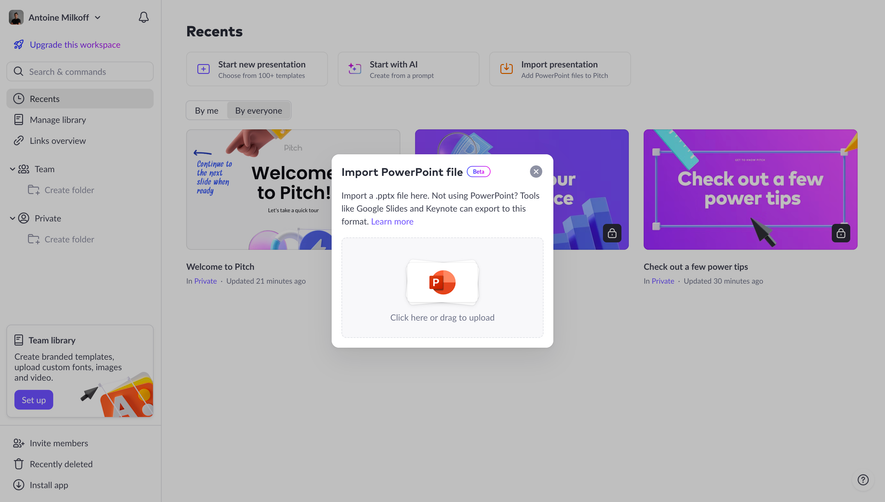



Upgrade to SaaSFrame Pro now to see similar examples.
Monthly
$18 /month
Billed $18 monthly
Browse all screens & flows
Filter and search screens & flows
Search text in screenshots
Access Figma files
Access mobile versions
Join now
Quarterly
$16 /month
Billed $48 quarterly
Browse all screens & flows
Filter and search screens & flows
Search text in screenshots
Access Figma files
Access mobile versions
Join now
Yearly
$15 /month
Billed $180 yearly
Browse all screens & flows
Filter and search screens & flows
Search text in screenshots
Access Figma files
Access mobile versions
Join now