.webp)
Thank you! Your submission has been received!
Oops! Something went wrong while submitting the form.
Get SaaSFrame Pro
Monthly
$18
Quarterly
$48
Yearly
$180
Upgrade to access this feature
Browse all screens & flows
Filter and search screens & flows
Access Figma files
Access mobile versions
Bookmark screens & flows
Join now
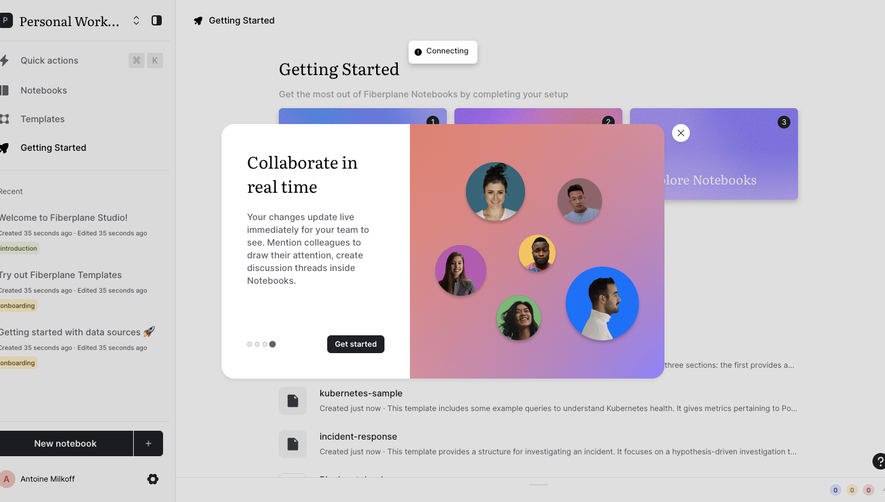
Fiberplane User Onboarding

Fiberplane
Collaborative Notebooks for debugging your infrastructure
Designed by
No items found.

Bookmark
Bookmark

Design with AI
Thank you! Your submission has been received!
Oops! Something went wrong while submitting the form.
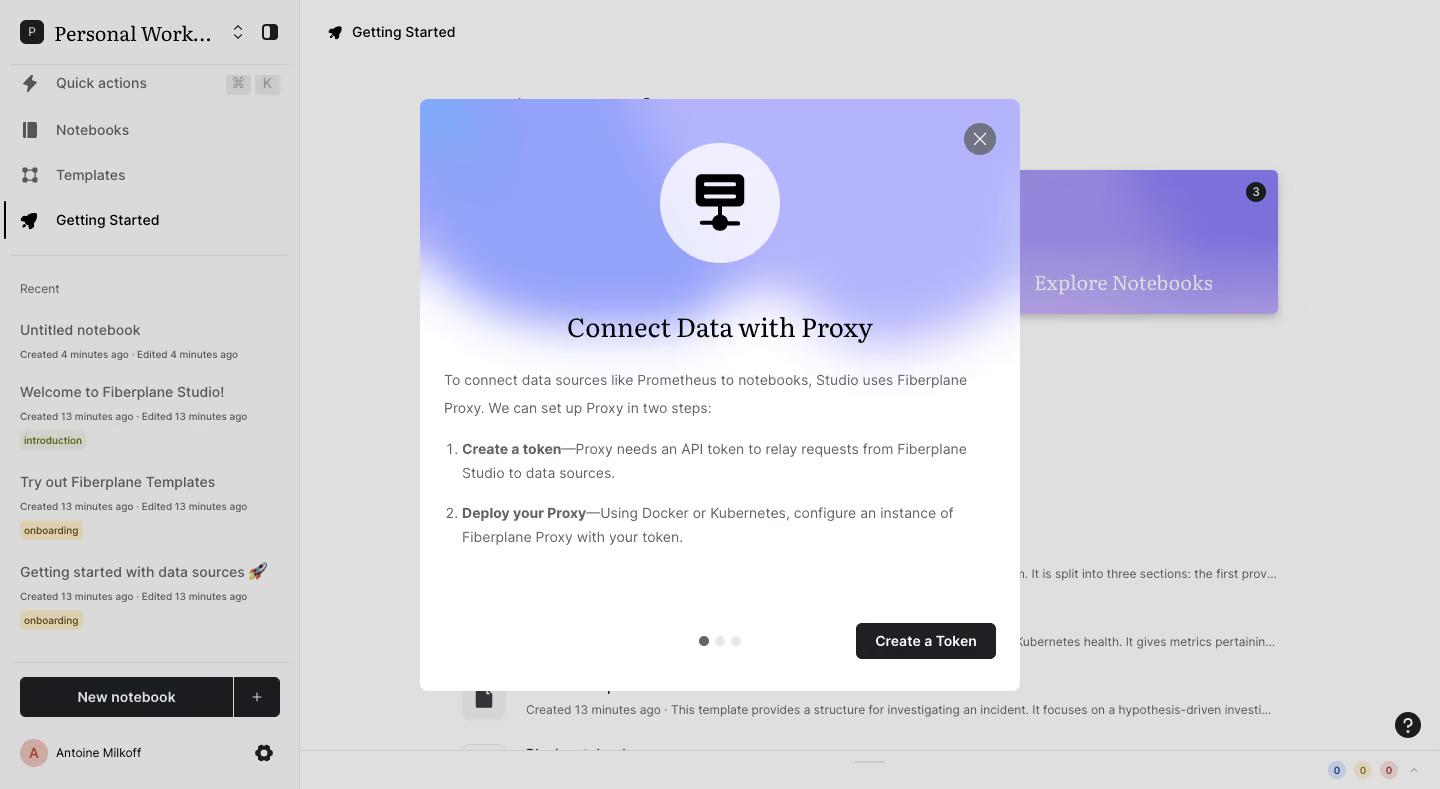
# Design from Reference: Fiberplane User Onboarding
Create an original, high-fidelity visual design inspired by the reference. Prioritize composition, typography, colors, spacing, and component styling over technical implementation.
## Reference
- **Product:** Fiberplane
- **Category:** User Onboarding
- **Screenshot:** https://cdn.prod.website-files.com/5e9dc792e1210c5325f7ebbc/6acbca338313d4c6c0cc4028_6acbc82cc2a55c243f9b1498_cms-2147231410046ca321ef29c6.webp
Analyze the screenshot first. If inaccessible, request it rather than guessing.
## Content
{{content.instructions}}
{{content.data}}
Preserve essential messaging and factual accuracy. Adapt structure and copy length for visual balance; never invent product claims.
## Visual Design
### Overall aesthetic
- **Character:** Utility-focused notebook application interrupted by a polished onboarding modal with a lavender-blue gradient and editorial serif heading.
- **Contrast:** The dimmed gray shell recedes behind a bright white modal, black iconography and one dark primary action.
- **Scale:** Screenshot dimensions are 1440 × 789 image px. Measurements below refer to image pixels; actual CSS scale is unverified.
### Page composition
- **Shell:** A roughly 300 px sidebar contains a workspace selector, four main destinations, a recent-notebook list and bottom creation/account controls. The main area has a Getting Started breadcrumb and partially obscured onboarding content.
- **Modal:** A centered panel approximately 600 × 592 px begins around x420/y99. Its upper gradient region blends into the white lower body.
- **Content stack:** A circular icon ground sits above the centered Connect Data with Proxy heading. Left-aligned explanatory text and two numbered setup steps occupy the middle.
- **Modal footer:** Three pagination dots sit near the lower center, while a dark Create a Token button aligns at the bottom right. A circular close control sits in the upper-right corner.
### Information hierarchy
- **Focus:** The modal's large icon and serif heading introduce the connection task before technical setup details.
- **Instructions:** A short paragraph explains the proxy role; two numbered steps use bold introductory phrases followed by regular descriptions.
- **Action:** Create a Token is the single visible primary modal action. The first of three pagination dots is darker, indicating the captured first slide.
- **Background:** Getting Started remains selected in the sidebar, while recent notebook metadata and tags provide context without competing with the overlay.
- **State:** No token value, generated credential, success feedback or deployment result is visible.
### Typography
- **Heading:** A contrasting serif title is approximately 28–30 image px, regular-to-medium weight and centered. Exact font identity is unverified.
- **Body:** Neutral sans-serif copy is around 14–15 px with 25–27 px leading; bold phrases distinguish each numbered step.
- **Shell roles:** Navigation and recent-item names are approximately 14–16 px; timestamps are smaller at about 11–12 px. The truncated workspace title uses a larger serif treatment.
- **Action text:** The modal button uses approximately 14 px bold white text. Pagination contains no visible text labels.
### Colors & surfaces
- **Measured overlay tones:** ICC-aware sRGB sampling yields #DFDFDF and #DADADA across large dimmed background regions; these are composite screenshot colors, not established original CSS fills.
- **Measured modal surfaces:** White #FFFFFF dominates the panel body. #B4B4FB and #93A2FA occur in the lavender-blue header gradient.
- **Measured dark tones:** #1B1C1F and #1F2023 appear in dark interface surfaces and controls.
- **Secondary accents:** Muted yellow and green tags remain visible through the overlay; the background feature tile has a purple gradient.
- **Depth:** A soft modal boundary separates the overlay; the background tile has a stronger visible shadow. The modal uses small rounded corners around 8 px.
### Components
- **Icon treatment:** A pale circular ground roughly 120 px in diameter encloses a black abstract server/notebook icon.
- **Close control:** A gray circle around 32 px contains a thin white X at the upper right of the gradient header.
- **Primary button:** Approximately 140 × 36 image px, near-black with white text and roughly 5 px corners, inset about 24 px from the modal edge.
- **Pagination:** Three approximately 10 px dots use one dark and two pale fills, separated by small equal gaps.
- **Sidebar state:** A thin vertical black rule and dark rocket icon mark Getting Started. Recent items use title, timestamp line and small colored tags.
- **Background utilities:** A split New notebook button sits above the account row; small help and status indicators appear near the lower-right edge of the shell.
### Visual rhythm
- **Modal spacing:** Approximately 24 px horizontal padding aligns body text; the icon/title region has substantially more open space than the numbered instructions.
- **Instruction rhythm:** Numbered steps occupy two lines each with a larger gap between steps, making bold lead-ins easy to scan.
- **Footer separation:** A large blank interval after instructions keeps the pagination and primary action visually separate.
- **Shell density:** Compact sidebar rows contrast with the spacious central onboarding presentation.
### Responsive
- **Evidence limit:** Only the desktop overlay is shown; recommendations below are not observed mobile behavior.
- **Modal width:** Use a viewport-constrained width with 16–24 px outer margins and an independently scrollable body for short screens.
- **Shell:** Collapse the sidebar behind the overlay on narrow devices while retaining current-workspace context.
- **Controls:** Keep close, pagination and primary action reachable without overlap; preserve readable instruction wrapping and visible keyboard focus.
### Adaptation guidance
- **Reusable pattern:** Combine a visual onboarding header, concise numbered technical instructions and one clearly named next action.
- **Visual identity:** Use a soft gradient and contrasting serif heading to distinguish guided setup from the utilitarian application shell.
- **State handling:** Provide explicit feedback after credential creation and deployment in an implementation; these outcomes are not shown here.
- **Accessibility:** Trap focus within the modal, label close/pagination controls and restore focus on dismissal. Keep sensitive credential values out of decorative examples.
Use this context to reproduce the reference's visual language: layout, typography, colors, spacing, borders, radii, and distinctive elements. The screenshot takes priority if descriptions conflict.
## Direction
{{preferences.fidelityInstructions}}
## Output
{{output.instructions}}
Deliver a polished, cohesive design with precise alignment, hierarchy, and spacing. Produce the requested visual artifact, not just a description. If unsupported, explain the limitation.

.avif)
Category
Patterns
Tech Stack


Added on
February 4, 2023


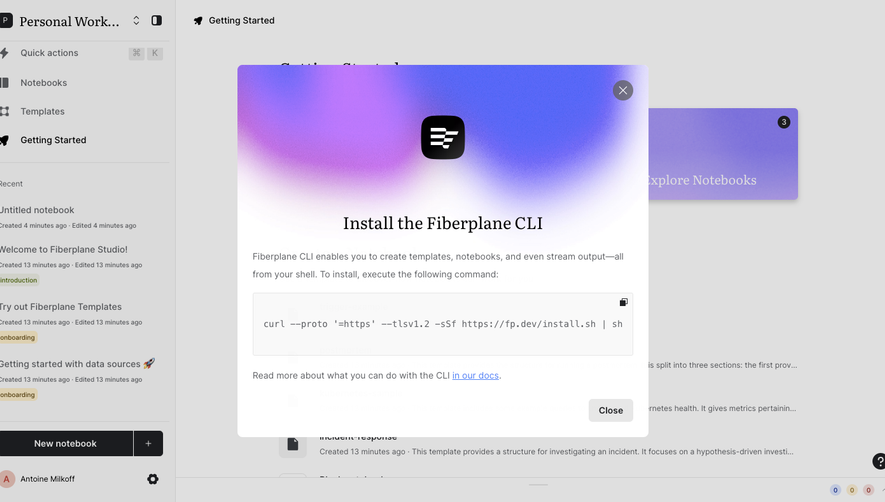


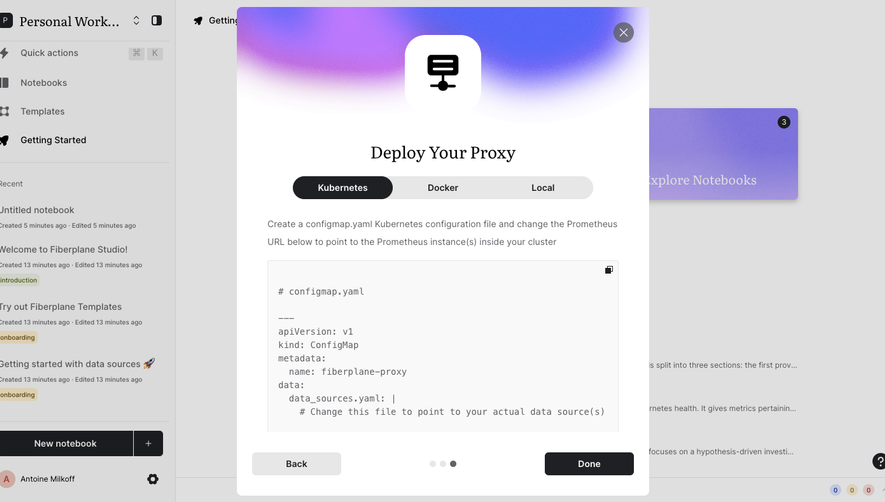

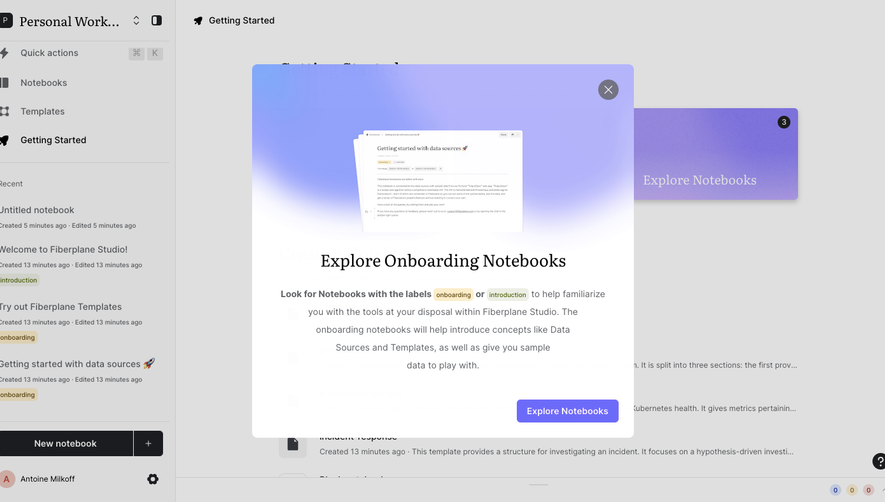

Similar screens

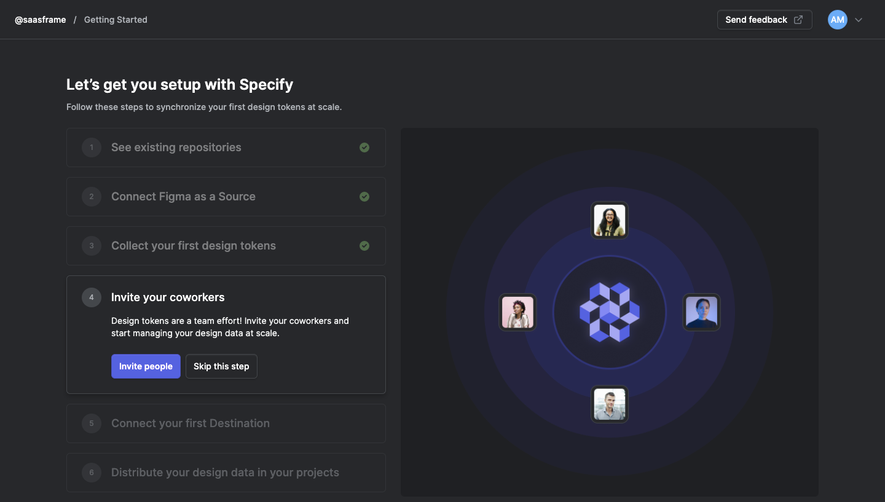

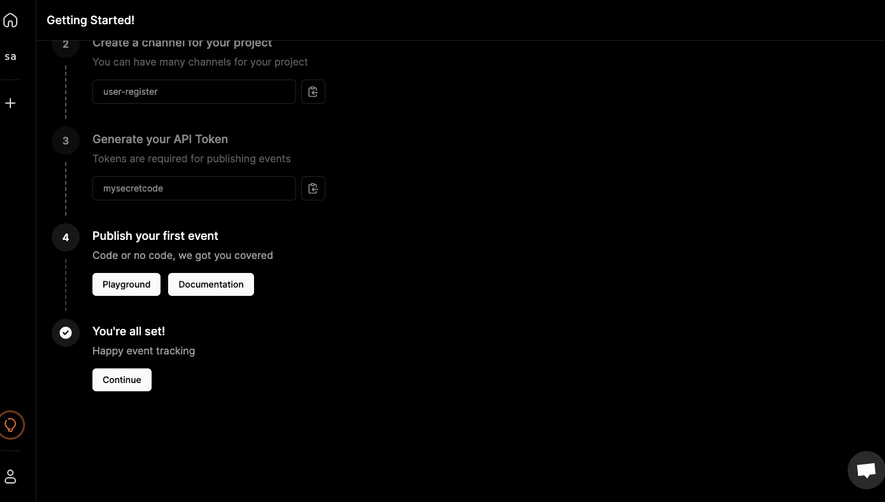

Upgrade to SaaSFrame Pro now to see similar examples.
Monthly
$18 /month
Billed $18 monthly
Browse all screens & flows
Filter and search screens & flows
Search text in screenshots
Access Figma files
Access mobile versions
Join now
Quarterly
$16 /month
Billed $48 quarterly
Browse all screens & flows
Filter and search screens & flows
Search text in screenshots
Access Figma files
Access mobile versions
Join now
Yearly
$15 /month
Billed $180 yearly
Browse all screens & flows
Filter and search screens & flows
Search text in screenshots
Access Figma files
Access mobile versions
Join now