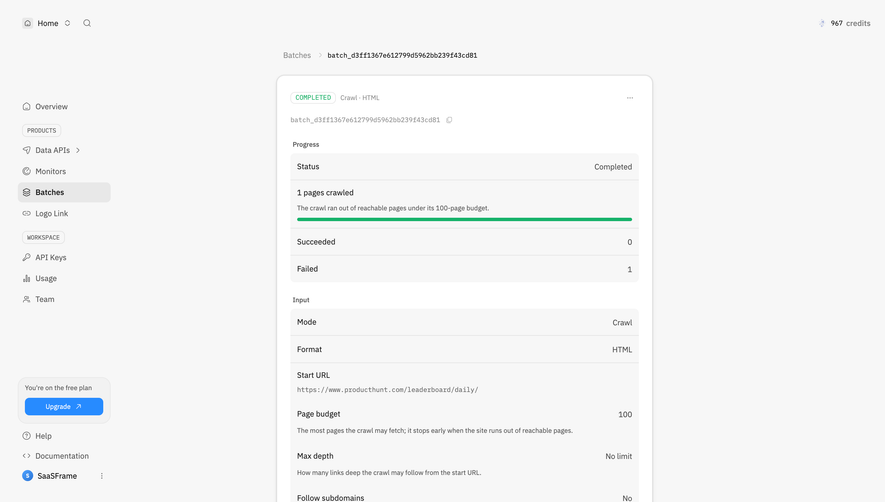
Design with AI
Generate a new design based on this screen using your own content.
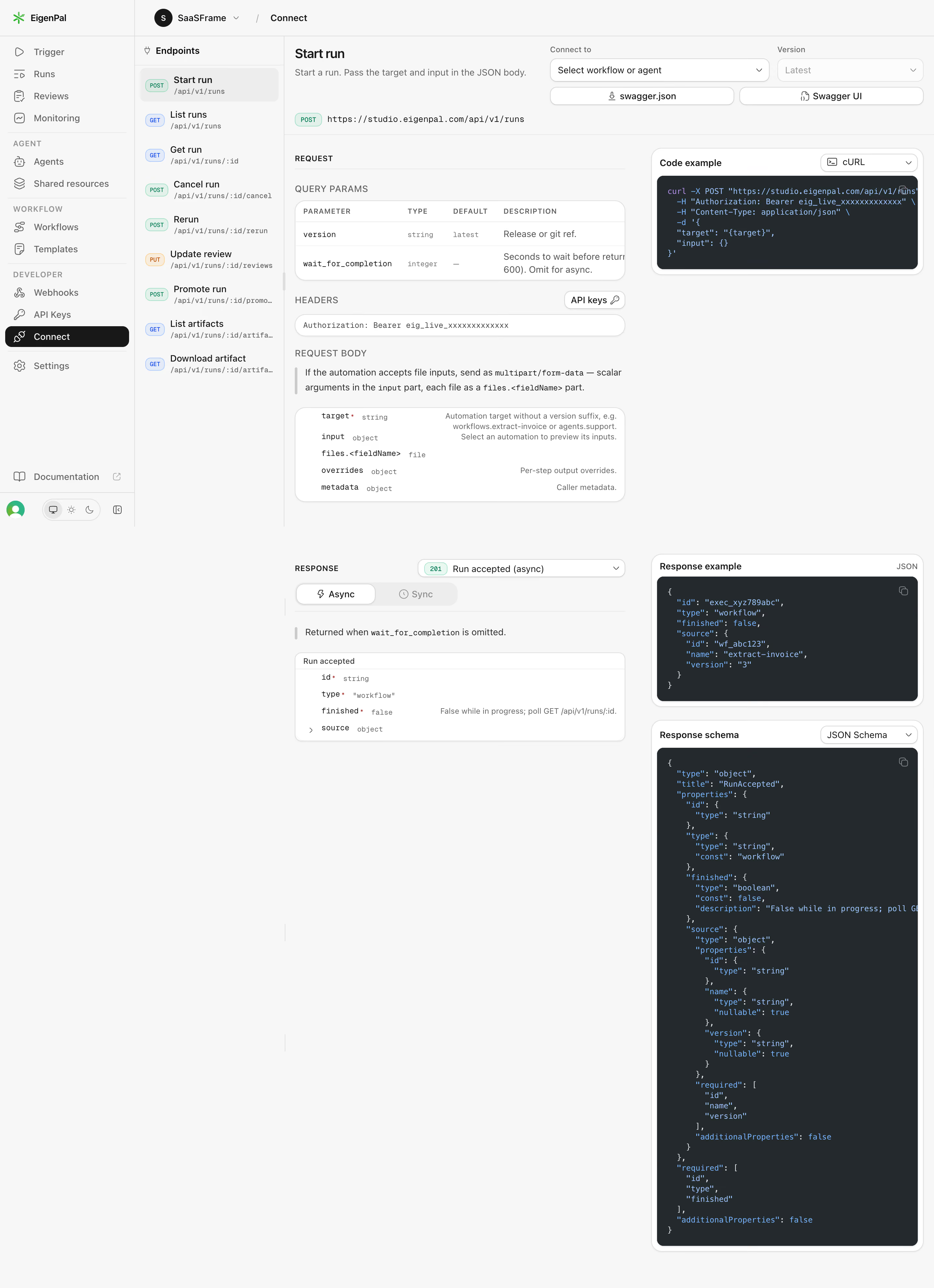
# Design from Reference: EigenPal API endpoint reference
Create an original, high-fidelity visual design inspired by the reference. Prioritize composition, typography, colors, spacing, and component styling over technical implementation.
## Reference
- **Product:** EigenPal
- **Category:** Details
- **Screenshot:** https://cdn.prod.website-files.com/5e9dc792e1210c5325f7ebbc/6acad04734c900e8fc1b4876_6acacfd6cdf07ad61496dc94_cms-f80dd9612e0a4df7f8d46395.webp
Analyze the screenshot first. If inaccessible, request it rather than guessing.
## Content
{{content.instructions}}
{{content.data}}
Preserve essential messaging and factual accuracy. Adapt structure and copy length for visual balance; never invent product claims.
## Visual Design
### Overall aesthetic
- **Style:** Dense but orderly developer API reference with pale-gray canvas, white schema cards and charcoal code panels.
- **Scale:** Source 2880 × 3972px; sizes estimate a 1440px-wide CSS layout at 2× capture scale.
### Page composition
- **Navigation:** A roughly 208px application rail and 232px endpoint rail occupy the left. Workspace/Connect context appears in the top bar.
- **Reference body:** The remaining content splits into a wider request/response documentation column and narrower code-example column.
- **Top configuration:** Start run heading and description sit beside workflow/agent and version selectors, with swagger.json and Swagger UI controls below.
- **Long response area:** Request parameters, headers and body lead to response tabs/schema; code example, JSON response and a tall JSON schema stack on the right.
### Information hierarchy
- **Endpoint:** Start run is selected in the endpoint list. A green POST badge precedes the URL.
- **Request sequence:** Query parameters, authorization header and request-body properties form distinct labeled regions.
- **Response sequence:** An accepted response selector, Async/Sync tabs and structured response fields explain the visible response mode.
- **Code:** Dark code blocks use syntax highlighting and copy controls; language/schema selectors sit above them.
### Typography
- **Families:** Compact sans-serif UI with monospace endpoints, property names and code; exact font identities are unverified.
- **Roles:** Estimated title 20px semibold, section labels 12px uppercase, body 14px/20px and code 11–12px/17px.
- **Hierarchy:** Bold endpoint names and dark selected navigation contrast with muted descriptions and type labels.
### Colors & surfaces
- **Sampled palette:** ICC-aware sRGB samples include canvas #F7F7F7, code #24292E, white #FFFFFF, dividers #EDEDED and borders #DEDEDE.
- **Semantic accents:** Green POST, blue GET and orange PUT badges distinguish methods. Code uses blue/purple syntax against charcoal.
- **Depth:** White rounded schema/code wrappers use subtle borders and lower shadows.
### Components
- **Endpoint rows:** Method pill, endpoint title and monospaced path repeat vertically; the current row has a pale rounded highlight.
- **Schema tables:** Rounded white cards show parameter/type/default/description columns or property/type/description rows, with fine separators.
- **Code panels:** Dark rounded rectangles with small copy icons and horizontally constrained lines. The schema block is substantially taller than the response example.
- **Selectors:** Compact outlined controls choose connection target, version, response status and code language. No menu is expanded.
- **Callouts:** Short explanatory notes use a slim vertical gray rule rather than a filled alert.
### Visual rhythm
- **Columns:** Navigation, documentation and examples retain distinct vertical boundaries. Request and response groups are separated by broad whitespace.
- **Density:** Small technical text is grouped in cards, while the tall schema creates an intentionally uneven lower-page silhouette.
### Responsive
- **Recommended adaptation:** Only desktop is observed. Collapse navigation rails and move examples beneath their corresponding documentation on narrow screens.
- **Code:** Keep code horizontally scrollable and preserve readable types/labels rather than shrinking the entire reference.
### Adaptation guidance
- **Preserve:** Keep method context, request/response separation, typed schemas and copyable examples.
- **Adapt:** Use actual endpoint definitions and placeholder authorization values. Do not reuse visible example credentials or infer undocumented response modes.
Use this context to reproduce the reference's visual language: layout, typography, colors, spacing, borders, radii, and distinctive elements. The screenshot takes priority if descriptions conflict.
## Direction
{{preferences.fidelityInstructions}}
## Output
{{output.instructions}}
Deliver a polished, cohesive design with precise alignment, hierarchy, and spacing. Produce the requested visual artifact, not just a description. If unsupported, explain the limitation.
.webp)



.avif)