.webp)
Thank you! Your submission has been received!
Oops! Something went wrong while submitting the form.
Get SaaSFrame Pro
Monthly
$18
Quarterly
$48
Yearly
$180
Upgrade to access this feature
Browse all screens & flows
Filter and search screens & flows
Access Figma files
Access mobile versions
Bookmark screens & flows
Join now
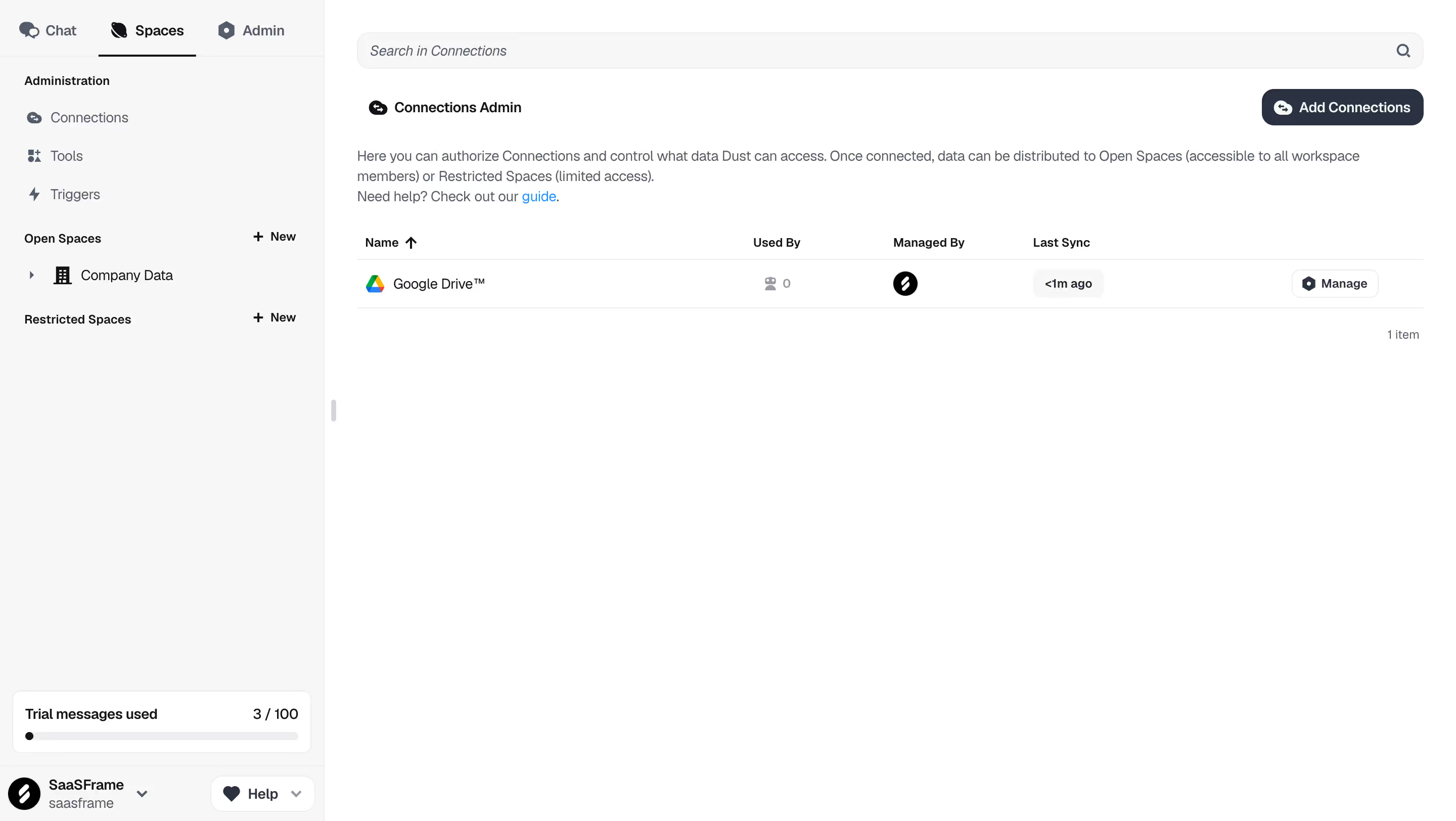
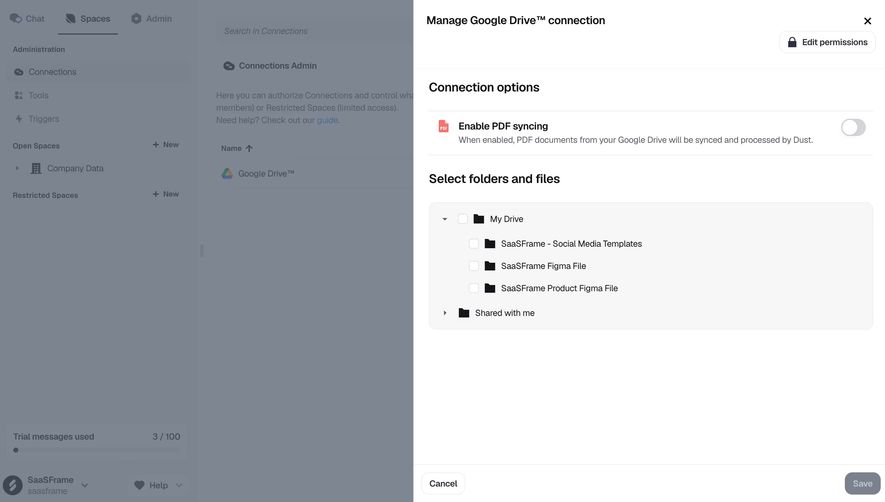
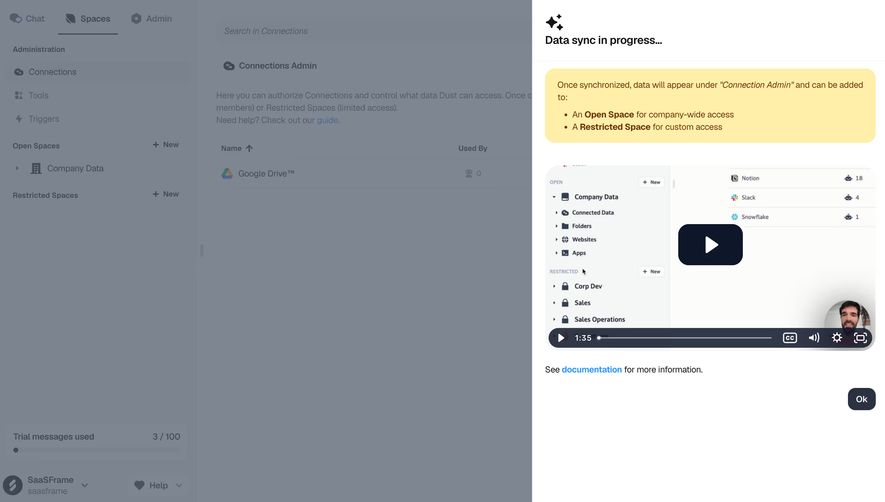
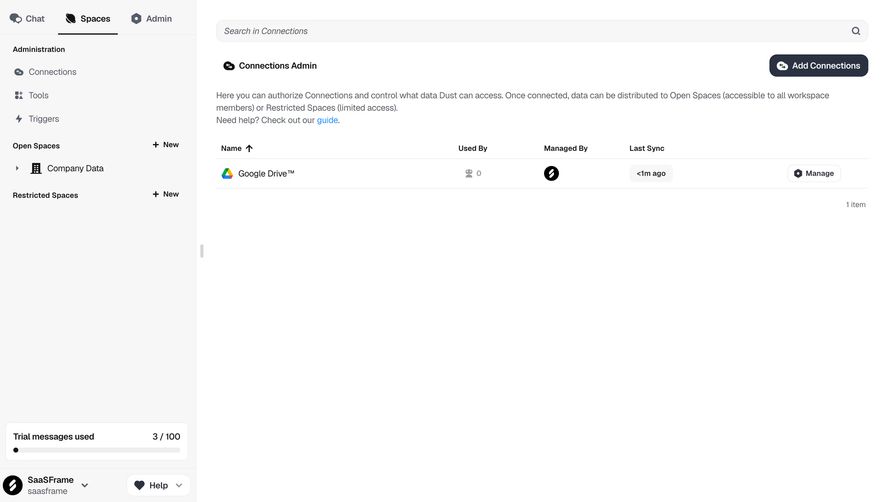
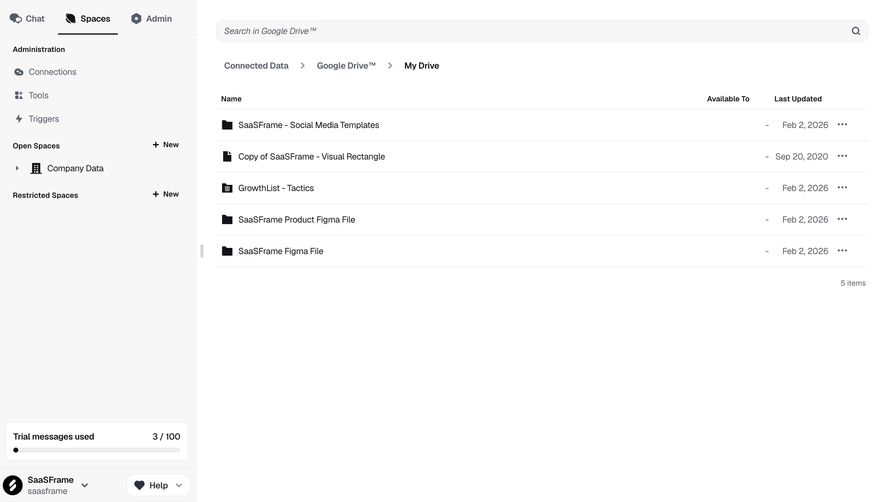
Dust Connections List

Dust
Build custom AI Agents
Designed by
No items found.

Bookmark
Bookmark

Design with AI
Thank you! Your submission has been received!
Oops! Something went wrong while submitting the form.
# Design from Reference: Dust Connections List
Create an original, high-fidelity visual design inspired by the reference. Prioritize composition, typography, colors, spacing, and component styling over technical implementation.
## Reference
- **Product:** Dust
- **Category:** Table
- **Screenshot:** https://cdn.prod.website-files.com/5e9dc792e1210c5325f7ebbc/6980862e601c5bdded8190a2_8I93hgeXFRYu3lYU2etcZCPCrGMlJX8drh0YMY_JzbM.avif
Analyze the screenshot first. If inaccessible, request it rather than guessing.
## Content
{{content.instructions}}
{{content.data}}
Preserve essential messaging and factual accuracy. Adapt structure and copy length for visual balance; never invent product claims.
## Visual Design
### Overall aesthetic
- **Style:** Sparse desktop administration interface for managing external data connections within a workspace.
- **Character:** White main canvas, pale-gray sidebar, compact neutral sans serif and restrained dark action buttons. Small icons and thin rules provide most of the structure.
- **Density:** Functional content is concentrated at the top; the single-row connection table leaves a large empty lower workspace.
### Page composition
- **Capture scale:** 2880 × 1624 image px. CSS estimates assume an unverified 2× capture, corresponding to approximately 1440 × 812 CSS px.
- **Sidebar:** Approximately 320 CSS px wide, full height, with a faint right divider. Three top navigation tabs occupy a roughly 56 px-high strip; Spaces is selected with a dark underline.
- **Administration links:** A small bold group label precedes Connections, Tools and Triggers with small leading icons.
- **Space groups:** Open Spaces and Restricted Spaces appear as separate headings, each with a right-aligned plus/New action. One expandable company-data entry appears beneath Open Spaces.
- **Bottom sidebar:** A small trial-usage card sits above a workspace/account footer row. The footer includes workspace identity, a dropdown chevron and a compact Help control.
- **Main inset:** Content starts roughly 32 CSS px from the sidebar edge and right viewport edge. A wide search field runs across the top.
- **Title row:** Connections Admin sits below the search with a small connection icon. Add Connections aligns to the far right.
- **Introductory copy:** A compact explanatory paragraph spans most of the main width, with a second help line containing a blue guide link.
- **Table:** Four labeled information columns and an unlabeled action area show one Google Drive connection. A small item count appears below the table at the right.
### Information hierarchy
- **Primary action:** The filled dark Add Connections control is the strongest action, positioned opposite the compact page title.
- **Navigation hierarchy:** Top product-area tabs, administration links and space group headings establish three distinct sidebar levels.
- **Connection hierarchy:** Provider logo/name identify the row; usage, managing identity and last-sync information supply operational context.
- **Management route:** The row's outlined Manage button is subordinate to adding a new connection.
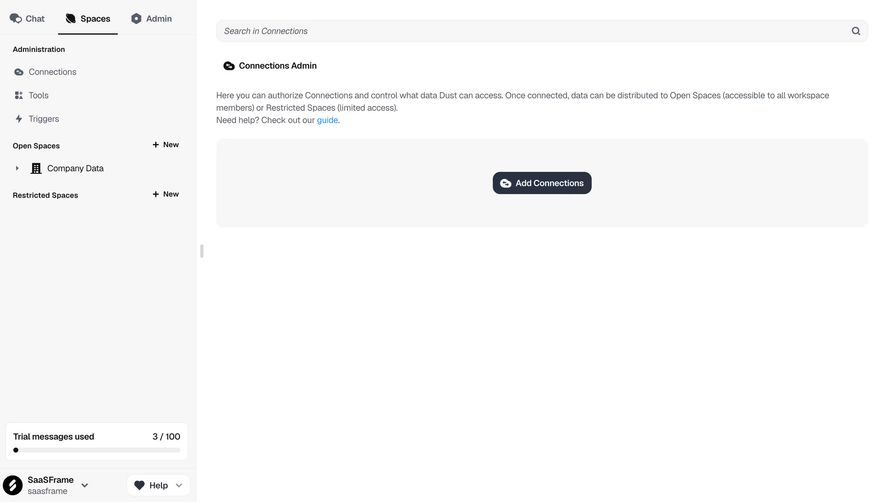
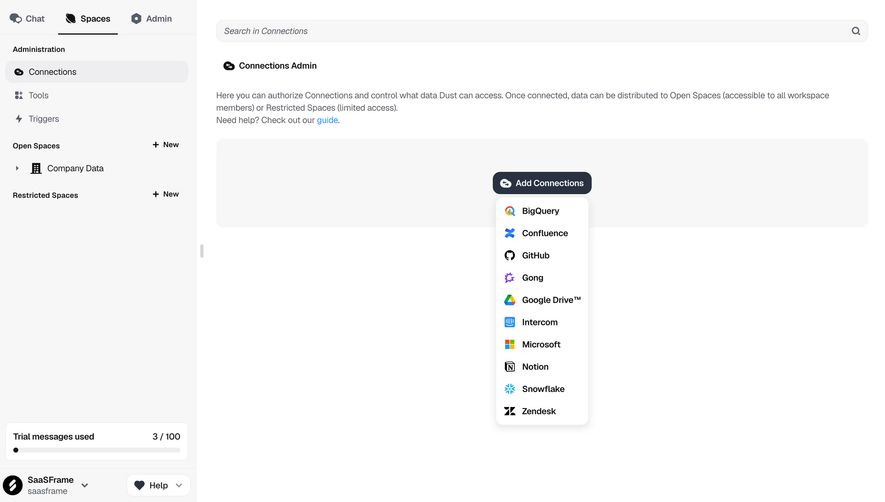
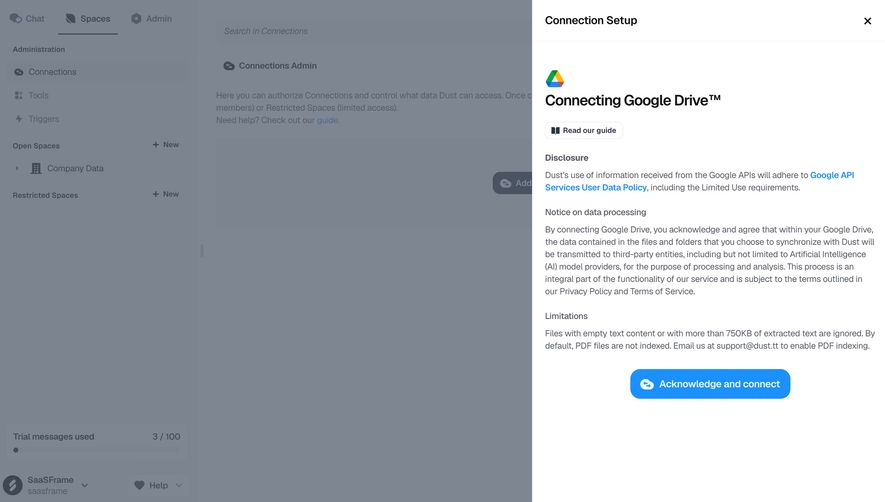
- **Captured state:** One connection is listed, usage is shown as zero and the last-sync badge indicates a recent update. The table is sorted by Name with an upward arrow. No expanded menu or connection-detail view is visible.
### Typography
- **Family:** Neutral compact application sans serif. Exact identity is unverified.
- **Page title and main actions:** Approximately 14 px, medium or semibold, with 20 px leading.
- **Explanatory copy:** Approximately 14 px with 20 px leading, muted blue-gray; the guide link uses stronger blue.
- **Table:** Header labels are approximately 12 px bold, while row labels and buttons are approximately 14 px.
- **Sidebar:** Top tabs and navigation links are approximately 14 px; group headings and New actions are around 12 px semibold.
- **Search:** Approximately 14 px, with an italic placeholder and a compact search icon at the right.
- **Measurement limit:** Sizes and weights are visual CSS reconstruction estimates under the assumed 2× capture.
### Colors & surfaces
- **Main canvas:** Sampled sRGB #FFFFFF fills the content region and sidebar utility cards.
- **Secondary surfaces:** Sampled #F7F7F7 supplies the sidebar and search-field background.
- **Rules:** Sampled #EEEEEF is a principal pale-neutral divider tone.
- **Dark controls:** Sampled #2A3241 supplies a dark slate reference for the filled Add Connections action.
- **Primary text:** Sampled #111418 provides a near-black text reference.
- **Secondary text:** Sampled #545D6C supplies muted slate labels and explanatory copy; #969CA5 is a lighter related tone among small interface details.
- **Localized color:** The provider's multicolored logo and blue guide link introduce color without changing the otherwise neutral administration palette.
### Components
- **Search input:** Approximately 1050 × 36 CSS px, light-gray fill, fine border and roughly 12–14 px radii. Text is inset about 14 px.
- **Add Connections button:** Approximately 160 × 36 CSS px, dark slate fill, white connection icon and label, with about 12 px radii.
- **Table rows:** Thin horizontal rules define header and data boundaries; there are no vertical grid lines or enclosing heavy frame.
- **Provider identity:** Small multicolored provider icon sits beside the name on a shared baseline.
- **Usage cell:** A small group/person symbol precedes the zero value, using muted gray to reduce emphasis.
- **Managed-by cell:** A small circular black identity mark occupies the cell instead of a long textual label in the captured row.
- **Sync badge:** Compact pale rounded rectangle with small dark text.
- **Manage action:** White outlined button with a leading dark hexagonal-style icon and compact padding.
- **Trial card:** Rounded white rectangle with usage label and ratio on one row, plus a thin progress track beneath.
- **Help control:** Rounded white button with heart icon, label and downward chevron, placed beside the workspace selector.
### Visual rhythm
- **Top concentration:** Search, title/action row, explanation and table follow a compact vertical sequence.
- **Whitespace:** The large blank main area communicates the small number of connections rather than being filled with decoration.
- **Sidebar grouping:** Larger vertical gaps distinguish administration, open spaces and restricted spaces; individual links use tighter repeated spacing.
- **Alignment:** Main title, paragraph and table share a consistent left inset; the top action, table action and item count align near the right edge.
### Responsive
- **Evidence limit:** Only desktop is shown; recommendations below are not observed behavior.
- **Navigation recommendation:** Collapse the wide sidebar into a drawer or compact switcher on narrow screens.
- **Table recommendation:** Preserve provider identity and Manage access; move secondary usage/sync data into stacked row details if horizontal space is limited.
- **Header recommendation:** Allow the title/action row to wrap, keeping Add Connections clearly visible.
- **Touch recommendation:** Expand the effective hit areas of small row actions and sidebar controls without unnecessarily enlarging the desktop visual design.
### Adaptation guidance
- **Preserve operational clarity:** Prioritize connection identity, access context, sync status and management actions.
- **Use real state:** Populate provider names, usage counts, sync timestamps and managing identity from actual workspace data.
- **Retain restraint:** Use neutral surfaces, thin separators and one strong dark action rather than decorative dashboard cards.
- **Adapt navigation depth:** Keep only the product-area and space groups needed by the target application.
- **Accessibility recommendation:** Provide descriptive names for icon controls, accessible table headers, visible keyboard focus and readable status text. These behaviors cannot be verified from the screenshot.
Use this context to reproduce the reference's visual language: layout, typography, colors, spacing, borders, radii, and distinctive elements. The screenshot takes priority if descriptions conflict.
## Direction
{{preferences.fidelityInstructions}}
## Output
{{output.instructions}}
Deliver a polished, cohesive design with precise alignment, hierarchy, and spacing. Produce the requested visual artifact, not just a description. If unsupported, explain the limitation.

.avif)
Category
Tech Stack


Added on
February 2, 2026
Similar screens
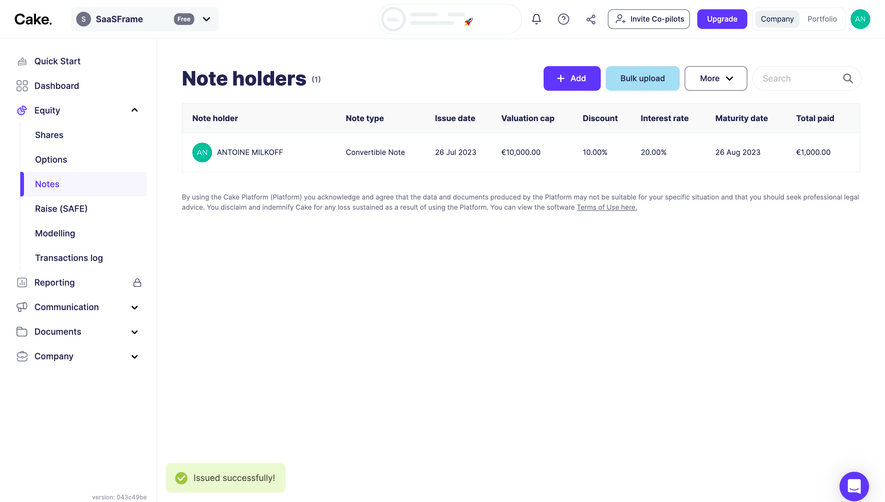


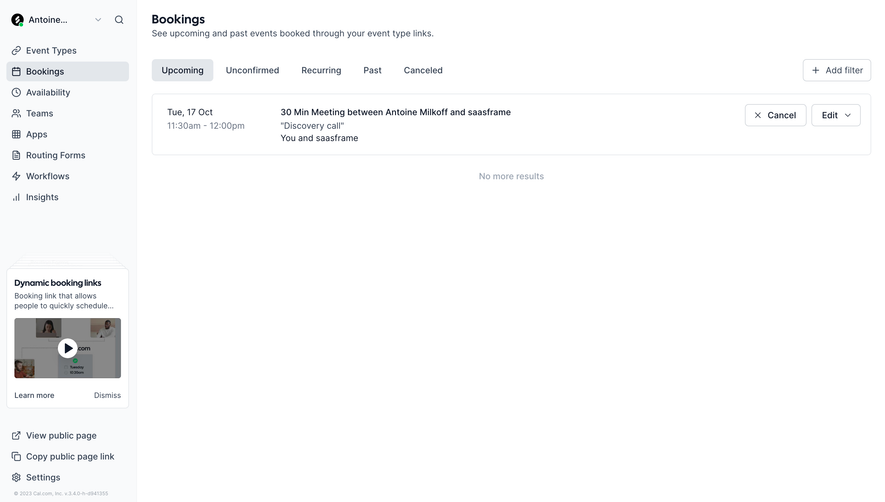

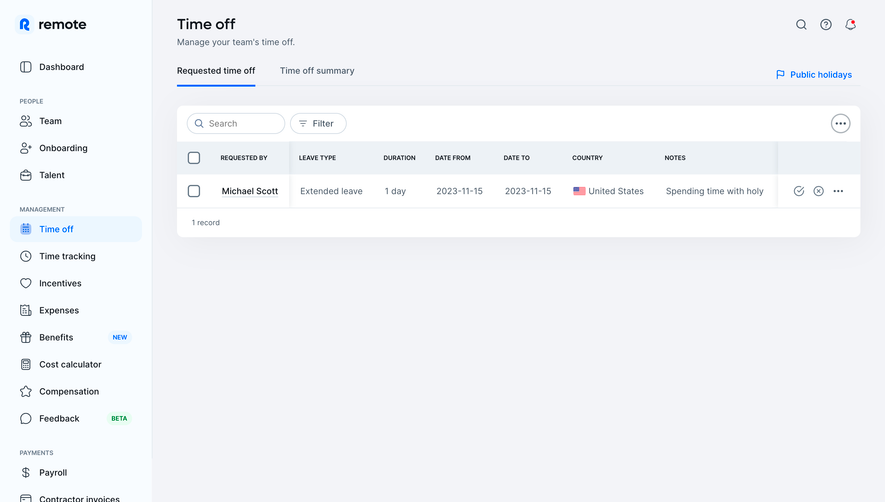

Upgrade to SaaSFrame Pro now to see similar examples.
Monthly
$18 /month
Billed $18 monthly
Browse all screens & flows
Filter and search screens & flows
Search text in screenshots
Access Figma files
Access mobile versions
Join now
Quarterly
$16 /month
Billed $48 quarterly
Browse all screens & flows
Filter and search screens & flows
Search text in screenshots
Access Figma files
Access mobile versions
Join now
Yearly
$15 /month
Billed $180 yearly
Browse all screens & flows
Filter and search screens & flows
Search text in screenshots
Access Figma files
Access mobile versions
Join now