Generate a new design based on this screen using your own content.
Thank you! Your submission has been received!
Oops! Something went wrong while submitting the form.
# Design from Reference: Dust Account Setup
Create an original, high-fidelity visual design inspired by the reference. Prioritize composition, typography, colors, spacing, and component styling over technical implementation.
## Reference
- **Product:** Dust
- **Category:** Account Setup
- **Screenshot:** https://cdn.prod.website-files.com/5e9dc792e1210c5325f7ebbc/6980861fe66066722a2db834_pOxTR5BfwC_D9hgY_IP7IfeHhn9VSePvw39QjJXOwgA.avif
Analyze the screenshot first. If inaccessible, request it rather than guessing.
## Content
{{content.instructions}}
{{content.data}}
Preserve essential messaging and factual accuracy. Adapt structure and copy length for visual balance; never invent product claims.
## Visual Design
Use this context to reproduce the reference's visual language: layout, typography, colors, spacing, borders, radii, and distinctive elements. The screenshot takes priority if descriptions conflict.
## Direction
{{preferences.fidelityInstructions}}
## Output
{{output.instructions}}
Deliver a polished, cohesive design with precise alignment, hierarchy, and spacing. Produce the requested visual artifact, not just a description. If unsupported, explain the limitation.
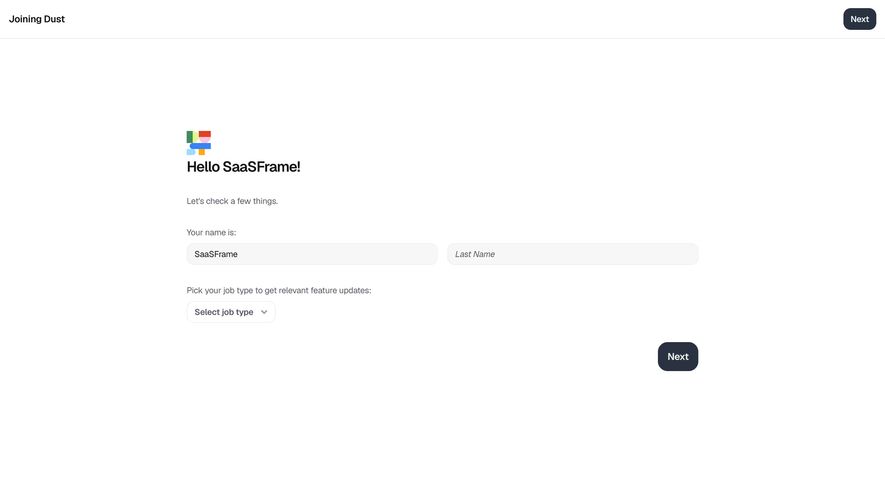
First thing you notice is how calm this page is. Dust keeps their onboarding dead simple with a single-column layout centered on the page, tons of white space, and zero visual noise. The greeting "Hello SaaSFrame!" with the colorful Dust logo above it adds a personal, friendly touch right away.
Smart Use of Restraint
Two input fields for name, a dropdown for job type, and a Next button. That's it. No progress bar screaming at you, no sidebar, no distractions. The "Joining Dust" header in the top left with a duplicate Next button top right gives users two clear exit points. Typography is clean and lightweight. Gray body text against white keeps the hierarchy obvious without being loud.
What Makes It Stand Out
The dark navy Next button anchored to the bottom right creates a natural reading flow: greet, fill, proceed. The job type dropdown is a smart segmentation move baked right into onboarding. It's functional personalization disguised as a simple question. Minimal but intentional throughout.
.webp)




.avif)