Design with AI
Generate a new design based on this screen using your own content.
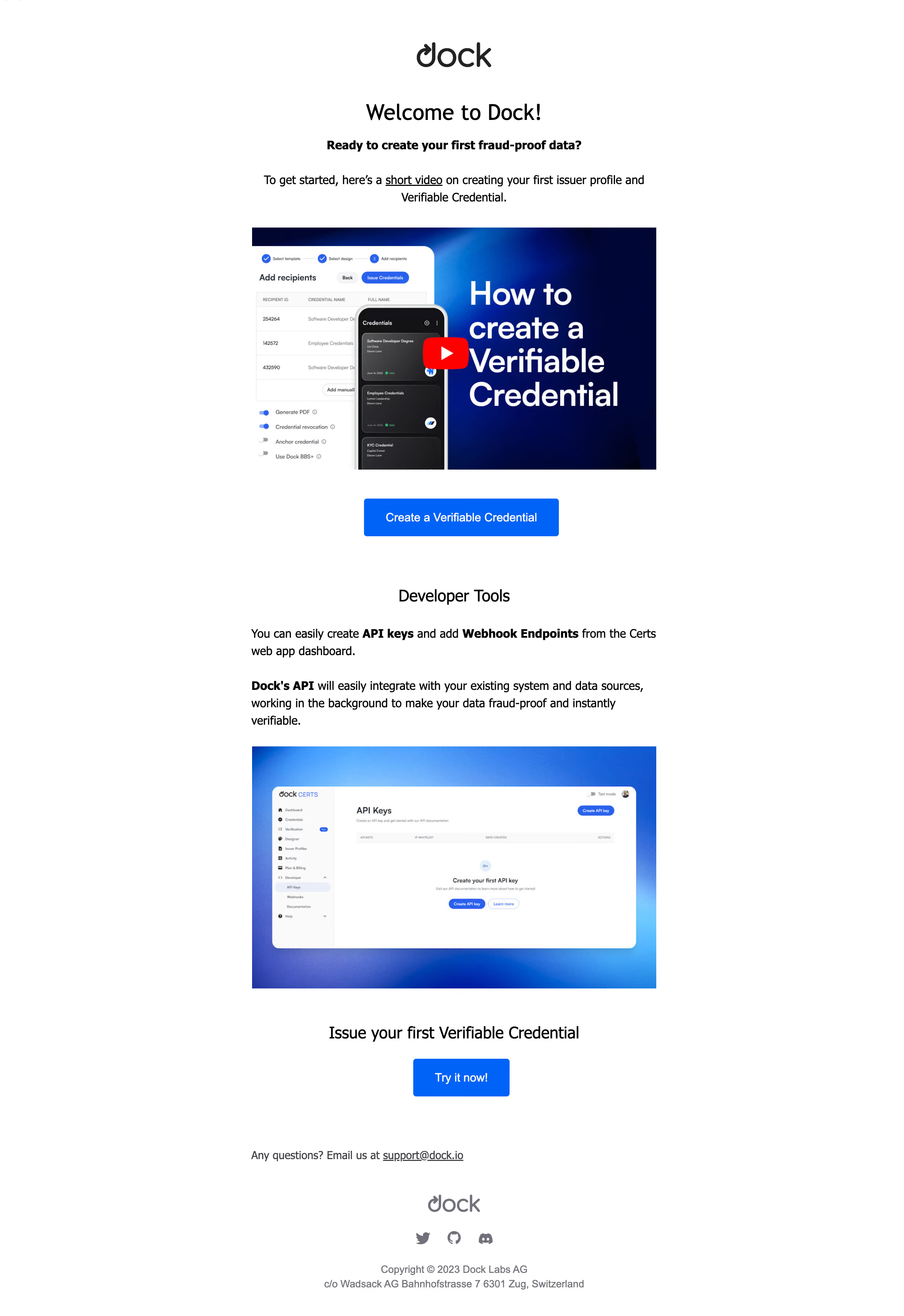
# Design from Reference: Dock Welcome Email
Create an original, high-fidelity visual design inspired by the reference. Prioritize composition, typography, colors, spacing, and component styling over technical implementation.
## Reference
- **Product:** Dock
- **Category:** Welcome Email
- **Screenshot:** https://cdn.prod.website-files.com/5e9dc792e1210c5325f7ebbc/6acad963bd9ce0e960551d32_6acad8d7a43009b06fe66fe4_cms-288380de2091f46c71b76471.webp
Analyze the screenshot first. If inaccessible, request it rather than guessing.
## Content
{{content.instructions}}
{{content.data}}
Preserve essential messaging and factual accuracy. Adapt structure and copy length for visual balance; never invent product claims.
## Visual Design
### Overall aesthetic
- **Character:** Clean welcome email combining onboarding video, developer guidance, and repeated blue actions.
### Page composition
- **Canvas:** 2496 × 3632 screenshot px. Narrow centered single column with logo, welcome heading, bold lead, video thumbnail, primary action, Developer Tools section/image, second action, support, and footer.
### Information hierarchy
- **Priority:** Video introduces credential creation; developer text highlights API keys and webhooks. Both actions support the same activation goal.
### Typography
- **Scale:** Estimated CSS at assumed 2× capture: main heading 32 px, section headings 24 px, body/buttons 16 px. Font family unverified.
### Colors & surfaces
- **Palette:** Sampled sRGB #FFFFFF, blue #0064FF, pale #FAFAFA, black #000000, and thumbnail navy #000639/#00063A.
### Components
- **Details:** Wide video thumbnail with red play symbol, blue rectangular buttons with 4 px corners, dashboard image on blue gradient, underlined links, and gray social icons.
### Visual rhythm
- **Spacing:** Estimated 560 CSS px content width, 32–48 px vertical section gaps, centered headings/actions, and left-aligned developer paragraphs.
### Responsive
- **Adaptation:** Mobile is not shown. Make images fluid and keep button labels legible within a narrow email width.
### Adaptation guidance
- **Transfer:** Preserve educational media followed by activation and developer support. Replace media, API claims, links, and support details with valid target content.
Use this context to reproduce the reference's visual language: layout, typography, colors, spacing, borders, radii, and distinctive elements. The screenshot takes priority if descriptions conflict.
## Direction
{{preferences.fidelityInstructions}}
## Output
{{output.instructions}}
Deliver a polished, cohesive design with precise alignment, hierarchy, and spacing. Produce the requested visual artifact, not just a description. If unsupported, explain the limitation.