
Thank you! Your submission has been received!
Oops! Something went wrong while submitting the form.
Get SaaSFrame Pro
Monthly
$18
Quarterly
$48
Yearly
$180
Upgrade to access this feature
Browse all screens & flows
Filter and search screens & flows
Access Figma files
Access mobile versions
Bookmark screens & flows
Join now
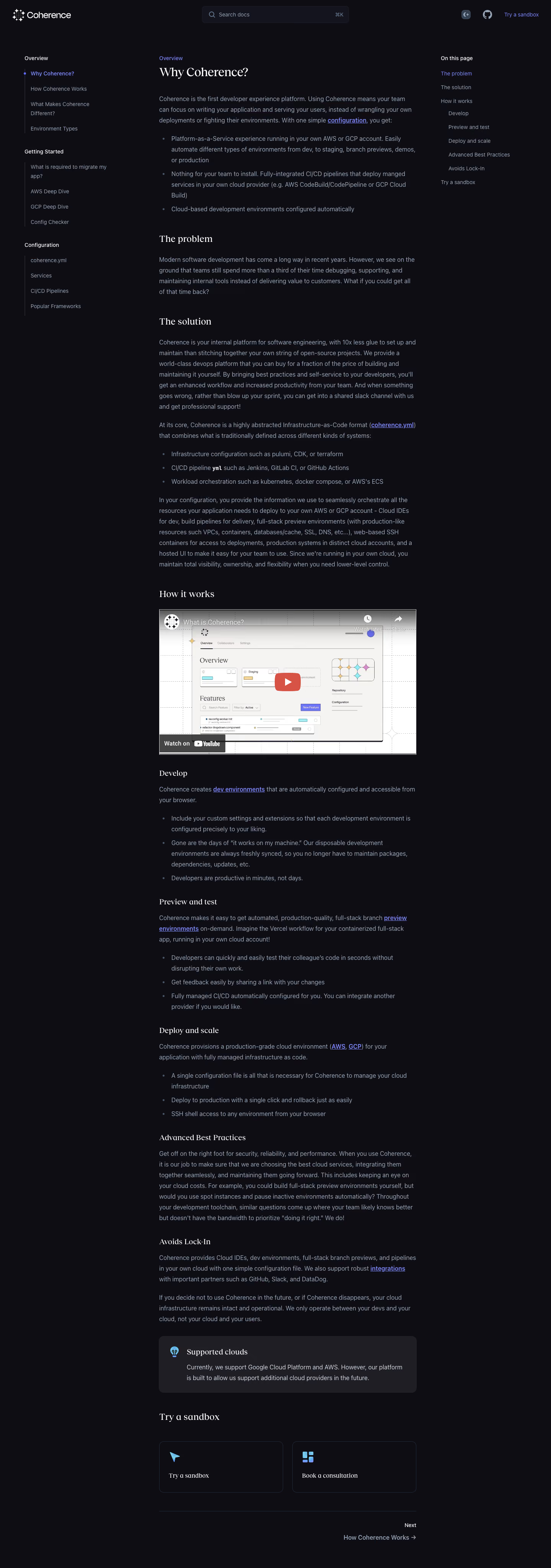

Coherence Documentation

Coherence
The First Developer Experience Platform
Designed by
No items found.

Bookmark
Bookmark

Design with AI
Thank you! Your submission has been received!
Oops! Something went wrong while submitting the form.
# Design from Reference: Coherence Documentation
Create an original, high-fidelity visual design inspired by the reference. Prioritize composition, typography, colors, spacing, and component styling over technical implementation.
## Reference
- **Product:** Coherence
- **Category:** Documentation
- **Screenshot:** https://cdn.prod.website-files.com/5e9dc792e1210c5325f7ebbc/6acb72ba018523cfee2da1e5_6acb7043b679c88211a468a9_cms-44384e6fca576415101e75b4.webp
Analyze the screenshot first. If inaccessible, request it rather than guessing.
## Content
{{content.instructions}}
{{content.data}}
Preserve essential messaging and factual accuracy. Adapt structure and copy length for visual balance; never invent product claims.
## Visual Design
### Overall aesthetic
- **Character:** Dark technical documentation with editorial serif headings, muted blue-gray body text and restrained violet links.
- **Evidence and scale:** Screenshot is 1440 × 4097 image pixels. Sizes estimate a 1× CSS capture, which remains unverified; exact serif and sans-serif families cannot be identified from pixels.
### Page composition
- **Header:** Brand at upper left, a centered search field and compact theme/repository utilities plus a sandbox link at right.
- **Three-column frame:** Left navigation starts around x64 and spans roughly 240px; the article begins around x416 with a width near 670px; a narrow on-page contents list begins around x1150.
- **Article:** A category label and page title precede paragraphs and bullet lists. Multiple subsections include a large embedded video, explanatory copy, a supported-clouds callout and two action cards.
- **Ending:** A thin divider and right-aligned next-article link finish the central reading column. Side navigation and contents are visible near the top; sticky behavior is not established.
### Information hierarchy
- **Navigation levels:** Bright category labels group indented muted links beneath vertical guide rules. The active entry uses violet text and a small violet dot.
- **Article levels:** A large serif title, medium serif section headings and smaller subsection headings structure the long reading flow.
- **Secondary routes:** Underlined inline violet links support cross-reference, while video and action cards introduce stronger interactive destinations.
- **Contents list:** A compact right-hand section index uses the same active violet treatment and quieter gray remaining items.
### Typography
- **Headings:** Page title appears near 32px CSS; major sections near 24px and smaller subsection headings near 20px, regular serif weight.
- **Body:** Approximately 16px sans-serif with generous 28px line height, supporting long paragraphs and bullet lists.
- **Utility roles:** Navigation, search and contents are roughly 14px. Inline code-like terms use a visibly heavier monospaced treatment; font identities and exact computed weights are unverified.
### Colors & surfaces
- **Measured ground:** Deep near-black violet #0E0D14 fills nearly the whole page; #1F1E25 provides a raised callout surface and #13141E supports subtle utility areas.
- **Measured text:** Off-white #F6F4F2 and white #FFFFFF appear in headings and icons; blue-gray #96A4B7 appears prominently in body and navigation.
- **Measured accents:** Violet #7F86F9 supports links/active states. Red #D75345 is concentrated in the embedded video play treatment rather than page navigation.
### Components
- **Search:** Approximately 384 × 44px CSS field with rounded corners near 8px, fine low-contrast border, search icon, muted placeholder and keyboard shortcut hint.
- **Navigation guides:** Thin vertical rules connect grouped child entries; the active dot sits directly on the rule.
- **Video:** A roughly 670 × 377px 16:9 embed contains a pale product-interface thumbnail, centered red play control and familiar video utility overlays. Playback is not observed.
- **Callout:** Full article-width charcoal panel with roughly 28px padding, 12–14px radius, blue lightbulb icon, serif title and two-line explanatory text.
- **Action cards:** Two equal outlined cards in a row, approximately 322 × 132px, use small colorful icons and short serif labels. A roughly 24px gap separates them.
### Visual rhythm
- **Reading rhythm:** Body paragraphs use 20–28px separation; section headings create larger 40–56px breaks.
- **List structure:** Small muted bullets, hanging indents and generous line spacing keep technical lists legible.
- **Column discipline:** Article text, video, callout, cards and ending divider share a consistent width, while side regions remain visually quieter.
### Responsive
- **Observed limit:** Only the desktop documentation frame is visible; search dialogs, themes, mobile navigation and actual scrolling behavior are unobserved.
- **Recommended navigation:** Move the left tree into a drawer and collapse the contents list into an in-page disclosure on narrow screens.
- **Recommended content:** Keep readable side padding, scale the video fluidly and stack the two action cards when space is limited. Maintain comfortable line length rather than shrinking text.
### Adaptation guidance
- **Preserve the language:** Combine a dark violet ground, off-white serif headings, blue-gray body text and a single violet navigation accent.
- **Build for reading:** Use consistent article measure, visible section hierarchy, linked headings and accessible navigation landmarks.
- **Implementation:** Provide focus styles, sufficient muted-text contrast, keyboard-operable search and accessible video alternatives. Platform/cloud claims in the screenshot are article content, not independently verified current capabilities.
Use this context to reproduce the reference's visual language: layout, typography, colors, spacing, borders, radii, and distinctive elements. The screenshot takes priority if descriptions conflict.
## Direction
{{preferences.fidelityInstructions}}
## Output
{{output.instructions}}
Deliver a polished, cohesive design with precise alignment, hierarchy, and spacing. Produce the requested visual artifact, not just a description. If unsupported, explain the limitation.


Category
Patterns
No items found.
Tech Stack

Added on
March 8, 2023
Similar screens





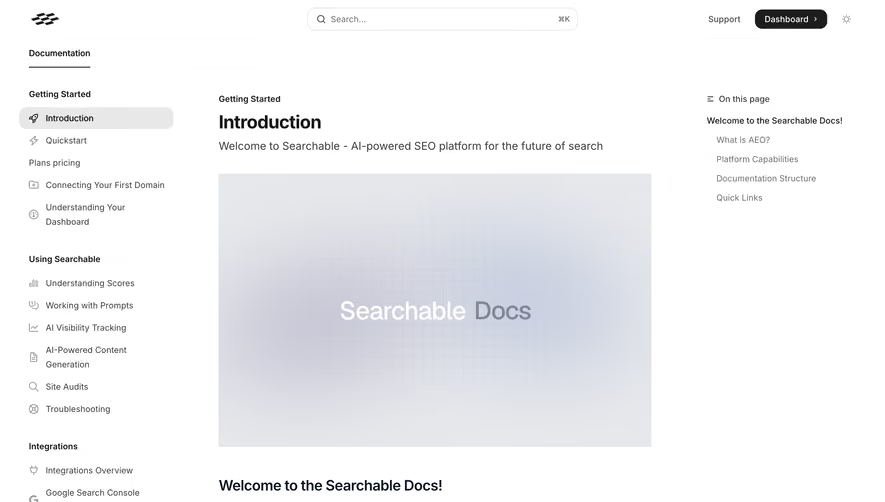

Upgrade to SaaSFrame Pro now to see similar examples.
Monthly
$18 /month
Billed $18 monthly
Browse all screens & flows
Filter and search screens & flows
Search text in screenshots
Access Figma files
Access mobile versions
Join now
Quarterly
$16 /month
Billed $48 quarterly
Browse all screens & flows
Filter and search screens & flows
Search text in screenshots
Access Figma files
Access mobile versions
Join now
Yearly
$15 /month
Billed $180 yearly
Browse all screens & flows
Filter and search screens & flows
Search text in screenshots
Access Figma files
Access mobile versions
Join now