Design with AI
Generate a new design based on this screen using your own content.
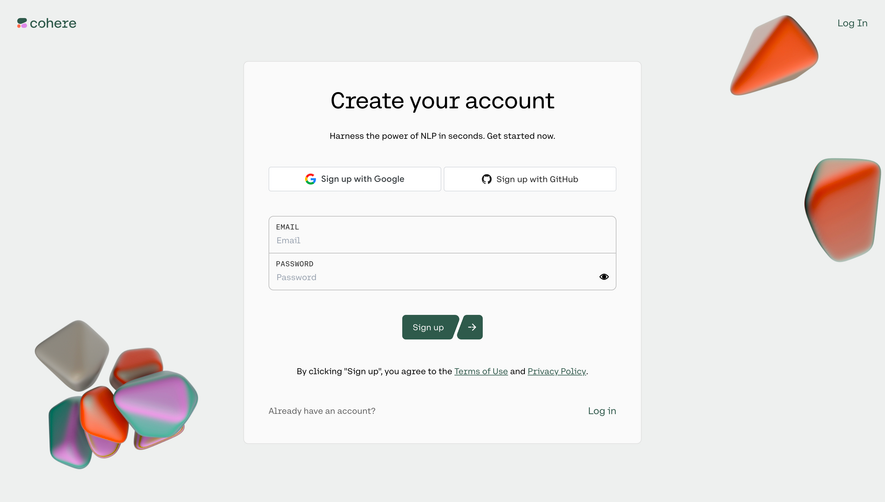
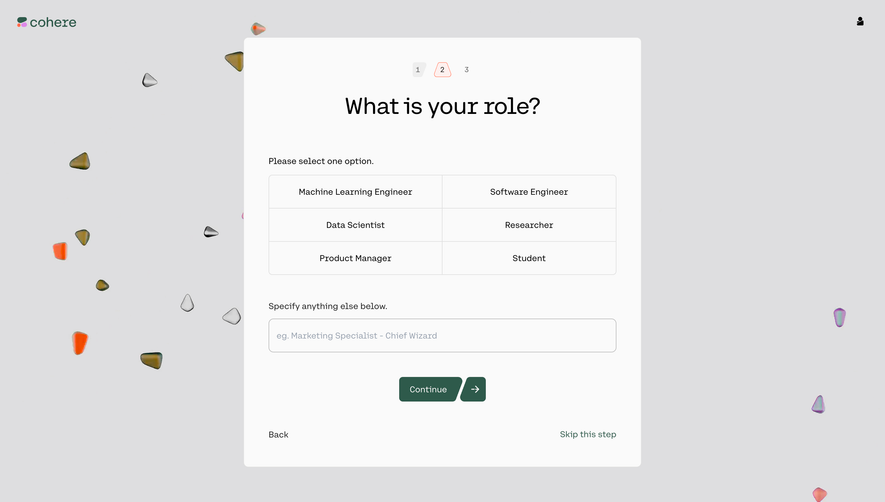
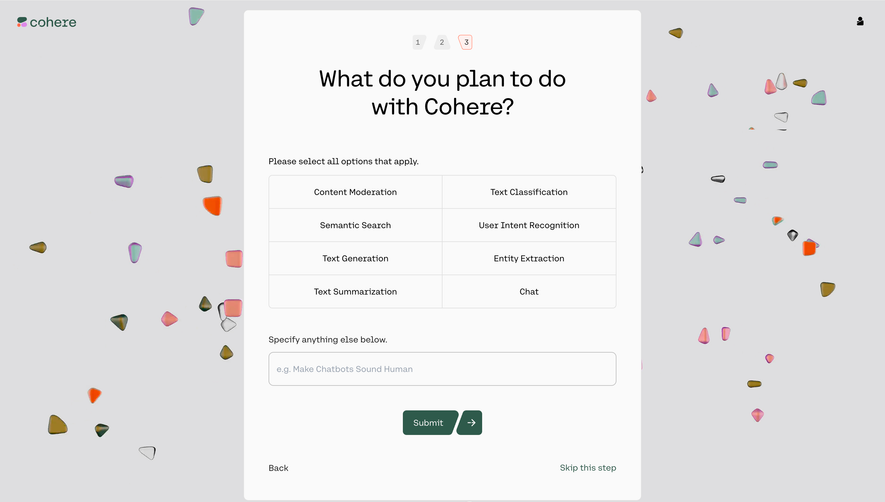
# Design from Reference: Cohere Account Setup
Create an original, high-fidelity visual design inspired by the reference. Prioritize composition, typography, colors, spacing, and component styling over technical implementation.
## Reference
- **Product:** Cohere
- **Category:** Account Setup
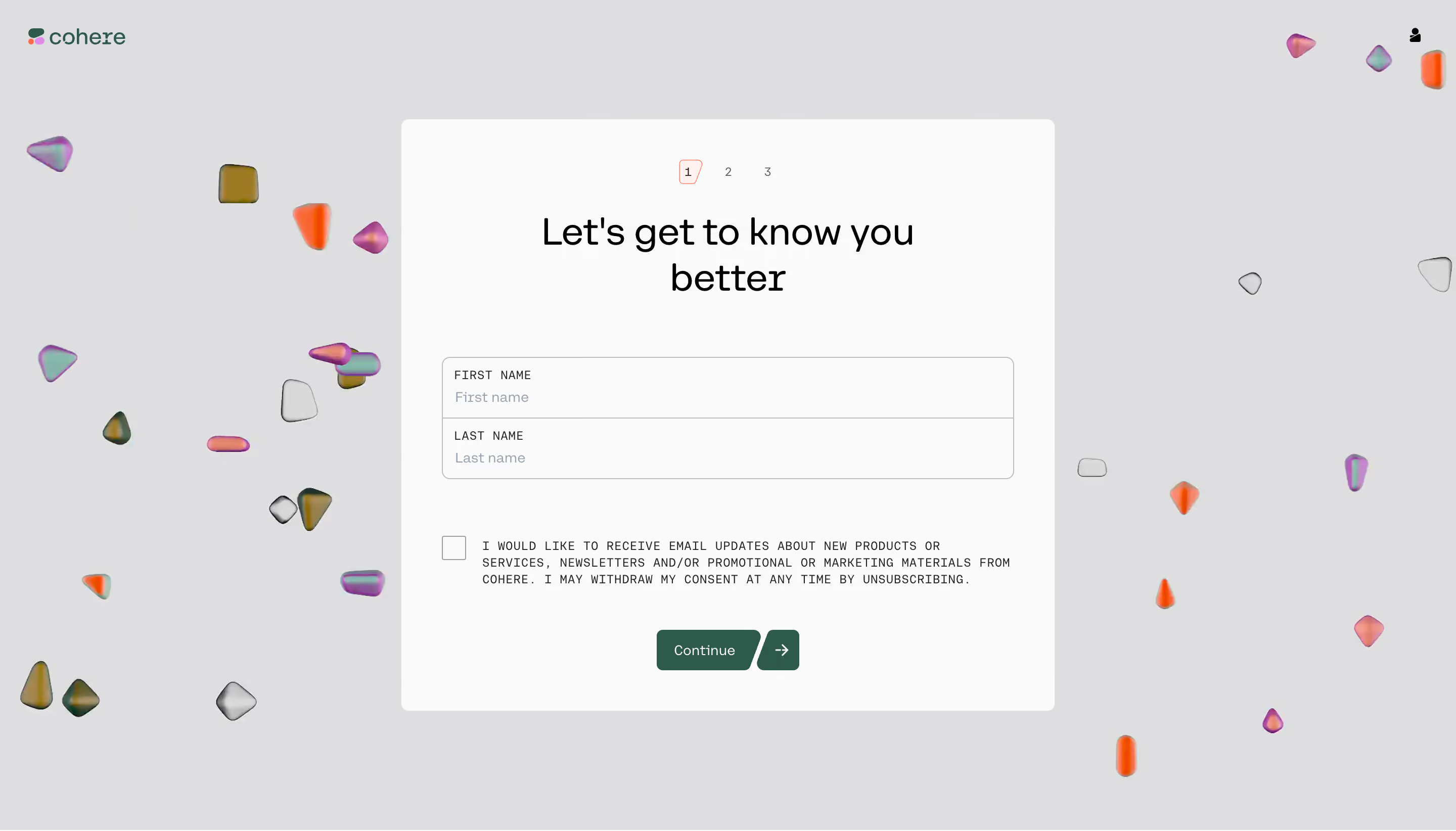
- **Screenshot:** https://cdn.prod.website-files.com/5e9dc792e1210c5325f7ebbc/6acb725db10d21a746c4792b_6acb70eab226993977e1d6ae_cms-f08d2fb7dabe69028005ab2d.webp
Analyze the screenshot first. If inaccessible, request it rather than guessing.
## Content
{{content.instructions}}
{{content.data}}
Preserve essential messaging and factual accuracy. Adapt structure and copy length for visual balance; never invent product claims.
## Visual Design
### Overall aesthetic
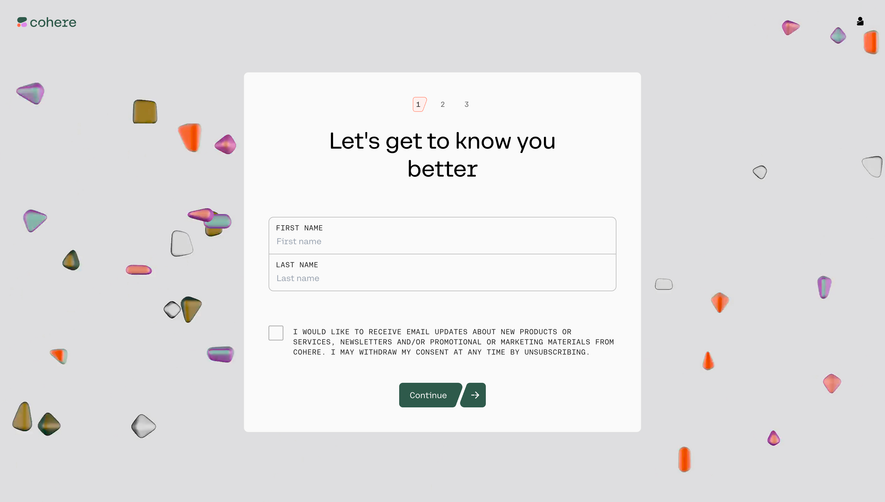
- **Style:** Playful account setup with a pale-gray canvas, white central form and scattered translucent colorful 3D shapes.
- **Scale:** Source 2880 × 1644px; sizes estimate a 1440px-wide CSS viewport at 2× capture scale.
### Page composition
- **Header:** Cohere branding sits upper left and a small account icon upper right.
- **Form panel:** A roughly 648 × 584px white panel is centered, with three-step indicator, large heading, two stacked name fields, consent checkbox and Continue.
- **Decoration:** Small irregular glass-like objects float around the panel margins without covering fields.
### Information hierarchy
- **Step:** 1 is highlighted among three small numbered stages.
- **Identity:** Let's get to know you better introduces first and last name.
- **Consent:** An unchecked marketing-email checkbox precedes a green Continue action split from a separate arrow segment.
### Typography
- **Families:** Rounded sans-serif heading with small uppercase monospaced-looking field/consent text; exact identities are unverified.
- **Roles:** Estimated heading 36px/44px, values 14px, labels 12px uppercase and consent 12px/16px.
- **Alignment:** Heading is centered; fields and consent are left aligned.
### Colors & surfaces
- **Sampled palette:** ICC-aware sRGB samples include gray #DEDEE0, near-white #FAFAFA, green #2E5A4B, black #000000 and #E0E0E0.
- **Accents:** Coral marks the active step. Decorations combine orange, pink, purple and green iridescence.
- **Treatment:** The panel is flat with modest corners; fields have fine gray outlines.
### Components
- **Name group:** Two full-width stacked rows inside one outlined rounded rectangle, separated by a rule.
- **Consent:** Square unchecked box sits left of dense uppercase copy.
- **Continue:** Dark-green label button with an angled right edge pairs with a separate green arrow button.
- **Step indicator:** Three tiny numbers; the first has a thin coral irregular outline.
### Visual rhythm
- **Spacing:** Large gaps separate headline, fields, consent and action.
- **Balance:** Symmetric form structure contrasts with irregular scattered background objects.
### Responsive
- **Recommended adaptation:** Only desktop is observed. Make the panel fluid, reduce heading size and crop decorations away from content.
- **Consent:** Allow text to wrap legibly and retain a comfortable checkbox target.
### Adaptation guidance
- **Preserve:** Keep short identity collection, explicit optional consent and clear progression.
- **Adapt:** Use actual consent wording and step logic; do not infer selected consent or additional fields.
Use this context to reproduce the reference's visual language: layout, typography, colors, spacing, borders, radii, and distinctive elements. The screenshot takes priority if descriptions conflict.
## Direction
{{preferences.fidelityInstructions}}
## Output
{{output.instructions}}
Deliver a polished, cohesive design with precise alignment, hierarchy, and spacing. Produce the requested visual artifact, not just a description. If unsupported, explain the limitation.
.webp)




.avif)