.webp)
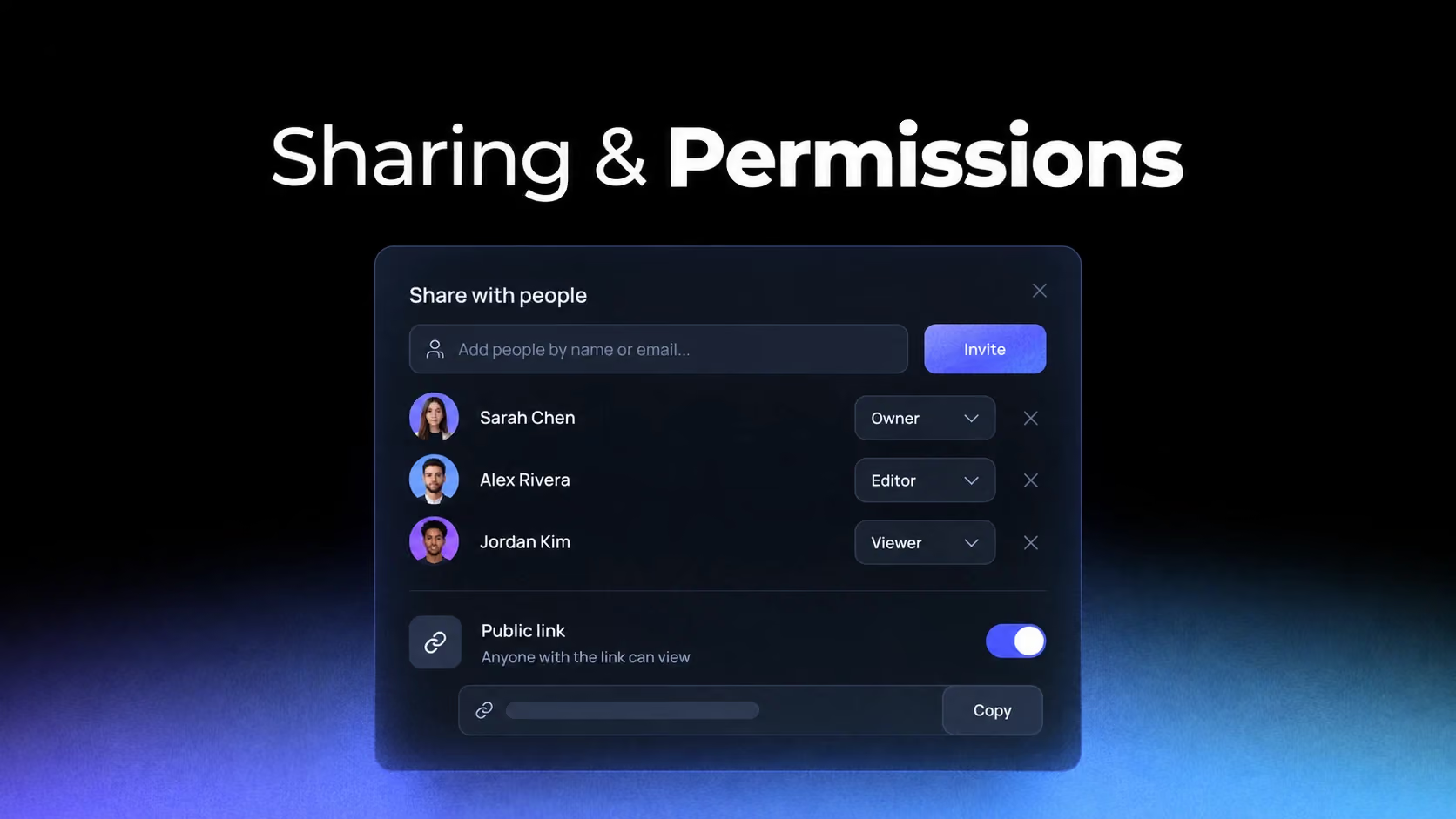
Sharing interfaces compress a security model into a few controls. Users must understand who receives access, what that access permits and whether it applies to one object or a broader workspace. Small ambiguities can create real privacy failures.
Start with the object and its current exposure
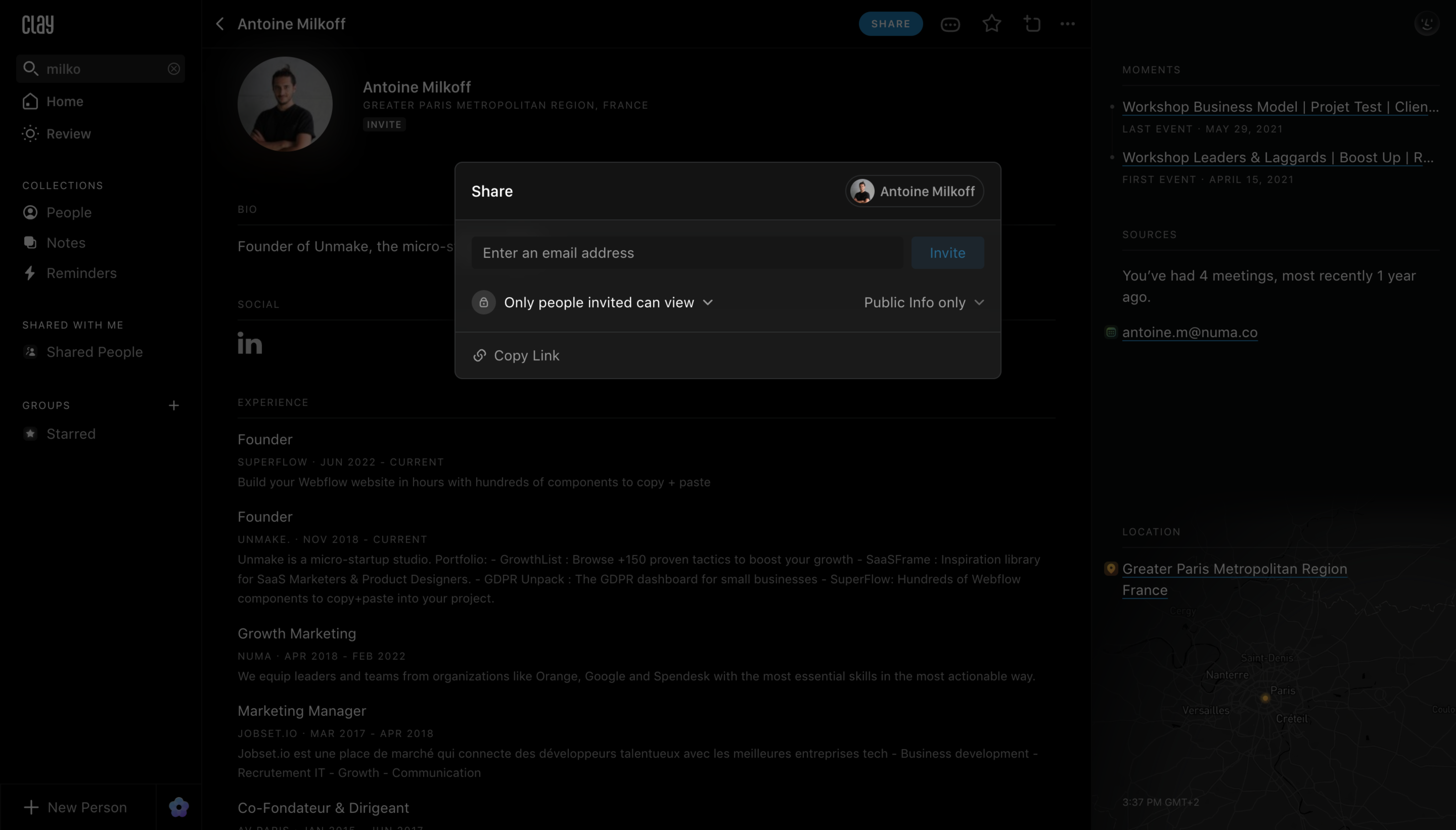
Clay and Latitude keep sharing close to the object being shared. The modal or panel should name that object and summarize its current visibility before offering new access.
Study Clay: Clay Share Contact on SaaSFrame
Study Latitude: Latitude Share Project on SaaSFrame
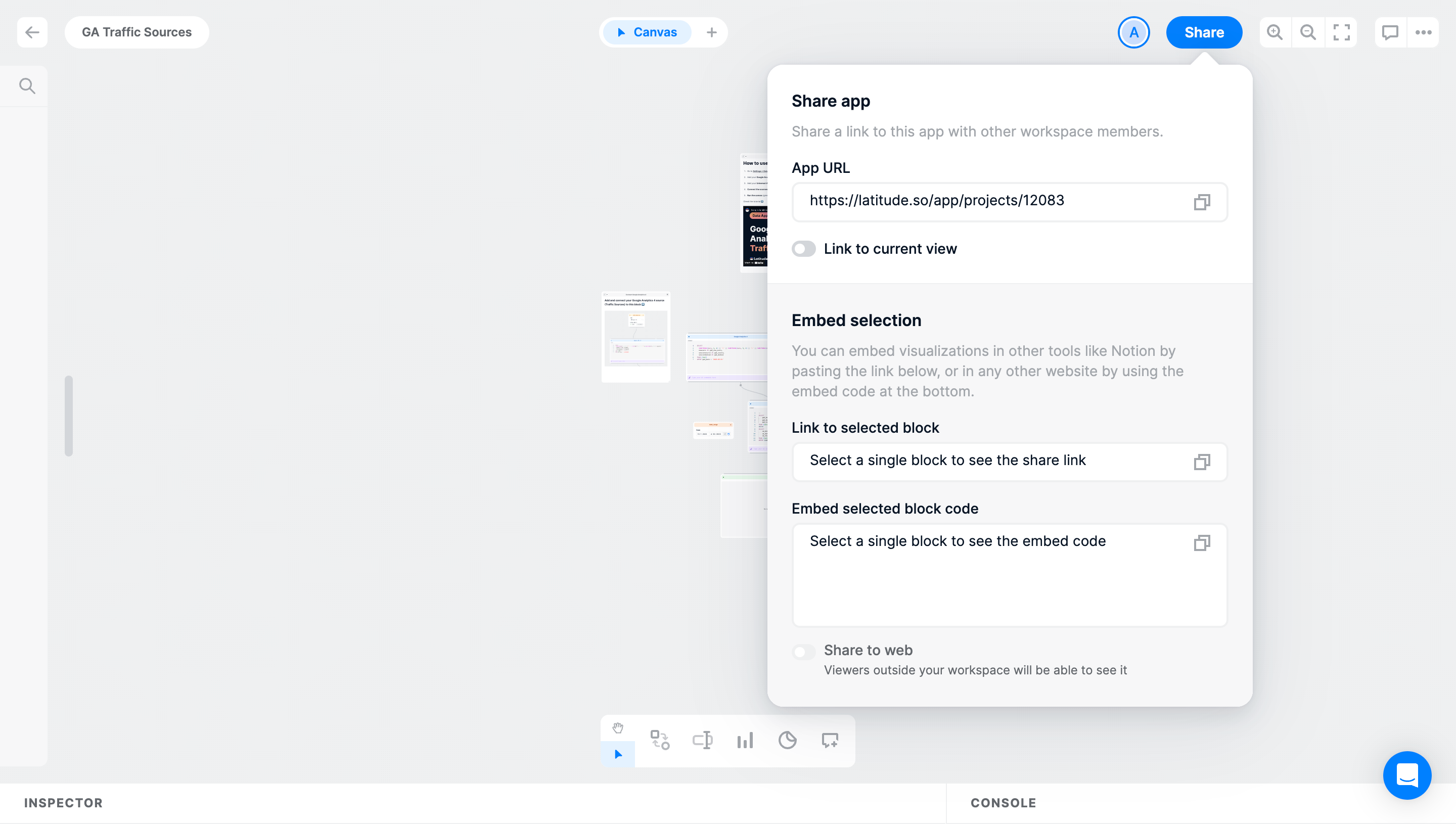
Without this anchor, users may know whom they are inviting but not whether the change affects one contact, an entire project or inherited content.
Invitations and distribution are different mental models
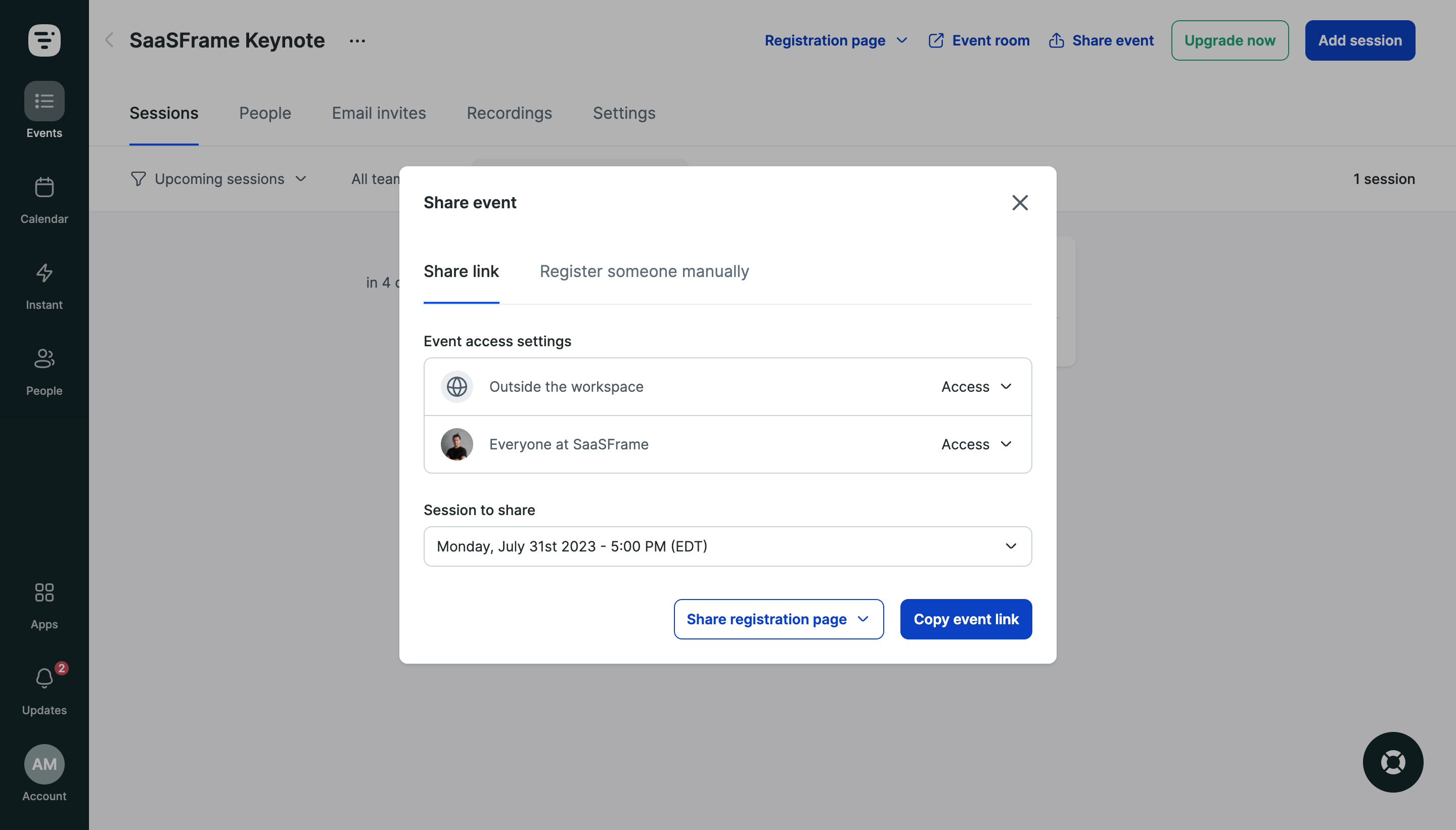
Livestorm and GoFundMe emphasize distribution channels, where the goal is reach. Collaboration tools emphasize named people and capabilities. Combining both in one undifferentiated dialog makes access consequences difficult to predict.
Study Livestorm: Livestorm Share Event on SaaSFrame
Study GoFundMe: GoFundMe Share Modal on SaaSFrame
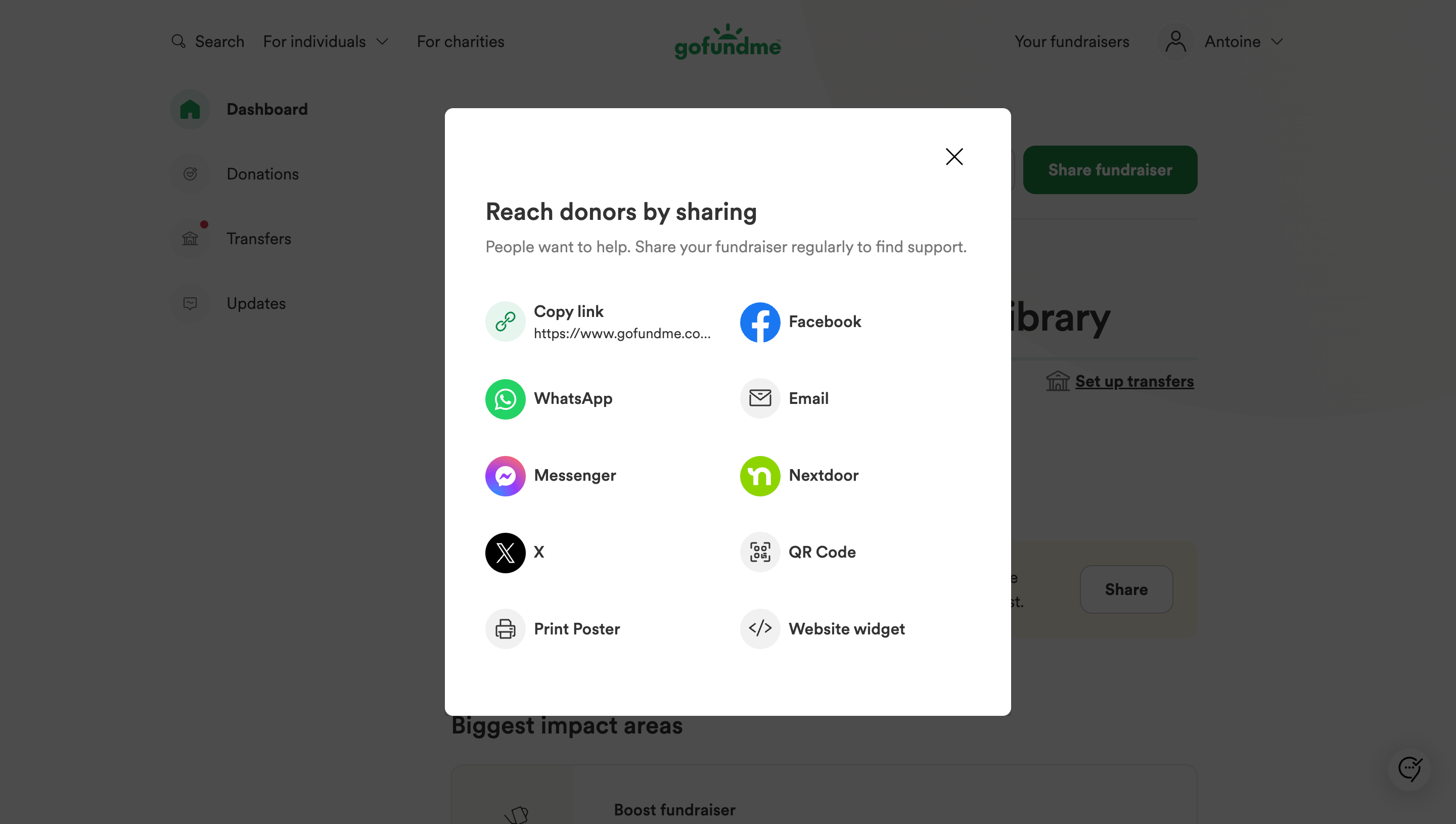
Separate “invite people to work” from “share a link to view.” Use distinct language, controls and confirmation feedback for each.
Permission labels should describe capabilities
Meiro’s guided setup helps users move through access configuration, but role names still need translation. “Member,” “guest” and “editor” mean different things across products.
Study Meiro: Meiro Sharing Setup on SaaSFrame
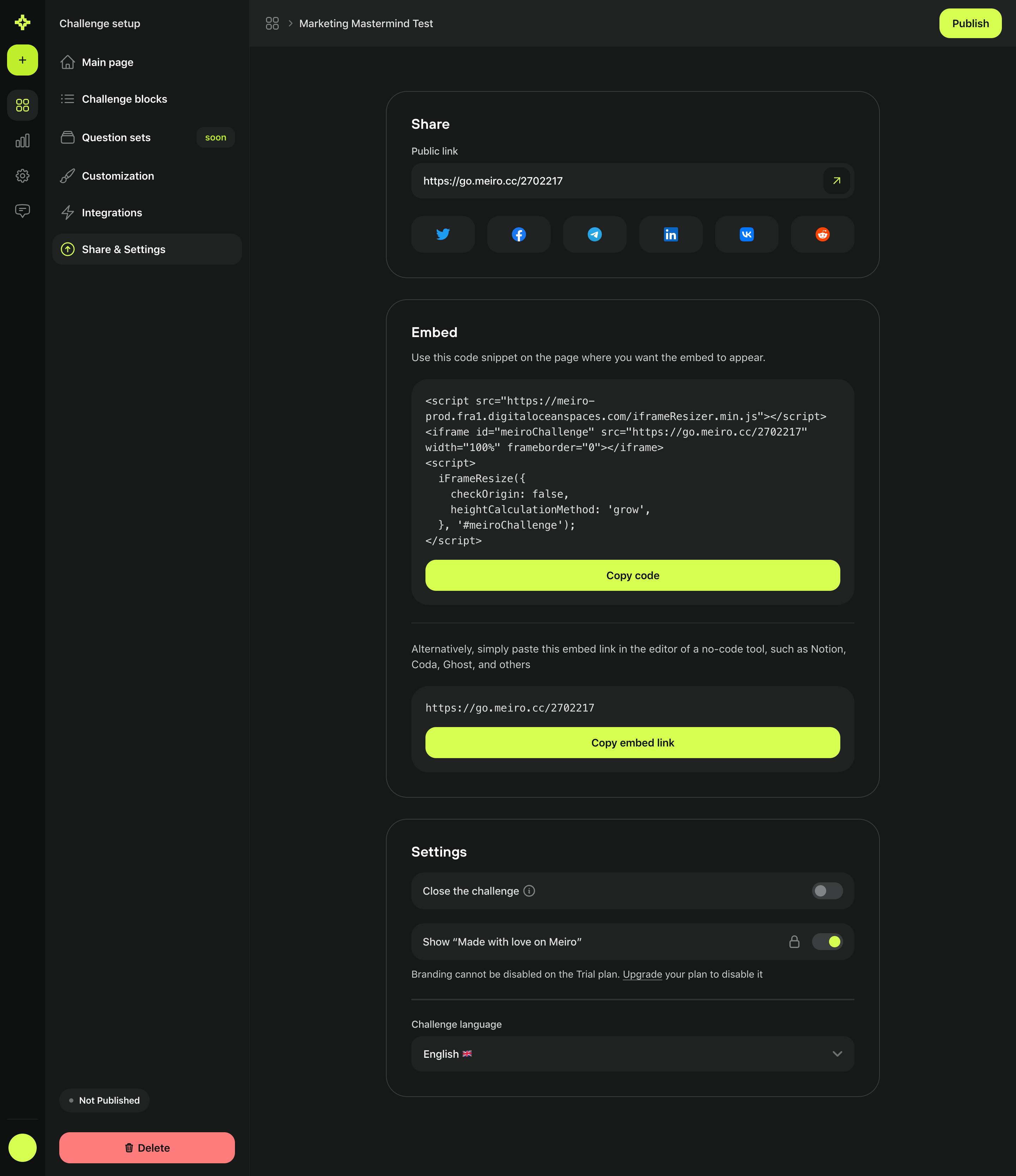
Where the consequence is not obvious, add a short capability summary such as “can edit content, cannot manage access.” This is more useful than internal role terminology.
Public links require an explicit security posture
Pitch separates collaborator invitations from external sharing. Public or link-based access should expose whether authentication is required, whether the link can be indexed, and whether it can be revoked or expire.
Study Pitch: Pitch Invite Collaborators on SaaSFrame
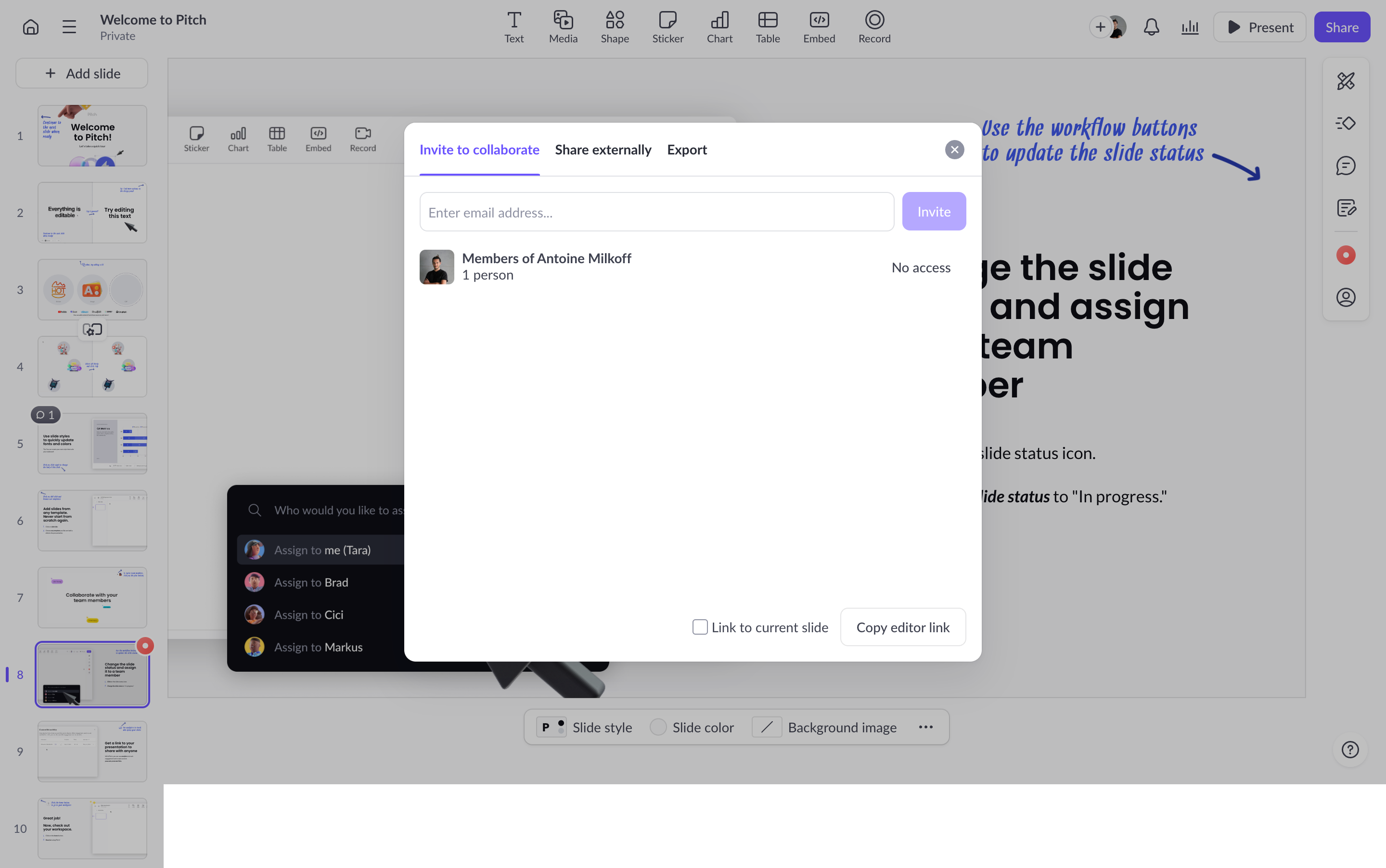
Copy-link interactions need immediate confirmation, but the more important feedback is the access state after copying. Users should not have to reopen the dialog to remember what the link allows.
What to carry into your own design
Model sharing as a sentence the user can complete: “[person or audience] can [capability] on [object] until [condition].” If the interface cannot express each part clearly, the permission model is too implicit.
Explore more real interfaces in the related SaaSFrame collection.