Search SaaS UI & UX Design Examples

Search thousands of real SaaS screens by keyword, category, industry, or product. Discover relevant UI patterns and find inspiration faster.
Type
Categories
Patterns
Thank you! Your submission has been received!
Oops! Something went wrong while submitting the form.
:
Airtable Product Tour
Product Tour
Airtable
Product Tour
Modal
Product
= Use cases All products Q Finda view & All products ‘Add view B Grid B Form 6 Calendar B Gallery @ Kanban }\ Marketing asset management ~ Toggle base sharing options request. Supportarticles Casestudies © Whitepapers Webin® a Fitter Ht Sortedby field Bom Q o A Product + © Category Description 1 | Standard drop delivery) — The boring option. Some people cal shipping 2 | Same-hour drop delivery) Get any essential item dropped to yi 3 | Drop delay Delay any drop for up to 3 weeks. It' 4 | yogurt drop (Delivery We love yogurt, so we'll drop yogurt, Collaborate and share Invite colleagues and friends to collaborate on your base and create read-only links to share your base with others. 18 records Need food, like, now? We'll not only make the food table-side! Glitter, empty boxes, you name it. Gi Have you ever lost a sock in the single sock to you. Imagine a snowball of very large iter dropped. Yeah. For items the size of a rock, we'll usi window. Make sure to keep it open! We send a robot to drop your locatior This is as much of a dog visit as it is @ Labrador Retriever and (oddly enoug! Haade tint Our flaat af drones will 2 y Marketing asset dashboard + Install a block + BB Read me + How should | use this Marketing asset management template? Use this template to centralize all of your marketing collateral into a single messaging and asset library. Here are a few tips for getting the most out of it: + Everything in an Airtable base is customizable, so you can add, edit, or remove any tables, fields, records, or views. = The Use cases field in the Products table is a linked record field. This means that if you click on one of the blue tokens with the name of a related use case, it will open up an_ G3 search + Search Marketing asset management... Q ©) Product categories bar 6 drop Same-hour drop 6 Drop delay yogurt drop
Light
Kinsta Analytics
Analytics
Kinsta
Analytics
Product
KINSTO Antoine's company Dashboard Sites Migrations Kinsta DNS Analytics Company Users Activity Log Knowledge Base ©) ancine mikort Analytics sites Past 24 hours Average PHP + MySQL response time CDN Usage 0.50 Dispersion Performance ° oof SO \ WA N, \ Va Response ee NA Ne Cache 01:00 02:00 03:00 04:00 05:00 06:00 07:00 08:00 09:00 10:00 11:00 12:00 13:00 14:00 15:00 16:00 17:00 18:00 19:00 20:00 21:00 22:00 23:00 00:00 Geo &IP PHP throughput 01:00 02:00 03:00 04:00 05:00 06:00 07:00 08:00 09:00 10:00 11:00 12:00 13:00 14:00 15:00 16:00 17:00 18:00 19:00 20:00 21:00 22:00 23:00 00:00 PHP worker limit (00:00 01:00 02:00 08:00 04:00 05:00 06:00 07:00 08:00 09:00 10:00 11:00 12:00 13:00 14:00 15:00 1600 17:00 18:00 19100 20:00 21:00 22:00 23:00 00:00 AJAX usage 5393 00:00 01:00 02:00 03:00 04:00 05:00 06:00 07:00 08:00 03:00 10:00 11:00 1200 1800 1400 1500 16:00 1700 18:00 1900 20:00 2100 22:00 23:00 000 Top average PHP + MySQL response time Top maximum upstream time PATH REQUESTS TIME PATH REQUESTS TIME / 86 12.908 / 210 14.40 s 45 29.018 /2kinsta-monitor 316 19.518 /wp-admin/admin-ajax.php 79 /wp-admin/admin-ajax. php 397 13.518 /wp-login.php 55 /wp-login.php 13.96 s /feed/ 46 7928 /feed/ 346 22.928 php? 50 28.378 a server_triggered_cronjob server_triggered_cronjob 7 25.158 /favicon.ico 55 25.358 Pwe- Pwe- 32 22.168 256 24.648 ajax=get_refreshed_fragments ajax=get_refreshed_fragments /robots.txt 48 12.018 /robots.txt 86 7.858 /wwe-smackdown-resultados-16- /wwe-smackdown-resultados-16- abril2010-jack-swagger-vs-randy- 87 831s abril2010-jack-swagger-vs-randy- 182 26.508 orton-en-extreme-rules/ orton-en-extreme-rules/
Light
Fiberplane Careers Page
Careers Page
Fiberplane
Careers Page
Marketing
fiberpLane Beta Use cases Get started Docs Roadmap Blog Pricing Log in Help us define the future of collaboration for infrastructure engineers and SREs—Join us Open positions No coen upcoming in the next 3-6 months Customer experience specialist Help deliver the best end-to-end experience for our users. Frontend engineer Build key user-facing collaboration features for Fiberplane Studio. Fullstack engineer Contribute to our backend infrastructure as well as key user-facing features. Rust engineer Be an instrumental part of building our API. Director of developer marketing Lead the charge on bringing Fiberplane to the world. Don't see something that suits you? Enter your email to subscribe for future roles or reach out to us directly at [email protected]. Try for free > Subscribe awS OUR STACK Our core-principles [email protected] Explorative Collaborative A problem shared is a problem halved. Working together allows us and our community to achieve greater outcomes than can be reached alone. Open Work works better without barriers. Embrace open source: give power to transparency, document well, and allow others to build upon your contributions. f-ie• We push limits and forget rigidity. Nothing is fixed - decisions are constantly evolving iteration by iteration. Playgrounds are meant to be explored. Our team is spread across 6 countries. We believe the future of work is flexible. Every team member is at liberty to choose the working situation that suits them best. Whether that's remote, working from the office, or hybrid. We get together at least once a Team specification 23 people 14 Nationalities year. 25 % Remote 55 % Hybrid Office At Fiberplane, we value our differences and want to ensure all individuals equal opportunities. Great teams are made up of people with a variety of experiences, characteristics and identities, and are places where everyone can be their full selves. We welcome everyone to apply. Embracing differences We believe that the collective sum of our life experiences, knowledge, inventiveness, innovation, self-expression, unique capabilities and talent that we bring to our work makes up the core of our company culture. We fully embrace employees' differences in age, national origin, race, color, ethnic origin, sex, gender identity and expression, sexual orientation, physical and mental ability, medical condition, religion (or non-religion), and the multitude of other areas that make us all so unique. More is more A diverse workforce has a greater quantity and quality of resources to draw from and, therefore, a greater ability to cultivate happy employees and collectively achieve our goals. We want everyone who comes to work at Fiberplane to truly feel welcome and invited to bring their full selves. As a result, we think ambitiously and sustainably about diversity and continue to come up with ways to encourage it. We want everyone to feel a sense of belonging within our organization. The benefits to joining us. O Mental health support Hardware l' Unlimited book budget Flexible working hours Work anniversary rewards Learning opportunities Open source budget Remote, hybrid or in-office Open vacation policy ++ Your birthday off Equipment budget O Autonomy We're backed by the best. System.One base case Newsletter We'd love to share our love for engineering with you in our monthly newsletter. Crane Social Twitter Discord LinkedIn NOT-ION NORTHZONE [email protected] Subscribe Company Blog Careers Privacy Product Overview Changelog Book a demo Resources Documentation GitHub Contact us Fiberplane a.v_ @ 2023
Light
Fiberplane Blog Post
Blog Post
Fiberplane
Blog Post
Marketing
fiberpLane Beta Use cases Get started Docs Integrations Roadmap Blog Pricing Log in Try for free > Fiberplane's integration with PagerDuty O Ivan Merrill Dec 6, 2022 Fiberplane has built an integration with PagerDuty, creating a simple way to kickstart an investigation once an incident is acknowledged in PagerDuty. Using the integration, the responding engineer can immediately start the investigation using a predefined and configurable Fiberplane template which is visible to all while allowing multiple engineers to collaborate on the investigation with full visibility and context. What is the PagerDuty and Fiberplane integration? An AWS lambda function that sits between PagerDuty and Fiberplane. When an incident is acknowledged in PagerDuty, a PagerDuty V3 webhook is sent to the Lambda function with the details of the incident. The Lambda function in turn sends key information from the incident to a Fiberplane template trigger, which creates a notebook and populates some of the cells within the notebook with the incident information provided. Once this has occurred, Fiberplane informs the Lambda function of the notebook URL which is then added to the PagerDuty incident as a note. Why have we created this integration? When an incident occurs the responder needs to start investigating quickly. Using this integration the responder can jump straight into a notebook and run queries against different data sources to investigate the incident. Incident investigations often involve multiple engineers from different teams, so that's why Fiberplane Notebooks are built to be a collaborative experience. Different engineers can use the data source they need to investigate their services and work together to follow avenues of investigation or even share what they're doing from a terminal session to make it clear what actions are being taken. "We're excited about Fiberplane•s integration with PagerDuty," said Steve Gross, Senior Director, Global Technology Ecosystem at PagerDuty. "We've seen firsthand how ensuring a speedy and collaborative investigation and resolution process is imperative to modern incident response." "The PagerDuty and Fiberplane integration will allow you to go straight from alert to notebook so you can achieve a shared understanding of your infrastructure. This integration provides actionable insights for your team across different observability stacks, and enables you to go faster from incident to resolution", says founder and CEO Micha "mies" Hernandez van Leuffen. At Fiberplane, we know that communication is also a huge part of incident management. With this integration, anyone can click the Fiberplane link in the PagerDuty incident and immediately see who is working on the incident and what they're doing to investigate it, removing the communication overhead from the responding engineer, and allowing an incident commander to focus on running the incident itself. How do you get started with using the PagerDuty and Fiberplane integration? You can find the integration instructions on the PagerDuty integration page here that include everything you need to get started. Newsletter We'd love to share our love for engineering with you in our monthly newsletter. [email protected] Latest articles TUTORIAL Templating the four golden signals This blog post shows how you can create a template that will take the name of a provided service and run the queries. O Ivan Merrill Feb 3, 2023 Ready to go? Start debugging together. Subscribe On-call with Dave O'Connor VP of SRE at Twilio @gerrowadat INTERVIEW On-call with Dave O'Connor Dave has worked in SRE for about 20 years - at Twilio, Elastic and Google. His first on-call shift at Google was a 'baptism of fire". Elena Boroda Feb 2, 2023 Connect to your infrastructure in minutes and you're all set-up. Get started for free > Newsletter We'd love to share our love for engineering with you in our monthly newsletter. [email protected] Subscribe Company Blog Careers Privacy Social Twitter Discord LinkedIn Product Overview Changelog Book a demo Resources Documentation GitHub Contact us Fiberplane a.v_ @ 2023
Light
Fiberplane Blog Feed
Blog Feed
Fiberplane
Blog Feed
Marketing
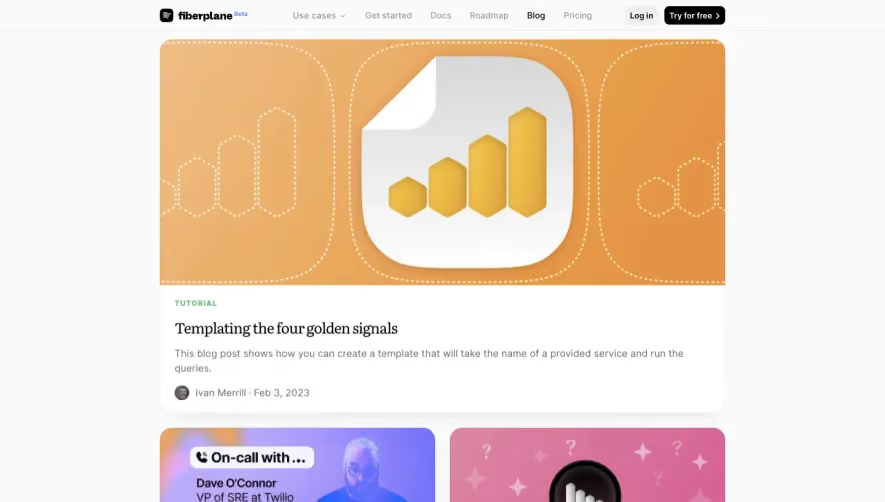
fiberpLane Beta TUTORIAL Use cases Get started Docs Roadmap Blog Pricing Log in Try for free > Templating the four golden signals This blog post shows how you can create a template that will take the name of a provided service and run the queries. O Ivan Merrill Feb 3, 2023 INTERVIEW On-call with Dave O'Connor Dave has worked in SRE for about 20 years - at Twilio, Elastic and Google. His first on-call shift at Google was a "baptism of fire". Elena Boroda Feb 2, 2023 GUIDE The Four Golden Signals - Application monitoring with Prometheus and Fiberplane Application monitoring is a critical task in ensuring that users have a good experience with your application. O Ivan Merrill • Jan 26, 2023 GUIDE The Four Golden Signals - Application monitoring with Prometheus and Fiberplane Application monitoring is a critical task in ensuring that users have a good experience with your application. O Ivan Merrill • Jan 26, 2023 Debug API call!!! INTEGRATIONS Fiberplane's integration with PagerDuty Announcing a simple way to kickstart an incident investigation with Fiberplane and PagerDuty. O Ivan Merrill • Dec 6, 2022 Launch week Day LAUNCH What is a Fiberplane Notebook? Microservices, Kubernetes, and cloud hosting - all enable us to deploy more quickly and deliver faster for customers. However, they're also... Elena Boroda Nov 17, 2022 Launch week Day LAUNCH Events API, Events-on-a-Graph, GitHub Action In the Fiberplane events API, you can store all your custom events from your deploys, new releases, or third-party events. For now, you can... Elena Boroda Nov 17, 2022 LAUNCH We're in Public Beta! We're launching Fiberplane Notebooks for collaborative incident resolution, postmortems, and infrastructure debugging into public beta. Fiberplane Notebooks come... Mies Hernandez van Leuffen • Nov 15, 2022 LAUNCH Introducing Fiberplane Templates At Fiberplane, we are building Fiberplane Studio, a collaborative notebook editor for debugging your infrastructure, responding to incidents, and doing postmortems... O Ivan Merrill Jun 22, 2022 QS On-call with Tarnmy Bryant Butow •t ambry•ntbuto• INTERVIEW SERIES On-call with Tammy Bryant Butow On-call with is a series about engineers and their experiences being on-call. Tammy Bryant Butow is VP of Product at Statype, a US-based company enabling ingesting data... Elena Boroda • Jun 2, 2022 TUTORIAL How to set up Fiberplane for a machine running Docker containers Fiberplane Studio enables you to monitor, debug your infrastructure, and resolve incidents collaboratively in one space. Fiberplane connects to your stack and allows... Elena Boroda Apr 25, 2022 o GUIDE Best practices for observability o Failures occur, they're inevitable. A sequence of failures leads to incidents. For engineers responsible for the reliability of any complex system this is a constant... O Ivan Merill Apr 13, 2022 fp-bindgen BUILDING FIBERPLANE Announcing fp-bindgen Today, we're announcing the release of a library for generating bindings for full-stack WASM plugins: fp- bindgen. Full-stack WASM plugins are plugins that can run both... Arend van Beelen • Mar 28, 2022 BUILDING FIBERPLANE Transforming bash scripts into Docker Compose Fiberplane started out with developers using a mix of Linux and MacOS where bash scripts work perfectly fine for getting a local dev environment running. As the team grew... Simon Rasmussen • Mar 17, 2022 GUIDE The single pane of glass is a myth The 'single pane of glass' has been around for decades and looks good on marketing. But has it ever been seen in the wild? Rarely. Often referred to when talking about... O Ivan Merrill • Mar 1, 2022 BUILDING FIBERPLANE Fiberplane raises EUR 7.5m seed round to build collaborative notebooks for SRE's Collaboration for DevOps and SREs is busted. As DevOps and site reliability engineers, we've pushed the envelope for deployment... Elena Boroda sep 16, 2021 Ready to go? Start GUIDE You've got an observability tool... What now? This blog post walks you through taking the necessary steps to ensure that your chosen observability tool is a good fit for you. O Joanna Wallace • Jan 31, 2023 Post Mortem... GUIDE Workflow and tools for creating incident postmortems (part I) Part of a two-series blog post, this article focuses on the post-incident review document. Nele Uhlemann • Jan 25, 2023 GUIDE Workflow and tools for creating incident postmortems (part I) Part of a two-series blog post, this article focuses on the post-incident review document. Nele Uhlemann • Jan 25, 2023 LAUNCH It's a wrap - use cases, demos, and one more thing... And it's a wrap! This week, we've been sharing with you what we've built and what we want to build. This blog post is a quick recap with some... Elena Boroda • Nov 18, 2022 Launch week Day O LAUNCH Templates and Triggers Incident and debugging tools should empower you to resolve incidents faster and more seamlessly, rather than spending time pasting in boilerplate text, copying the same... Elena Boroda Nov 16, 2022 Launch week Day LAUNCH Fiberplane CLI, Shell to Cell, fp.run command Today we're making the Fiberplane CLI, and specifically its two main features, Shell to Cell and the fp run command, publicly available. This blog post will give you Elena Boroda Nov 12, 2022 BUILDING FIBERPLANE Why we chose Jsonnet over WebAssembly for Fiberplane Templates Fiberplane Templates supercharge incident runbooks. Instead of having static runbooks (which most of the team probably ignores), Fiberplane... Evan Schwartz Jul 26, 2022 INTERVIEW SERIES On-call with Jéröme Petazzoni On-call with is a series about engineers and their experiences being on-call. Before becoming Docker's first evangelist, Jéröme Petazzoni was operating the platform... Elena Boroda Jun 13, 2022 BUILDING FIBERPLANE How we use WebAssembly at Fiberplane At Fiberplane, we're building a collaborative notebook editor for incident response and infrastructure debugging — a field riddled with technical challenges... Arend van Beelen • May 5, 2022 00 0 RTE BUILDING FIBERPLANE Creating a Rich Text Editor using Rust and React At Fiberplane, we recently encountered an interesting challenge: We were outgrowing the library we were using for our rich text editor. We used to use Slate.js —a fine... Arend van Beelen • Apr 20, 2022 6 BUILDING FIBERPLANE Writing Redux Reducers in Rust At Fiberplane, we are building a collaborative notebook editor for incident response and infrastructure debugging. As part of the challenges we faced implementing... Arend van Beelen • Apr 6, 2022 BUILDING FIBERPLANE Providers at Fiberplane At Fiberplane, we are building a collaborative notebook editor for incident response and infrastructure debugging. In order to help people debug incidents faster, we... Arend van Beelen • Mar 23, 2022 BUILDING FIBERPLANE Why we use Rust at Fiberplane Our Principal Software Engineer Arend van Beelen shares why we love Rust and why this programming language is so useful for our company. At Fiberplane, we're building a... Arend van Beelen • Mar 3, 2022 BUILDING FIBERPLANE How to pass rich data types between a TypeScript and a Rust WebAssembly module Ever wondered how to pass rich data types such as structs between a TypeScript and Rust WebAssembly module? Arend van Beelen • Feb 18, 2022 Everything is on f" BUILDING FIBERPLANE Meet Fiberplane With all of us going remote during the Covid-19 pandemic, it has shown us that we need better tools and processes that enable distributed, synchronous and asynchronous... C Mies Hernandez van Leuffen • Apr 20, 2022 debugging together. Get started for free > Newsletter We'd love to share our love for engineering with you in our monthly newsletter. Connect to your infrastructure in minutes and you're all set-up. [email protected] Subscribe Company Blog Careers Privacy Social Twitter Discord LinkedIn Product Overview Changelog Book a demo Resources Documentation GitHub Contact us Fiberplane a.v_ @ 2023
Light
Fiberplane Landing Page
Landing Page
Fiberplane
Landing Page
Marketing
in Made by engineers for engineers—lmproving how we debug infrastructure. Acme Quick actions Notifications Notebooks Recent Everything is on fire Creat«' 1 day ago SMS messages not available ago Take a look at this thing fiberpLane Beta Use cases Change Get started Docs Roadmap Blog Pricing Log in Try for free > Debug your infrastructure notebooks Product Hunt 417 < Notebooks Everything is on fire env:backend service:billing + Add label Watch video Share o u Eaten 3 roursa.o Database downtime report for @sara 2 days ago Edited E ago Disk full alerts on server PSU2 2 ago 2 daws ago New notebook Lau to Look at http response rates Laurence Investigate logs for billing api O Mies Write up post-mortem Davidson o 2021-11-29Tog:04355353z Stackirq PROXY " by ( status) Graph Soon Ditch the screenshots, get the full picture. Actionable intelligence With our WebAssembIy integrations that connect to your stack. From Terminal, straight to Notebook. fp run kubectl logs my-pod time;" time—" Record, share, and document your shell investigations—Notebooks keep track of it all. 2022-10-13T10: 18: 32Z" level=info msg="Starting Locust_exporter (version; , branch=, — 2022-10-13T10: 18: 32Z" level=info msg="Bui1d context (go=9Ø1 .18.2, user=, date;)" s time;" 2022-10-13T10: 18: 32Z" level=info msg="Listening on : 9646" source="main.go: 449" Created cell: https://fiberplane.com/notebook/NUKNL8sKQH6fdDeU-QgM6g#E5aØW8P_SdShumL u Imported logs Laurence/shell-analysis > kubectllogslocust-metrics-exporter-6c9bc76bf4-qwgmt 0 to Timestamp 3 results Graph Table Document C) Unique values only Body : Body : Body : Level—Info Msg=" Starting Locust_exporter (Version=, B Level—Info Context (GO—GOI. 18.2, User=, Da Level—Info On 9646" Source: "Main. GO:Å Juliette O Mason Irlotte (t) Eva Patrick Laurence Kingsley O Akihiro Your team, literally on the same page. Share Share notebooks to involve your team in realtime. Start discussions and resolve issues in the notebook itself. May-Li O Sung-Ji Kim O Richard Davidson O Katel O Rici Luciana O Mies Tag, alert, and assign tasks to team members. Increase overall visibility and work in a centralized place. It happened 0 20/12/2020, 04:23 . Let's debug this together Laurence . Here are some action items to divide the work and tackle this issue as soon as possible. Let me know if you have any questions! e Look at http response rates Laurence Investigate logs for billing api @Mil Mention people Mies Mira May-Li O Mason to Just write start debugging. Region US-east„. X fp.new < Notebooks Insert With Fiberplane it's go time in just seconds. Share Region US-east went down Created just now Last modified just now tier:backend status:open service:api Add label 0 to Prometheus query Elasticsearch query Loki query Collaboration Discussion Insert Easily create templates for... Incidents Debug and analyse using timelines, data and reporting tools. Post-mortems Debrief and learn from incidents to improve across the board. API Runbook Created just now Last modified just now type-template severity: critical service:billing Add label e 1. Check the API response times Laurence 2. Investigate logs 3. Rollback pods O Mies 4. Run prometheus query below 5. Report to API service owner May-Li Ready to go? Start debugging together. Runbooks Prevent and prepare for incidents by looking for irregularities. Connect to your infrastructure in minutes and you're all set-up. Get started for free > Newsletter We'd love to share our love for engineering with you in our monthly newsletter. [email protected] Subscribe Company Blog Careers Privacy Social Twitter Discord LinkedIn Product Overview Changelog Book a demo Resources Documentation GitHub Contact us Fiberplane a.v_ @ 2023
Light
Fiberplane Text Editor
Text Editor
Fiberplane
Text Editor
Product
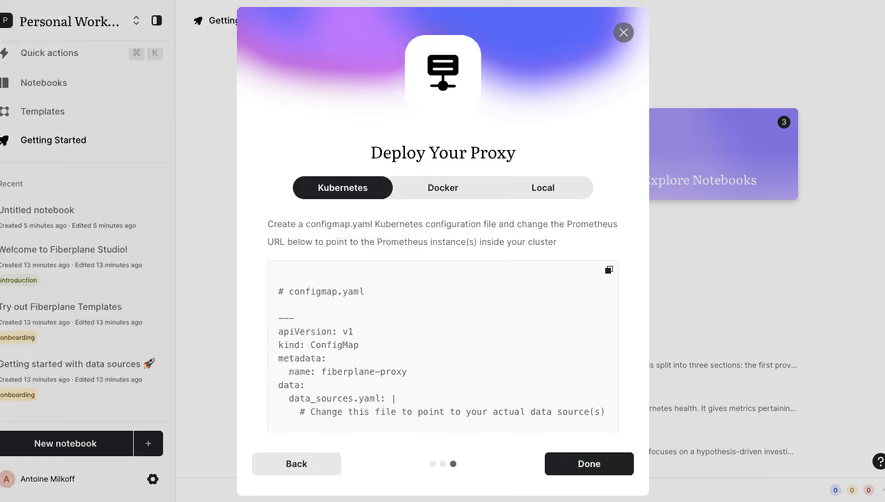
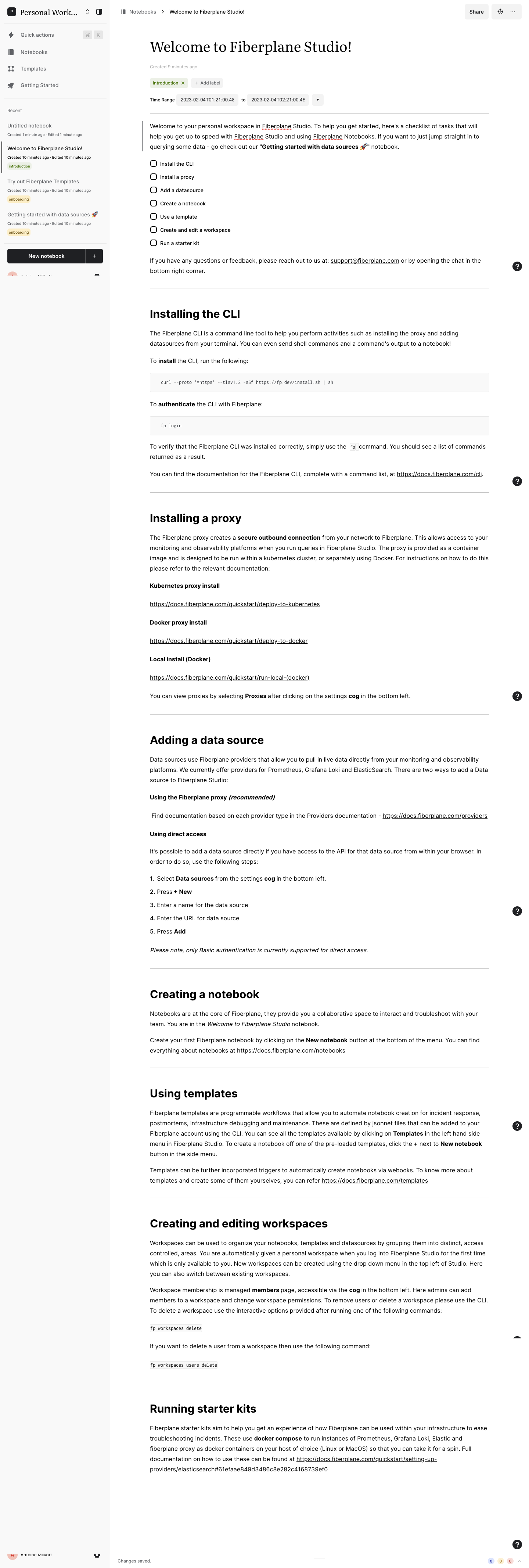
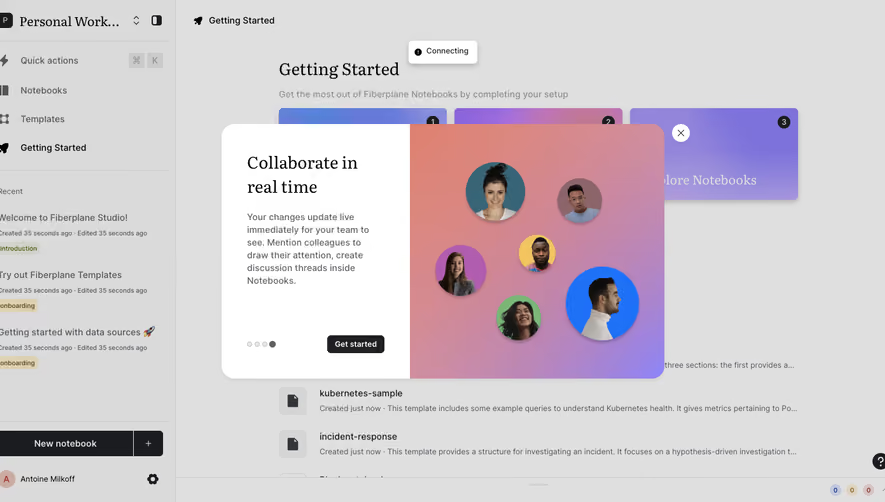
Personal Work... Quick actions Notebooks Templates Getting Started Recent Untitled notebook Created I minute ago • Edited I minute ago Welcome to Fiberplane Studio! Created 10 minutes ago • Edited 10 minutes ago introduction Try out Fiberplane Templates Created 10 minutes ago • Edited 10 minutes ago onboard i ng Getting started with data sources Created 10 minutes ago • Edited 10 minutes ago onboard i ng New notebook Antoine MllKorr Notebooks > Welcome to Fiberplane Studio! Welcome to Fiberplane Studio! Created g minutes ago Share introduction x Time Range Add label to 2023-02-04T0221:OO.4E Welcome to your personal workspace in Studio. To help you get started, here's a checklist of tasks that will help you get up to speed with Studio and using Notebooks. If you want to just jump straight in to notebook. querying some data - go check out our "Getting started with data sources O Install the CLI O Install a proxy Add a datasource Create a notebook Use a template Create and edit a workspace Run a starter kit If you have any questions or feedback, please reach out to us at: [email protected] or by opening the chat in the bottom right corner. Installing the CLI The Fiberplane CLI is a command line tool to help you perform activities such as installing the proxy and adding datasources from your terminal. You can even send shell commands and a command's output to a notebook! To install the CLI, run the following: curl --proto '—https' --t1sv1.2 -sSf https://fp.dev/install.sh sh To authenticate the CLI with Fiberplane: fp login To verify that the Fiberplane CLI was installed correctly, simply use the fp command. You should see a list of commands returned as a result. You can find the documentation for the Fiberplane CLI, complete with a command list, at https: docs.fiberplane.com cli. Installing a proxy The Fiberplane proxy creates a secure outbound connection from your network to Fiberplane. This allows access to your monitoring and observability platforms when you run queries in Fiberplane Studio. The proxy is provided as a container image and is designed to be run within a kubernetes cluster, or separately using Docker. For instructions on how to do this please refer to the relevant documentation: Kubernetes proxy install https;LLdQCS2fibecplane.com quickstart deploy-to-kubernetes Docker proxy install https;LLdQCS2fibecplane.com quickstart deploy-to-docker Local install (Docker) https;LLdQCS2fibecplane.com quickstart run-local- docker). You can view proxies by selecting Proxies after clicking on the settings cog in the bottom left. Adding a data source Data sources use Fiberplane providers that allow you to pull in live data directly from your monitoring and observability platforms. We currently offer providers for Prometheus, Grafana Loki and ElasticSearch. There are two ways to add a Data source to Fiberplane Studio: Using the Fiberplane proxy (recommended) Find documentation based on each provider type in the Providers documentation - https: Using direct access docs.fiberplane.com providers It's possible to add a data source directly if you have access to the API for that data source from within your browser. In order to do so, use the following steps: 1. Select Data sources from the settings cog in the bottom left. 2. Press + New 3. Enter a name for the data source 4. Enter the URL for data source 5. Press Add Please note, only Basic authentication is currently supported for direct access. Creating a notebook Notebooks are at the core of Fiberplane, they provide you a collaborative space to interact and troubleshoot with your team. You are in the Welcome to Fiberplane Studio notebook. Create your first Fiberplane notebook by clicking on the New notebook button at the bottom of the menu. You can find everything about notebooks at https;LLdocs=fibecplane.com notebooks Using templates Fiberplane templates are programmable workflows that allow you to automate notebook creation for incident response, postmortems, infrastructure debugging and maintenance. These are defined by jsonnet files that can be added to your Fiberplane account using the CLI. You can see all the templates available by clicking on Templates in the left hand side menu in Fiberplane Studio. To create a notebook off one of the pre-loaded templates, click the + next to New notebook button in the side menu. Templates can be further incorporated triggers to automatically create notebooks via webooks. To know more about templates and create some of them yourselves, you can refer https: docs.fiberplane.com templates Creating and editing workspaces Workspaces can be used to organize your notebooks, templates and datasources by grouping them into distinct, access controlled, areas. You are automatically given a personal workspace when you log into Fiberplane Studio for the first time which is only available to you. New workspaces can be created using the drop down menu in the top left of Studio. Here you can also switch between existing workspaces. Workspace membership is managed members page, accessible via the cog in the bottom left. Here admins can add members to a workspace and change workspace permissions. To remove users or delete a workspace please use the CLI. To delete a workspace use the interactive options provided after running one of the following commands: fp workspaces delete If you want to delete a user from a workspace then use the following command: fp workspaces users delete Running starter kits Fiberplane starter kits aim to help you get an experience of how Fiberplane can be used within your infrastructure to ease troubleshooting incidents. These use docker compose to run instances of Prometheus, Grafana Loki, Elastic and fiberplane proxy as docker containers on your host of choice (Linux or MacOS) so that you can take it for a spin. Full documentation on how to use these can be found at https: docs.fiberplane.com quickstart setting-_upz providers elasticsearch#61efaae849d3486c8e282c4168739efO Changes saved.
Light
Mine Dashboard
Dashboard
Mine
Dashboard
Product
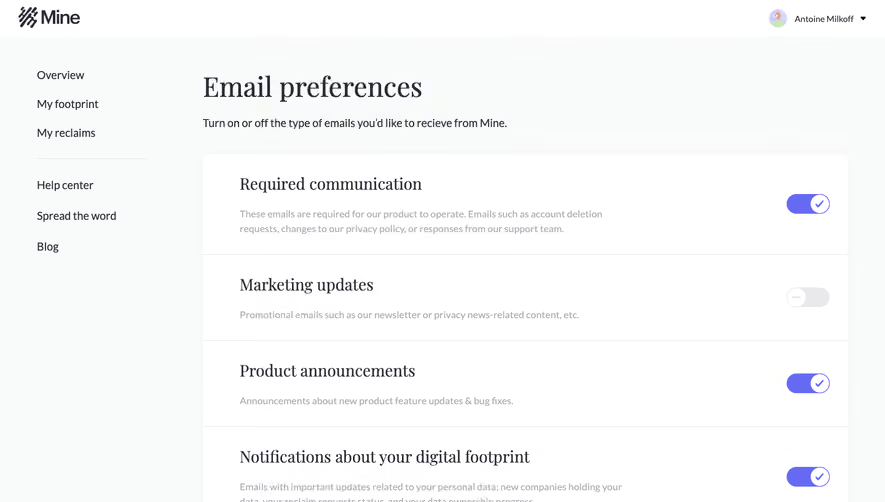
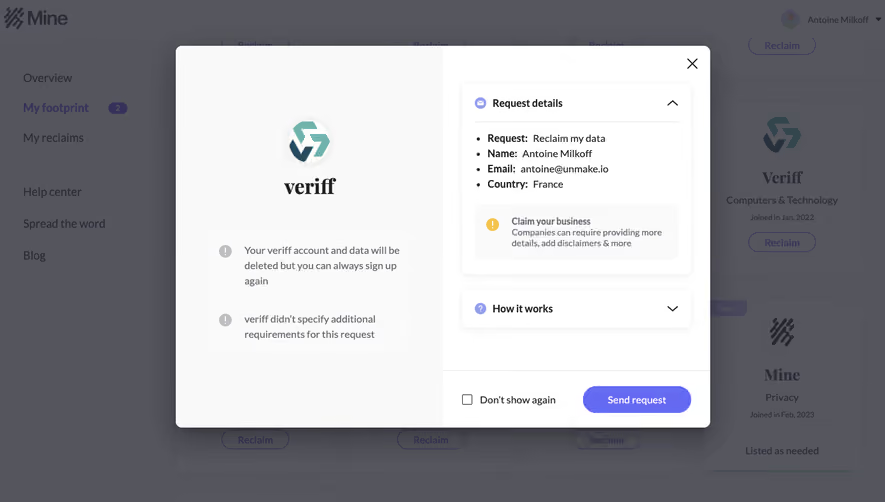
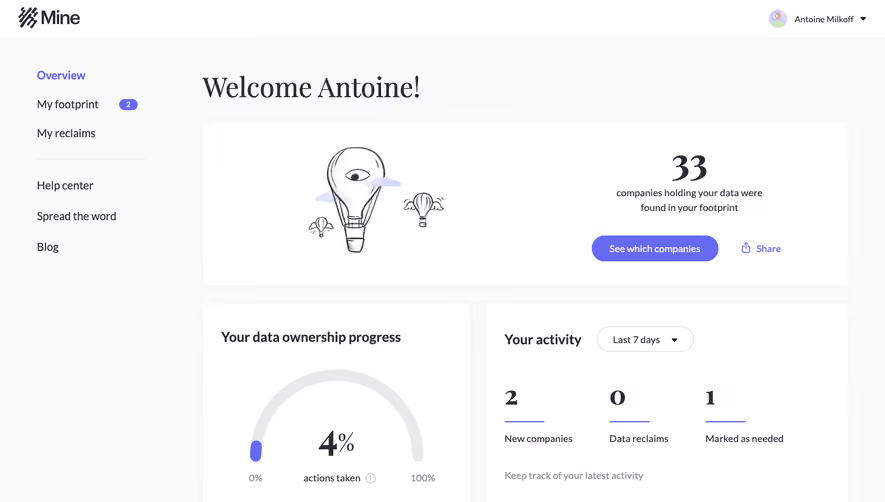
Mine Overview My footprint My reclaims Help center Spread the word Blog Where's your data? Explore See all (33) All companies in your footprint Easy to reclaim Services that are likely to complete your reclaims +1 Complete requests Bytescout Computers & Technology Joined in Nov, 2022 Reclaim Lusha Computers & Technology Joined in Oct. 2022 Reclaim Apify Computers & Technology Joined in Oct. 2022 Reclaim Baydin Computers & Technology Joined in Jul, 2021 Reclaim Notion Unspecified Industry Joined in Mar, 2021 Reclaim Outgenie Computers & Technology Joined in Jun, 2022 Reclaim Missing contact details 7 services (9 PDF Pdf Computers & Technology Joined in Nov, 2022 Reclaim Pima Professional Services Joined in Oct. 2022 Reclaim Mailchimp Professional Services Joined in Sep, 2022 Reclaim Mapbox Computers & Technology Joined in Feb, 2021 Reclaim Gumroad Shopping Joined in Dec, 2020 Reclaim Mediaschool Science & Education Joined in Apr, 2022 Reclaim Rapidapi Computers & Technology Joined in Jan, 2023 Reclaim Paddle Banking & Financials Joined in Nov, 2022 Reclaim Wized File sharing & website Joined in Oct. 2022 Reclaim Dribbble Career Joined in Sep, 2022 Reclaim Maphub Unspecified Industry Joined in Feb, 2021 Reclaim Numa Career Joined in Apr, 2021 Reclaim Airtable Computers & Technology Joined in May, 2021 Reclaim Talk to us Antoine Milkoff lubenda Law & Government Joined in Nov, 2022 Reclaim Hellopareto Computers & Technology Joined in Nov, 2022 Reclaim Xano Computers & Technology Joined in Oct. 2022 Reclaim Wistia Professional Services Joined in Aug, 2022 Reclaim Lesbigboss Professional Services Joined in May, 2021 Reclaim Veriff Computers & Technology Joined in Jan, 2022 Reclaim 74 Mine Privacy Joined in Feb, 2023 Listed as needed All product names, logos, and brands are the property of their respective owners. Use of these names. logos, and brands does not imply endorsement. association, or affiliation with Mine. About Mine Privacy policy Terms of service
Light
Mine FAQ
FAQ
Mine
FAQ Page
Marketing
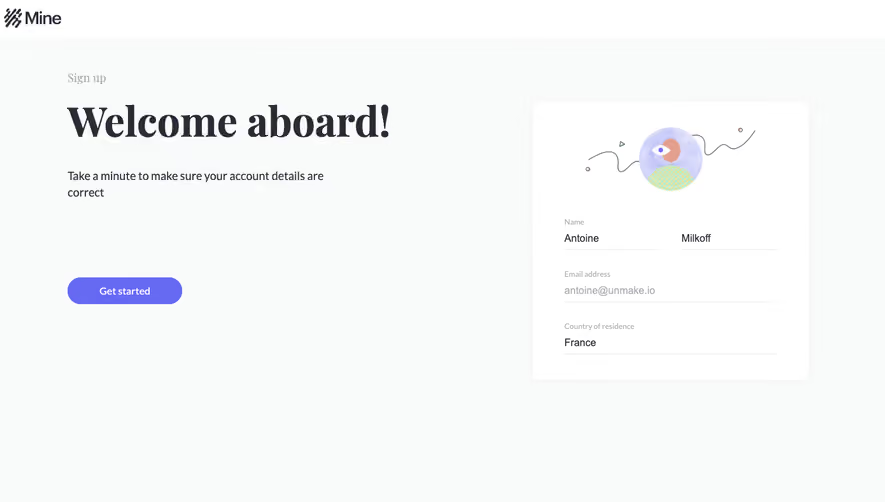
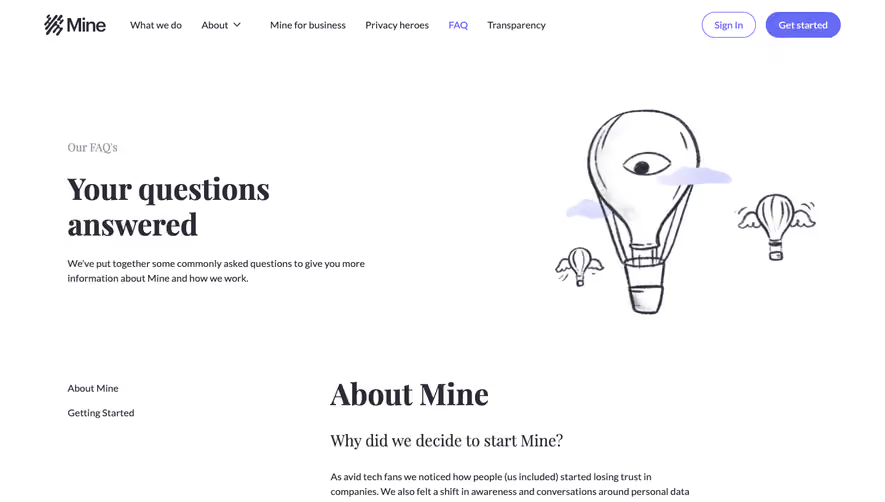
Mine Our FAQ's What we do About v Mine for business Privacy heroes FAQ Transparency Sign In Get started Your questions answered We've put together some commonly asked questions to give you more information about Mine and how we work. About Mine Getting Started 7' Mine About Mine Why did we decide to start Mine? As avid tech fans we noticed how people (us included) started losing trust in companies. We also felt a shift in awareness and conversations around personal data collection and online privacy. As three entrepreneurs, investors, and tech geeks, we set out to do what we know best - use technology to solve problems. We felt so passionate about data ownership that we left our comfortable jobs and put all of our efforts into building a solution to help users gain control of their online identity and personal data. What is Mine? Mine works as your smart data assistant that helps you easily discover and manage your data online. By doing so, you can continuously reduce your online exposure and enjoy the internet feeling safe and secure. With Mine you can: • Find out which companies are holding your data and what types of data they potentially hold. Get smart insights and recommendations according to your online behavior and exposure level to help you take informed decisions about your data. Manage and control your personal data by requesting data deletions from companies you no longer need or use. Communicate with all the different companies that hold your personal data from one place - your Mine app. Our mission is to create a new global privacy standard where people can manage their data and minimize online risks without changing their behavior. We are bridging the gap between people and companies by making privacy regulations accessible to everyone. Why should I use Mine? We appreciate the ease, convenience, and benefits of digital life. With that, there's no such thing as a riskless internet; data breaches happen. We firmly believe that your personal data is yours to own and yours to give away. Mine helps you reduce unnecessary online exposure and minimize their potential risks. With continuous updates and smart insights on your data, Mine makes it easy for you to manage your data according to your choice without changing your online behavior. Getting Started What is my "digital footprint"? Your digital footprint consists of personal data traces you leave behind every time you interact with a digital service. These traces could include different types of data, such as your name, email address, home or work address, phone number, credit card information, passport, social security, identification number, behavioral data, and much, much more. During your daily online interactions with digital services (a.k.a companies), you leave behind hundreds of digital traces. Mine discovered that almost 90% of these traces could be found through your emails' subject lines. Examples of these subject lines could be: "Welcome to Facebook" or "Your Amazon Receipt." By connecting your primary email with Mine, we can help you discover your digital footprint and understand which companies hold your data, so you can decide where your data should and shouldn't be. How can I get started? You are one step closer to discover which companies are holding your data and take back control: 1. Sign in with your Google, Microsoft, or Yahoo email account. 2. Discover how many companies hold your data. 3. Click "see more" on each company to get more information that will help you decide whether you use this service and should add it to your "needed list" or whether it's time to reclaim your data. 4. Mine personalized notification center in your Overview page will suggest your next best move and keep you up to date on any changes in your digital footprint. How does the reclaim process work? We made it easy for you and created one single standard for you to reclaim your data. If you decide to reclaim your data from a company, you need to send the relevant company a request to delete your data. You can learn more about your privacy rights in our blog article: You Have The Right To Speak up. Anything You Do Can and Will Be used - Online. Once you grant us permission, we make it easy for you to send deletion request emails directly from your inbox to any company you choose in your footprint. In order to make sure each request is reviewed thoroughly, you will receive a preview and will be required to approve each request before it is sent. This is because we believe that each request should be carefully considered before it is sent. In order to facilitate the process and make it easier for companies to find you in their databases, our smart deletion request email includes the date of your last interaction with the company. Please note the right to delete your data is not absolute, and not all companies are located in a jurisdiction where privacy regulations have been adopted. Some companies will fulfill your deletion request immediately, while others might tell you they are not obligated by law to delete your data. You can find additional helpful information about Mine and the reclaim process in our help center Go to help center We love and appreciate every feedback we get. Your input, suggestions, and questions are our best guide for Mine's future development, so please contact us if you have any thoughts or feedback to share. Discover your digital footprint Unleash yourself. Remove your personal data from services you no longer use. Get started ABOUT US What we do Who we are Mine for Business Privacy heroes Our users Contact us Careers 2022 Mine@All rights reserved. Made with RESOURCES Digital Footprint FAQ Help Center Blog Transparency in Tel-Aviv LEGAL STUFF Privacy policy Terms of service Cookie policy CCPA privacy notice Manage your cookies GET THE APP Google Play
Light
Upgrade to SaaSFrame Pro to browse all screens

Monthly

$18 /month

Billed $18 monthly
Browse all screens & flows
Filter and search screens & flows
Search text in screenshots
Access Figma files
Access mobile versions
Join now

Quarterly

$16 /month

Billed $48 quarterly
Browse all screens & flows
Filter and search screens & flows
Search text in screenshots
Access Figma files
Access mobile versions
Join now

Yearly

$15 /month

Billed $180 yearly
Browse all screens & flows
Filter and search screens & flows
Search text in screenshots
Access Figma files
Access mobile versions
Join now