Password Reset
8
The recovery flow for requesting, receiving, and setting a new password.
.webp)
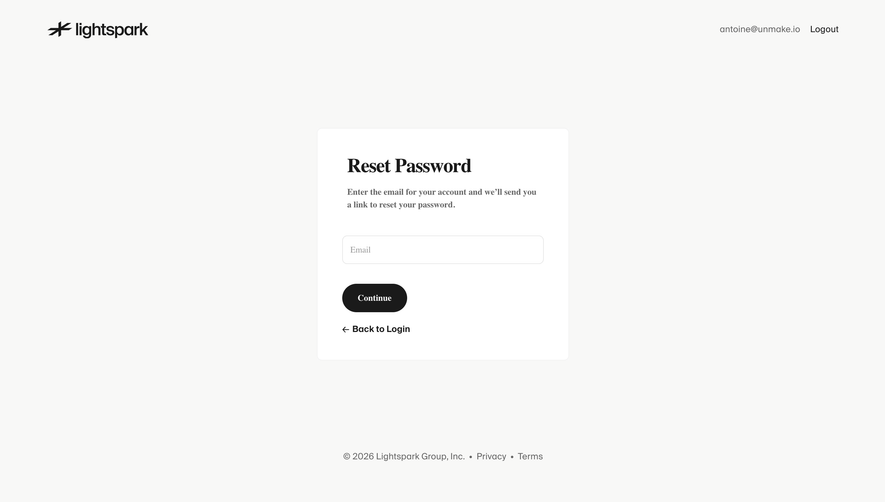
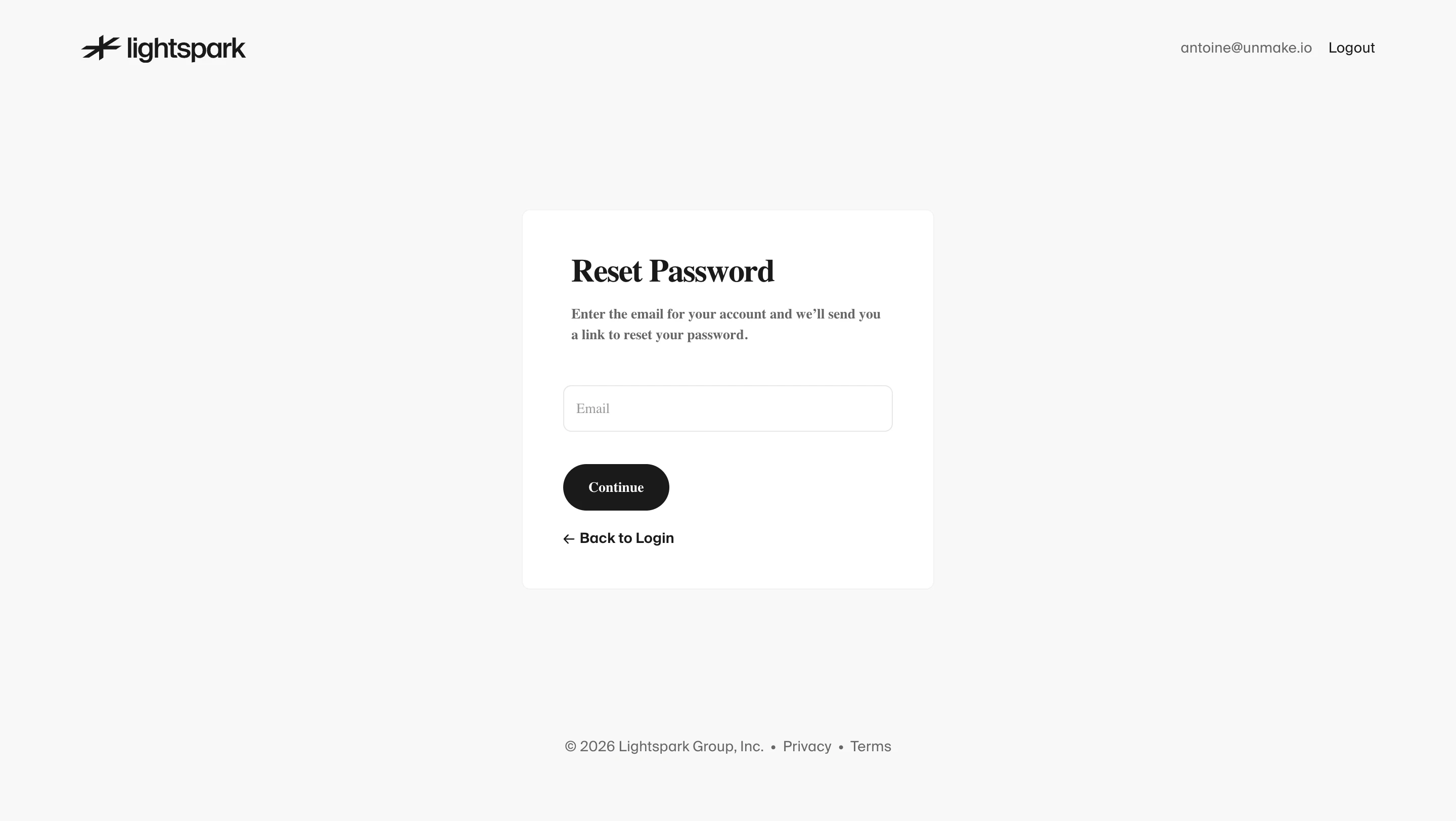
Password reset is the recovery flow that lets someone replace a forgotten or compromised password after completing the required proof of account access. Its UX must help a person regain access without turning an email request into an account takeover route. The complete pattern includes the recovery entry point, request confirmation, delivery handoff, new-password form, and return to sign-in.
The SaaSFrame screenshots examined here show a recovery entry point in Wise, password creation in Customer.io, and password change settings in Cal.com. These are related parts of password UX, not three complete reset journeys. Their differences help explain what a recovery flow should borrow and what it should deliberately avoid.
Resetting a forgotten password cannot require the forgotten password. Changing a password while signed in may ask for the existing credential or another recent authentication check. Creating a password during signup establishes a new credential. Reauthentication asks for an existing credential to approve a sensitive action. Similar fields do not make those tasks interchangeable.
This distinction matters in layout and copy. A reset form should say that a new password is being set. A change form needs to differentiate old and new values. A security check should explain why a password is required again. Avoid using a generic “Password” page for all three when that leaves people unsure whether their existing credential is expected.
Accounts managed through an organization’s identity provider may have no local password to reset. Explain the appropriate organization sign-in route instead of sending them through a recovery form that cannot change their credentials. The same consideration applies to an account established exclusively through another supported authentication method.
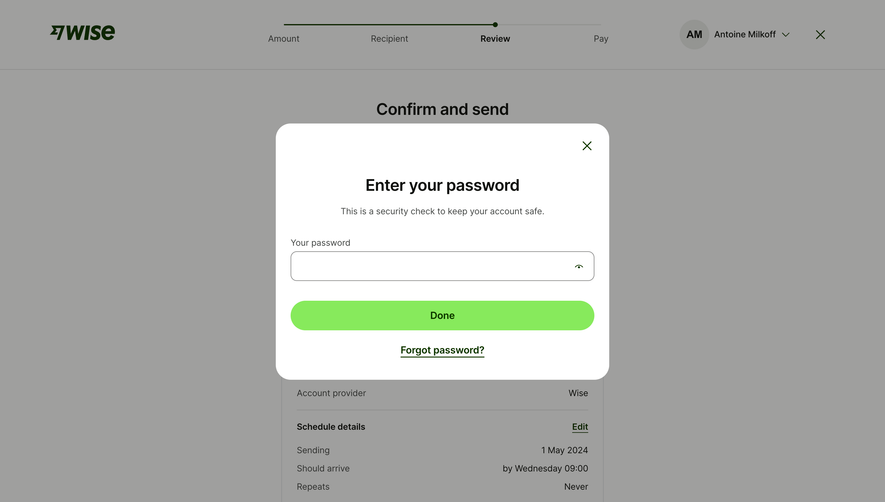
Wise’s capture places a forgot-password link inside a password-check modal during transfer review. It illustrates that recovery is not only a login-screen problem. Someone can already be signed in and still forget the credential required to approve a sensitive action.
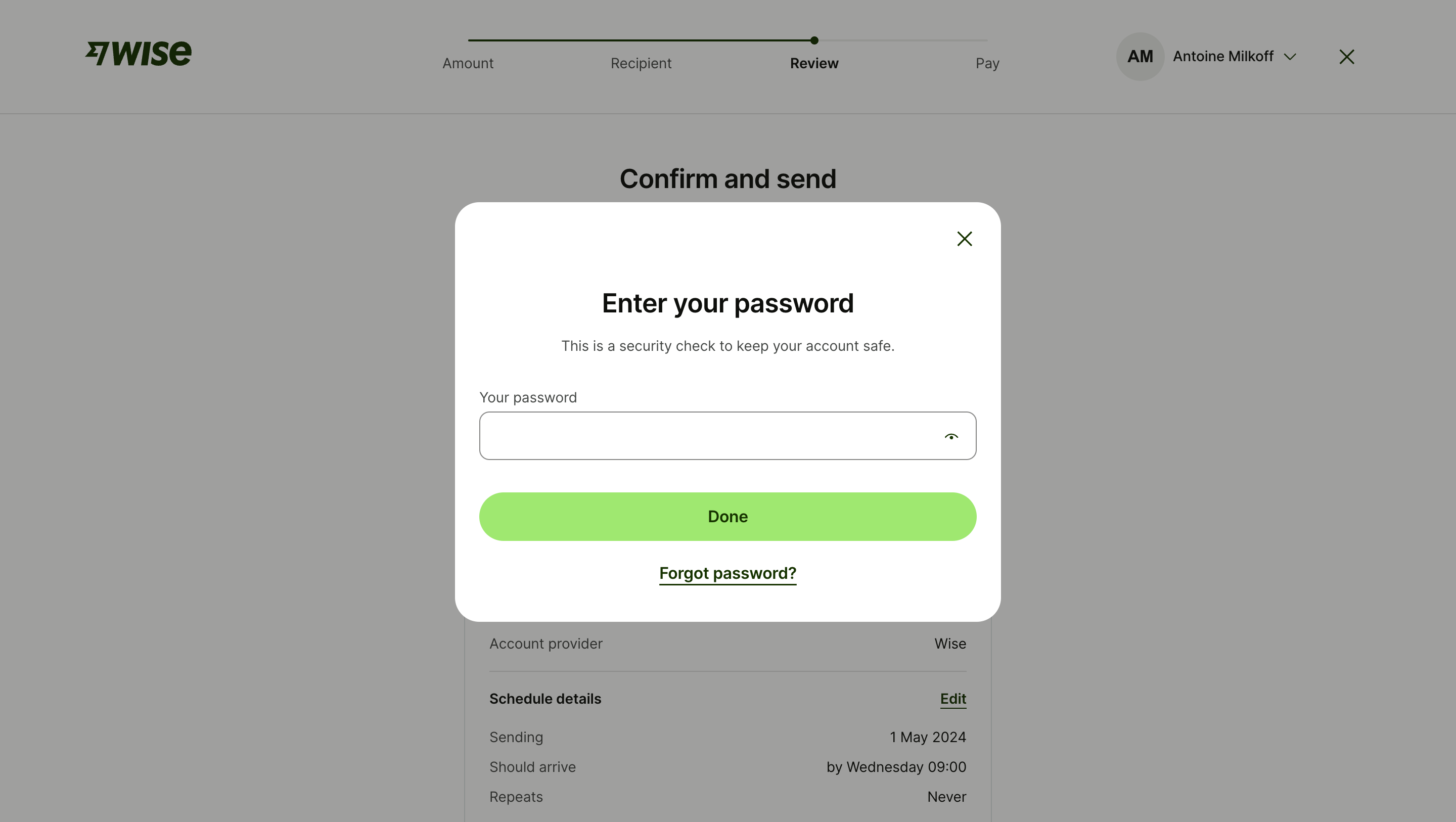
The surrounding transfer review gives this interruption meaningful context. In your own product, decide what should be preserved if recovery begins from a payment, export, or administrative action. Saving a safe draft can reduce repeated work. Completion of password recovery should not silently approve the sensitive action that originally triggered the check.
Place recovery close enough to the password field or action to be discoverable, but give it a distinct label. “Forgot password?” is recognizable in a credential-entry context. “Need help?” can hide the route behind a broader support task. Keep the normal sign-in route available for someone who remembers the password after opening recovery.
The request form usually asks for an account identifier such as an email address. Validate obvious formatting problems before submission, and explain what the action does. If your product accepts several identities, distinguish the account address from a billing contact or workspace name.
OWASP recommends consistent responses and response timing for existing and nonexistent accounts. It also recommends rate limiting, secure expiring single-use recovery tokens, notification after a reset, the usual sign-in route afterward, and a defined policy for invalidating existing sessions. Those requirements should inform the interface as well as the implementation.
A request confirmation can therefore explain the conditional outcome without declaring that a specific account exists. Keep it readable and useful: identify the submitted address where appropriate, explain where to look, and provide a correction route. Avoid presenting “email sent” as certainty when the system has only accepted a request.
A generic response is not an excuse for a dead end. People can still be offered spelling correction, a return to sign-in, and guidance for organization-managed accounts. Those options do not require revealing whether another person’s account is registered.
The email should identify the product, describe the requested reset, and provide a clear primary action. Explain what to do if the recipient did not initiate the request. Never put the new password in that message. Keep the content usable when images are blocked or the message is read as plain text.
A reset link needs an intentional landing state when it expires, has already been used, or cannot be validated. Offer a fresh request rather than a cryptic token error. The recovery page should not reveal account details merely because someone has arrived with an invalid link.
Repeated requests complicate the inbox. If only the newest link remains valid, explain that rule. Test messages arriving out of order and links opened from another device. A person should not be sent through the same failed action repeatedly without understanding how to obtain a usable request.
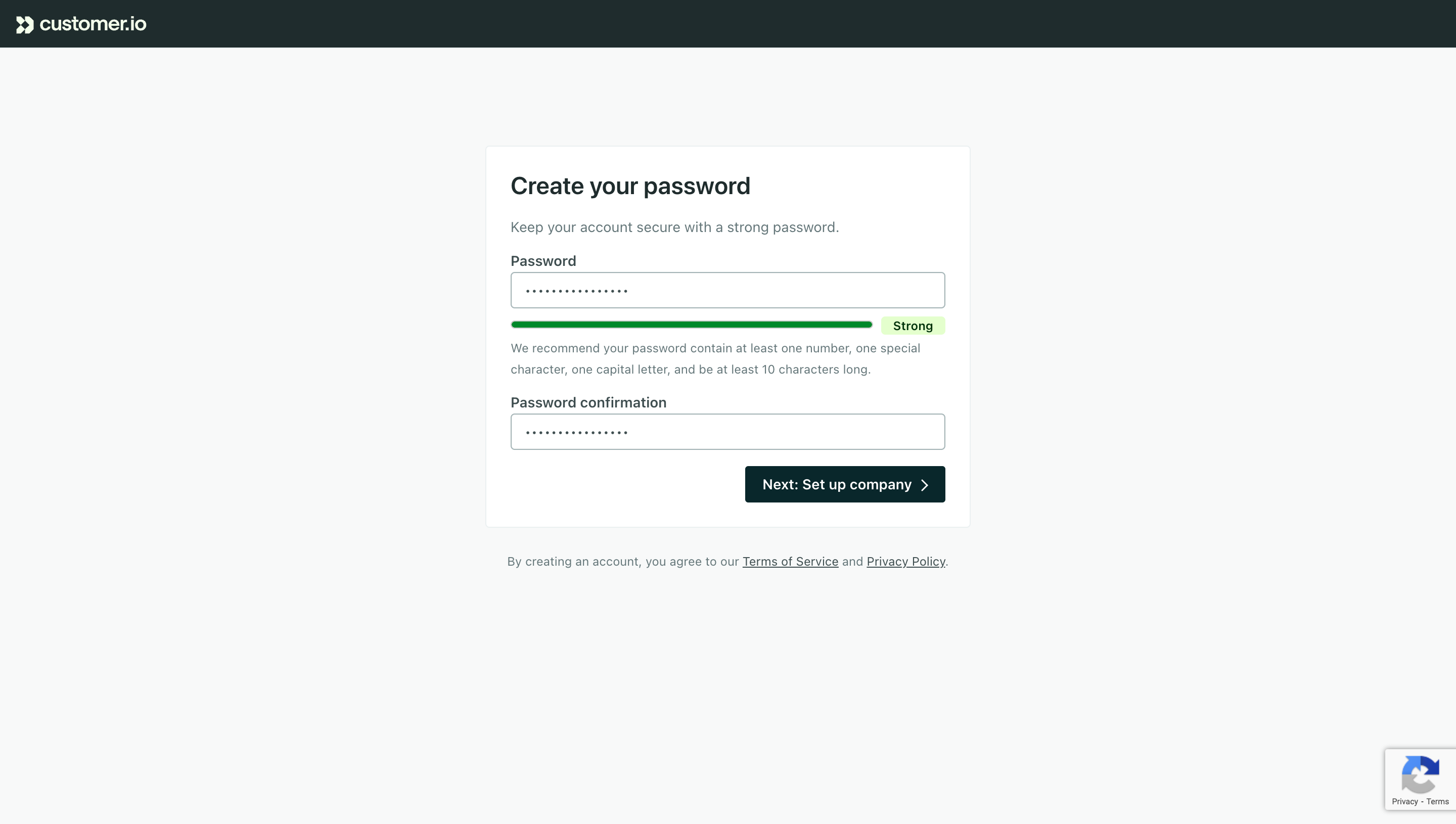
Customer.io’s capture shows password creation with a confirmation field, a strength indicator, supporting guidance, and a button leading to company setup. It demonstrates ways to make password expectations visible, but its destination belongs to signup. A reset form should instead lead to the recovery outcome and normal sign-in route defined by the product.
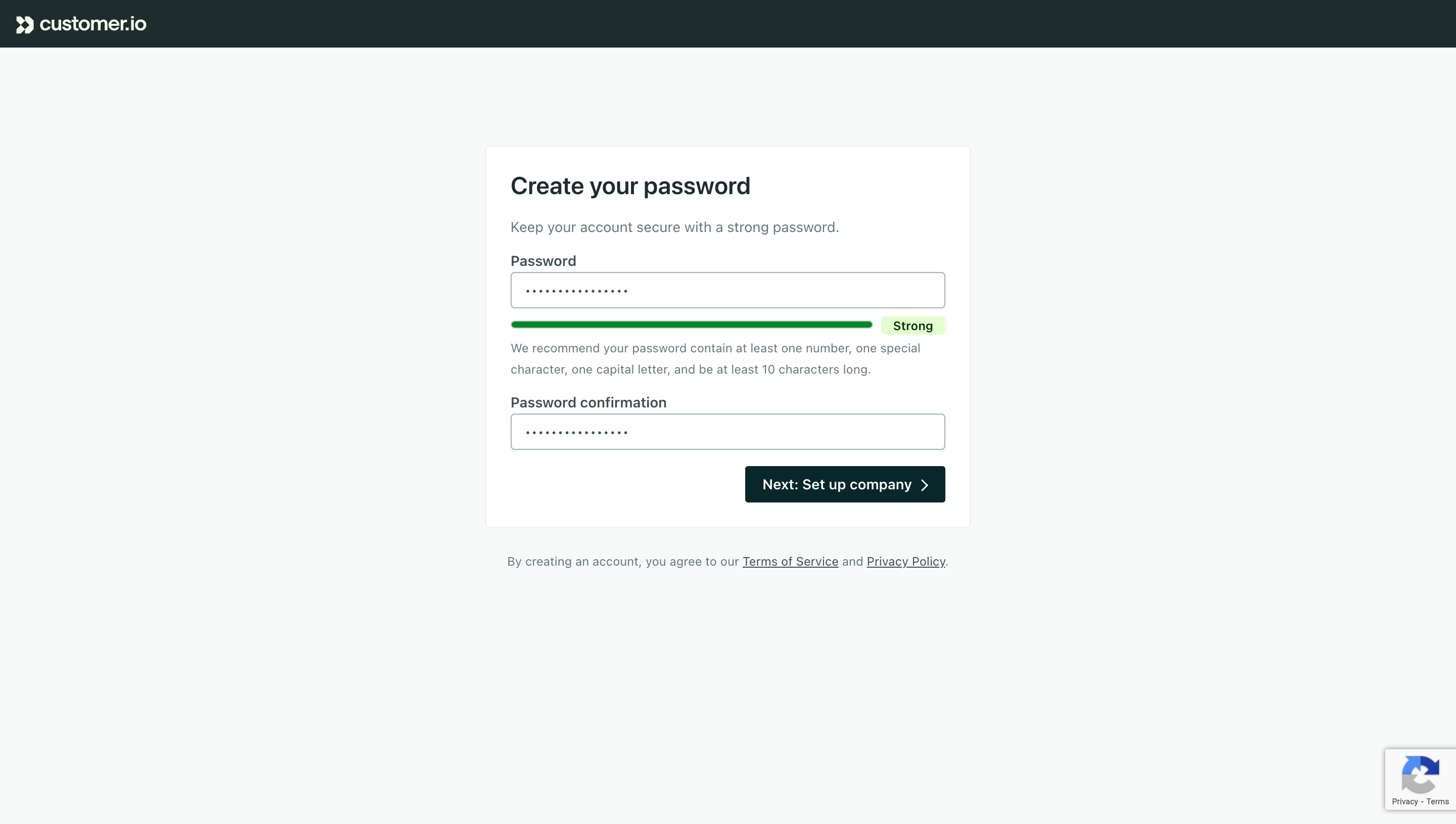
Explain the actual password requirements before submission. A strength meter can provide useful feedback, but it should not be confused with acceptance rules. A person needs to know whether a value is rejected because it is too short, is known to be compromised, or fails another enforced rule. Color alone is insufficient feedback.
The composition advice visible in older screenshots is historical product copy, not a policy to copy automatically. NIST’s current password guidance rejects mandatory mixtures of character types. Review the policy with the team responsible for authentication, then make the reset form consistent with signup and password-change screens.
Support password managers, paste, and generated passwords. A person recovering access should not be required to memorize and manually reproduce a long value. If the form has a confirmation field, distinguish a mismatch from a rejected password and explain which value needs attention.
A show-password control can help someone check an entry. Give it a clear accessible name and a perceivable state so users know whether the password is visible. Keep it keyboard-operable and ensure activating it does not submit the form.
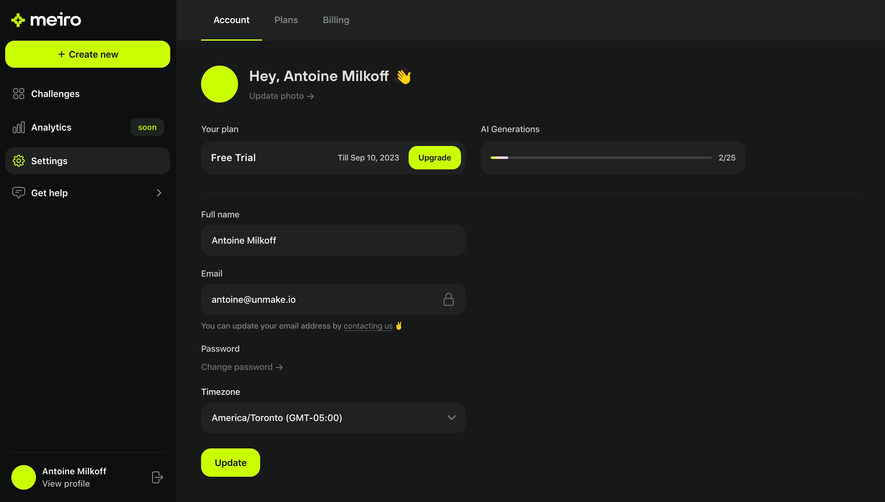
Cal.com’s settings capture labels old and new passwords separately and includes an eye control for each. That separation is useful for a change-password task. Requiring the old-password field in forgotten-password recovery, however, would prevent the very users the flow is intended to help.
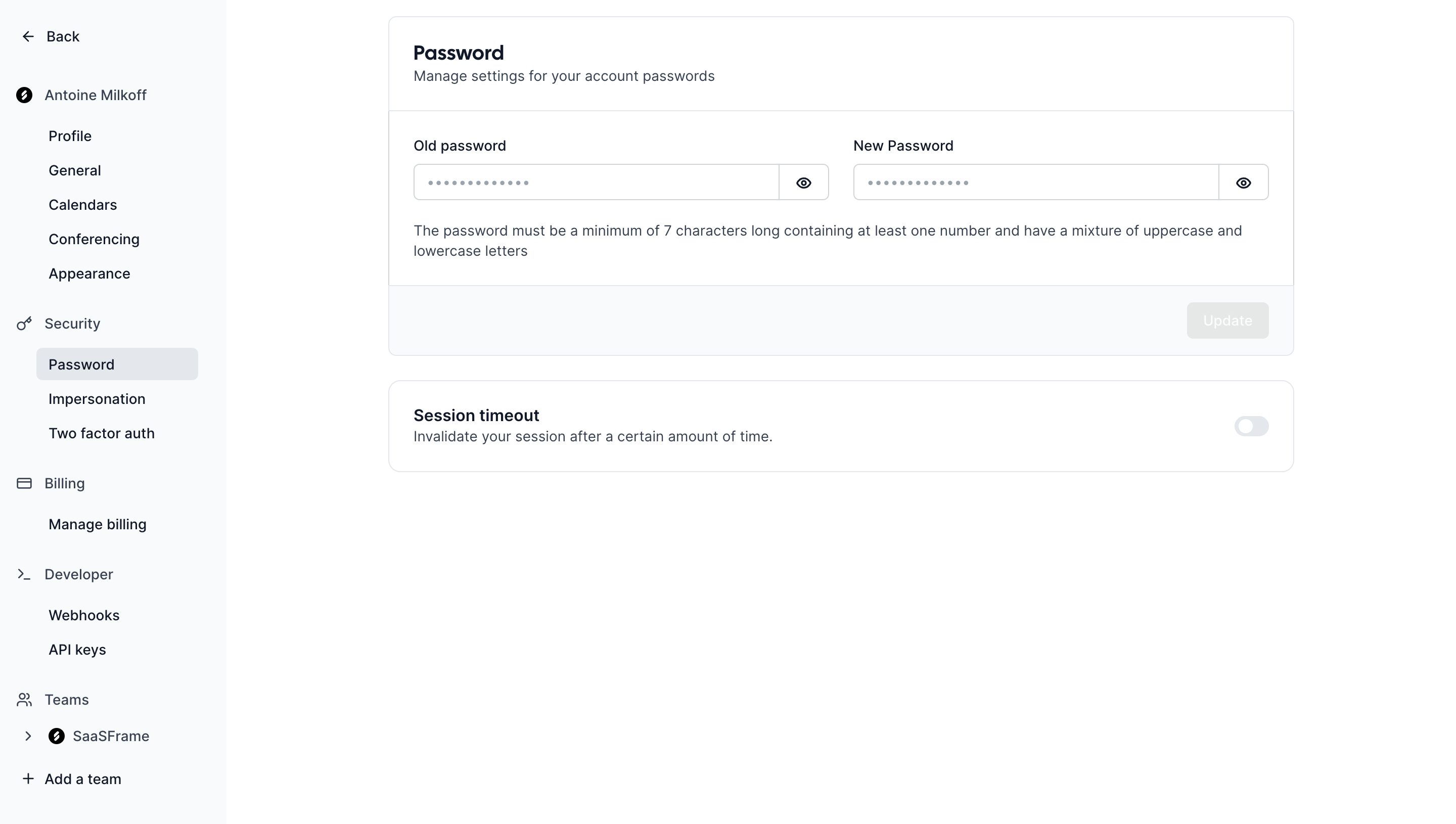
The capture also places session timeout in the security area. That proximity is a reminder to review the consequences of replacing a credential, rather than proof that the screenshot’s update action changes sessions. Password replacement and session termination are separate outcomes unless the implementation connects them.
A new-password form can fail because the password is unacceptable, confirmation does not match, the recovery authorization expires, or the service cannot complete the update. Those failures need different remedies. Do not describe a server failure as a weak password, or ask for another password when the reset link itself is no longer valid.
Place field-specific feedback near the relevant input, with an overall error summary when needed. Preserve useful information while handling sensitive values according to the implementation’s policy. Avoid repeatedly clearing every field after a minor correction.
While a request is being processed, communicate that state and prevent ambiguous repeated submissions. If the result is uncertain after a network interruption, provide a safe way to recover. “Something went wrong” without a next action is particularly costly when the person is already locked out.
The success state should clearly say that the password was replaced and where the person should go next. Do not reuse a sent-email confirmation here: the request and the completed change are different events. Send the account owner a security notification through the appropriate channel, without including the password.
Explain the session policy in user-facing language where it affects the person. If other devices will be signed out, say so. If the product offers a choice to end existing sessions, make the scope understandable. “Sign out other sessions” should not leave someone guessing whether the current browser, mobile app, or connected integrations are included.
Password recovery should not imply that a lost second factor has also been reset. If additional authentication is required after the password changes, explain the next step. Losing a password and losing an authenticator can require distinct recovery processes.
No, not when its purpose is to recover a forgotten password. Old-password entry belongs to an authenticated change or reauthentication flow, subject to the product’s security policy.
Do not assume that it does. Password recovery and second-factor recovery are distinct processes. Explain the additional step when it is required.
The first confirms that a recovery request has been accepted. The second confirms that the password was actually replaced. Give them different messages and next actions.
Compare Log In for access and recovery entry points, Magic Link Authentication for passwordless email sign-in, and Multi-Factor Authentication for additional-factor recovery. Session Management covers the controls people need after account access is restored.
Use password-related screenshots to compare labels, visibility controls, and guidance, while identifying which task each screen actually supports. For implementation review, consult OWASP’s forgot-password guidance, NIST’s password guidance, and W3C’s accessible-authentication guidance.