.webp)
Thank you! Your submission has been received!
Oops! Something went wrong while submitting the form.
Get SaaSFrame Pro
Monthly
$18
Quarterly
$48
Yearly
$180
Upgrade to access this feature
Browse all screens & flows
Filter and search screens & flows
Access Figma files
Access mobile versions
Bookmark screens & flows
Join now
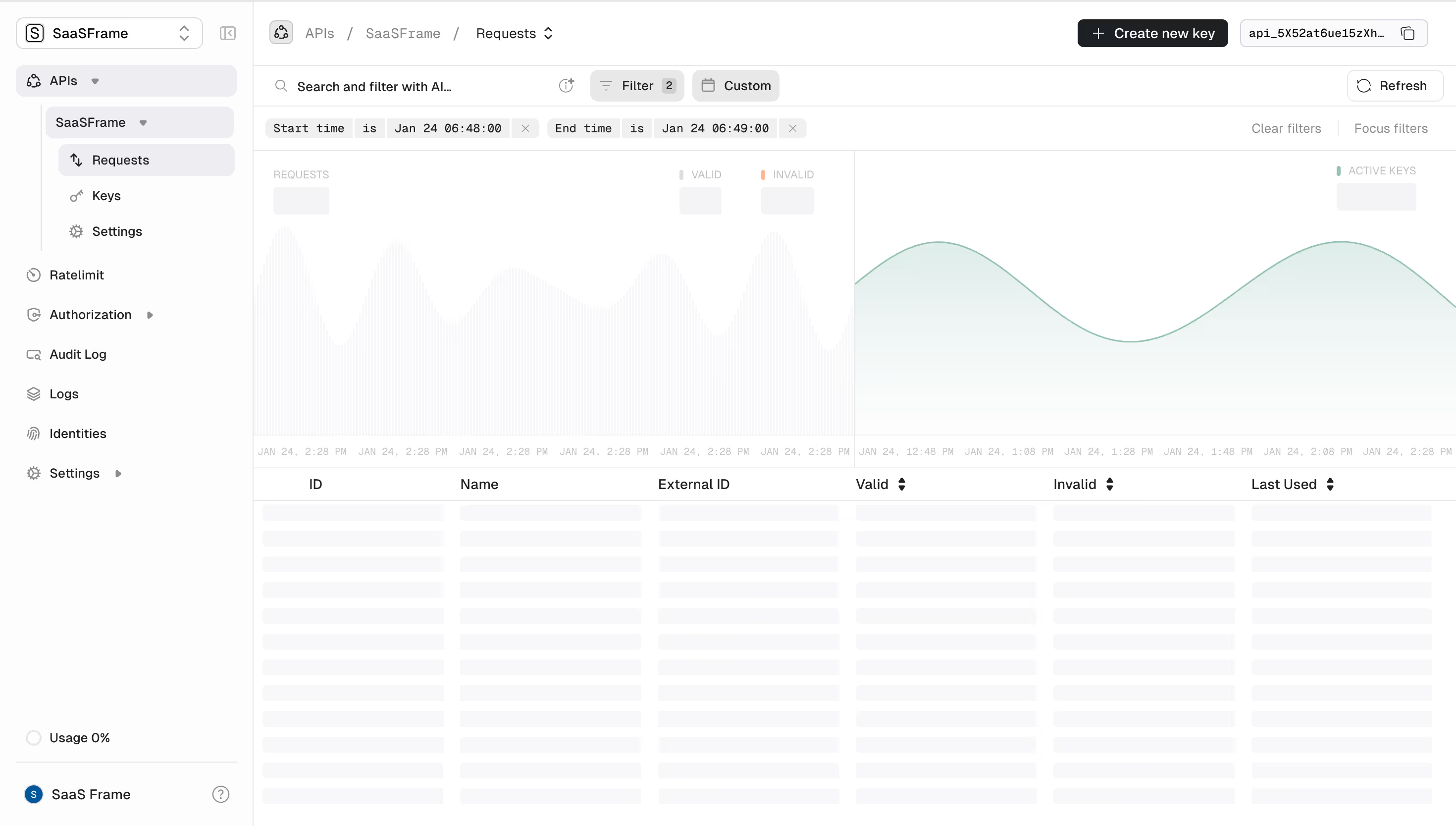
Unkey Requests

Unkey
Developer platform for modern APIs
Designed by
No items found.

Bookmark
Bookmark

Design with AI
Thank you! Your submission has been received!
Oops! Something went wrong while submitting the form.
# Design from Reference: Unkey Requests
Create an original, high-fidelity visual design inspired by the reference. Prioritize composition, typography, colors, spacing, and component styling over technical implementation.
## Reference
- **Product:** Unkey
- **Category:** Dashboard
- **Screenshot:** https://cdn.prod.website-files.com/5e9dc792e1210c5325f7ebbc/697b75f4cd83044f1a88e18a_xcDSwymKFp8LoilX7XGOG_rR9O_P-dNJCc6ntSXHAv4.avif
Analyze the screenshot first. If inaccessible, request it rather than guessing.
## Content
{{content.instructions}}
{{content.data}}
Preserve essential messaging and factual accuracy. Adapt structure and copy length for visual balance; never invent product claims.
## Visual Design
### Overall aesthetic
- **Style:** Light developer analytics workspace with a dense navigation tree, layered filtering controls and a wide request-monitoring area.
- **Character:** White and near-white surfaces, fine cool-gray rules, compact sans-serif labels and restrained mint/coral chart accents.
- **Captured state:** Much of the metric and table content appears as loading placeholders. Describe the visible skeleton state rather than inventing request values or completed records.
### Page composition
- **Screenshot scale:** 2940 × 1667 image px. CSS estimates assume an unverified 2× capture, approximately 1470 × 834 CSS px.
- **Sidebar:** Approximately 255 CSS px wide, full height, with workspace selector at top, an expanded API tree and additional product links below. Usage and account/help controls sit near the bottom.
- **Breadcrumb header:** Main content begins with API/workspace/Requests breadcrumbs. A dark Create new key action and a compact identifier/copy control align right.
- **Filter toolbar:** A search-and-filter prompt occupies the left, followed by Filter with a count badge and a Custom date control; Refresh sits at the far right.
- **Applied-filter row:** Two compact token groups specify start and end time, with clear/focus-filter links aligned right.
- **Analytics region:** A wide area splits into two halves. The left shows request-related metric labels and a very faint vertically striped graph; the right shows an active-key label and a mint smooth area curve.
- **Table:** Below the chart, six columns—ID, Name, External ID, Valid, Invalid and Last Used—span the main width. Numerous rows contain pale rounded skeleton bars rather than readable data.
### Information hierarchy
- **Navigation state:** APIs is expanded, the workspace is nested beneath it and Requests is selected. Keys and Settings appear as sibling routes.
- **Operational emphasis:** Filtering and date context occupy two dedicated rows above analytics, making scope visible before the table.
- **Primary action:** Create new key is the strongest filled control; Refresh and filtering actions are quieter outlined/pale controls.
- **Metric hierarchy:** Small uppercase labels identify request, validity and active-key groupings; values are placeholders in this capture.
- **Table hierarchy:** Column labels remain readable while body rows are skeletons. Sort indicators appear beside validity and last-used columns.
- **Evidence limit:** No request totals, identities, validity ratios or timestamps should be inferred from the loading bars.
### Typography
- **Family:** Compact neutral application sans serif; exact identity is unverified.
- **Navigation and breadcrumbs:** Approximately 13–14 CSS px, regular to medium weight.
- **Toolbar:** Approximately 13–14 px with compact line-height; the primary action uses a medium weight.
- **Filter tokens:** Small monospaced-looking text, approximately 12 px, distinguishing structured conditions from ordinary labels. Exact monospace family is unverified.
- **Metric labels and chart ticks:** Approximately 10–11 px, uppercase or muted, with reduced visual emphasis.
- **Table headers:** Approximately 14 px, medium weight, aligned consistently over the placeholder columns.
- **Measurement limit:** Typography values are visual CSS estimates under the assumed 2× capture.
### Colors & surfaces
- **Canvas:** Sampled sRGB #FFFFFF fills the primary content and header.
- **Secondary surfaces:** Sampled #F8F8F9 and #FDFDFD provide near-white references for sidebar, controls and loading regions.
- **Selected/control surfaces:** Sampled #EEEEF1 and #F4F4F5 supply pale gray fills among selected rows and compact controls.
- **Rules:** Sampled #E8E8E8 is a principal fine-border/divider tone.
- **Primary ink:** Sampled #1D2125 provides the strongest dark text/control reference.
- **Chart accents:** A low-saturation mint curve and pale mint fill appear on the right; a small coral marker identifies invalid requests. Their exact hex values are not established by the dominant-color sample.
- **Skeleton contrast:** Very light gray bars intentionally sit below readable header contrast, indicating pending content rather than disabled text.
### Components
- **Workspace selector:** Compact outlined rounded rectangle with initial mark, workspace name and stacked chevrons.
- **Navigation tree:** Indented rows, thin branch guide and small icons establish API/workspace/request nesting. Selected rows have pale rounded backgrounds.
- **Primary button:** Dark rectangle approximately 150 × 30 CSS px, small radius, leading plus and light label.
- **Identifier control:** Pale outlined field with truncated identifier and trailing copy icon. Do not reproduce the visible identifier in adapted content.
- **Filter controls:** Small pale rounded rectangles; Filter includes icon and numeric badge, while Custom includes a calendar symbol.
- **Condition chips:** Segmented light-gray tokens combine field name, operator, date/time and a removable X.
- **Graphs:** Left uses faint narrow bars/stripes; right uses a thin smooth mint line with translucent area fill. No tooltip is open.
- **Table skeleton:** Six aligned placeholder columns repeat across many rows, each bar lightly rounded with narrow vertical gaps.
- **Refresh:** White outlined compact control with circular-arrow icon and text.
### Visual rhythm
- **Layered header:** Breadcrumbs, toolbar and applied conditions create three dense horizontal bands before the larger data area.
- **Grid alignment:** Two chart halves and six table columns provide a strong horizontal structure.
- **Loading rhythm:** Repeated pale bars create consistent rows without implying actual record content.
- **Restraint:** Small color accents are concentrated in metric keys and the mint chart, keeping the interface predominantly neutral.
### Responsive
- **Evidence limit:** Only desktop is visible; recommendations below are not observed behavior.
- **Navigation recommendation:** Collapse the sidebar while preserving the API/workspace context.
- **Toolbar recommendation:** Wrap filter chips and move secondary controls into an overflow area when needed.
- **Analytics recommendation:** Stack chart halves rather than shrinking labels excessively.
- **Table recommendation:** Support horizontal scrolling or prioritized columns, keeping identifier and operational status accessible.
- **Accessibility recommendation:** Announce loading state and provide meaningful table headers; these behaviors are not verified by the screenshot.
### Adaptation guidance
- **Preserve scope visibility:** Keep selected API, date conditions and filter count visible alongside analytics.
- **Use actual data:** Replace skeletons only when real request information is available; never fabricate counts or identities to complete the design.
- **Retain hierarchy:** Separate navigation, filtering, summary analytics and detailed records.
- **Use restrained color:** Reserve semantic accents for status and chart meaning, with neutral structural surfaces.
- **Protect configuration context:** Use representative non-sensitive identifiers in mockups and derive creation/copy behavior from the target workflow.
Use this context to reproduce the reference's visual language: layout, typography, colors, spacing, borders, radii, and distinctive elements. The screenshot takes priority if descriptions conflict.
## Direction
{{preferences.fidelityInstructions}}
## Output
{{output.instructions}}
Deliver a polished, cohesive design with precise alignment, hierarchy, and spacing. Produce the requested visual artifact, not just a description. If unsupported, explain the limitation.

.avif)
Category
Tech Stack

Added on
January 29, 2026
Similar screens


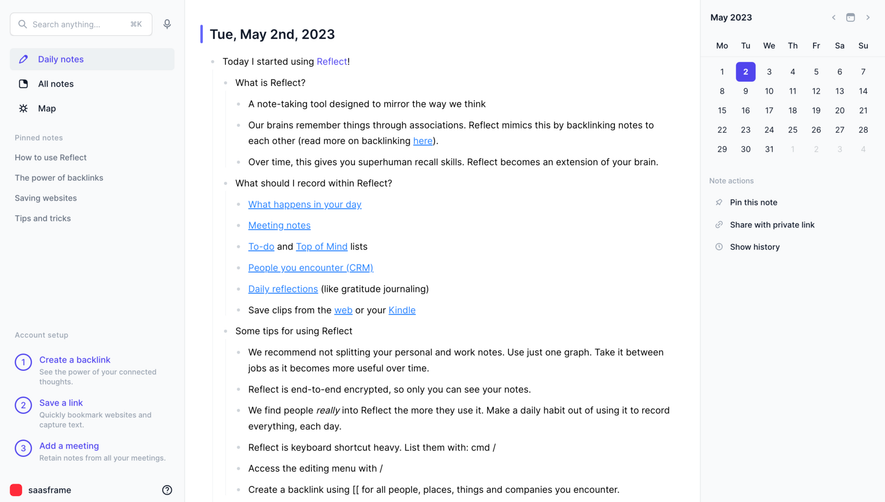



Upgrade to SaaSFrame Pro now to see similar examples.
Monthly
$18 /month
Billed $18 monthly
Browse all screens & flows
Filter and search screens & flows
Search text in screenshots
Access Figma files
Access mobile versions
Join now
Quarterly
$16 /month
Billed $48 quarterly
Browse all screens & flows
Filter and search screens & flows
Search text in screenshots
Access Figma files
Access mobile versions
Join now
Yearly
$15 /month
Billed $180 yearly
Browse all screens & flows
Filter and search screens & flows
Search text in screenshots
Access Figma files
Access mobile versions
Join now