.webp)
Thank you! Your submission has been received!
Oops! Something went wrong while submitting the form.
Get SaaSFrame Pro
Monthly
$18
Quarterly
$48
Yearly
$180
Upgrade to access this feature
Browse all screens & flows
Filter and search screens & flows
Access Figma files
Access mobile versions
Bookmark screens & flows
Join now
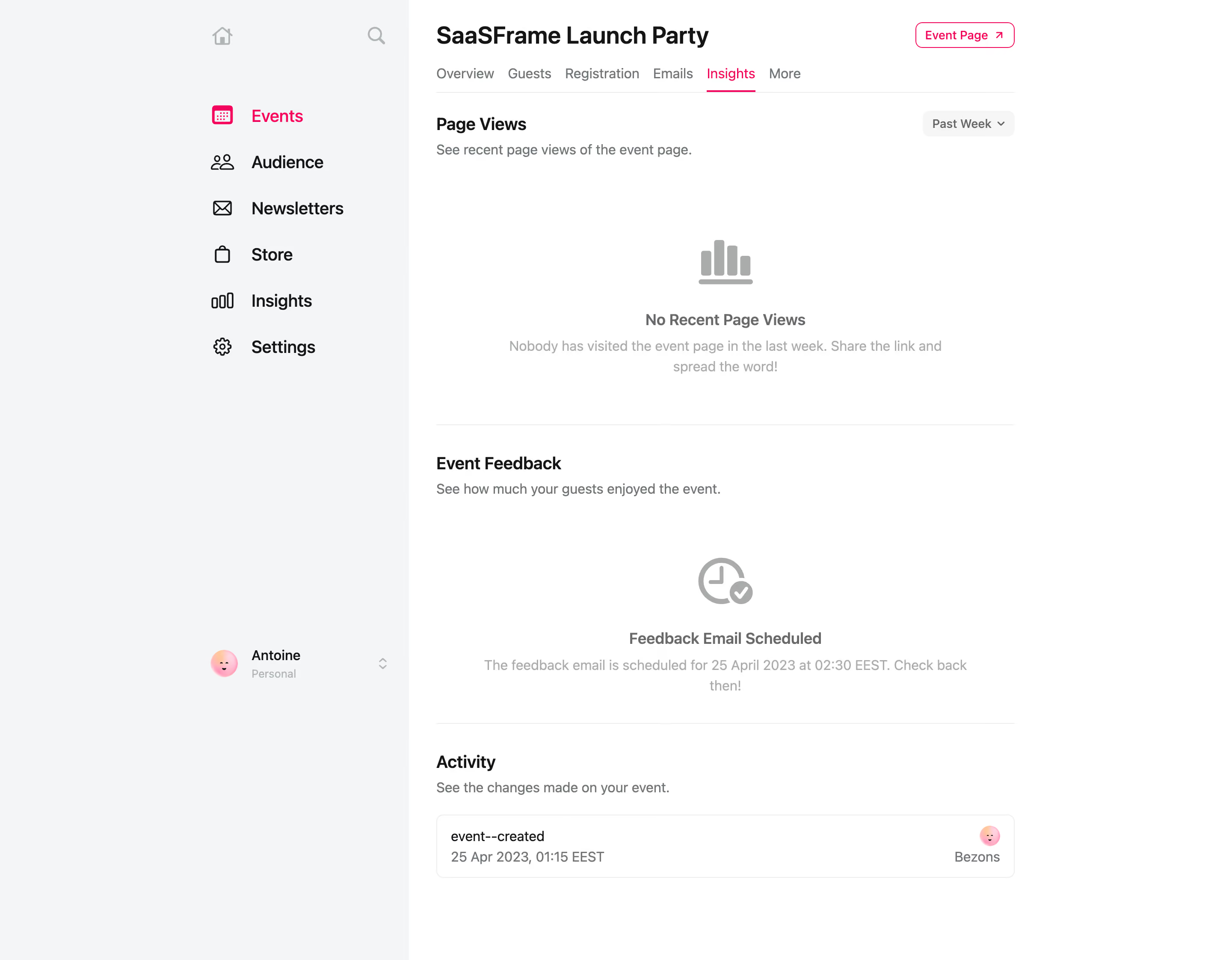
Luma Event Insights

Luma
Host Delightful Events
Designed by
No items found.

Bookmark
Bookmark

Design with AI
Thank you! Your submission has been received!
Oops! Something went wrong while submitting the form.
# Design from Reference: Luma Event Insights
Create an original, high-fidelity visual design inspired by the reference. Prioritize composition, typography, colors, spacing, and component styling over technical implementation.
## Reference
- **Product:** Luma
- **Category:** Analytics
- **Screenshot:** https://cdn.prod.website-files.com/5e9dc792e1210c5325f7ebbc/6acb723310423f7ec1f6514e_6acb70a903442b22fb6503c0_cms-4a1c468cb5020246e591a3b6.webp
Analyze the screenshot first. If inaccessible, request it rather than guessing.
## Content
{{content.instructions}}
{{content.data}}
Preserve essential messaging and factual accuracy. Adapt structure and copy length for visual balance; never invent product claims.
## Visual Design
### Overall aesthetic
- **Character:** A spacious event-management analytics screen uses a cool gray sidebar, white workspace, near-black headings, and a bright pink navigation accent. The styling is quiet and utilitarian.
- **State emphasis:** Two large empty-state areas dominate the page. Simple gray symbols and centered explanations replace charts or metric cards.
- **Observed scale:** The image measures 2880 × 2244 pixels. Estimated CSS sizes assume a 2× capture and a 1440-pixel-wide viewport; the true pixel ratio is unverified.
### Page composition
- **Shell:** A pale sidebar occupies the left portion of the page. Its navigation content is aligned near the sidebar’s right side, leaving a broad pale margin to the left. The white main region begins at approximately x=956 image pixels.
- **Main column:** Content sits in a roughly 675 CSS-pixel column, with about 32 pixels of padding from the main region’s left boundary and generous white space to its right.
- **Event header:** A bold event title appears at top left; an outlined Event Page control with an outward arrow sits at the opposite edge of the content column.
- **Local tabs:** Overview, Guests, Registration, Emails, Insights, and More run in one horizontal row. Insights is pink with a thin pink underline.
- **Analytics sections:** Page Views appears first with a Past Week selector at right. A large no-views state follows. A divider separates Event Feedback, its scheduling state, and another divider above Activity.
- **Activity ending:** One compact bordered activity row sits below the Activity description, with event information at left and a small avatar/actor block at right.
### Information hierarchy
- **Context first:** The event title is the strongest text. The local tabs distinguish event-level sections from global sidebar navigation.
- **Section hierarchy:** Each content region begins with a medium-bold heading and a smaller muted explanatory sentence.
- **Empty-state hierarchy:** A large gray symbol sits above a bold status label and a lighter two-line explanation. Both empty states share this pattern.
- **Global selection:** Events is highlighted in pink in the sidebar even though the event’s local Insights tab is active. These are separate navigation levels.
- **Activity detail:** The action label is darker than its timestamp; the actor information is visually secondary.
- **Historical data:** The displayed date and scheduled email time describe the captured event state. They do not establish that an email has since been sent.
### Typography
- **Typeface appearance:** A neutral sans-serif with compact, clear forms is used throughout. Exact font identity is unverified.
- **Event title:** Approximately 28–30 CSS pixels, bold around 700, with a line-height near 36 pixels and slightly compact tracking.
- **Global navigation:** Approximately 19–20 pixels with medium weight; icons are slightly larger than the text’s cap height.
- **Section headings:** Around 20 pixels and semibold. Descriptive lines and local tabs are about 16 pixels with 23–24-pixel line-height.
- **State copy:** Bold state labels are around 18 pixels; supporting explanations are approximately 16 pixels and lighter gray.
- **Small roles:** Event Page and Past Week controls use around 14-pixel medium text. The profile subtitle is around 13 pixels.
### Colors & surfaces
- **Measured base colors:** #FFFFFF is the main surface. Sampled #F4F5F7 supplies the cool sidebar; #141517 appears in dark text.
- **Measured grays:** #AAACAB appears prominently in empty-state symbols. Sampled #707578 and #68696B support muted text, while #EDEDED supplies pale borders and rules.
- **Accent use:** A vivid pink marks the Events icon/label, active Insights tab and underline, and Event Page border/text. It is a focused navigation accent rather than a broad filled surface.
- **Flat depth:** There are no prominent shadows or elevated metric cards. Thin rules and subtle rounded outlines establish structure.
- **Avatar color:** A small warm pink/orange face avatar provides the only colorful illustrative detail outside navigation.
### Components
- **Global navigation:** Six rows pair outlined icons with Events, Audience, Newsletters, Store, Insights, and Settings. Rows have broad vertical spacing, approximately 54 pixels between baselines.
- **Sidebar utilities:** A small home icon and search icon sit above navigation. A profile row lower down contains a circular avatar, name, Personal subtitle, and small stacked chevrons.
- **Event Page control:** An outlined pink button roughly 115 × 30 CSS pixels has rounded corners near 8 pixels and an external-link arrow.
- **Local tab bar:** Text-only tabs use consistent gaps and a thin bottom rule across the column. The active underline is confined to the selected label.
- **Time selector:** A pale gray rounded Past Week control, about 108 × 30 pixels, includes a downward chevron. No menu-open state is shown.
- **Page-view empty state:** A gray bar-chart symbol, bold no-views label, and centered two-line sharing suggestion occupy a large open area.
- **Feedback scheduling state:** A gray clock/check symbol sits above a bold scheduled-status label and two-line timing explanation. No feedback results are visible.
- **Activity row:** A white bordered rectangle roughly 675 × 74 pixels has approximately 8-pixel corner rounding and 16-pixel horizontal padding. The left block has two text lines; the right block stacks a small avatar above muted actor text.
- **State limits:** No populated graph, feedback rating, hover state, open menu, or interactive transition is captured.
### Visual rhythm
- **Generous empty areas:** Each empty state has substantial vertical breathing room, keeping its symbol and message isolated from section headings.
- **Aligned section starts:** Page Views, Event Feedback, and Activity share a left edge; their descriptions sit close beneath their headings.
- **Divider rhythm:** Full-column thin rules separate content regions rather than enclosing every section in a card.
- **Sidebar cadence:** Large icon-label rows provide a slower rhythm than the compact local tabs. The profile row is separated far below navigation.
- **Quiet ending:** The activity row is much denser than the two empty states but retains the same content-column width.
### Responsive
- **Evidence limit:** Only a desktop application view is visible; mobile layout and sticky behavior are unverified.
- **Recommended navigation:** Move global navigation into a drawer at narrow widths. Preserve event identity and the active local section.
- **Recommended tabs:** Allow horizontal scrolling or an accessible overflow menu when local tabs no longer fit. Keep the active indicator visible.
- **Recommended content:** Use fluid width with 20–24-pixel side padding and allow empty-state descriptions to wrap naturally.
- **Recommended header and activity:** Stack or wrap the title and Event Page action; move the actor block beneath activity details if horizontal space is insufficient.
- **Recommended state spacing:** Reduce oversized empty-state vertical gaps on short screens without removing the distinction between page views and scheduled feedback.
### Adaptation guidance
- **Keep navigation levels clear:** Use separate global and event-level structures, with consistent active-state semantics at both levels.
- **Design honest empty states:** Pair a meaningful symbol with a clear status and a practical explanation. Do not display fabricated charts or results.
- **Reuse a state component:** Share symbol, title, description, spacing, and alignment rules between analytics and scheduling states.
- **Implement an explicit palette:** Start from the sampled white, cool gray, dark text, and pale divider values, then validate contrast and the exact pink accent in implementation.
- **Support populated states separately:** Define future chart, feedback, and activity layouts using real requirements; this screenshot establishes only empty/scheduled and single-activity states.
- **Use approved event data:** Replace the captured event title, profile, timestamp, and actor details with appropriate sample or live content.
Use this context to reproduce the reference's visual language: layout, typography, colors, spacing, borders, radii, and distinctive elements. The screenshot takes priority if descriptions conflict.
## Direction
{{preferences.fidelityInstructions}}
## Output
{{output.instructions}}
Deliver a polished, cohesive design with precise alignment, hierarchy, and spacing. Produce the requested visual artifact, not just a description. If unsupported, explain the limitation.

.avif)
Category
Patterns
Tech Stack



Added on
April 25, 2023
Similar screens



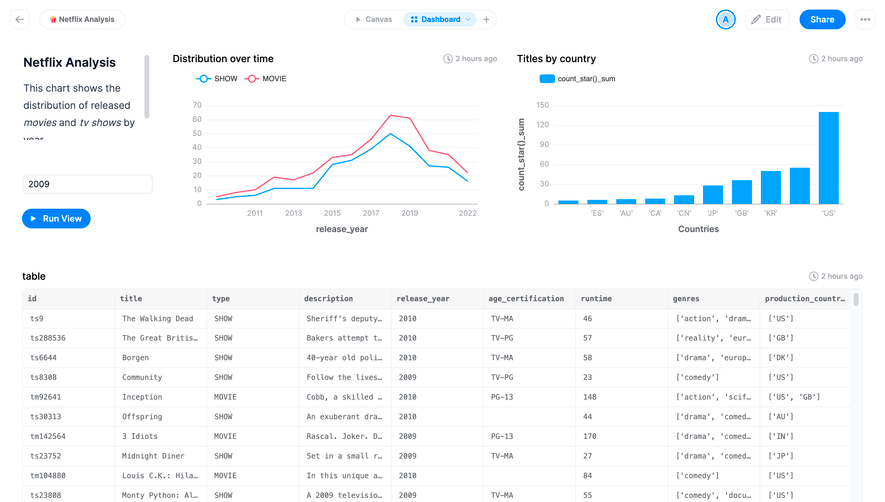

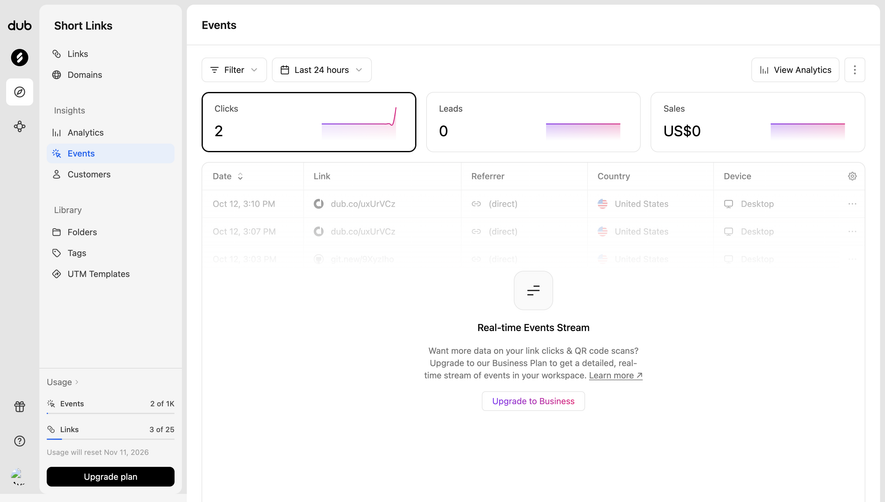
Upgrade to SaaSFrame Pro now to see similar examples.
Monthly
$18 /month
Billed $18 monthly
Browse all screens & flows
Filter and search screens & flows
Search text in screenshots
Access Figma files
Access mobile versions
Join now
Quarterly
$16 /month
Billed $48 quarterly
Browse all screens & flows
Filter and search screens & flows
Search text in screenshots
Access Figma files
Access mobile versions
Join now
Yearly
$15 /month
Billed $180 yearly
Browse all screens & flows
Filter and search screens & flows
Search text in screenshots
Access Figma files
Access mobile versions
Join now