.webp)
Thank you! Your submission has been received!
Oops! Something went wrong while submitting the form.
Get SaaSFrame Pro
Monthly
$18
Quarterly
$48
Yearly
$180
Upgrade to access this feature
Browse all screens & flows
Filter and search screens & flows
Access Figma files
Access mobile versions
Bookmark screens & flows
Join now
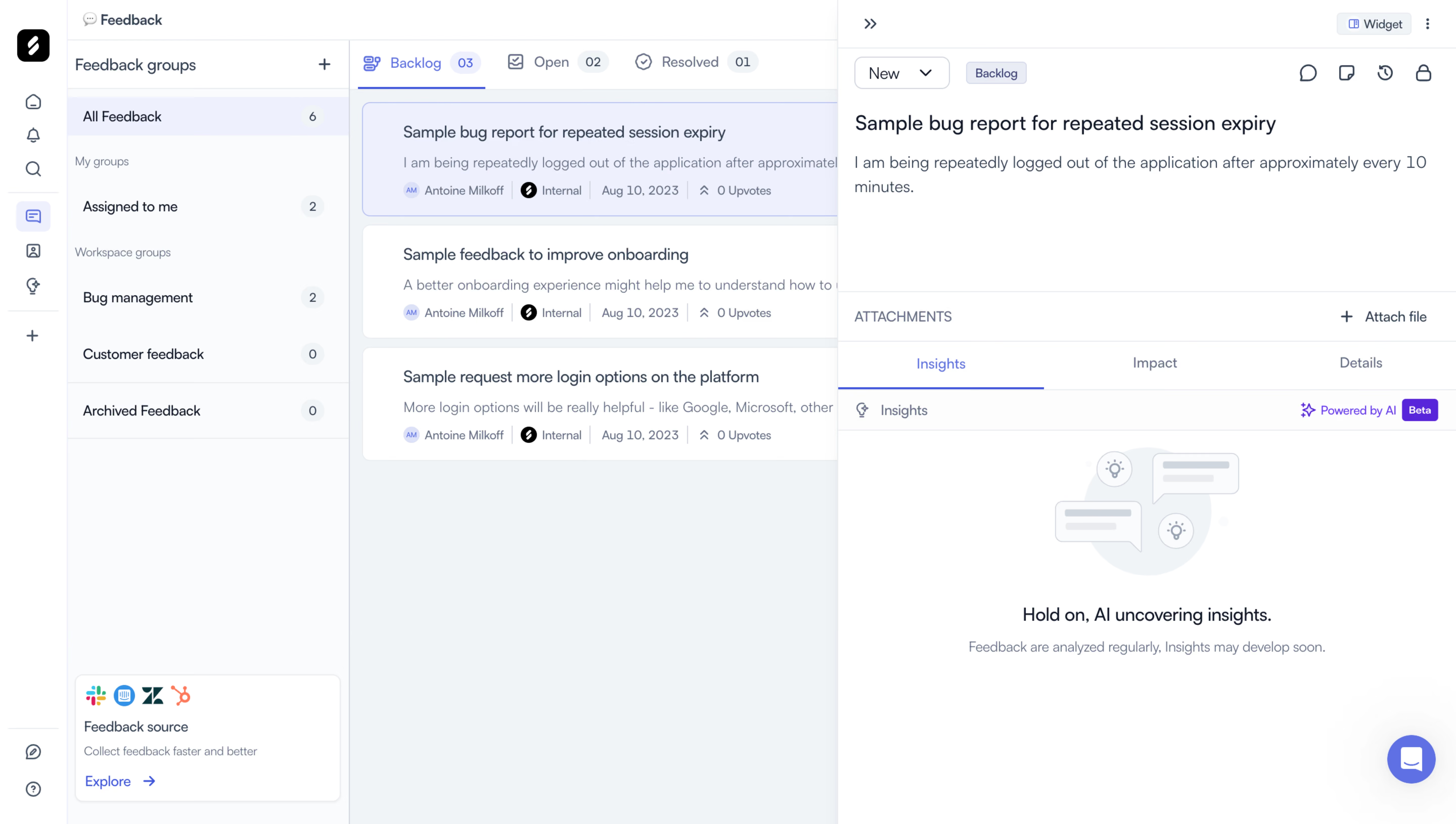
Zeda.io Feedback Details

Zeda.io
AI-powered product discovery and strategy software
Designed by
No items found.

Bookmark
Bookmark

Design with AI
Thank you! Your submission has been received!
Oops! Something went wrong while submitting the form.
# Design from Reference: Zeda.io Feedback Details
Create an original, high-fidelity visual design inspired by the reference. Prioritize composition, typography, colors, spacing, and component styling over technical implementation.
## Reference
- **Product:** Zeda.io
- **Category:** Details
- **Screenshot:** https://cdn.prod.website-files.com/5e9dc792e1210c5325f7ebbc/6acadc4d5c79bb17f221af93_6acadba53a2a243ca5f6369a_cms-8497473072ecb08583fa60c8.webp
Analyze the screenshot first. If inaccessible, request it rather than guessing.
## Content
{{content.instructions}}
{{content.data}}
Preserve essential messaging and factual accuracy. Adapt structure and copy length for visual balance; never invent product claims.
## Visual Design
### Overall aesthetic
- **Style:** Light product-feedback workspace with a narrow icon rail, feedback-group navigation, central list and open detail panel.
- **Character:** Cool gray-blue surfaces, white cards, compact sans-serif text and blue/violet selected-state accents.
- **Surface treatment:** Fine dividers, low-radius feedback cards and a lightly elevated right panel. A muted illustration marks an AI-insights pending state.
### Page composition
- **Capture scale:** 5760 × 3260 image px. CSS estimates assume an unverified 4× capture, approximately 1440 × 815 CSS px.
- **Icon rail:** Approximately 64 CSS px wide, full height, with brand at top, stacked product icons and small lower help controls.
- **Group navigation:** Approximately 280 px wide, containing Feedback groups heading/add control, selected All Feedback, personal/workspace groups and counts.
- **Source promotion:** A small white integration card sits near the bottom of the group sidebar, with service logos, short explanation and Explore link.
- **Central list:** Begins around x=345 px. Backlog, Open and Resolved tabs sit above three feedback cards on a pale-gray background.
- **Detail panel:** Occupies approximately the right 610 px, partially covering the list. Top controls lead into status/category chips, feedback title and description.
- **Attachments:** A separate horizontal row provides an Attach file action.
- **Detail tabs:** Insights, Impact and Details sit above the lower panel; Insights is selected.
- **Insights body:** Small section label and AI/Beta badge precede a centered pale illustration, pending-state message and quieter explanation.
- **Support:** Blue-violet circular chat launcher floats at the lower right.
### Information hierarchy
- **Navigation state:** All Feedback and Backlog are selected; the first feedback card has a pale-blue selected fill and border.
- **List hierarchy:** Titles lead, descriptions are truncated and a compact metadata row shows author/source/date/upvotes.
- **Detail hierarchy:** The selected feedback title and description are larger and darker than metadata or utility labels.
- **Insight state:** The visible message indicates AI insights are not yet available. Do not invent findings, scores or recommendations.
- **Secondary actions:** Status dropdown, attachment action and icon utilities remain visually subordinate.
- **Evidence limit:** No open dropdown, attached file, generated insight or alternate tab contents are visible.
### Typography
- **Family:** Neutral compact application sans serif; exact identity is unverified.
- **Panel title:** Approximately 18 px medium, with 24 px leading.
- **List titles/body:** Approximately 14–16 px with 20–24 px leading.
- **Navigation/tabs:** Approximately 14 px, regular to medium.
- **Metadata/counts:** Approximately 11–12 px, muted blue-gray.
- **Empty-state message:** Approximately 18 px regular/medium, followed by 13–14 px supporting text.
- **Measurement limit:** Values are visual CSS estimates under the assumed 4× capture.
### Colors & surfaces
- **Canvas/cards:** Sampled sRGB #FFFFFF fills cards and detail panel.
- **List canvas:** Sampled #F0F4F7 supplies the central pale gray-blue surface.
- **Sidebar:** Sampled #F9FAFB supplies a near-white navigation surface.
- **Selection:** Sampled #ECF0FD supplies the selected feedback/navigation reference.
- **Rules:** Sampled #E8ECF0 and #EDF1F4 provide subtle divider tones.
- **Accents:** Blue marks active tabs and selected icons; violet marks AI/Beta treatment and chat. Exact saturated values are not established by the dominant-color sample.
- **Illustration:** Very pale blue-gray speech bubbles and lightbulb symbols remain lower contrast than the pending-state text.
### Components
- **Group rows:** Compact links with right-aligned count pills; active row uses a pale blue fill.
- **Status tabs:** Icon/text labels with small numeric badges and thin active underline.
- **Feedback cards:** White rounded rectangles with fine borders, roughly 110 px tall, stacked with narrow gaps.
- **Selected card:** Pale-blue fill and blue-violet outline distinguish it from adjacent white cards.
- **Metadata chips:** Tiny initials avatar, source mark, date separator and upvote count share one line.
- **Detail utilities:** Compact dropdown, category chip and small outline icon actions at the panel top.
- **Attachment row:** Thin rules above/below, uppercase label left and plus/file action right.
- **Insights tabs:** Equal-width text tabs with a blue underline under the selected item.
- **AI badge:** Small violet sparkle/label and filled Beta pill.
- **Source card:** Small bordered white panel with rounded corners and colorful service logos.
- **Chat launcher:** Approximately 48 px circle, blue-violet fill and white speech symbol.
### Visual rhythm
- **Column hierarchy:** Narrow rail, group list, feedback list and detail pane create progressively wider information zones.
- **Top density:** Controls and text concentrate in the upper half; the pending insights area uses broad whitespace.
- **List repetition:** Repeated title/summary/metadata cards support scanning.
- **Selection continuity:** Related pale-blue fills and thin active underlines connect navigation and content state.
### Responsive
- **Evidence limit:** Only desktop is shown; recommendations below are not observed behavior.
- **Pane recommendation:** Show list and detail as separate navigable views on narrow screens.
- **Navigation recommendation:** Collapse the icon/group sidebars into a drawer.
- **Metadata recommendation:** Wrap or prioritize compact metadata instead of shrinking it excessively.
- **Insights recommendation:** Preserve the explicit pending state and avoid relying only on illustration.
- **Accessibility recommendation:** Expose selected tabs/cards, label icon controls and announce asynchronous insight updates; these behaviors are not verified by the capture.
### Adaptation guidance
- **Preserve feedback context:** Keep group, status and selected item clear while showing details.
- **Use actual state:** Populate author/source/date/counts from real records and show pending AI content honestly.
- **Match actions:** Include attachment, status and insight routes only when supported.
- **Retain restraint:** Use cool neutral surfaces, fine borders and one selected-state accent.
- **Avoid fabricated intelligence:** Do not fill the empty insights area with invented findings to make the design look complete.
Use this context to reproduce the reference's visual language: layout, typography, colors, spacing, borders, radii, and distinctive elements. The screenshot takes priority if descriptions conflict.
## Direction
{{preferences.fidelityInstructions}}
## Output
{{output.instructions}}
Deliver a polished, cohesive design with precise alignment, hierarchy, and spacing. Produce the requested visual artifact, not just a description. If unsupported, explain the limitation.

.avif)
Category
Patterns
Tech Stack

Added on
August 10, 2023
Similar screens
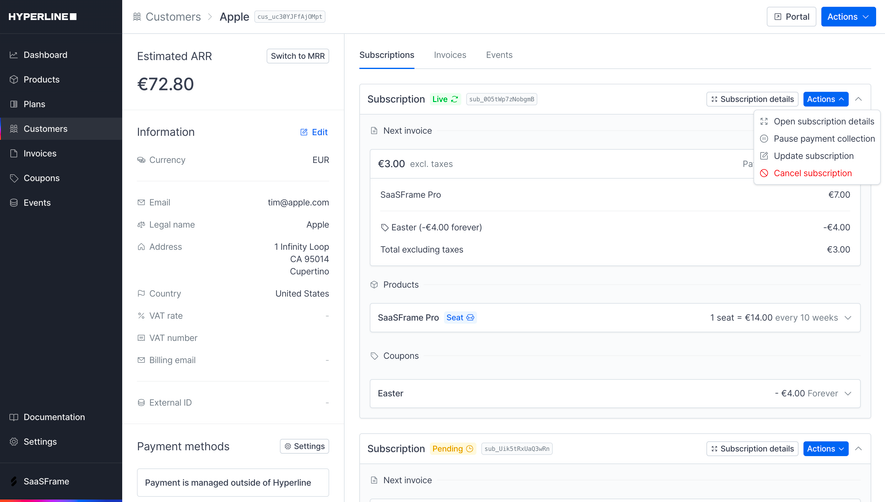


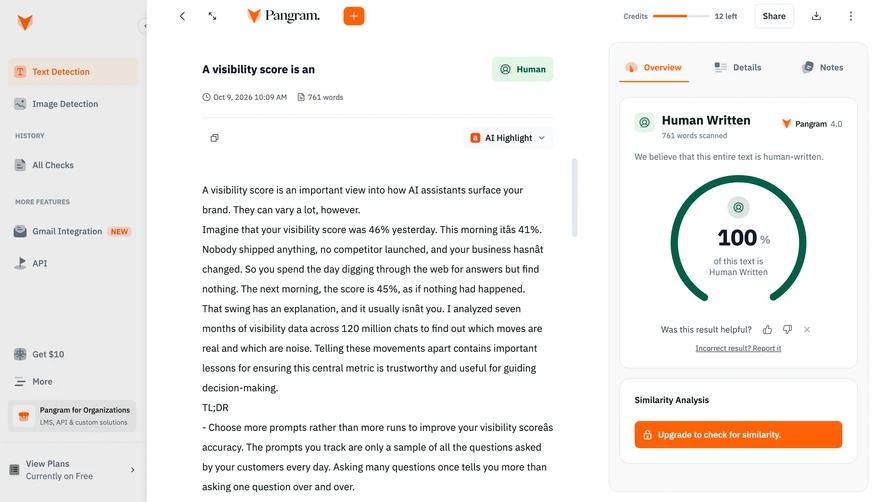

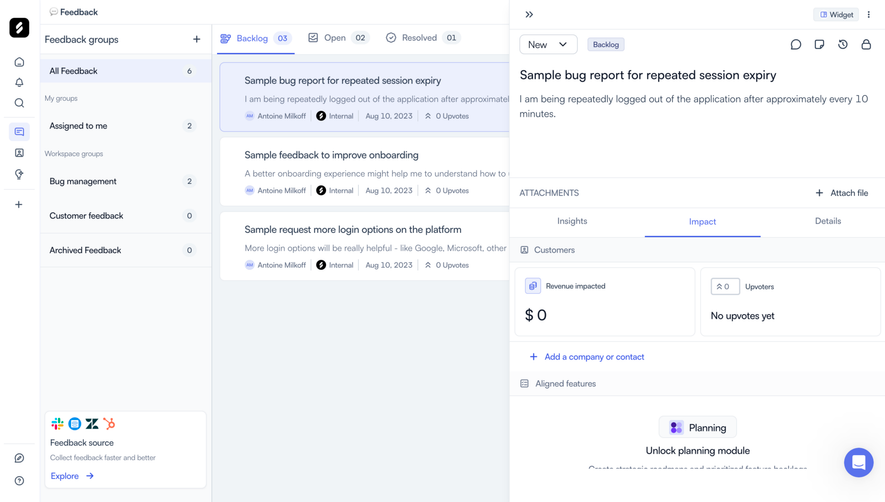
Upgrade to SaaSFrame Pro now to see similar examples.
Monthly
$18 /month
Billed $18 monthly
Browse all screens & flows
Filter and search screens & flows
Search text in screenshots
Access Figma files
Access mobile versions
Join now
Quarterly
$16 /month
Billed $48 quarterly
Browse all screens & flows
Filter and search screens & flows
Search text in screenshots
Access Figma files
Access mobile versions
Join now
Yearly
$15 /month
Billed $180 yearly
Browse all screens & flows
Filter and search screens & flows
Search text in screenshots
Access Figma files
Access mobile versions
Join now