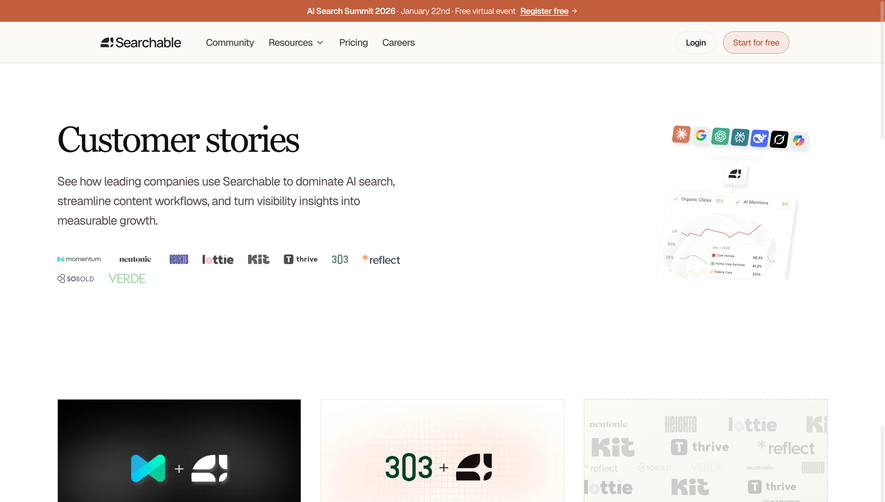
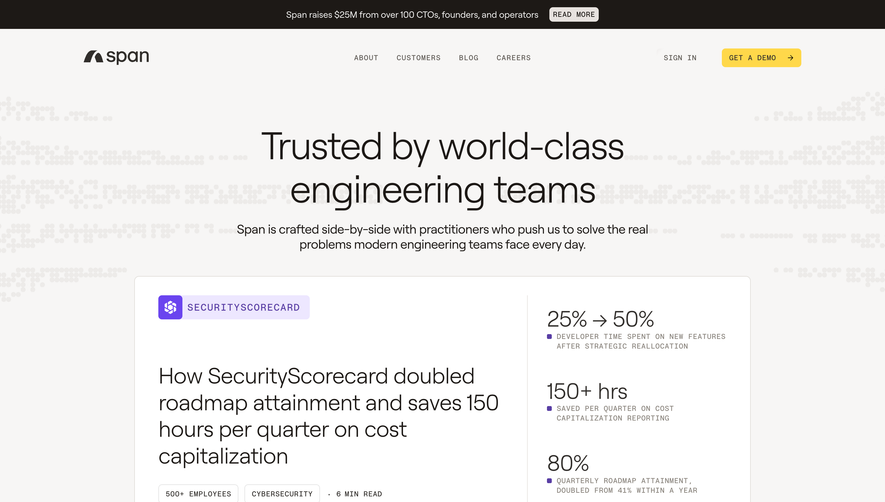
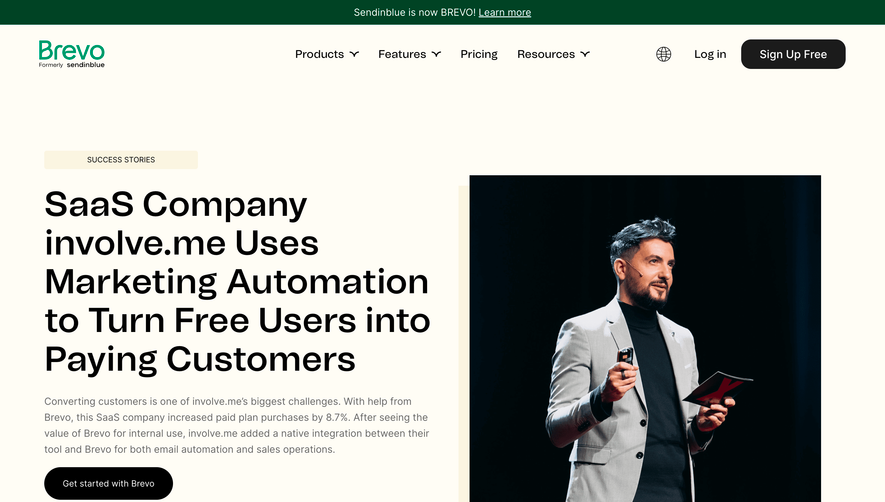
Generate a new design based on this screen using your own content.
Thank you! Your submission has been received!
Oops! Something went wrong while submitting the form.
# Design from Reference: Speakeasy Customer Stories
Create an original, high-fidelity visual design inspired by the reference. Prioritize composition, typography, colors, spacing, and component styling over technical implementation.
## Reference
- **Product:** Speakeasy
- **Category:** Customer Stories
- **Screenshot:** https://cdn.prod.website-files.com/5e9dc792e1210c5325f7ebbc/6acad412c910b3adf9e48e01_6acad1b0b2165b6c7fffe1af_cms-ce2ec5822c03a49921dac817.webp
Analyze the screenshot first. If inaccessible, request it rather than guessing.
## Content
{{content.instructions}}
{{content.data}}
Preserve essential messaging and factual accuracy. Adapt structure and copy length for visual balance; never invent product claims.
## Visual Design
Use this context to reproduce the reference's visual language: layout, typography, colors, spacing, borders, radii, and distinctive elements. The screenshot takes priority if descriptions conflict.
## Direction
{{preferences.fidelityInstructions}}
## Output
{{output.instructions}}
Deliver a polished, cohesive design with precise alignment, hierarchy, and spacing. Produce the requested visual artifact, not just a description. If unsupported, explain the limitation.
Speakeasy’s Mistral customer page radiates a clean, modern professionalism with a subtle tech-forward edge. The minimalist design leverages substantial white space and disciplined visual hierarchy, creating a calming yet innovative atmosphere. The style projects user trust and technical credibility without feeling cold or sterile—perfect for an enterprise SaaS offering.
Layout and Structure
The page opens with a concise hero section that combines a high-impact logo with a clear customer story headline, immediately signaling focus. Content flows vertically in well-defined blocks: a summary of collaboration, a problem/solution narrative, Mistral’s outcomes, and calls-to-action. No clutter—each section has its purpose. Ample visual breathing room ensures effortless scanning and focus on key information.
Visual Elements
Custom illustrations and branded graphics provide visual interest and context, while a balanced use of photography spotlights real people, reinforcing authenticity. Subtle animated accents give the design a dynamic feel without becoming distracting. Unique icons highlight functionality and benefits, providing quick visual signposts.
Color Palette and Typography
A sophisticated palette of deep blues, vibrant teals, and crisp white creates energy and clarity. Typographic hierarchy is sharp: bold, modern headings (likely sans-serif) command attention while smaller body copy remains legible and inviting. Strategic use of color highlights links and calls-to-action, ensuring they stand out.
User Experience Patterns & Notable Choices
Sticky navigation keeps key links accessible as users scroll, while large, inviting CTAs make next steps obvious. Sections often fade or slide into view, adding subtle engagement. The customer success “story” format departs from generic feature lists—humanizing the SaaS brand and building trust. The overall tone is approachable yet confident, making complex solutions feel accessible.
.webp)




.avif)