Design with AI
Generate a new design based on this screen using your own content.
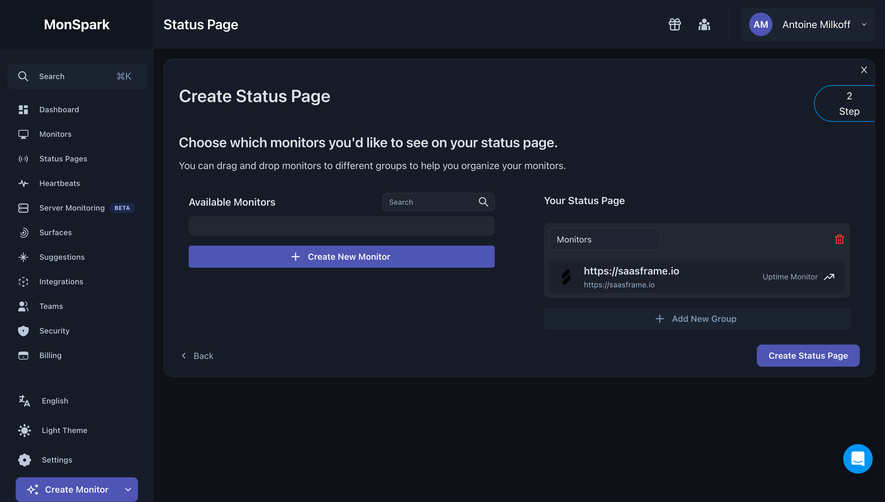
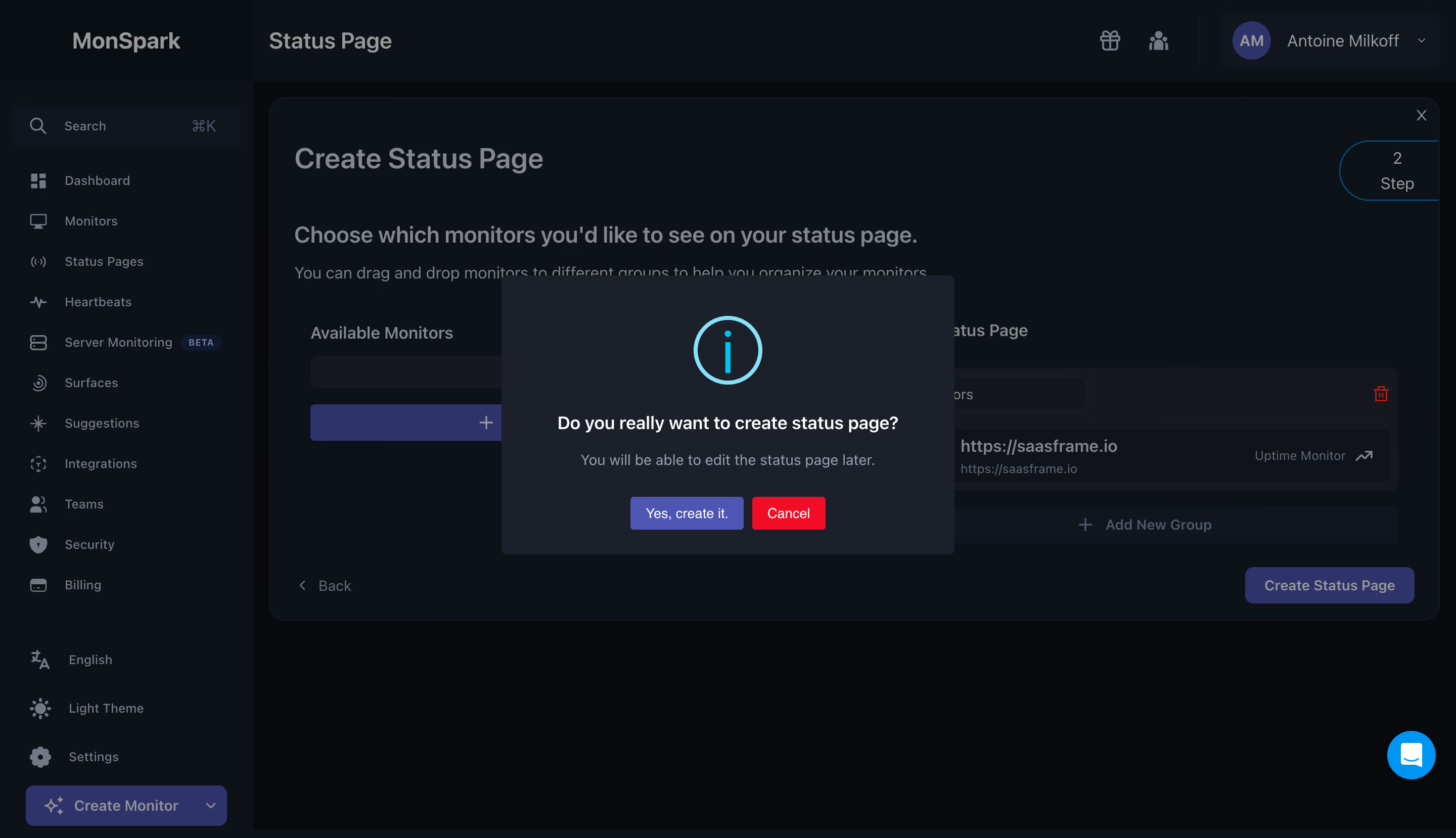
# Design from Reference: MonSpark Create Status Page Confirmation
Create an original, high-fidelity visual design inspired by the reference. Prioritize composition, typography, colors, spacing, and component styling over technical implementation.
## Reference
- **Product:** MonSpark
- **Category:** Confirmation
- **Screenshot:** https://cdn.prod.website-files.com/5e9dc792e1210c5325f7ebbc/6acb6605adcf005a3c5dac89_6acb6508adcf005a3c5d31ce_cms-3c28153bbefd766eff409c2c.webp
Analyze the screenshot first. If inaccessible, request it rather than guessing.
## Content
{{content.instructions}}
{{content.data}}
Preserve essential messaging and factual accuracy. Adapt structure and copy length for visual balance; never invent product claims.
## Visual Design
### Overall aesthetic
- **Character:** Dark monitoring dashboard interrupted by a centered confirmation dialog.
### Page composition
- **Canvas:** 2880 × 1658 screenshot px. Dimmed sidebar and status-page builder remain visible behind a compact dark modal with cyan information icon.
### Information hierarchy
- **Priority:** Large circled information symbol leads to confirmation question, muted reassurance, and adjacent confirmation/cancel actions.
### Typography
- **Scale:** Estimated CSS at assumed 2× capture: question 17 px semibold, helper 15 px, buttons 14 px. Underlying builder title about 28 px. Sans serif family unverified.
### Colors & surfaces
- **Palette:** Sampled sRGB #0D1118, #090A0E, dialog #1B202B, and secondary surfaces #16171F. Cyan information icon, purple confirmation, and red cancel distinguish dialog elements.
### Components
- **Details:** Dialog approximately 448 CSS px wide with 4 px corners, generous vertical padding, centered text, and two compact rectangular actions. Overlay visibly suppresses the monitor selection interface.
### Visual rhythm
- **Spacing:** Icon-to-question gap approximately 28 CSS px; helper and actions form separate centered rows. Builder remains broad and dense behind the overlay.
### Responsive
- **Adaptation:** Mobile is not shown. Fit dialog within 20 px side margins and stack actions if needed; keep focus within confirmation.
### Adaptation guidance
- **Transfer:** Preserve the concise confirmation hierarchy and explicit alternatives. Tailor reassurance to actions the product actually supports.
Use this context to reproduce the reference's visual language: layout, typography, colors, spacing, borders, radii, and distinctive elements. The screenshot takes priority if descriptions conflict.
## Direction
{{preferences.fidelityInstructions}}
## Output
{{output.instructions}}
Deliver a polished, cohesive design with precise alignment, hierarchy, and spacing. Produce the requested visual artifact, not just a description. If unsupported, explain the limitation.
.webp)


.avif)