Design with AI
Generate a new design based on this screen using your own content.
# Design from Reference: Help Kit Product Tour
Create an original, high-fidelity visual design inspired by the reference. Prioritize composition, typography, colors, spacing, and component styling over technical implementation.
## Reference
- **Product:** Help Kit
- **Category:** Product Tour
- **Screenshot:** https://cdn.prod.website-files.com/5e9dc792e1210c5325f7ebbc/6acbbb57151c40fa40745ec3_6acb71c0a985900f7f287b89_cms-29dc243eb3ef259485264892.webp
Analyze the screenshot first. If inaccessible, request it rather than guessing.
## Content
{{content.instructions}}
{{content.data}}
Preserve essential messaging and factual accuracy. Adapt structure and copy length for visual balance; never invent product claims.
## Visual Design
### Overall aesthetic
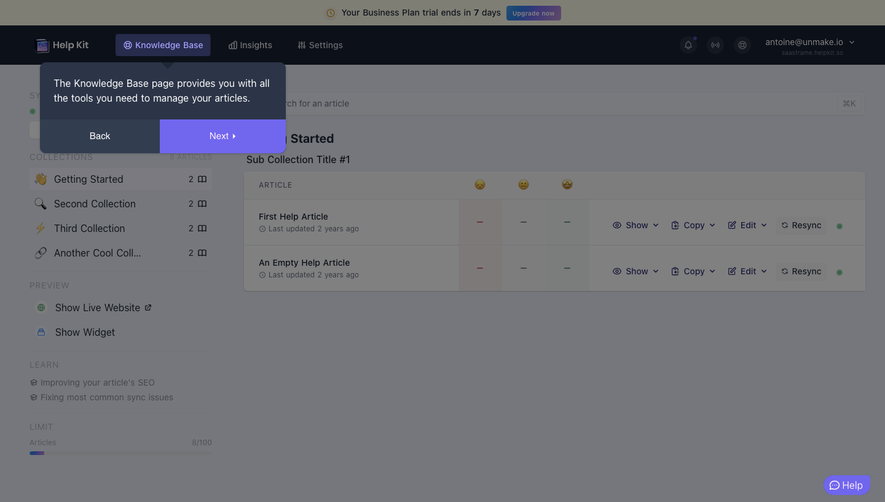
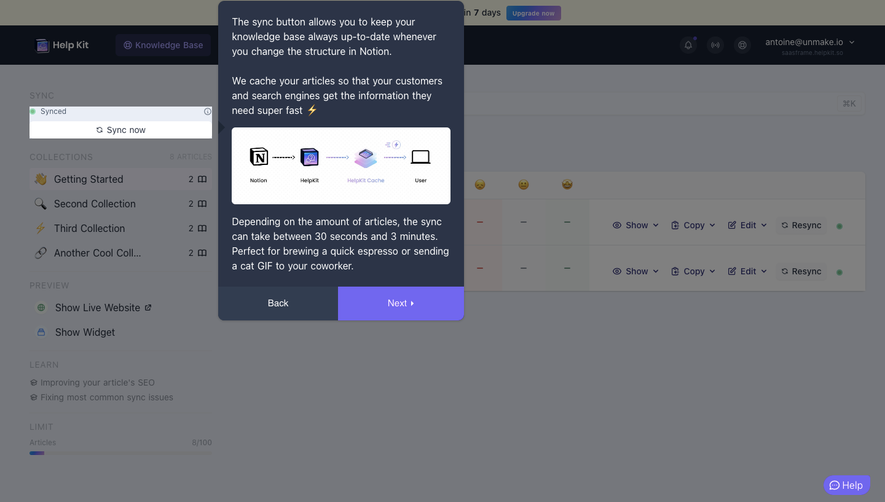
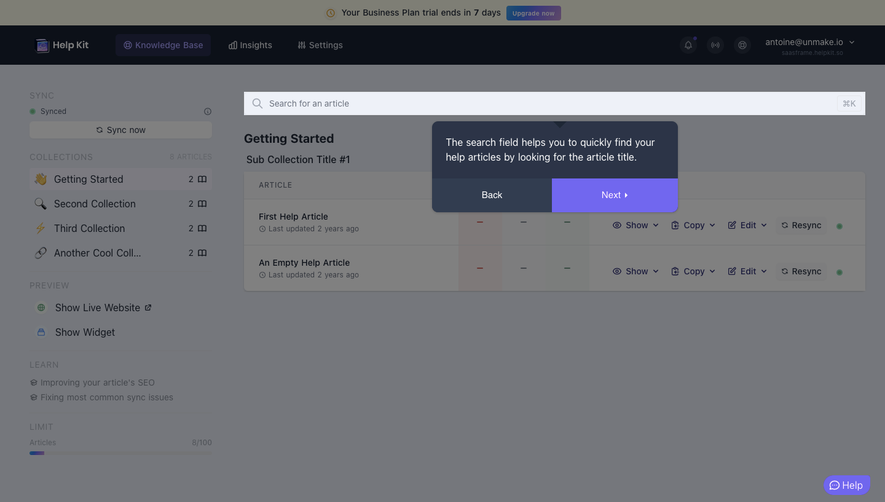
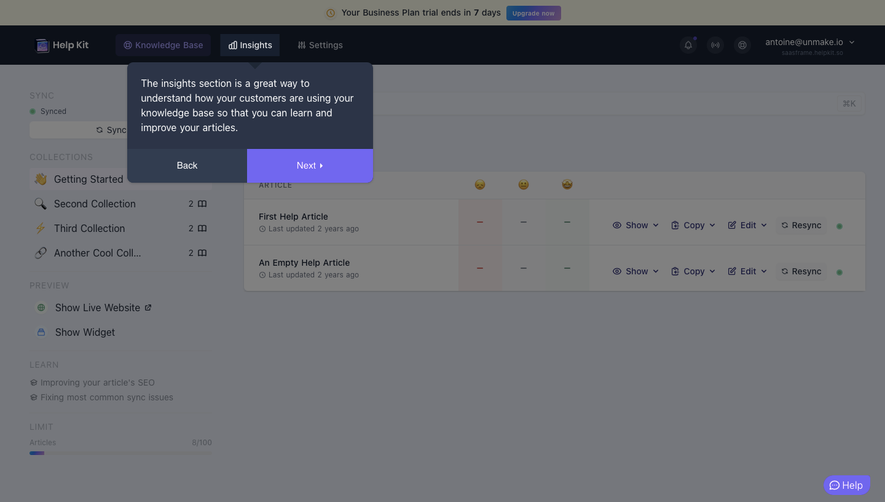
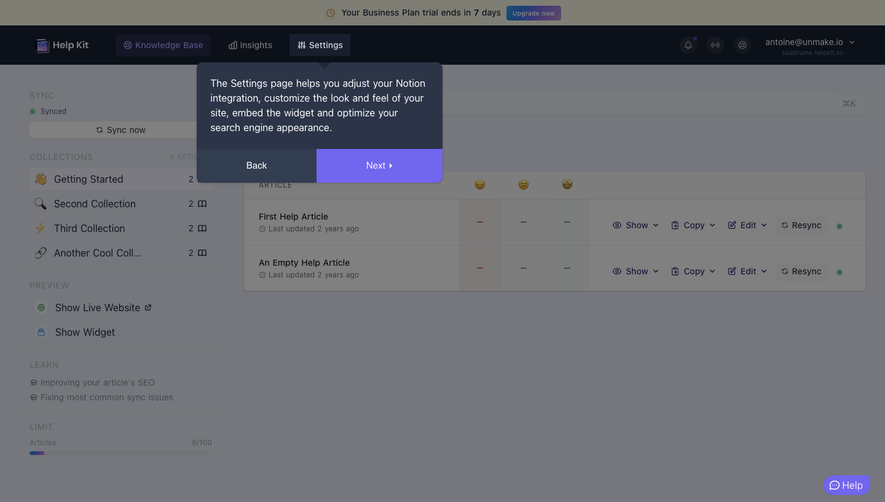
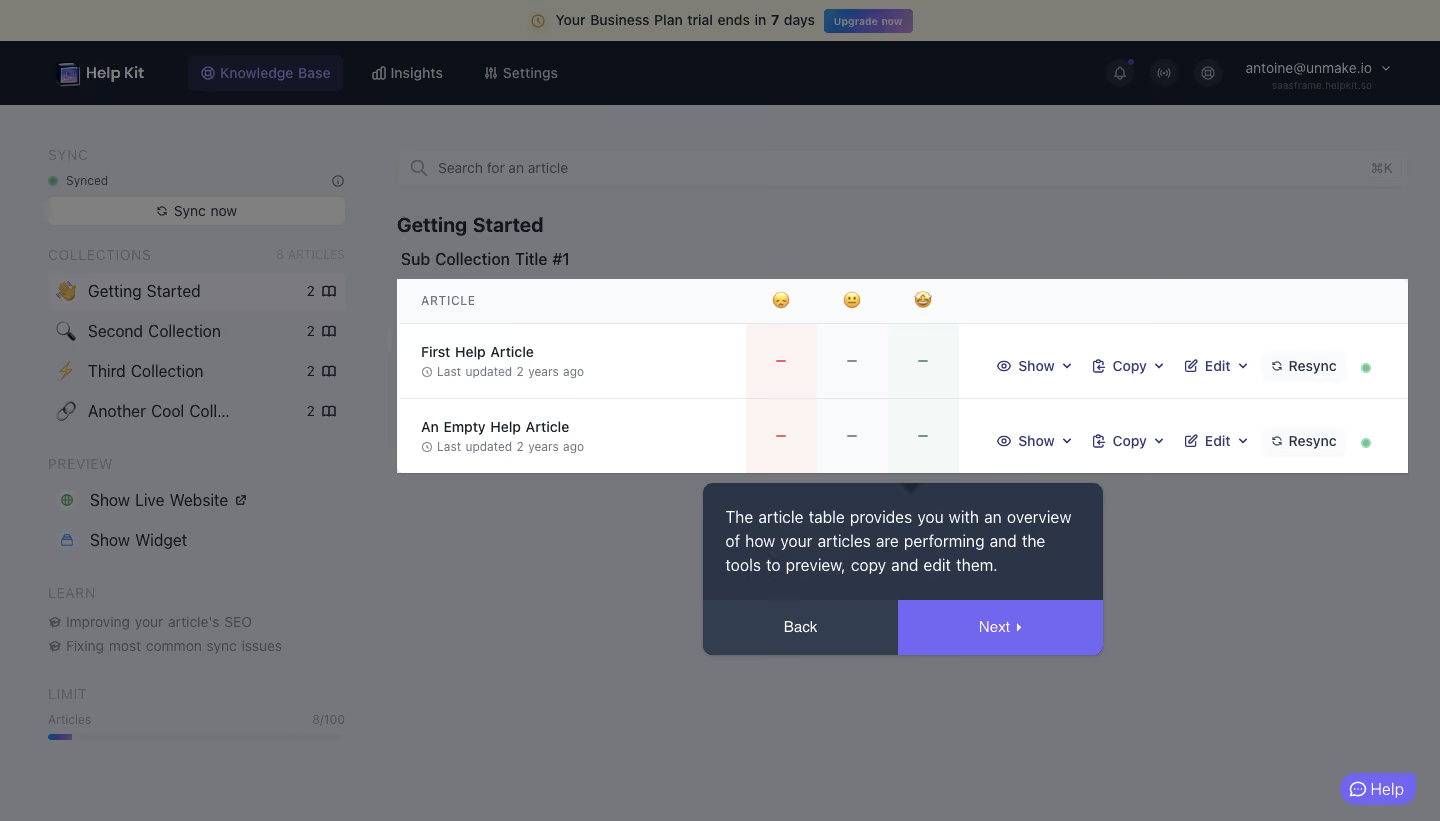
- **Style:** A guided-tour overlay on a knowledge-base dashboard, using a gray dimming veil, a bright spotlight region and dark instructional popover.
- **Accent:** Violet controls and dark navy surfaces distinguish tour navigation from the underlying white table.
### Page composition
- **Canvas:** Source 1440 × 821 pixels, inspected at 1400 × 798. CSS scale is unverified.
- **Background shell:** Trial notice above a dark horizontal navigation bar; collection/sidebar tools occupy the left, with search and article content on the right.
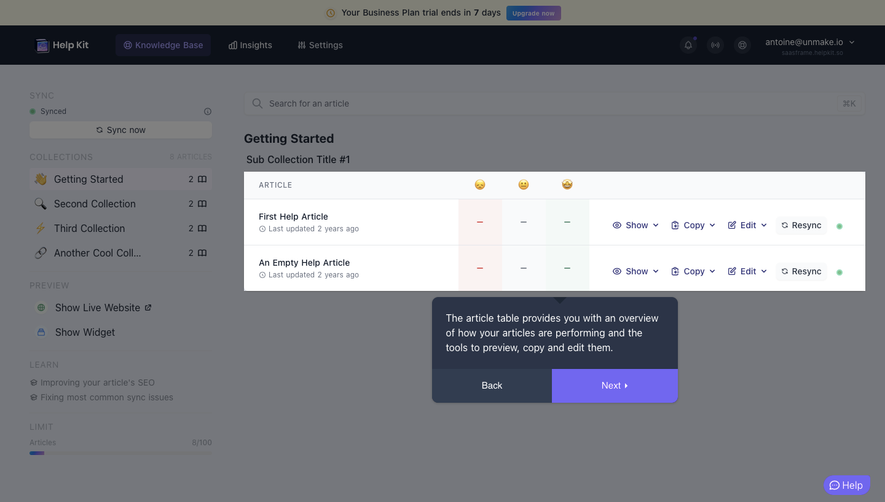
- **Spotlight:** A rectangular table region around x386, y271, approximately 982 × 189px remains bright.
- **Popover:** Approximately 390 × 168px beneath the table, near x683, y470, with a small upward pointer and split action footer.
- **Support:** A small violet Help pill remains at the lower right.
### Information hierarchy
- **Tour target:** The highlighted article table is the main visual focus; the dimmed application shell is secondary.
- **Article rows:** Two entries show title, update metadata, reaction-stat columns and a row of preview/copy/edit/resync actions.
- **Instruction:** The popover explains the table’s overview and management purpose in three lines.
- **Navigation:** Back and Next occupy equal footer areas, with Next in violet.
### Typography
- **Popover body:** Approximately 16px regular sans serif, around 24px line height, white on navy.
- **Article text:** Around 14px medium for titles/actions, 12px muted update metadata.
- **Table header:** Approximately 12px uppercase with modest tracking; reaction headings use small emoji.
- **Background headings:** Getting Started is around 20px bold. Exact font identity is unverified.
### Colors & surfaces
- **Measured palette:** #FFFFFF bright table, #F9FAFB pale header/control surface, #0C1018 dark app chrome and #2C3447 popover body.
- **Measured veil tones:** #75777C and #77797D dominate the dimmed workspace; #7E7E75 appears in the dimmed trial region.
- **Measured accent:** #7167EF violet supplies tour action emphasis.
- **Table accents:** Pale red, neutral and green-tinted reaction columns and a green sync dot provide localized semantic cues.
### Components
- **Spotlight target:** Sharp rectangular highlight follows the full two-row table area without an obvious rounded spotlight border.
- **Article table:** Header around 44px tall and rows around 72px; thin cool-gray separators structure title, reaction and action regions.
- **Row tools:** Small icon/text dropdown actions sit inline; Resync has a pale rounded container.
- **Tour popover:** Approximately 10px radius, subtle outline/shadow and about 22px body padding.
- **Footer controls:** Roughly 54px tall, dark Back half and violet Next half; bottom corners follow the popover shell.
- **Captured state:** One intermediate tour step is visible. No step count, dismissal control or completion state is shown.
### Visual rhythm
- **Focus relationship:** The popover sits about 10px below the target; pointer aligns toward the lower center of the table.
- **Table cadence:** Equal row heights and repeated action positions support comparison.
- **Popover spacing:** Body text has compact line spacing; the footer is a distinct full-width band.
- **Background:** Large surrounding dimmed regions make the highlighted table readable without changing its native layout.
### Responsive
- **Observed scope:** Desktop only; tour repositioning is unverified.
- **Recommended placement:** Anchor the popover to the target while preventing viewport clipping.
- **Recommended narrow view:** Permit table scrolling or use a smaller target region; keep instructions and navigation fully visible.
- **Accessibility:** Keep the tour operable with keyboard controls and announce the current instruction; these behaviors are recommendations.
### Adaptation guidance
- **Preserve:** One clear spotlight, concise explanation and obvious forward/back progression.
- **Implementation:** Recalculate target bounds and popover placement after resize or scrolling rather than hard-coding screenshot coordinates.
- **Content:** Explain the highlighted feature only; do not infer unseen data or tour stages.
- **State design:** Define dismissal, focus restoration and completion behavior from requirements, since they are absent from this capture.
Use this context to reproduce the reference's visual language: layout, typography, colors, spacing, borders, radii, and distinctive elements. The screenshot takes priority if descriptions conflict.
## Direction
{{preferences.fidelityInstructions}}
## Output
{{output.instructions}}
Deliver a polished, cohesive design with precise alignment, hierarchy, and spacing. Produce the requested visual artifact, not just a description. If unsupported, explain the limitation.
.webp)



.avif)