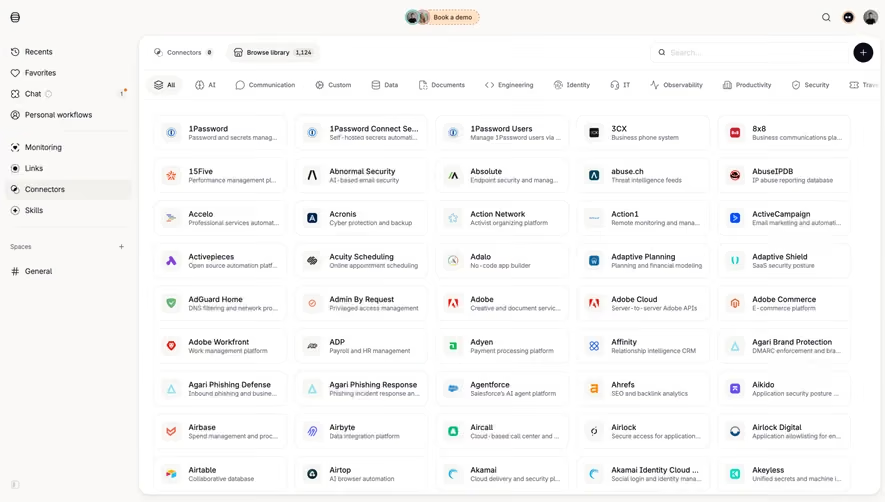
Generate a new design based on this screen using your own content.
Thank you! Your submission has been received!
Oops! Something went wrong while submitting the form.
# Design from Reference: Customer.io Integrations
Create an original, high-fidelity visual design inspired by the reference. Prioritize composition, typography, colors, spacing, and component styling over technical implementation.
## Reference
- **Product:** Customer.io
- **Category:** Integrations
- **Screenshot:** https://cdn.prod.website-files.com/5e9dc792e1210c5325f7ebbc/6acad4bb1025e911ae518382_6acad3840b03ff9ca34feb45_cms-e92813ae8e6a5998df859278.webp
Analyze the screenshot first. If inaccessible, request it rather than guessing.
## Content
{{content.instructions}}
{{content.data}}
Preserve essential messaging and factual accuracy. Adapt structure and copy length for visual balance; never invent product claims.
## Visual Design
Use this context to reproduce the reference's visual language: layout, typography, colors, spacing, borders, radii, and distinctive elements. The screenshot takes priority if descriptions conflict.
## Direction
{{preferences.fidelityInstructions}}
## Output
{{output.instructions}}
Deliver a polished, cohesive design with precise alignment, hierarchy, and spacing. Produce the requested visual artifact, not just a description. If unsupported, explain the limitation.
A Dense Integration Hub That Actually Stays Readable
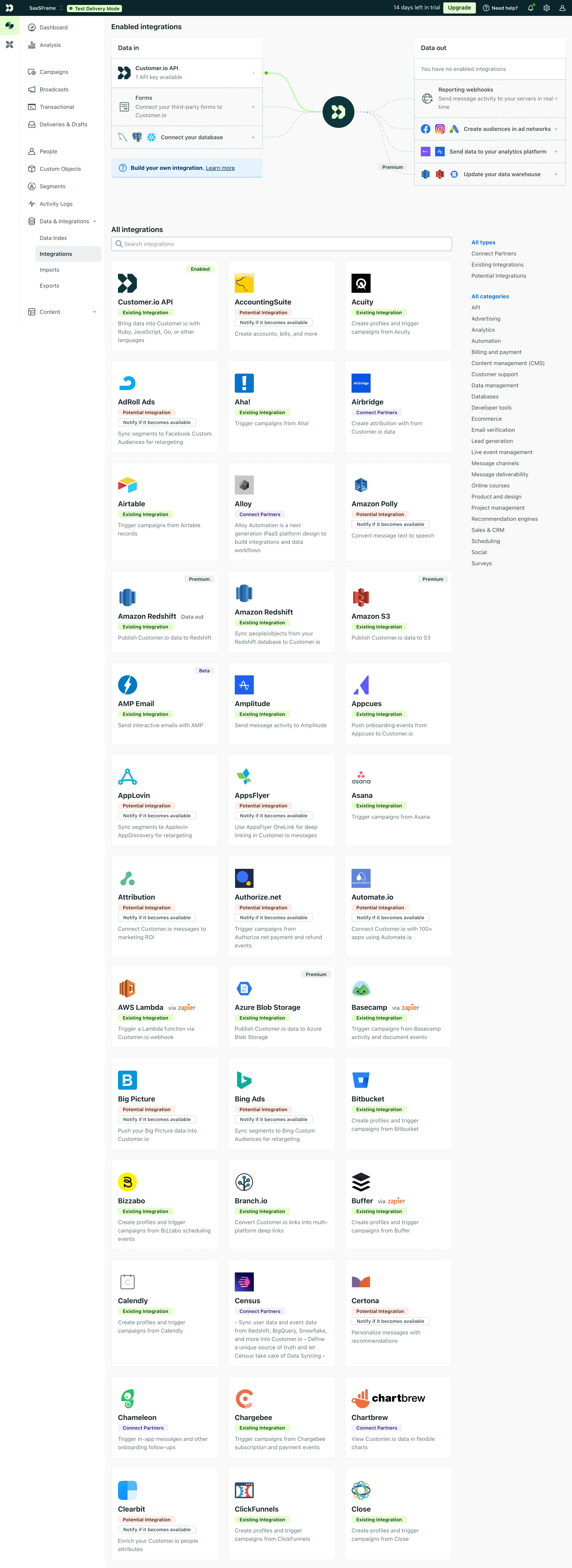
First thing you notice is the sheer volume of content. Customer.io's integrations page packs dozens of cards into a grid without feeling chaotic. The left sidebar keeps navigation tight with a clean icon system, while the main area uses a simple three-column card layout that scales well. Each card follows an identical structure: logo, name, badge, short description. That consistency does heavy lifting.
Color as a Functional Tool
The green "Existing Integration" badges versus orange "Potential Integration" ones create instant visual sorting. You don't even need to read them after a minute. The purple "Connect Partners" labels add a third tier. Smart use of badge color to communicate status without cluttering the UI with extra columns or filters. The right sidebar categories double as filters, keeping everything accessible.
What Makes It Stand Out
The "Data in" and "Data out" split at the top is a great touch. It frames the entire page around user intent before you even scroll. Typography is small but legible. Nothing flashy, just extremely functional design that respects the density of the content.
.webp)




.avif)