.webp)
What's new in SaaS design

Folk
September 3, 2026
Folk surfaces task status inside its pipeline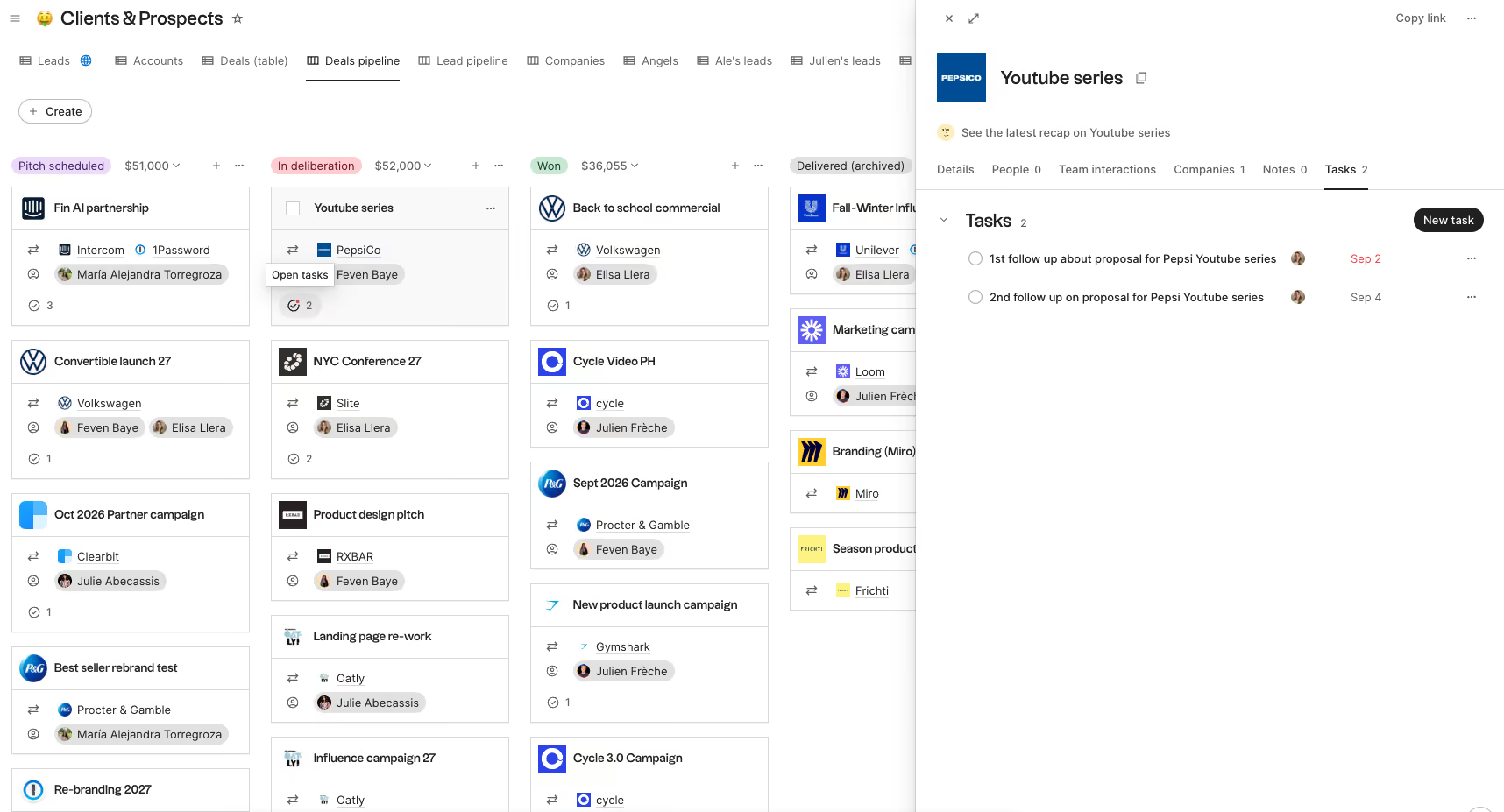
What changes
Folk now shows task status in pipeline and table views. The same update adds bulk task actions and keyboard shortcuts for managing tasks.
Why it's interesting
Showing follow-up state where deals are reviewed reduces the need to open each contact just to see whether work is pending.

Linear
September 3, 2026
Linear brings rich file previews into code diffs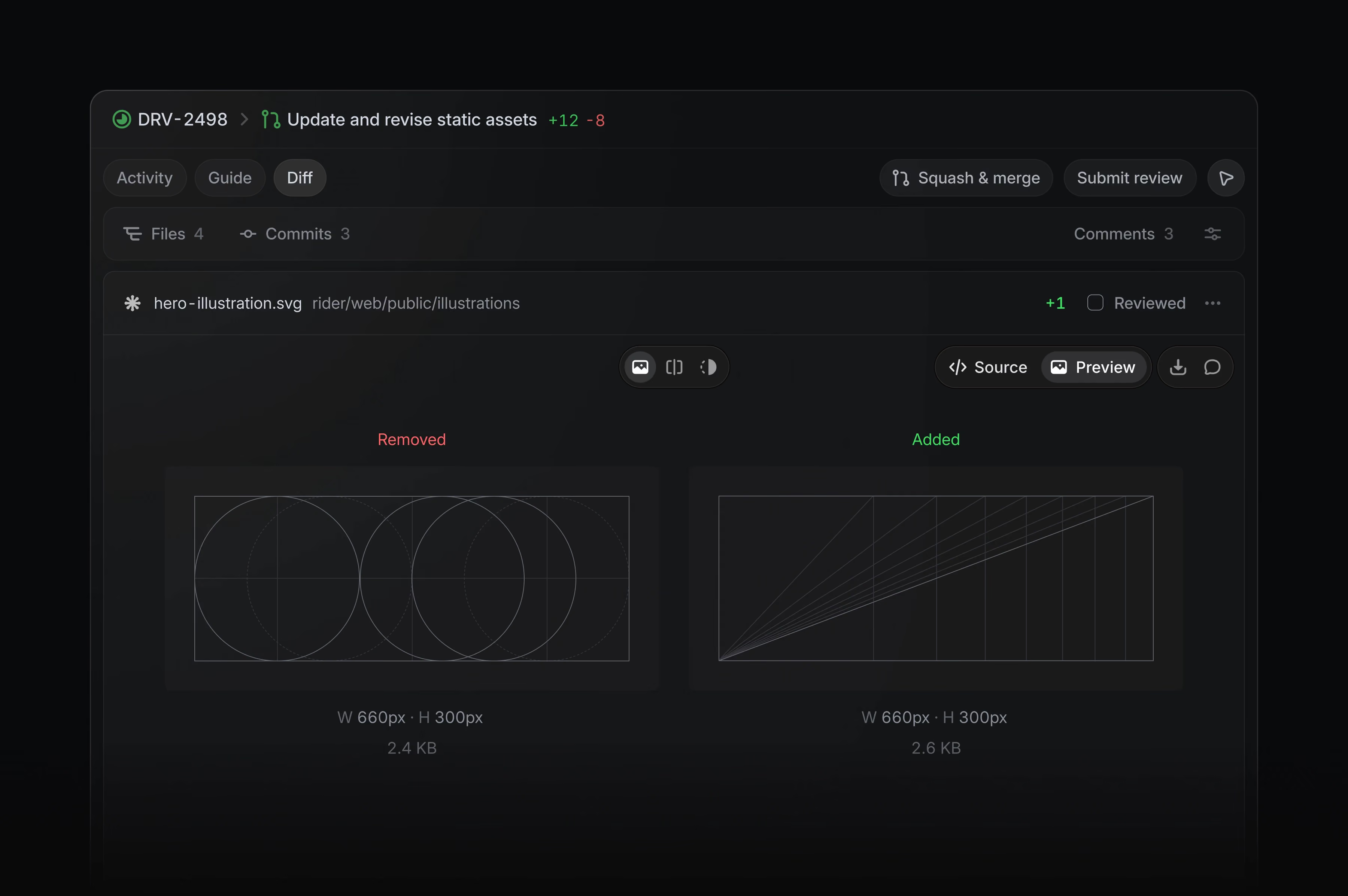
What changes
Images, fonts, Markdown, and PDFs now render directly inside Linear diffs, letting reviewers inspect visual output alongside code changes.
Why it's interesting
In-context previews reduce the need to switch tools and help reviewers catch visual differences while they are deciding whether to approve a change.
Linear
September 3, 2026
Linear adds an AI-assisted project composer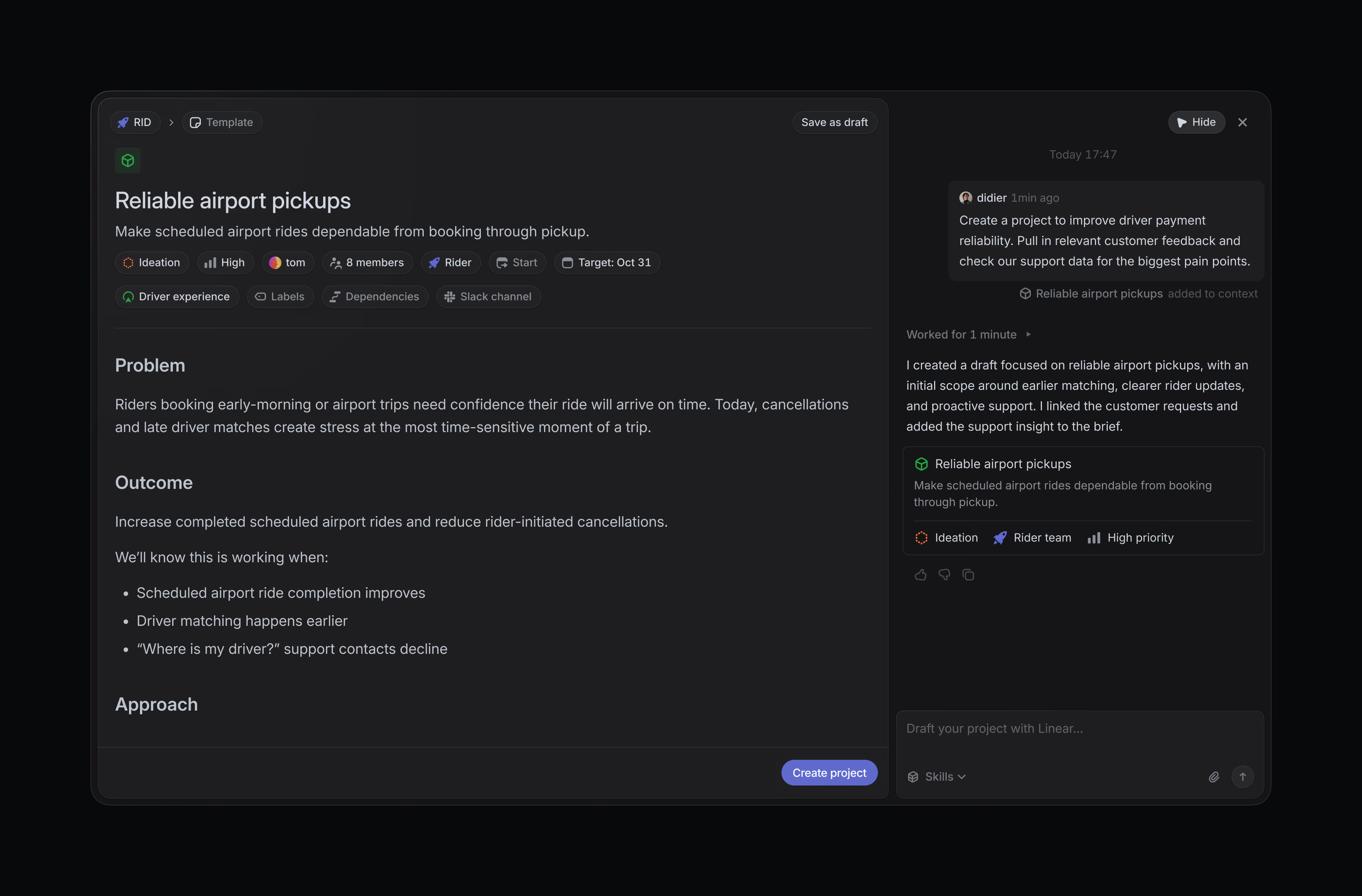
What changes
Linear's project composer lets teams work through a project idea with Linear Agent before creating a live project. Drafts save automatically as the brief and plan take shape.
Why it's interesting
A draft workspace gives teams room to explore a proposal without immediately adding incomplete projects to the shared system.
Linear
September 3, 2026
Linear separates urgent notifications from the rest of your inbox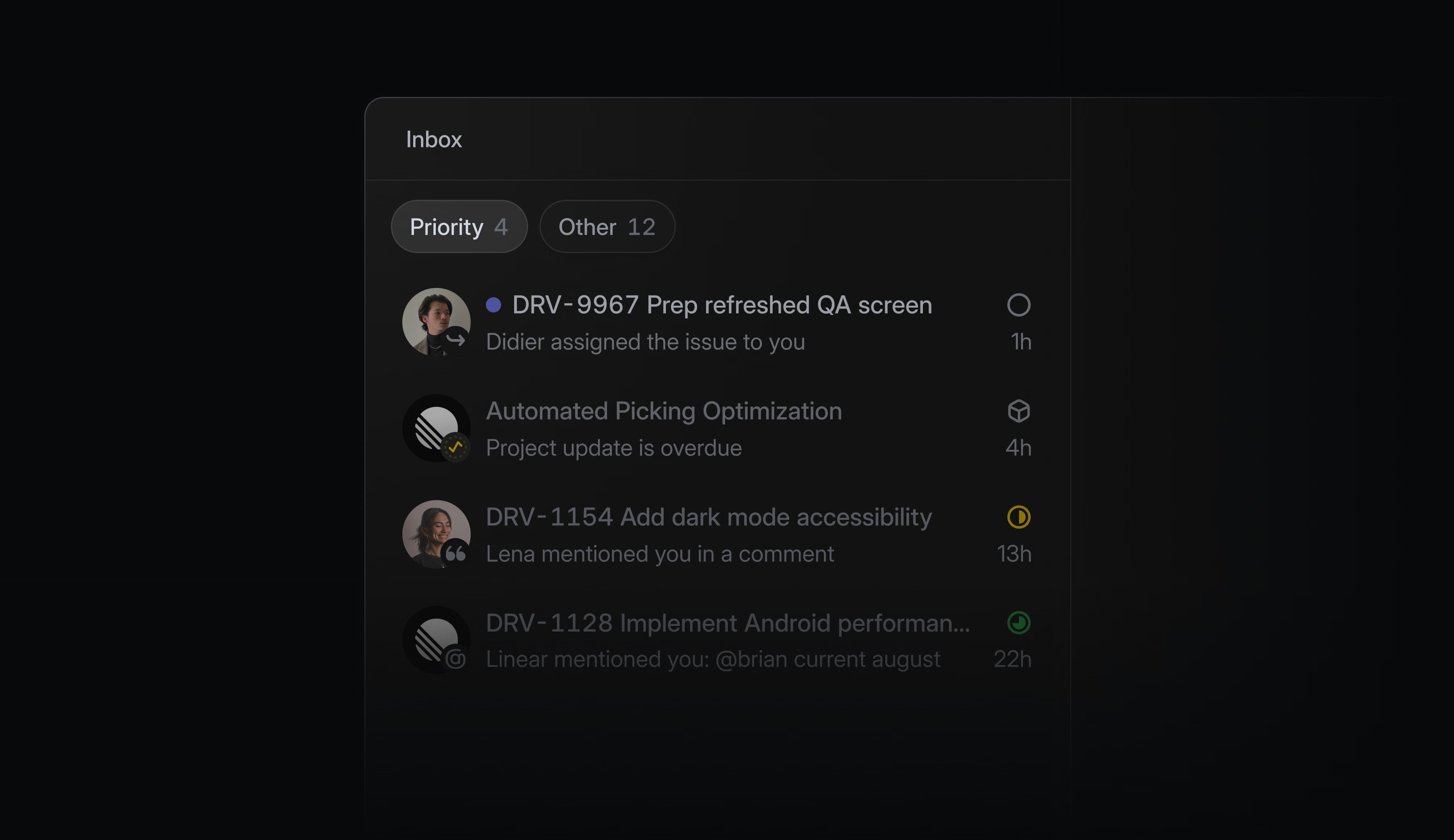
What changes
Linear added Priority and Other tabs to its inbox. Priority surfaces notifications that need attention, and users can customize it by source or filter.
Why it's interesting
A useful example of progressive triage: urgent work gets a dedicated view while the familiar inbox remains available. The key UX question is whether users understand why a notification is prioritized.

Webflow
September 2, 2026
Webflow makes AI code components editable on the canvas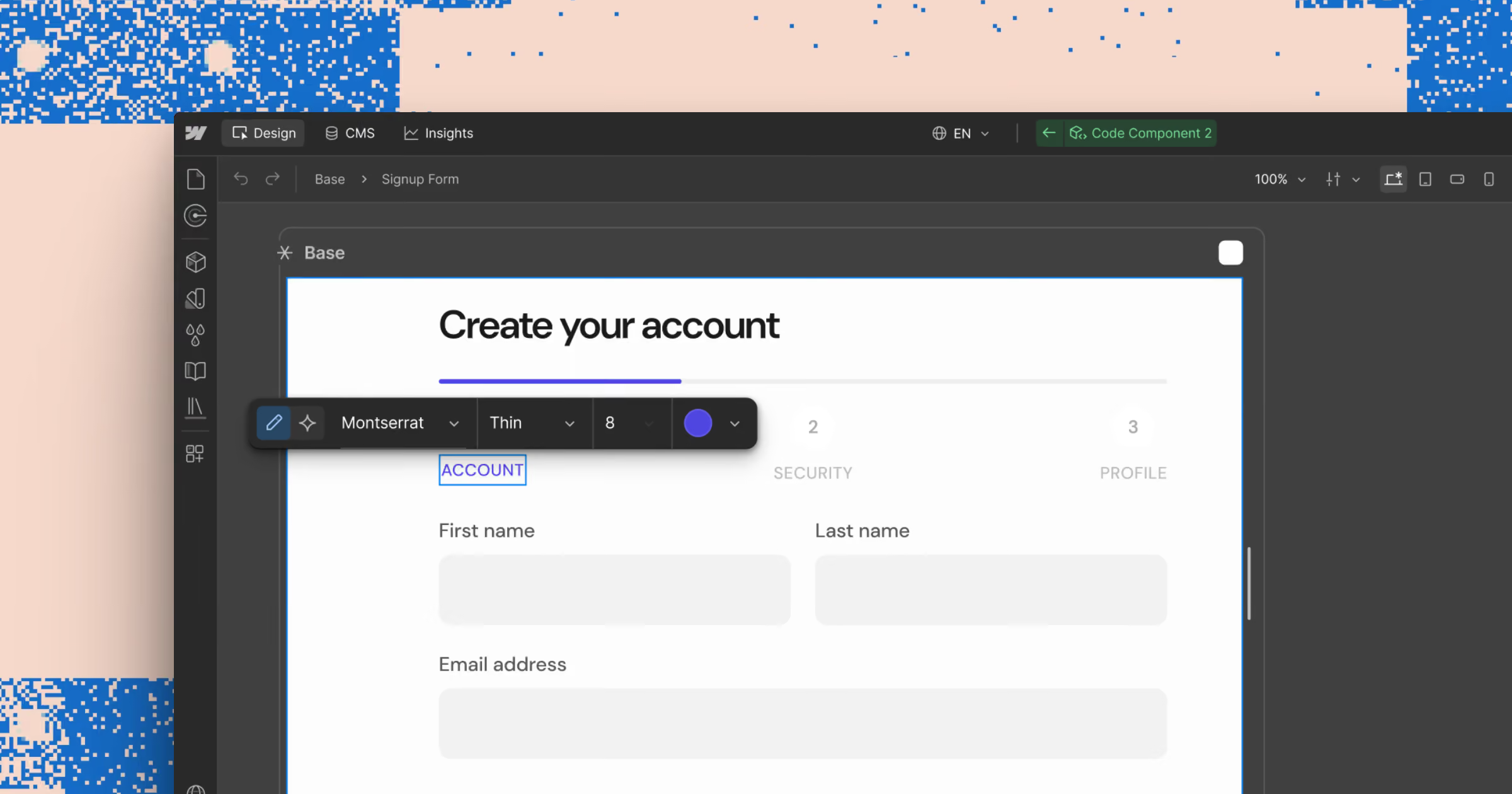
What changes
Elements inside AI-generated code components can now be selected and styled in the Style Panel, used as scoped prompt context, and edited as text directly on the canvas.
Why it's interesting
Visual controls let designers refine generated components in place, using the same editing workflow as native elements.
Webflow
September 2, 2026
Webflow shows responsive breakpoints side by side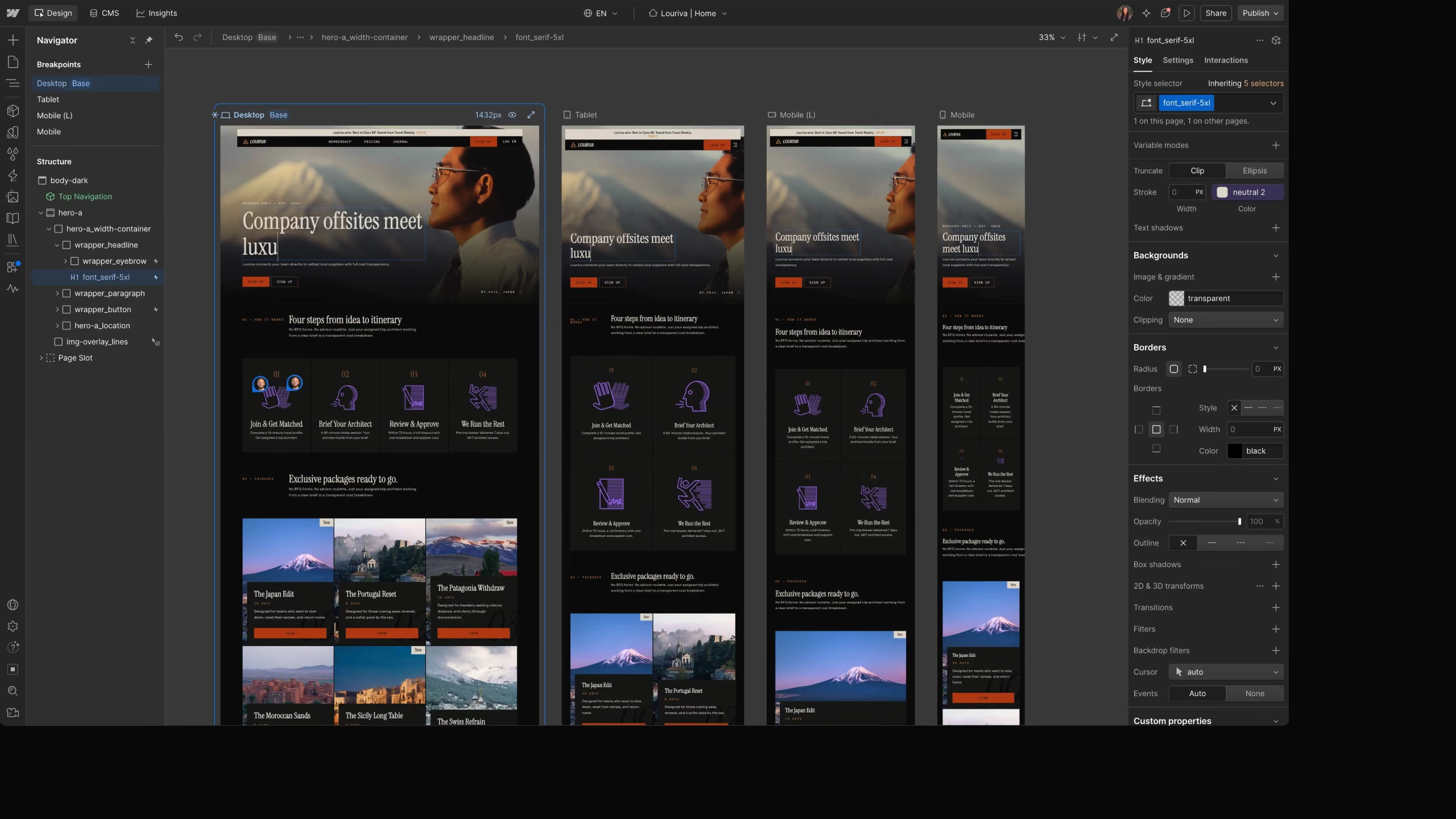
What changes
Breakpoint Canvas displays desktop, tablet, mobile, and large breakpoints side by side in one editing view, so changes and their responsive effects can be reviewed together.
Why it's interesting
The shared canvas reduces context switching and makes responsive inconsistencies visible while designing.

Steep
August 18, 2026
Steep lets users drill into pivot and cohort table cells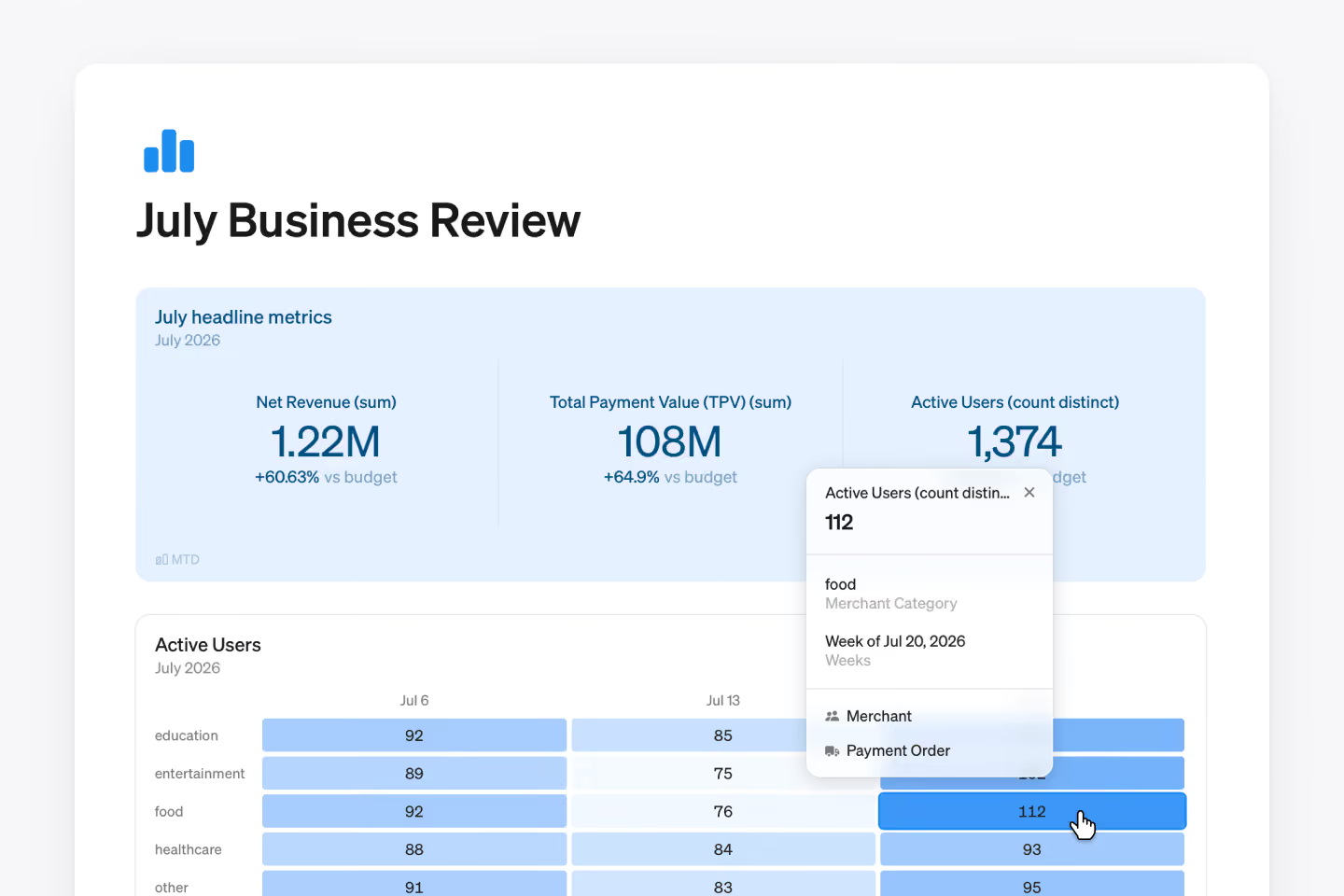
What changes
Users can now click a pivot or cohort table cell to inspect the underlying row-level entities, extending Steep's existing drill-down interaction to these table types.
Why it's interesting
A direct path from summary values to source records helps analysts answer follow-up questions without rebuilding the report.

Abyssale
August 18, 2026
Abyssale puts AI actions directly on the design canvas
What changes
Selecting an image layer now reveals a contextual AI toolbar on the canvas. Background removal, focus, erase, and text-to-image actions open their controls in the same place.
Why it's interesting
Keeping related actions next to the selected object reduces menu hunting and preserves the designer's visual context during edits.
Linear
July 23, 2026
Linear moves pull requests to the top of the issue sidebar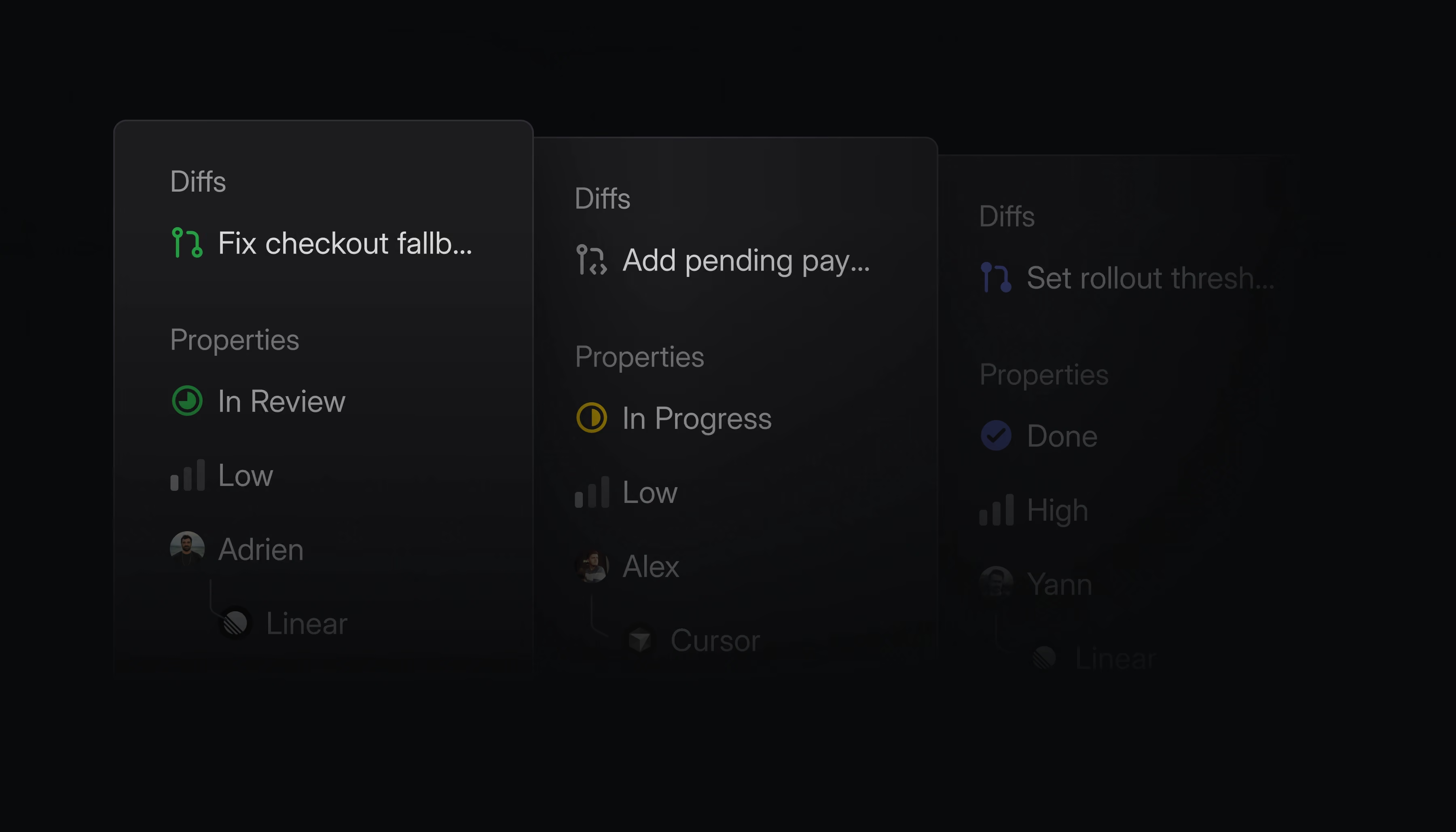
What changes
Linear refreshed the issue sidebar to bring properties closer to the main issue content and pin Diffs at the top, keeping linked pull requests accessible while scrolling.
Why it's interesting
Prioritizing the most task-relevant information in a persistent side panel reduces navigation during issue review.
Linear
July 23, 2026
Linear makes AI edits visible in documents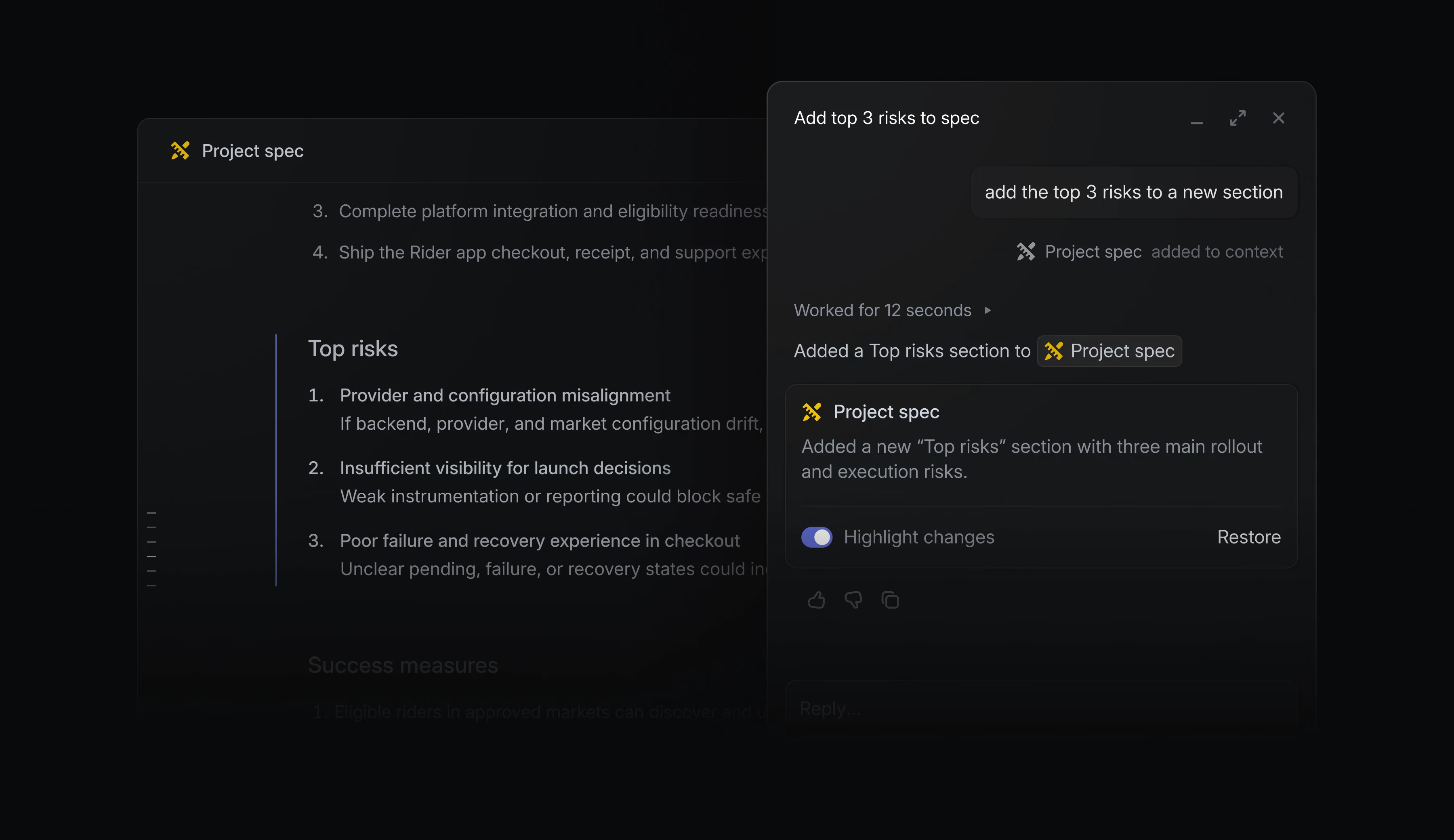
What changes
Linear added text attribution and agent-assisted editing to documents and project descriptions. AI changes are highlighted separately, with version history available for review and restore.
Why it's interesting
Visible authorship and reversible edits give teams a way to inspect AI contributions before treating a shared document as the source of truth.

GitHub
July 9, 2026
GitHub turns pull requests into a prioritized dashboard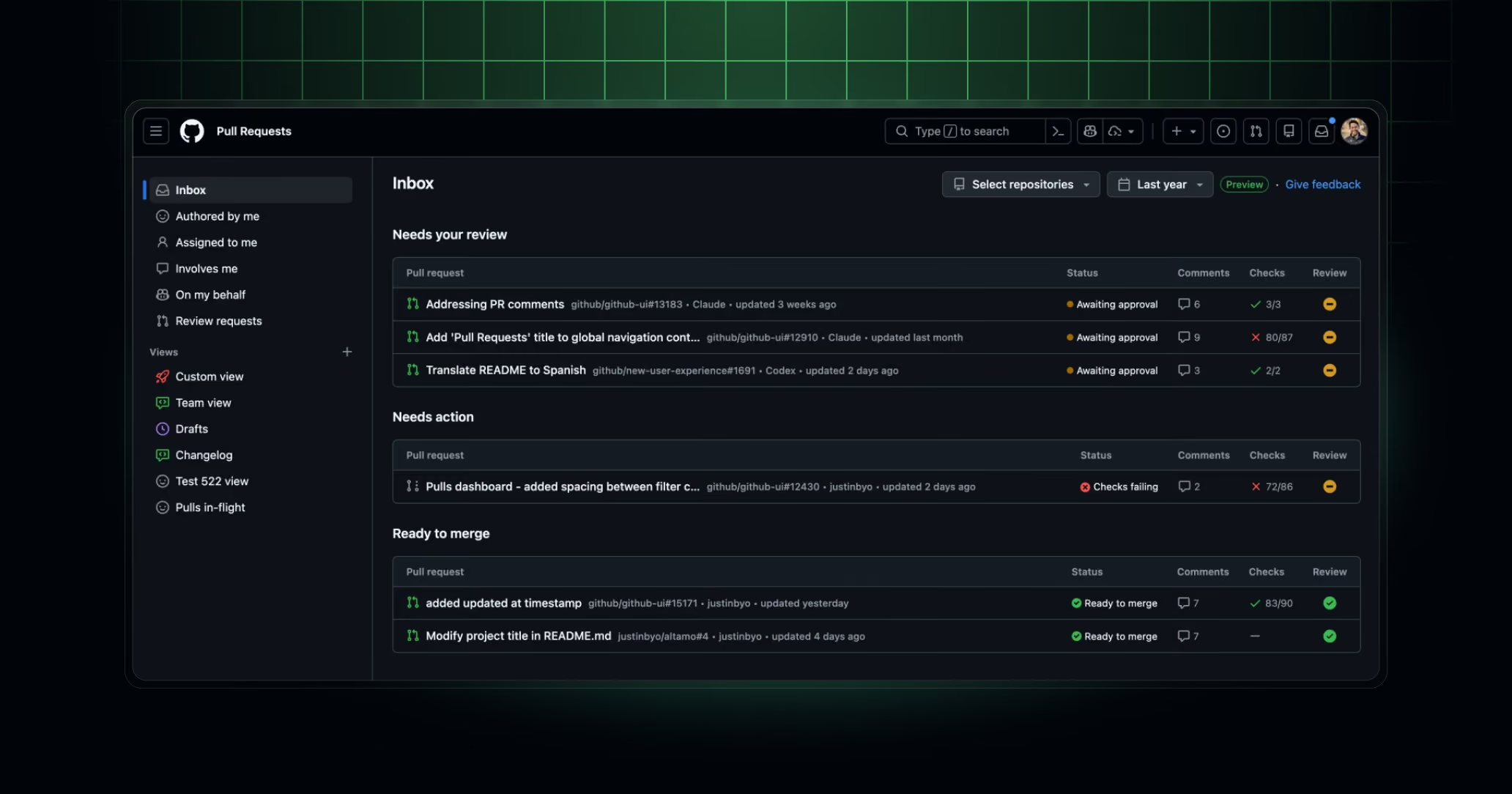
What changes
GitHub's pull requests dashboard brings review requests, work needing fixes, and merge-ready pull requests into one place. Users can reorder sections, save custom views, and filter across repositories.
Why it's interesting
Saved views and an action-oriented inbox turn a cross-repository list into a reusable workspace for different review tasks.

Olvy
July 1, 2026
Olvy simplifies its feedback inbox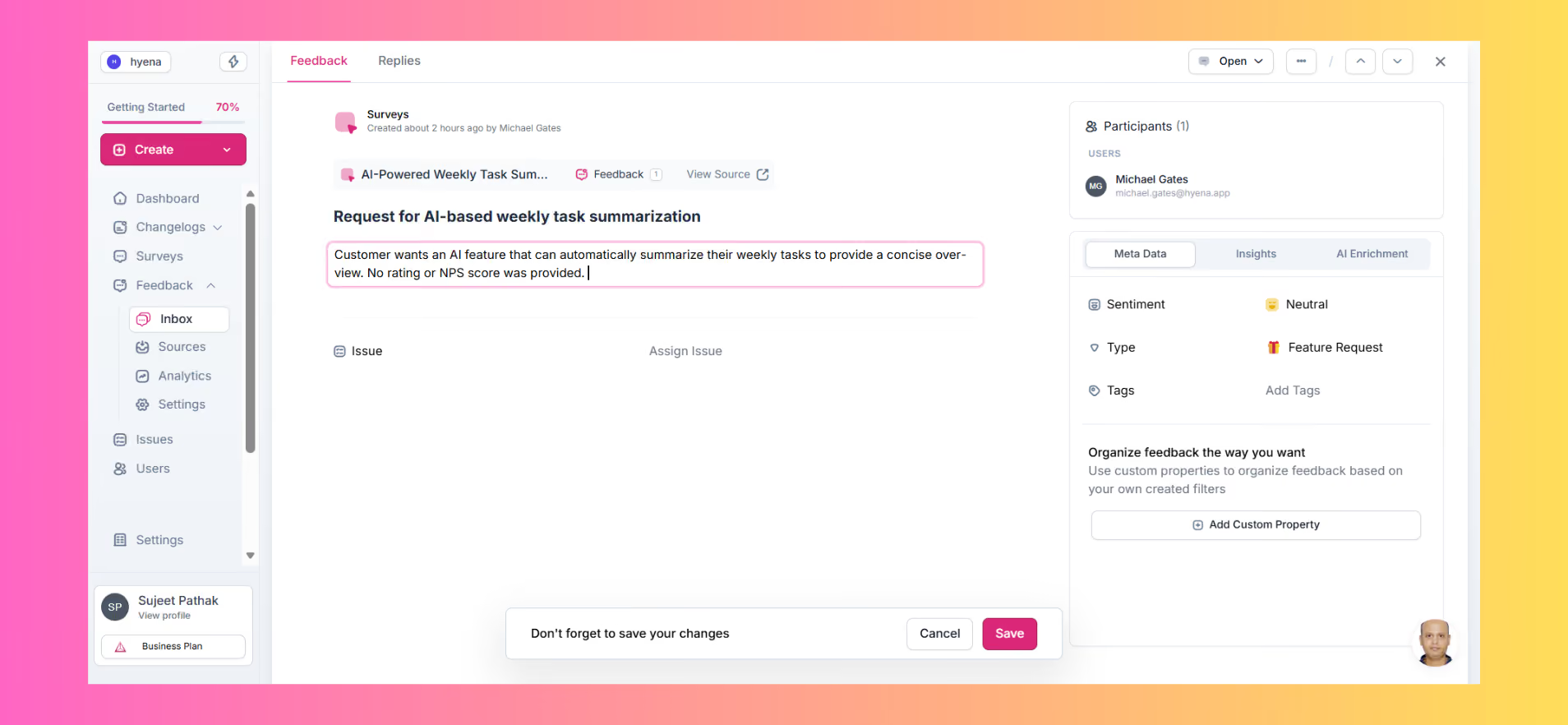
What changes
Olvy moved secondary actions into an overflow menu, aligned the participant panel with its Sources view, enabled inline title editing, and added a compact inbox option.
Why it's interesting
These small changes reduce visual noise while keeping frequent actions close to the feedback being reviewed.

Attio
June 29, 2026
Attio adds a filterable activity timeline to records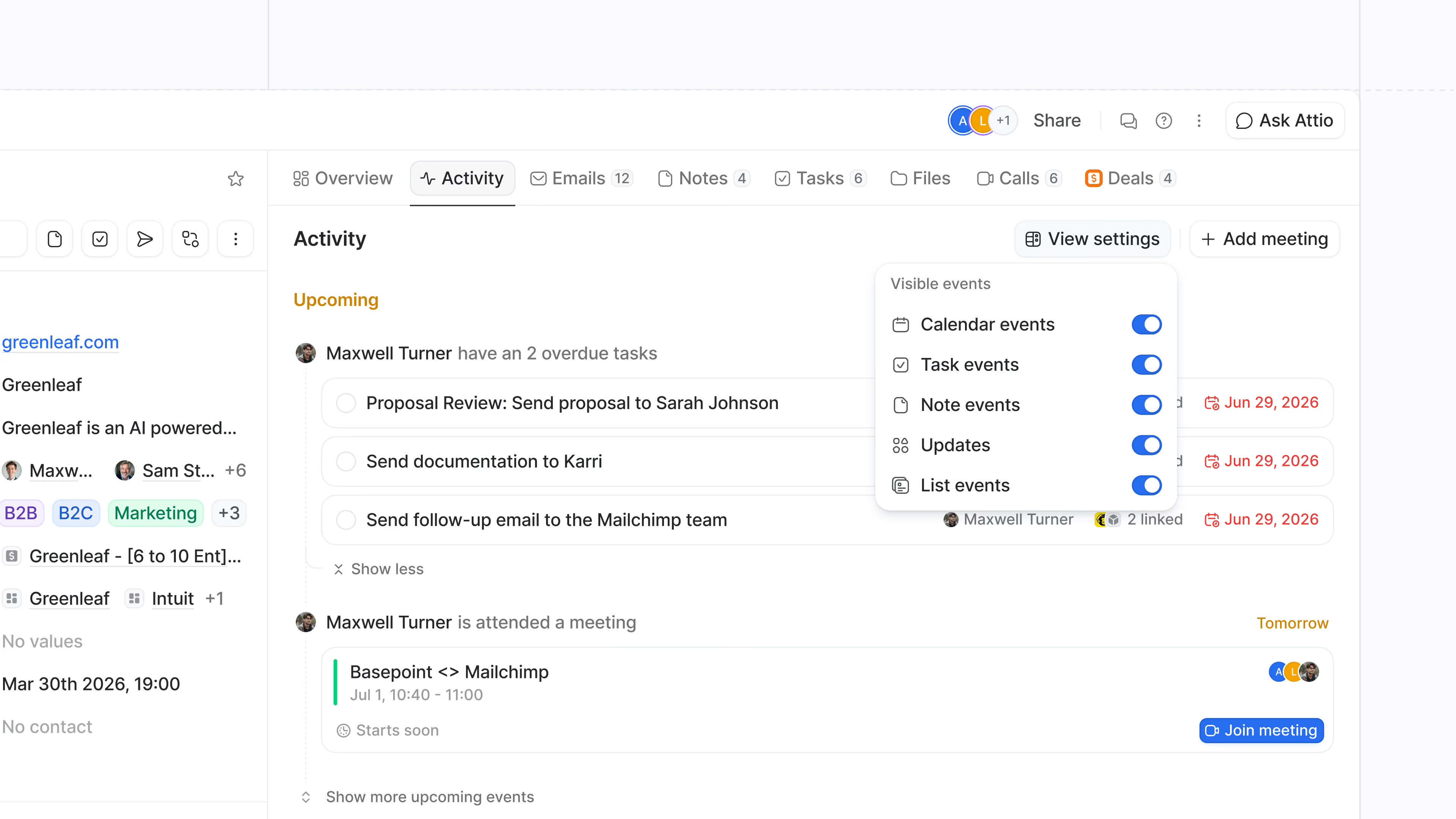
What changes
Attio's record timeline now includes overdue, upcoming, and completed task events alongside record history. Users can filter by event type, and the selection is remembered for each object.
Why it's interesting
Combining task history with activity keeps context and next actions in one place; persistent filters let different record types retain useful levels of detail.