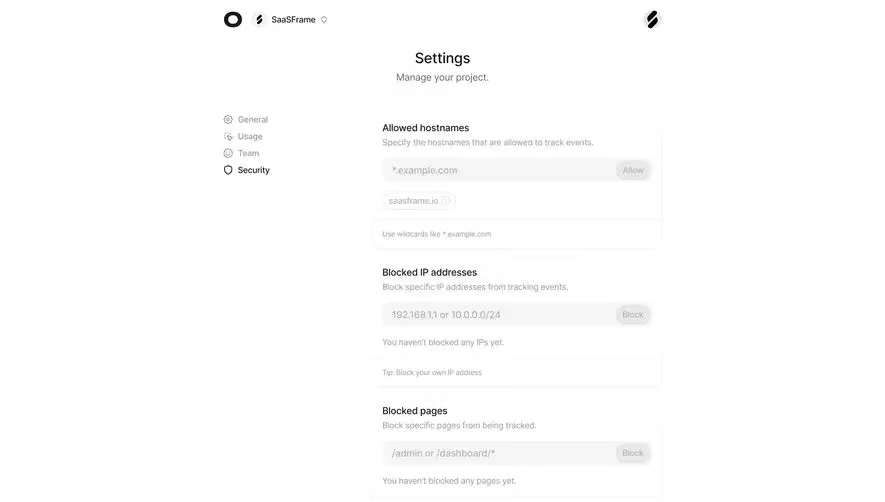
Design with AI
Generate a new design based on this screen using your own content.
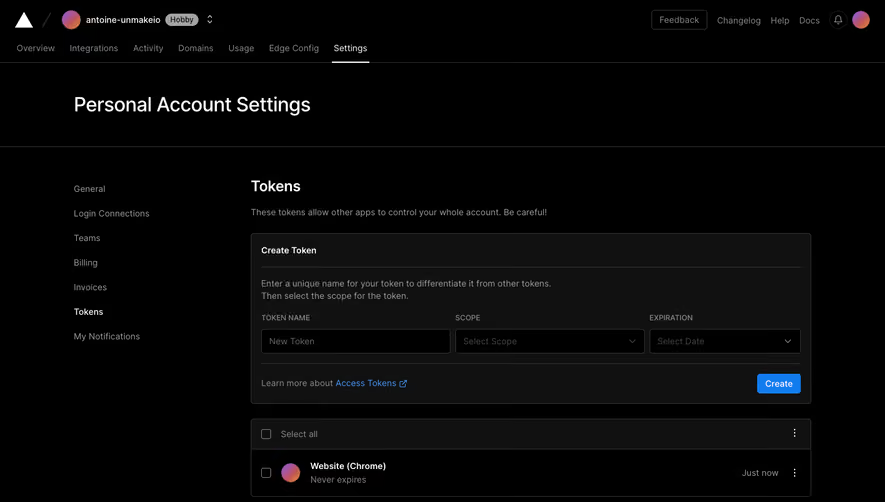
# Design from Reference: Vercel Tokens settings
Create an original, high-fidelity visual design inspired by the reference. Prioritize composition, typography, colors, spacing, and component styling over technical implementation.
## Reference
- **Product:** Vercel
- **Category:** Settings
- **Screenshot:** https://cdn.prod.website-files.com/5e9dc792e1210c5325f7ebbc/6acbbeb839e7f22db402873f_6acbbdf2151c40fa4075ae81_cms-dcb79c2a15563abdb42b5aba.webp
Analyze the screenshot first. If inaccessible, request it rather than guessing.
## Content
{{content.instructions}}
{{content.data}}
Preserve essential messaging and factual accuracy. Adapt structure and copy length for visual balance; never invent product claims.
## Visual Design
### Overall aesthetic
- **Style:** Dark developer settings interface built from black backgrounds, slightly raised charcoal panels, thin gray borders and sparse blue action accents.
- **Scale:** Source screenshot 1440 × 1202px. Measurements refer to screenshot pixels; CSS/device scale is unverified.
### Page composition
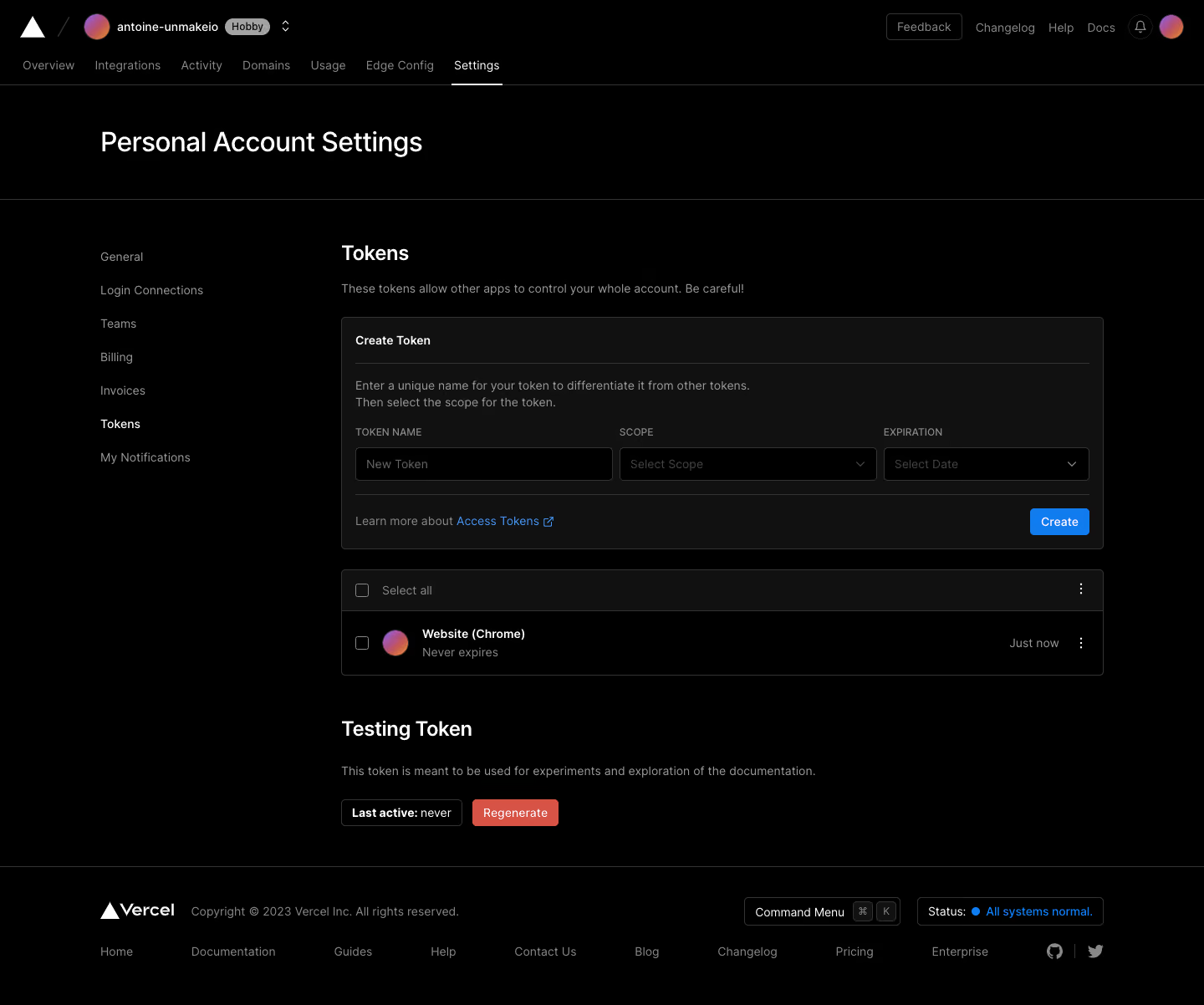
- **Global header:** A two-row header places the Vercel mark, account avatar/name and Hobby badge left, utility links and profile controls right, with horizontal product tabs below.
- **Page heading:** Personal Account Settings sits in a broad title band separated from the settings body by a fine rule.
- **Settings body:** A left navigation column starts around x120. The main content begins near x408 and spans roughly 912px, containing Tokens heading, creation panel, existing-token list and Testing Token section.
- **Footer:** A rule separates the page from the Vercel brand/copyright row, command-menu and status controls, plus a lower row of resource/social links.
### Information hierarchy
- **Current location:** Settings is underlined in the top tabs and Tokens is bright in the left settings navigation; other navigation text is muted.
- **Creation path:** The Tokens heading and cautionary sentence introduce a Create Token panel with name, scope and expiration fields.
- **Existing and testing tokens:** A single Website (Chrome) token row follows, showing Never expires and Just now. Testing Token includes explanatory copy, a Last active: never badge and a red Regenerate button.
### Typography
- **Family:** Neutral sans-serif; exact font identity is unverified.
- **Roles:** Estimated page title 32px regular-to-medium; section headings 24px medium; panel labels and body around 14px/20px; field labels approximately 12px uppercase.
- **Emphasis:** White text marks headings and selected navigation, while descriptions and secondary metadata use gray. No oversized marketing typography appears.
### Colors & surfaces
- **Sampled palette:** ICC-aware sRGB samples include black #000000, charcoal panel #111111, border gray #333333, white #FFFFFF, muted gray #888888, blue #127CEF and red #D75345.
- **Semantic roles:** Blue identifies Create, documentation links and system-status details. Red is reserved for Regenerate; multicolor circular avatars provide small identity accents.
- **Surface depth:** Panels rely on a slight charcoal lift and fine outlines rather than shadows. Inputs remain black within the darker cards.
### Components
- **Create panel:** Approximately 912 × 278px, 5–6px corners and a 1px gray border. Internal title, explanation, fields and footer action are divided by thin rules.
- **Form row:** Three controls share one row: name and scope are roughly 305px wide, expiration about 245px. They are around 40px high with small corners and gray outlines; selects include chevrons.
- **Panel footer:** An Access Tokens documentation link sits left; a compact blue Create button sits right, around 70 × 32px.
- **Token list:** A dark select-all header precedes one black row with checkbox, gradient avatar, bold name, expiry metadata, activity time and overflow menu.
- **Testing controls:** A compact outlined status badge sits beside a red filled Regenerate action. No creation success message, token secret or expanded menu is visible.
### Visual rhythm
- **Spacing:** A roughly 24px gap separates creation and token-list panels; the testing section has a larger top margin. Panel padding is about 16px.
- **Alignment:** Headings, cards and testing controls share one left edge. Inputs align on a single baseline, while list metadata aligns to the far right.
### Responsive
- **Recommended adaptation:** Only desktop is observed. Collapse global navigation and stack the three creation controls vertically on narrow screens.
- **Settings and list:** Convert the side navigation to a compact selector or drawer; allow token names and metadata to wrap while retaining accessible checkbox and overflow targets.
### Adaptation guidance
- **Preserve:** Keep the dark tonal hierarchy, explicit token-creation fields, distinct existing-token list and separated testing-token action.
- **Adapt:** Use actual scopes, expiry options and token metadata. Preserve the caution around account access and avoid exposing or inventing token secrets in the design.
Use this context to reproduce the reference's visual language: layout, typography, colors, spacing, borders, radii, and distinctive elements. The screenshot takes priority if descriptions conflict.
## Direction
{{preferences.fidelityInstructions}}
## Output
{{output.instructions}}
Deliver a polished, cohesive design with precise alignment, hierarchy, and spacing. Produce the requested visual artifact, not just a description. If unsupported, explain the limitation.
.webp)



.avif)