Design with AI
Generate a new design based on this screen using your own content.
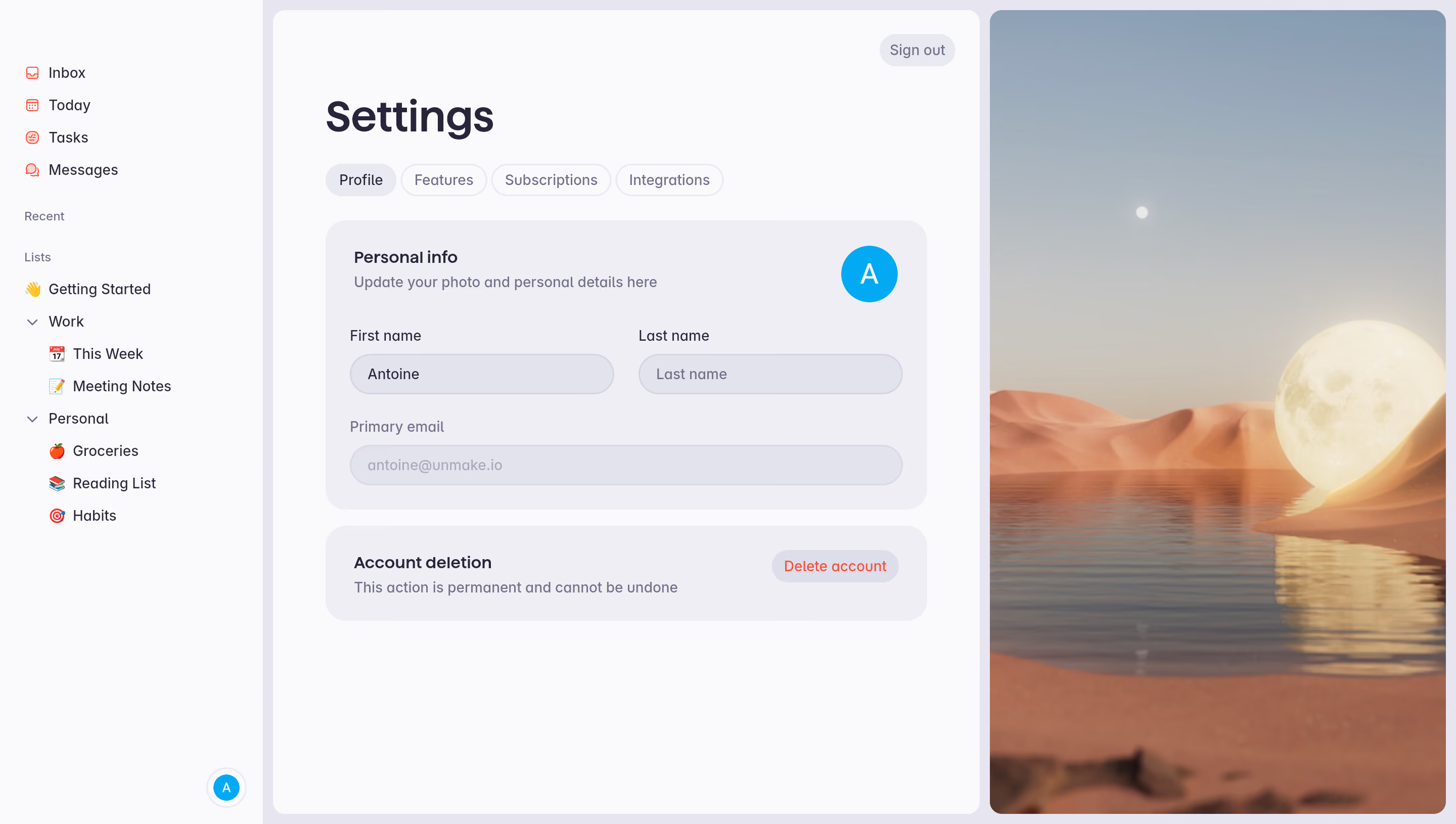
# Design from Reference: Superlist Profile Settings
Create an original, high-fidelity visual design inspired by the reference. Prioritize composition, typography, colors, spacing, and component styling over technical implementation.
## Reference
- **Product:** Superlist
- **Category:** Settings
- **Screenshot:** https://cdn.prod.website-files.com/5e9dc792e1210c5325f7ebbc/6acad5175a5fdf4c30310d34_6acad43b3ce5f4104ebe0155_cms-5d6f8a123e644d93f90aba00.webp
Analyze the screenshot first. If inaccessible, request it rather than guessing.
## Content
{{content.instructions}}
{{content.data}}
Preserve essential messaging and factual accuracy. Adapt structure and copy length for visual balance; never invent product claims.
## Visual Design
### Overall aesthetic
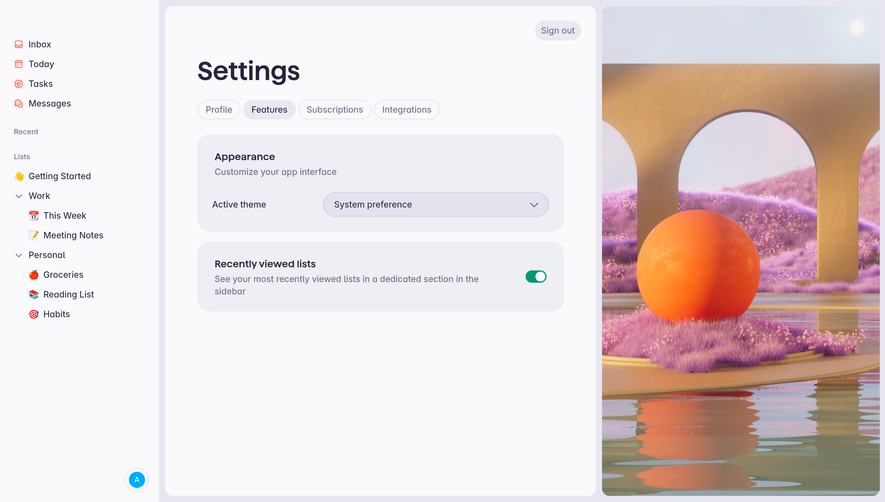
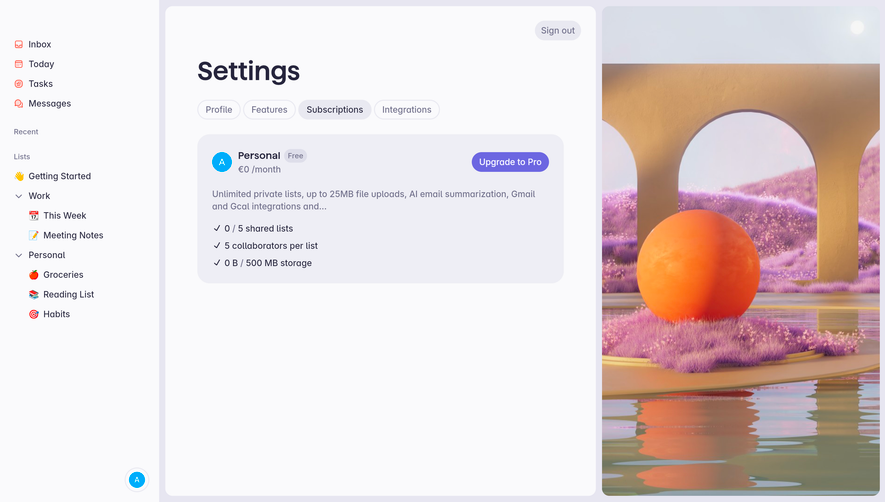
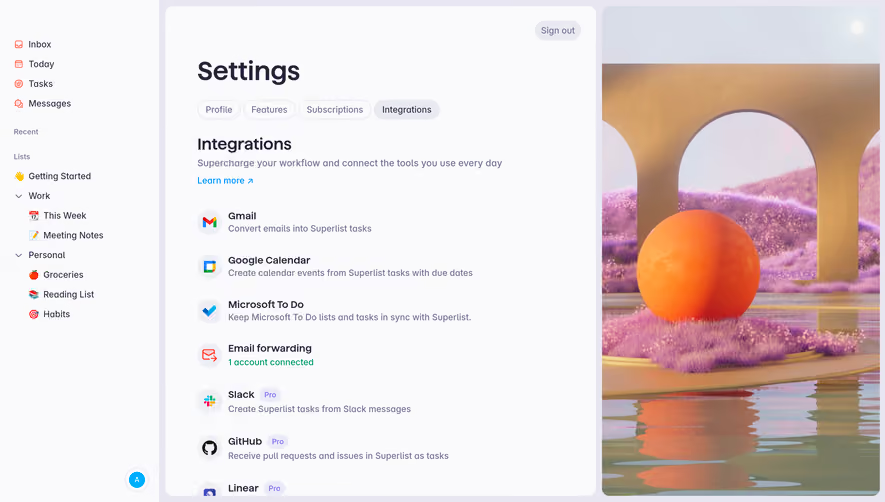
- **Style:** Soft productivity-app settings with lavender neutrals and a large decorative landscape image.
- **Character:** Rounded containers, pill tabs/fields, dark violet text, small coral navigation icons, and cyan avatar.
### Page composition
- **Canvas:** 2880 × 1630 image px; CSS estimates assume an unverified 2× capture.
- **Sidebar:** Approximately 260 CSS px wide with inbox/today/tasks/messages and nested lists.
- **Main:** Approximately 700 CSS px wide pale panel with title, tabs, personal-info card, and deletion card.
- **Right:** Approximately 450 CSS px wide full-height rounded landscape artwork.
- **Top action:** Small Sign out pill in main panel's upper-right.
### Information hierarchy
- **Primary:** Large Settings title and active Profile tab.
- **Form:** Personal info heading, supporting text, avatar, two name fields, and disabled-looking email.
- **Destructive:** Separate account-deletion card with coral action.
- **Decoration:** Surreal desert/water/moon artwork balances the form.
### Typography
- **Family:** Rounded sans serif; exact identity unverified.
- **Title:** Approximately 40 CSS px, bold.
- **Card headings:** Approximately 16px, semibold.
- **Body/labels/tabs:** Approximately 14px.
- **Precision:** Typography and 2× scale are estimates.
### Colors & surfaces
- **Main/sidebar pale surface:** #FAFAFC.
- **Card surface:** #EEEEF5.
- **Inputs and borders:** #E7E6F1 and #E3E3EE.
- **Primary text:** #26253D.
- **Avatar cyan:** #00ACFB.
- **Secondary shades:** #E9E9F1 and #DEDEEA.
- **Destructive accent:** Coral-red; exact flat token unverified.
- **Precision:** Screenshot samples converted to sRGB where applicable.
### Components
- **Panel corners:** Approximately 12px CSS radius; cards around 20px under assumed 2×.
- **Tabs:** Small rounded pills; active fill slightly darker.
- **Fields:** Pill-shaped light-lavender inputs; name pair above full-width email.
- **Avatar:** Circular cyan initial tile.
- **Deletion:** Compact card with title/explanation left and pale coral-text pill right.
- **Artwork:** Tall rounded cover image with warm dunes, water, and oversized moon.
### Visual rhythm
- **Spacing:** Generous main padding around 52px CSS under assumed 2×.
- **Alignment:** Title, tabs, and cards share one left edge.
- **Density:** Sidebar remains compact while the form and illustration are spacious.
- **Separation:** Deletion card is distinctly spaced below personal details.
### Responsive
- **Observed:** Desktop only.
- **Recommendation:** Hide or move decorative image below form, collapse sidebar, and stack name fields.
- **Safety:** Keep destructive action clearly separated and labeled.
### Adaptation guidance
- **Preserve:** Soft neutral surfaces, rounded field system, clear settings tabs, and calm decorative image.
- **Privacy:** Replace names and email with supplied values.
- **Behavior:** Saving, sign-out, and deletion interactions are not shown.
Use this context to reproduce the reference's visual language: layout, typography, colors, spacing, borders, radii, and distinctive elements. The screenshot takes priority if descriptions conflict.
## Direction
{{preferences.fidelityInstructions}}
## Output
{{output.instructions}}
Deliver a polished, cohesive design with precise alignment, hierarchy, and spacing. Produce the requested visual artifact, not just a description. If unsupported, explain the limitation.
.webp)




.avif)