.webp)
Thank you! Your submission has been received!
Oops! Something went wrong while submitting the form.
Get SaaSFrame Pro
Monthly
$18
Quarterly
$48
Yearly
$180
Upgrade to access this feature
Browse all screens & flows
Filter and search screens & flows
Access Figma files
Access mobile versions
Bookmark screens & flows
Join now
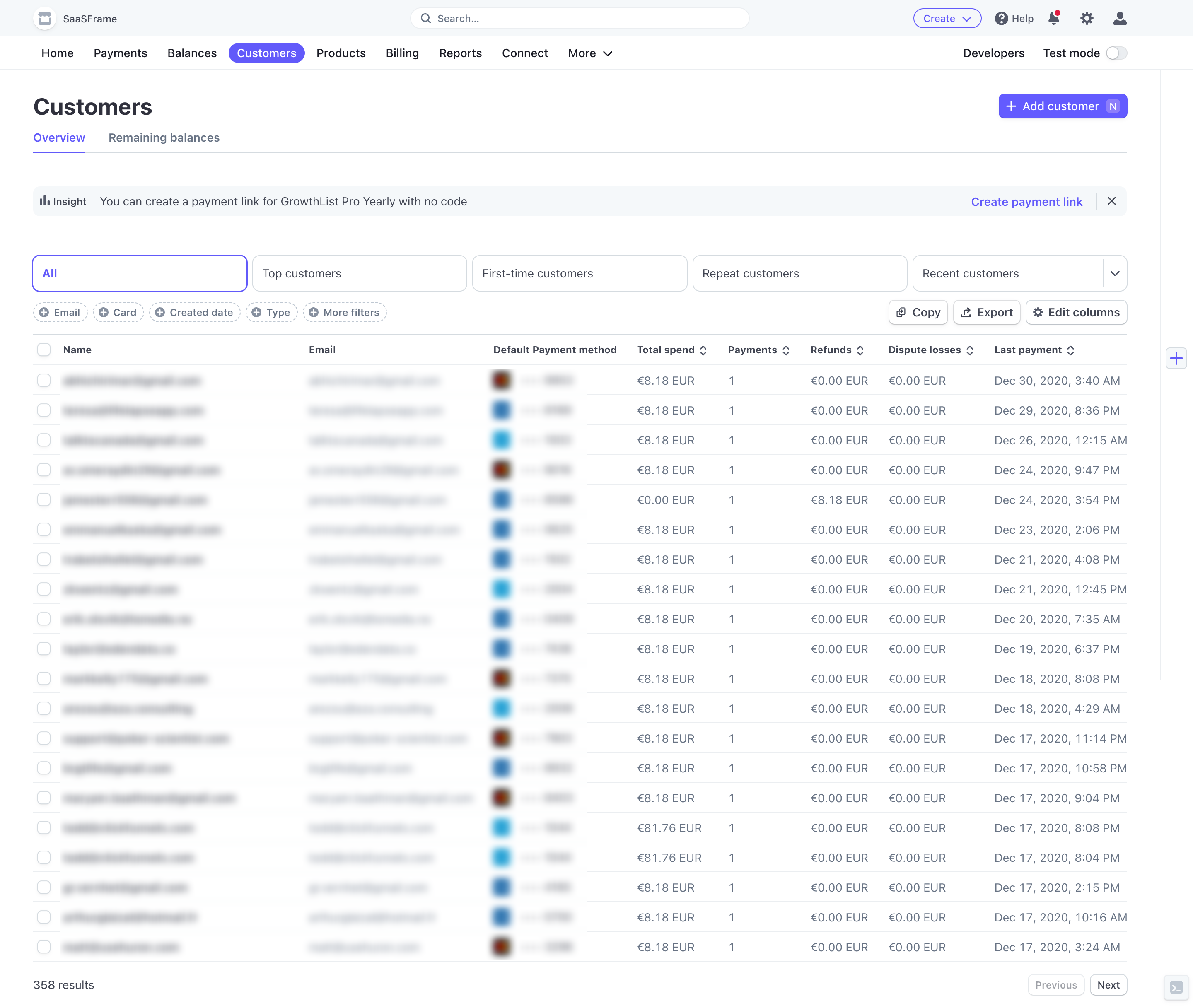
Stripe Customers Dashboard

Stripe
Online payment processing
Designed by
No items found.

Bookmark
Bookmark

Design with AI
Thank you! Your submission has been received!
Oops! Something went wrong while submitting the form.
# Design from Reference: Stripe Customers Dashboard
Create an original, high-fidelity visual design inspired by the reference. Prioritize composition, typography, colors, spacing, and component styling over technical implementation.
## Reference
- **Product:** Stripe
- **Category:** Table
- **Screenshot:** https://cdn.prod.website-files.com/5e9dc792e1210c5325f7ebbc/6acadcc58c9a73ab05f134a6_6acadc2c6cd44b3ad4d964f3_cms-cd967cde816465dd9f38792c.webp
Analyze the screenshot first. If inaccessible, request it rather than guessing.
## Content
{{content.instructions}}
{{content.data}}
Preserve essential messaging and factual accuracy. Adapt structure and copy length for visual balance; never invent product claims.
## Visual Design
### Overall aesthetic
- **Character:** A compact customer-management dashboard emphasizes tabular data, fine cool-gray boundaries and restrained purple navigation accents.
- **Capture scale:** The screenshot measures 2880 × 2434 pixels. Approximate CSS dimensions assume a 1440 × 1217 viewport at 2× density; this is unverified.
- **Tone:** Mostly white surfaces and small typography support dense operational information. Customer identities and payment details are visibly blurred.
### Page composition
- **Top utilities:** A pale top bar contains workspace identity, centered search and compact creation/help/notification/settings/account controls.
- **Main navigation:** A second horizontal row lists product areas; Customers is highlighted with a purple pill, while developer and test-mode controls sit right.
- **Page header:** A large Customers heading and two tabs align left; Add customer aligns right.
- **Insight strip:** A pale horizontal notice offers a payment-link suggestion with a right-aligned action and dismiss icon.
- **Filtering area:** Five wide customer-segment controls sit above small filter chips and right-aligned table utilities.
- **Table:** A full-width multi-column customer list ends with a result count and previous/next pagination.
### Information hierarchy
- **Current area:** The purple Customers pill and underlined Overview tab establish navigation context.
- **Primary action:** Add customer is a solid purple button above the data.
- **Segmentation:** All is selected with a purple outline; other segments are neutral bordered controls.
- **Table structure:** Column headers are darker and bolder than row values; small sort indicators appear on numerical and date columns.
- **Privacy state:** Names, emails and payment-method details are blurred in the source; their underlying contents cannot be inferred.
### Typography
- **Family:** A neutral interface sans-serif is visible; exact identity is unverified.
- **Page heading:** Approximately 28–30px CSS, bold, with around 36px line-height.
- **Navigation and controls:** Approximately 14px regular-to-medium weight.
- **Table headers:** Approximately 12–13px semibold; row values around 14px with compact line-height.
- **Secondary values:** Muted blue-gray differentiates row data and dates from the darker header text.
- **Utility labels:** Small badges and filter text use approximately 12px medium text.
### Colors & surfaces
- **Base:** Sampled #FFFFFF fills the main page and table.
- **Utility surfaces:** Sampled #F4F8FA supports the top bar and pale insight strip.
- **Rules:** Sampled #EAEEF1 supplies subtle row and region boundaries.
- **Secondary text:** Sampled #657386 supplies muted blue-gray values and supporting labels.
- **Accents:** Saturated purple marks the selected navigation, current tab, active segment and primary customer action.
- **Icons:** Mostly dark gray utility icons contrast with the pale surfaces, with a small notification indicator adding color.
### Components
- **Search field:** A compact rounded input spans roughly 410px CSS in the upper utility bar.
- **Segment controls:** Five wide outlined rectangles are around 44px high with approximately 9px radii; the last includes a separated dropdown area.
- **Filter chips:** Small dashed-outline pills include plus-circle icons before their labels.
- **Table utilities:** Copy, Export and Edit columns are compact outlined buttons with small leading icons.
- **Data table:** Selection checkboxes occupy the first column, followed by name, email, payment method, spend, payments, refunds, disputes and last-payment columns. Rows are approximately 36px high with thin separators.
- **Pagination:** Small outlined Previous and Next buttons sit at bottom right; Previous appears muted.
- **Edge utilities:** A small plus control sits along the right edge and a compact terminal-style launcher appears near the lower corner.
### Visual rhythm
- **Page padding:** Approximately 40px CSS left/right inset frames the content.
- **Control bands:** Notice, segments, filters and table header form clearly separated horizontal layers.
- **Row cadence:** Uniform compact rows support scanning many customers without card-based spacing.
- **Alignment:** Text columns are left aligned; numerical and date-related content follows stable tabular columns.
- **Density contrast:** The header has generous breathing room above the tightly packed customer list.
### Responsive
- **Evidence limit:** Only a wide desktop dashboard is shown; responsive navigation and filtering behavior are unverified.
- **Table recommendation:** Preserve column relationships through horizontal scrolling and optional column visibility controls.
- **Control recommendation:** Wrap segment and filter controls into fewer columns while keeping the selected state visible.
- **Navigation recommendation:** Collapse secondary destinations into an accessible overflow menu on narrow screens.
- **Data recommendation:** Keep row-selection targets accessible and avoid shrinking table text to fit every column at once.
### Adaptation guidance
- **Data layout:** Use a semantic table with accessible sorting labels and explicit row-selection controls.
- **State system:** Reuse purple consistently for selection and primary actions; distinguish disabled pagination through more than opacity alone.
- **Privacy:** Use representative or redacted customer data in demonstrations; do not attempt to reconstruct blurred values.
- **Workflow:** Keep customer creation, filtering, export and column configuration clearly separated in the control hierarchy.
- **Accessibility:** Provide keyboard access, visible focus and descriptive labels for icon-only utilities and test-mode controls.
Use this context to reproduce the reference's visual language: layout, typography, colors, spacing, borders, radii, and distinctive elements. The screenshot takes priority if descriptions conflict.
## Direction
{{preferences.fidelityInstructions}}
## Output
{{output.instructions}}
Deliver a polished, cohesive design with precise alignment, hierarchy, and spacing. Produce the requested visual artifact, not just a description. If unsupported, explain the limitation.

.avif)
Category
Tech Stack

Added on
August 2, 2023
Similar screens





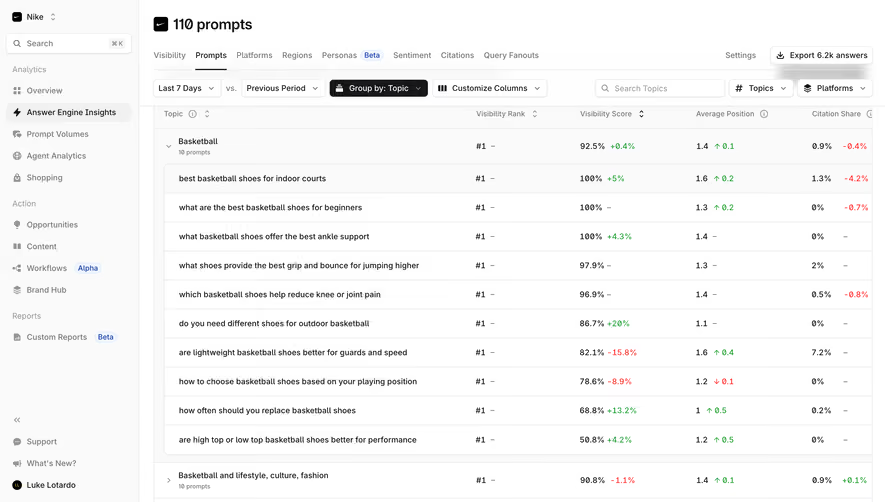

Upgrade to SaaSFrame Pro now to see similar examples.
Monthly
$18 /month
Billed $18 monthly
Browse all screens & flows
Filter and search screens & flows
Search text in screenshots
Access Figma files
Access mobile versions
Join now
Quarterly
$16 /month
Billed $48 quarterly
Browse all screens & flows
Filter and search screens & flows
Search text in screenshots
Access Figma files
Access mobile versions
Join now
Yearly
$15 /month
Billed $180 yearly
Browse all screens & flows
Filter and search screens & flows
Search text in screenshots
Access Figma files
Access mobile versions
Join now