Design with AI
Generate a new design based on this screen using your own content.
# Design from Reference: Meiro Challenge Setup Preview
Create an original, high-fidelity visual design inspired by the reference. Prioritize composition, typography, colors, spacing, and component styling over technical implementation.
## Reference
- **Product:** Meiro
- **Category:** Add & Edit
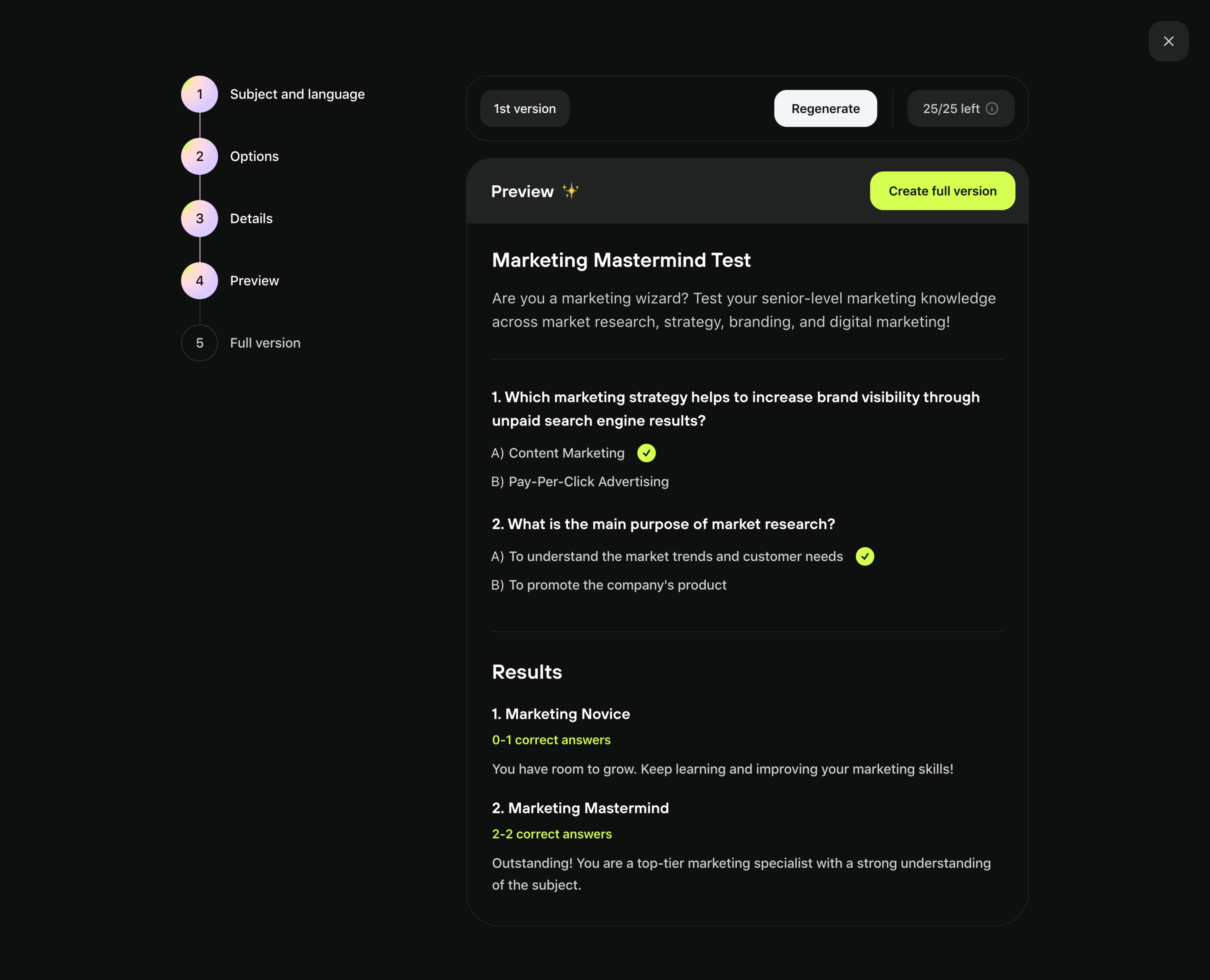
- **Screenshot:** https://cdn.prod.website-files.com/5e9dc792e1210c5325f7ebbc/6acadbdfd05a3f53c0a86192_6acadb26b2f1b924c5f382ab_cms-d9b46abf974625d494bb5df3.webp
Analyze the screenshot first. If inaccessible, request it rather than guessing.
## Content
{{content.instructions}}
{{content.data}}
Preserve essential messaging and factual accuracy. Adapt structure and copy length for visual balance; never invent product claims.
## Visual Design
### Overall aesthetic
- **Character:** Dark challenge-builder preview with neon-lime conversion emphasis and pastel step markers.
### Page composition
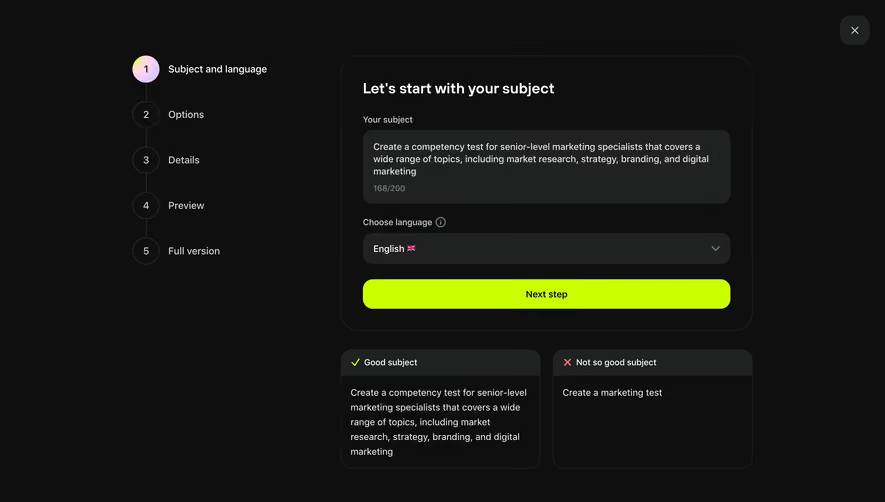
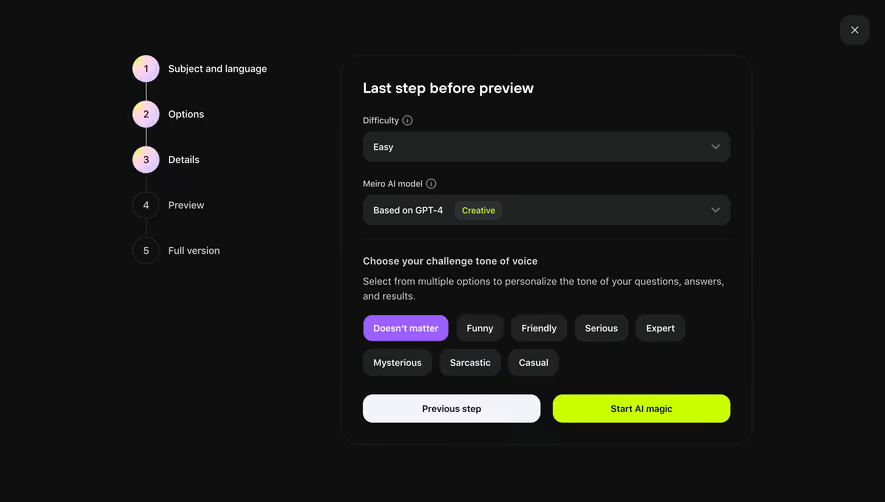
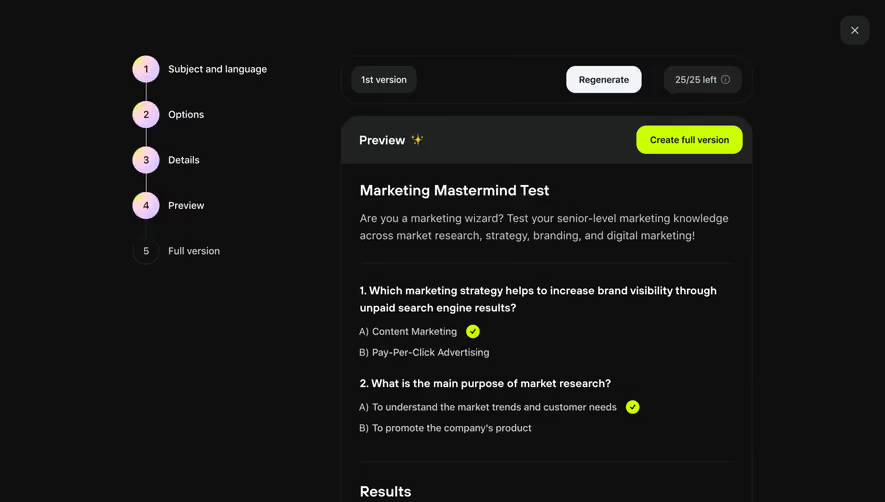
- **Canvas:** 5760 × 4664 screenshot px. Left five-step vertical progress rail, version/regenerate toolbar, and tall preview card with questions, answer indicators, and result descriptions.
### Information hierarchy
- **Priority:** Preview is step four; Create full version is the highlighted action. Challenge title precedes two sample questions and two score-based results.
### Typography
- **Scale:** Capture-to-CSS scale unverified. At a 1440 px-wide desktop rendering, title/section text would be about 24 px and body 18 px; font family unverified.
### Colors & surfaces
- **Palette:** Sampled sRGB #0E0F0F, card/header #202222, lime #CAFF00, white #FFFFFF, light control #F3F4FA, and secondary #CDD1D1. Step circles have pale multicolor gradients.
### Components
- **Details:** Large rounded preview shell, thin outline, darker header band, lime pill action, circular checked answers, numbered progress circles, and rounded close button.
### Visual rhythm
- **Spacing:** Preview occupies about 47% of screenshot width; broad internal padding and separators group questions and results.
### Responsive
- **Adaptation:** Mobile is not shown. Move progress above preview and retain clear primary action while scrolling.
### Adaptation guidance
- **Transfer:** Keep generation controls separate from preview content and highlight correct-answer/result states. Use actual challenge content and limits.
Use this context to reproduce the reference's visual language: layout, typography, colors, spacing, borders, radii, and distinctive elements. The screenshot takes priority if descriptions conflict.
## Direction
{{preferences.fidelityInstructions}}
## Output
{{output.instructions}}
Deliver a polished, cohesive design with precise alignment, hierarchy, and spacing. Produce the requested visual artifact, not just a description. If unsupported, explain the limitation.
.webp)



.avif)