.webp)
Thank you! Your submission has been received!
Oops! Something went wrong while submitting the form.
Get SaaSFrame Pro
Monthly
$18
Quarterly
$48
Yearly
$180
Upgrade to access this feature
Browse all screens & flows
Filter and search screens & flows
Access Figma files
Access mobile versions
Bookmark screens & flows
Join now
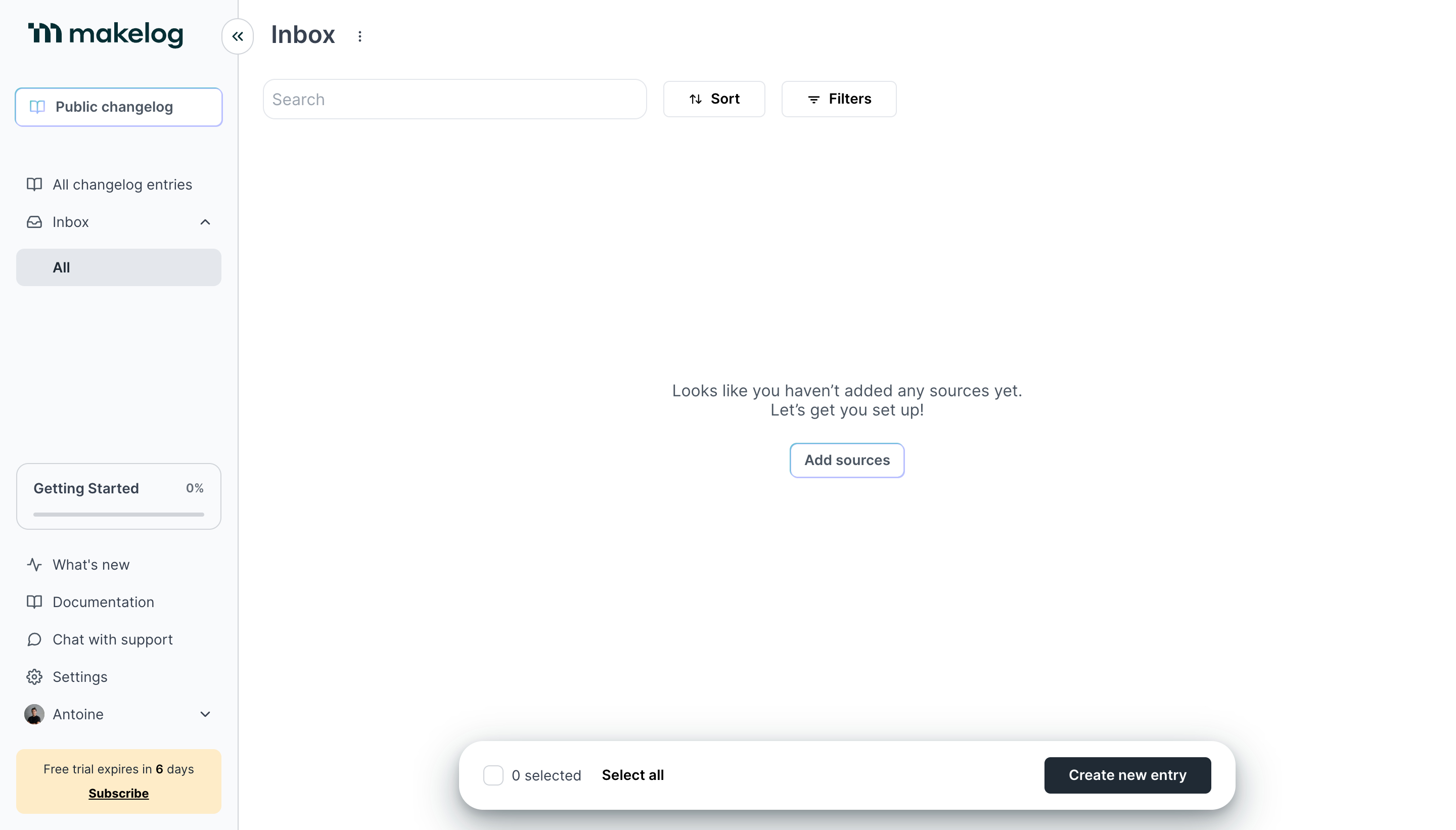
Makelog Empty State

Makelog
Transform product updates into your most powerful asset
Designed by
No items found.

Bookmark
Bookmark

Design with AI
Thank you! Your submission has been received!
Oops! Something went wrong while submitting the form.
# Design from Reference: Makelog Empty State
Create an original, high-fidelity visual design inspired by the reference. Prioritize composition, typography, colors, spacing, and component styling over technical implementation.
## Reference
- **Product:** Makelog
- **Category:** Empty State
- **Screenshot:** https://cdn.prod.website-files.com/5e9dc792e1210c5325f7ebbc/6acb725fb10d21a746c479b7_6acb70fe17a745bec7f4fa7f_cms-54a6ab77c5323e302a1d44f0.webp
Analyze the screenshot first. If inaccessible, request it rather than guessing.
## Content
{{content.instructions}}
{{content.data}}
Preserve essential messaging and factual accuracy. Adapt structure and copy length for visual balance; never invent product claims.
## Visual Design
### Overall aesthetic
- **Style:** Light productivity dashboard with a pale sidebar, white inbox canvas and restrained blue-outlined controls.
- **Character:** Sparse content and a centered setup message emphasize an initial empty state rather than a populated feed.
- **Capture:** The image measures 2880 × 1642 pixels. CSS estimates assume a 2× capture, equivalent to approximately 1440 × 821 CSS pixels; actual scale and font identity are unverified.
### Page composition
- **Sidebar:** An approximately 236-CSS-pixel rail contains brand, public changelog access, inbox navigation and lower onboarding/support/account controls.
- **Header:** Inbox and a small overflow control sit at the top of the main region.
- **Toolbar:** A wide search field is followed by Sort and Filters controls.
- **Empty canvas:** A centered two-line setup message and Add sources button occupy the otherwise blank inbox.
- **Floating action bar:** A wide rounded white bar near the bottom contains selection controls left and a dark creation button right.
- **Trial notice:** A pale-yellow subscription block anchors the sidebar bottom.
### Information hierarchy
- **Current view:** Inbox is the main heading; All is highlighted beneath the expanded inbox navigation.
- **Empty-state explanation:** Centered copy explains that no sources have been added and invites setup.
- **Primary setup route:** Add sources sits directly below the message.
- **Creation route:** Create new entry remains available in the floating lower bar.
- **Onboarding status:** A Getting Started card shows 0% with an empty progress track.
- **Commercial state:** The trial-expiry notice is visually separate from product navigation.
### Typography
- **Family:** A neutral UI sans-serif is visible; exact identity is unverified.
- **Page heading:** Approximately 24-pixel CSS size, semibold.
- **Empty message:** Approximately 16 pixels with 20-pixel line height, centered.
- **Navigation and controls:** Approximately 14 pixels; selected items and actions use semibold weight.
- **Metadata:** Progress percentage and trial details are approximately 12 pixels.
- **Brand:** The logo is a separate dark-teal wordmark rather than evidence for the UI font.
### Colors & surfaces
- **Measured base:** White #FFFFFF fills the canvas and action bar.
- **Measured sidebar:** Pale blue-white #F9FAFC supports the rail.
- **Measured selection/boundaries:** #E3E7ED and #D0D4DA appear in selected rows, outlines and progress details.
- **Measured dark:** Slate #1D2A35 supports the primary creation action and dark text family.
- **Measured trial surface:** Pale yellow #FFEBC4 distinguishes subscription messaging.
- **Accent role:** Bright blue outlines emphasize public changelog and source setup.
- **Depth:** The lower action bar casts a broad soft shadow; most other regions remain flat.
### Components
- **Sidebar collapse:** A circular double-chevron control overlaps the sidebar boundary near the top.
- **Public changelog:** A wide outlined control combines a small book icon and label.
- **Inbox selection:** A pale-gray rounded row marks All beneath the Inbox parent.
- **Search and filters:** A roughly 380 × 40-pixel field pairs with compact icon-label buttons.
- **Setup action:** A small rounded blue-outlined Add sources button follows the empty-state copy.
- **Progress card:** A thin outlined rounded box contains label, percentage and a horizontal track.
- **Trial block:** A pale-yellow rounded rectangle includes expiry copy and an underlined subscription link.
- **Floating bar:** Approximately 768 × 68 pixels with large pill-like corners, checkbox/count/selection text and a right-aligned dark button.
- **State scope:** No sources, entries, selected items, filter menu or search results are shown.
### Visual rhythm
- **Shell division:** A fine vertical boundary separates the narrow navigation from the broad canvas.
- **Toolbar alignment:** Heading and search align with an approximately 24-pixel main inset.
- **Empty-state centering:** The message is centered within the content region rather than the full viewport.
- **Lower grouping:** Onboarding, support links, account and trial information form a compact lower-sidebar sequence.
- **Whitespace:** Large blank areas reinforce the unconfigured state; the floating bar provides a stable bottom anchor.
### Responsive
- **Recommendation — sidebar:** Collapse the rail while preserving current inbox context.
- **Recommendation — toolbar:** Wrap search, sort and filters into usable rows.
- **Recommendation — empty state:** Keep setup copy and action centered with fluid side padding.
- **Recommendation — action bar:** Make the floating bar fit the viewport and avoid covering content.
- **Recommendation — selection:** Preserve explicit selected-count text and accessible checkbox labeling. No mobile layout is evidenced.
### Adaptation guidance
- **Preserve the setup explanation:** Clearly connect the empty inbox to missing sources.
- **Keep routes distinct:** Separate source connection from manual entry creation.
- **Reuse light tokens:** Maintain pale navigation, white canvas, fine cool-gray borders and dark primary action.
- **Show onboarding progress explicitly:** Keep percentage and track together.
- **Define populated states separately:** Entries, bulk selection, filtering and source-connection results are not shown.
- **Avoid invented feed detail:** The captured inbox is empty and should remain described as such.
Use this context to reproduce the reference's visual language: layout, typography, colors, spacing, borders, radii, and distinctive elements. The screenshot takes priority if descriptions conflict.
## Direction
{{preferences.fidelityInstructions}}
## Output
{{output.instructions}}
Deliver a polished, cohesive design with precise alignment, hierarchy, and spacing. Produce the requested visual artifact, not just a description. If unsupported, explain the limitation.

.avif)
Category
Patterns
Tech Stack
No items found.
Added on
April 20, 2023
Similar screens
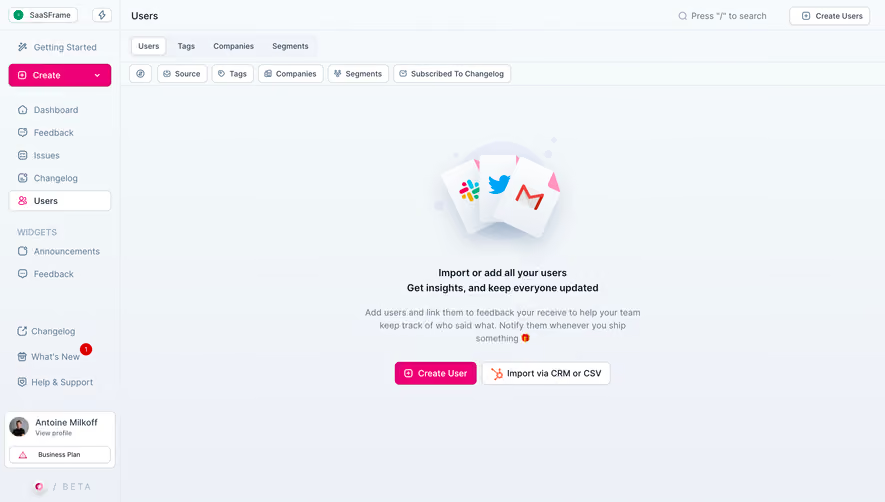


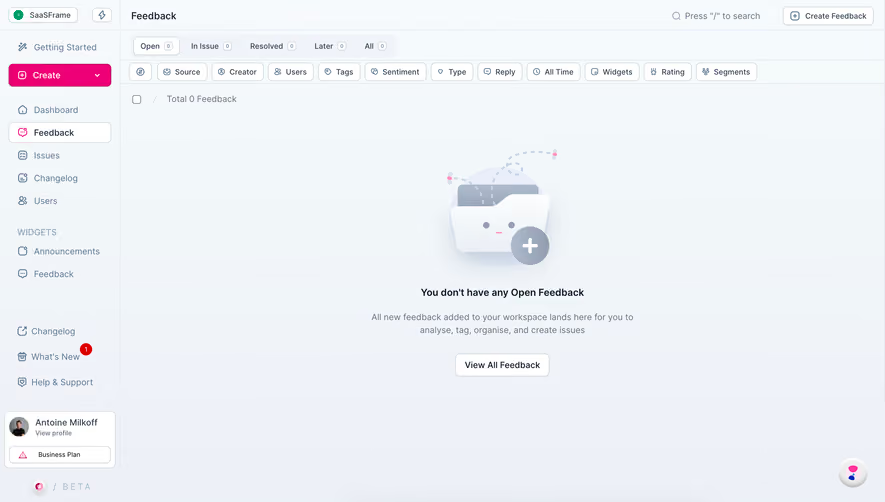
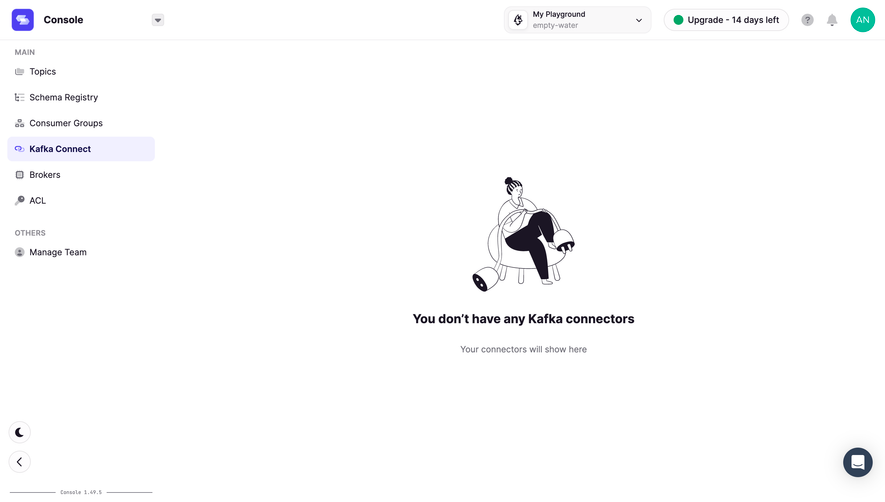

Upgrade to SaaSFrame Pro now to see similar examples.
Monthly
$18 /month
Billed $18 monthly
Browse all screens & flows
Filter and search screens & flows
Search text in screenshots
Access Figma files
Access mobile versions
Join now
Quarterly
$16 /month
Billed $48 quarterly
Browse all screens & flows
Filter and search screens & flows
Search text in screenshots
Access Figma files
Access mobile versions
Join now
Yearly
$15 /month
Billed $180 yearly
Browse all screens & flows
Filter and search screens & flows
Search text in screenshots
Access Figma files
Access mobile versions
Join now