.avif)


1. Header: The page begins with a header that includes the Frontapp logo, a search bar for finding specific integrations, and a button to log in or sign up for Frontapp. 2. Hero section: The hero section displays a tagline and a big CTA button that invites users to "Make Frontapp your own" by integrating it with various platforms. 3. Integrations categories: The page is then divided into categories of integrations with common tools, such as CRM, Email Marketing, Productivity, eCommerce, Support, and Developer. Each category is presented with an image of a product next to it. 4. Integration list: Each category contains a list of integrations. Each row on the list includes the name and logo of the integrated product, a short description of the integration, and a CTA button that takes you to the instructions for setting up the integration. 5. Navigation: At the bottom of the page, there's a navigation bar that includes links to the Frontapp blog, help center, pricing page, and other resources. 6. Footer: Finally, the page ends with a footer that contains links to social media, the company's Terms of Service and Privacy Policy, and additional resources such as contact us, knowledge base, and jobs at Frontapp. Overall, the page is designed to be user-friendly and navigate, enabling users to quickly find integrations specific to their needs. The visual approach and clear call-to-action buttons guide users towards exploring Frontapp's integration capabilities.
.webp)
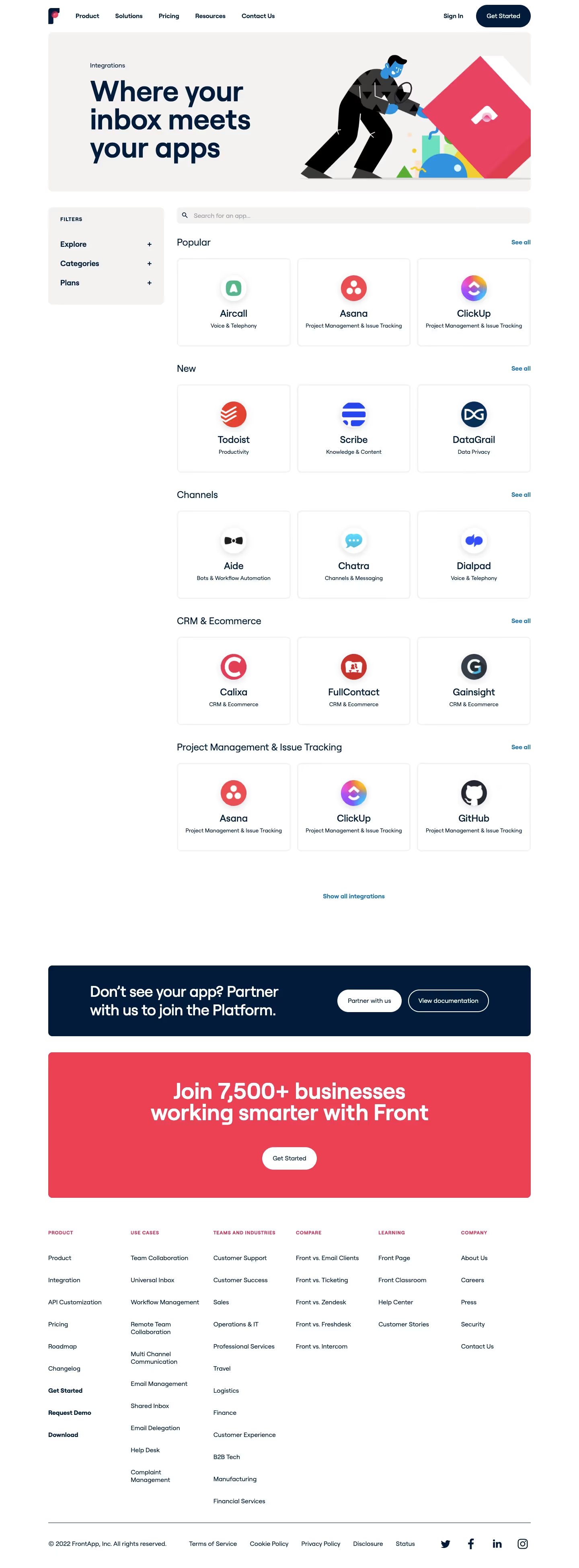

Front Integrations

Front
Email client
Designed by
No items found.
Category
Patterns
No items found.
Added on
April 23, 2020