.webp)
Thank you! Your submission has been received!
Oops! Something went wrong while submitting the form.
Get SaaSFrame Pro
Monthly
$18
Quarterly
$48
Yearly
$180
Upgrade to access this feature
Browse all screens & flows
Filter and search screens & flows
Access Figma files
Access mobile versions
Bookmark screens & flows
Join now
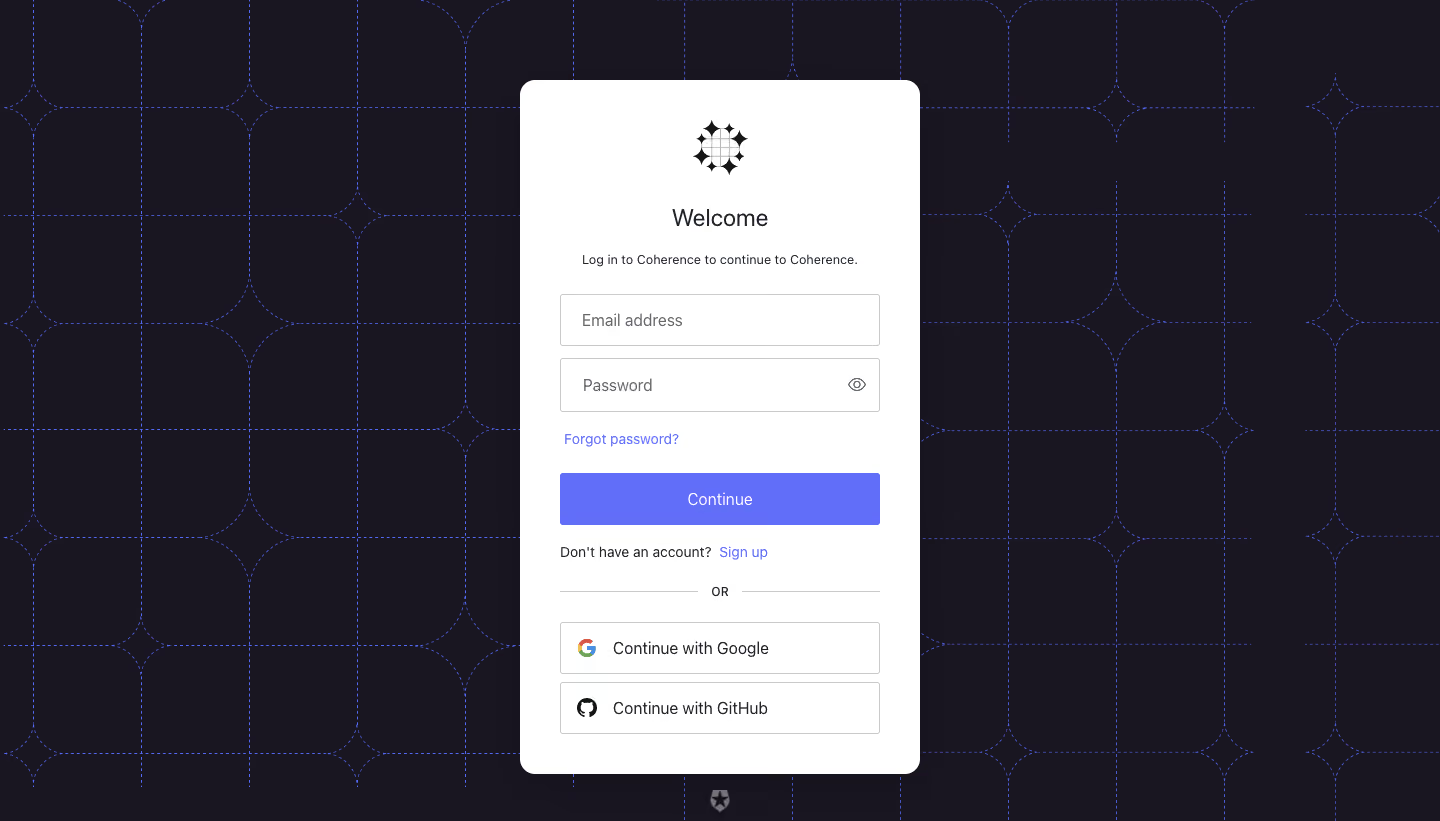
Coherence Login

Coherence
The First Developer Experience Platform
Designed by
No items found.

Bookmark
Bookmark

Design with AI
Thank you! Your submission has been received!
Oops! Something went wrong while submitting the form.
# Design from Reference: Coherence Login
Create an original, high-fidelity visual design inspired by the reference. Prioritize composition, typography, colors, spacing, and component styling over technical implementation.
## Reference
- **Product:** Coherence
- **Category:** Login
- **Screenshot:** https://cdn.prod.website-files.com/5e9dc792e1210c5325f7ebbc/6acb72ba018523cfee2da1ea_6acb704268abb3c26863b372_cms-bb55c8d1b7513cd6f91f710a.webp
Analyze the screenshot first. If inaccessible, request it rather than guessing.
## Content
{{content.instructions}}
{{content.data}}
Preserve essential messaging and factual accuracy. Adapt structure and copy length for visual balance; never invent product claims.
## Visual Design
### Overall aesthetic
- **Character:** A compact authentication card contrasts sharply with a dark patterned backdrop, combining conventional form controls with a distinctive geometric brand texture.
- **Evidence scale:** Original image 1440 × 821 pixels. Dimensions are approximate image pixels; a 1× CSS relationship is plausible but unverified.
### Page composition
- **Backdrop:** Near-black purple fills the viewport, overlaid with a fine blue dotted grid of rounded square segments and star-like intersections.
- **Card:** Centered roughly 400 × 694 px white panel begins around x520, y80, with an approximately 40 px inner margin.
- **Content order:** Black emblem, welcome heading, short login explanation, email/password fields, recovery link, primary action, signup prompt, divider and two provider buttons.
- **Bottom mark:** A small muted security-provider-style symbol sits below the card near the viewport bottom; its identity is unverified.
### Information hierarchy
- **Entry point:** A centered emblem and Welcome heading establish the login task.
- **Primary path:** Email and password fields lead to the solid blue-purple Continue button.
- **Secondary paths:** Password recovery and signup appear as small accent links; Google and GitHub options sit below an OR divider.
- **State:** Empty fields show placeholders; no errors, focus outline or loading state is visible.
### Typography
- **Heading:** Unverified sans-serif, approximately 24 px regular/medium with 30 px line height.
- **Explanation:** Around 13–14 px regular, centered with a 20 px line height.
- **Fields and buttons:** Approximately 16 px regular; placeholder text is softer gray than main button text.
- **Links and prompts:** Around 14 px regular, with neutral tracking and modest weight contrast.
### Colors & surfaces
- **Backdrop:** Measured dark purple-black #191521, with nearby antialiased variants around #191520.
- **Card:** White #FFFFFF forms the main surface.
- **Accent:** Sampled blue-purple #616EF9 belongs to the primary action and accent family; dotted backdrop lines use a related hue.
- **Borders and text:** Light gray #C9CACE outlines controls; charcoal text and gray placeholders maintain conventional form hierarchy.
### Components
- **Card shell:** Approximately 14 px radius, with clean edges and no pronounced visible shadow.
- **Inputs:** Roughly 320 × 52 px with thin gray outlines and small 2–3 px radii; password contains a trailing eye icon.
- **Continue:** Matching full-width approximately 52 px filled button, white centered label and slight corner rounding.
- **Divider:** Thin horizontal rules flank the small centered OR label.
- **Provider buttons:** Two 320 × 52 px white outlined controls with leading provider marks and left-aligned text; approximately 8 px separates them.
### Visual rhythm
- **Top spacing:** Generous space surrounds the emblem, followed by clear separation between heading, explanation and inputs.
- **Form rhythm:** Approximately 12 px between fields and 20–24 px around link/action groupings.
- **Alignment:** All fields, buttons and divider rules share the same edges, while the welcome copy remains centered.
- **Pattern restraint:** The grid is visible only around the opaque card, preserving a distraction-free form surface.
### Responsive
- **Observed limit:** Desktop only; mobile card dimensions and keyboard handling are unverified.
- **Recommendation:** Use a fluid card capped near 400 px with 16–24 px page gutters and vertical scrolling on short viewports.
- **Accessibility recommendation:** Preserve visible labels or accessible names, a reachable password-visibility control and clear keyboard focus.
### Adaptation guidance
- **Retain:** Place a familiar authentication structure on a distinctive but low-contrast branded backdrop.
- **Implement:** Reuse consistent field/button widths and reserve the strongest accent for the primary action.
- **Verify:** Confirm fonts, exact scale and authentication behavior separately; the image establishes only the initial login state.
Use this context to reproduce the reference's visual language: layout, typography, colors, spacing, borders, radii, and distinctive elements. The screenshot takes priority if descriptions conflict.
## Direction
{{preferences.fidelityInstructions}}
## Output
{{output.instructions}}
Deliver a polished, cohesive design with precise alignment, hierarchy, and spacing. Produce the requested visual artifact, not just a description. If unsupported, explain the limitation.

.avif)
Category
Patterns
Tech Stack

Added on
March 8, 2023
Similar screens
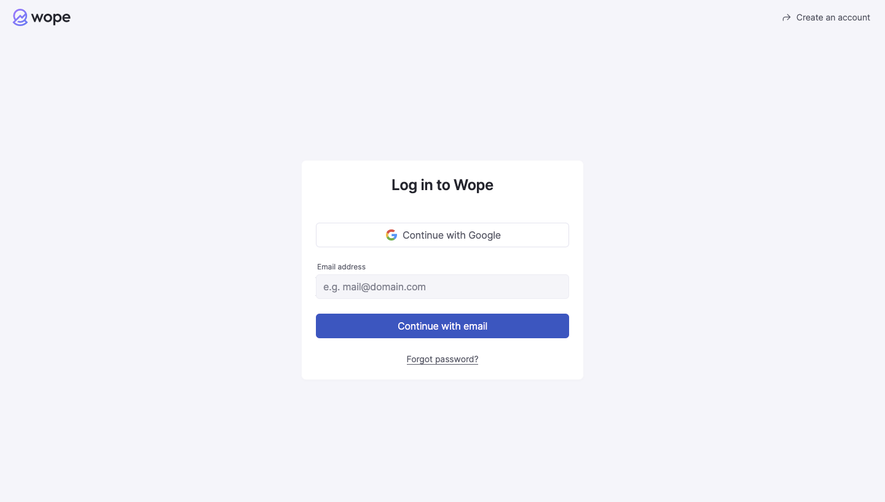






Upgrade to SaaSFrame Pro now to see similar examples.
Monthly
$18 /month
Billed $18 monthly
Browse all screens & flows
Filter and search screens & flows
Search text in screenshots
Access Figma files
Access mobile versions
Join now
Quarterly
$16 /month
Billed $48 quarterly
Browse all screens & flows
Filter and search screens & flows
Search text in screenshots
Access Figma files
Access mobile versions
Join now
Yearly
$15 /month
Billed $180 yearly
Browse all screens & flows
Filter and search screens & flows
Search text in screenshots
Access Figma files
Access mobile versions
Join now