Design with AI
Generate a new design based on this screen using your own content.
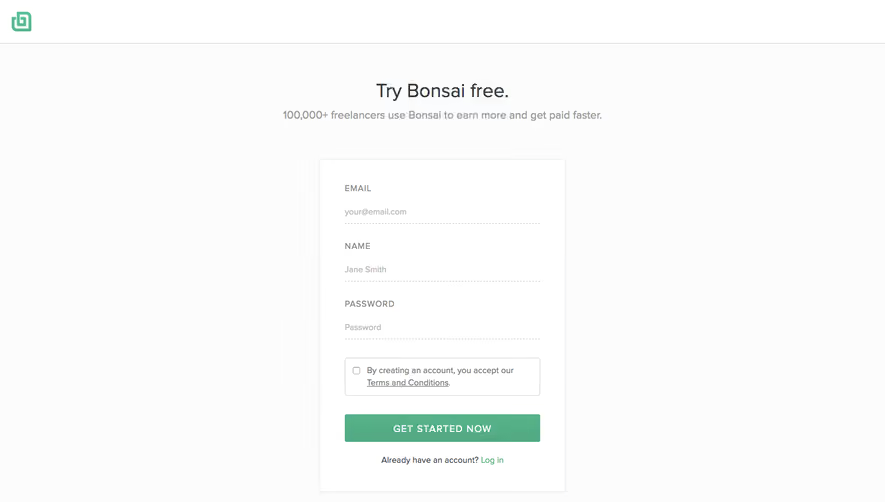
# Design from Reference: Bonsai Sign Up Flow
Create an original, high-fidelity visual design inspired by the reference. Prioritize composition, typography, colors, spacing, and component styling over technical implementation.
## Reference
- **Product:** Bonsai
- **Category:** Dashboard
- **Screenshot:** https://cdn.prod.website-files.com/5e9dc792e1210c5325f7ebbc/6acbbf6c4d71070f5fd4134d_6acbbe9149c14a88f82a04dc_cms-3a1bccb0ddf2ea25ab48631b.webp
Analyze the screenshot first. If inaccessible, request it rather than guessing.
## Content
{{content.instructions}}
{{content.data}}
Preserve essential messaging and factual accuracy. Adapt structure and copy length for visual balance; never invent product claims.
## Visual Design
### Overall aesthetic
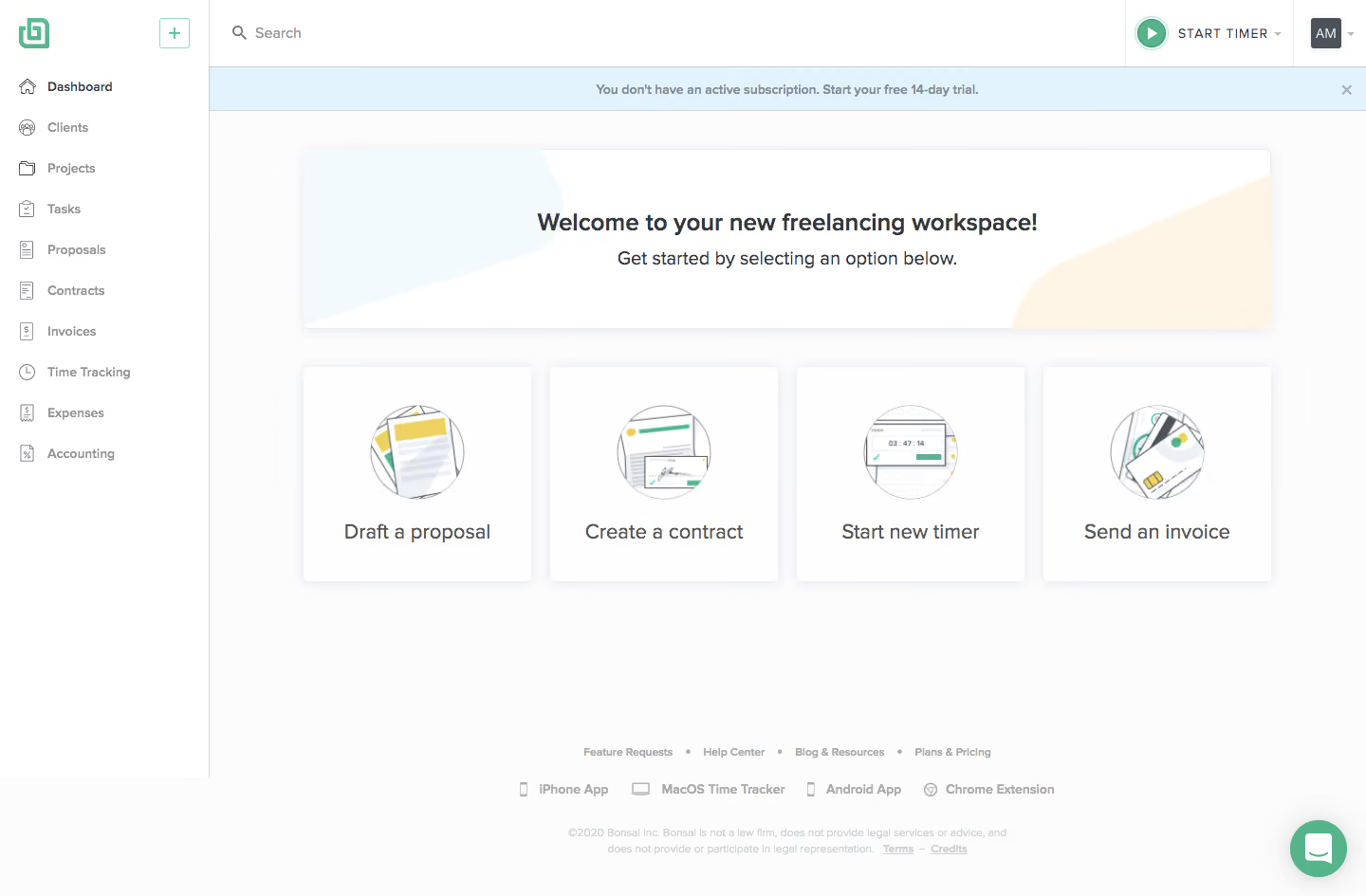
- **Style:** Light freelancer-workspace welcome dashboard with white cards, mint-green controls and understated pastel illustration.
- **Scale:** Source 1440 × 945 screenshot pixels; measurements below are image pixels, with CSS scale unverified.
### Page composition
- **Shell:** A roughly 220px left navigation rail contains the brand, add control and ten business-tool links. Search spans the top content bar; timer and account controls sit right.
- **Trial banner:** A pale-blue full-width notice appears below the top bar with centered subscription/trial copy and a close icon.
- **Welcome area:** A wide illustrated welcome panel precedes four equal action cards in one row. Footer resources and app links sit near the bottom.
### Information hierarchy
- **Task selection:** A bold welcome heading and short instruction introduce Draft a proposal, Create a contract, Start new timer and Send an invoice.
- **Context:** Dashboard is selected in the sidebar. The timer is available globally, while the trial notice remains separate from the four onboarding choices.
- **Footer:** Resource links, desktop/mobile apps and small legal text form a low-contrast utility region.
### Typography
- **Family:** Neutral sans-serif; exact font identity is unverified.
- **Roles:** Estimated welcome heading 25px semibold, subtitle 20px, action labels 22px regular, sidebar labels 14px and footer copy 11–13px.
- **Contrast:** Main action text is medium gray; the welcome heading is darker and more prominent.
### Colors & surfaces
- **Sampled palette:** ICC-aware sRGB samples include near-white #FBFCFC, white #FFFFFF, pale blue #E2F3FE and #F2FAFE, and cream #FEF5E7.
- **Accent:** Mint green identifies branding, timer, add control and chat. Illustrations use pale yellow, green and gray.
- **Depth:** Cards and welcome panel have subtle shadows and small corners against the near-white canvas.
### Components
- **Welcome panel:** Approximately 1020 × 188px, with pale blue and cream abstract corner shapes framing centered copy.
- **Action cards:** Four roughly 240 × 226px white cards with 6px corners, a circular outlined illustration above a centered label and around 20px gaps.
- **Navigation:** Small outline icons precede labels; the top add control is a thin mint-outlined square.
- **Timer and support:** A green play circle accompanies START TIMER; a larger green chat circle floats at the lower right.
### Visual rhythm
- **Alignment:** Welcome panel and action row share outer edges. Each card repeats the same illustration/title stack.
- **Whitespace:** A broad blank band separates the action cards from the small footer links, keeping attention on the initial task.
### Responsive
- **Recommended adaptation:** Only desktop is observed. Collapse the rail and change four action cards to two columns then one.
- **Utilities:** Let the trial message wrap and retain accessible timer and close controls.
### Adaptation guidance
- **Preserve:** Keep a concise welcome, four concrete starting tasks and quiet supporting navigation.
- **Adapt:** Use actual workspace actions and subscription status. Do not infer a signup form from the record title; the screenshot shows the post-signup dashboard.
Use this context to reproduce the reference's visual language: layout, typography, colors, spacing, borders, radii, and distinctive elements. The screenshot takes priority if descriptions conflict.
## Direction
{{preferences.fidelityInstructions}}
## Output
{{output.instructions}}
Deliver a polished, cohesive design with precise alignment, hierarchy, and spacing. Produce the requested visual artifact, not just a description. If unsupported, explain the limitation.
.webp)



.avif)