.webp)
Thank you! Your submission has been received!
Oops! Something went wrong while submitting the form.
Get SaaSFrame Pro
Monthly
$18
Quarterly
$48
Yearly
$180
Upgrade to access this feature
Browse all screens & flows
Filter and search screens & flows
Access Figma files
Access mobile versions
Bookmark screens & flows
Join now
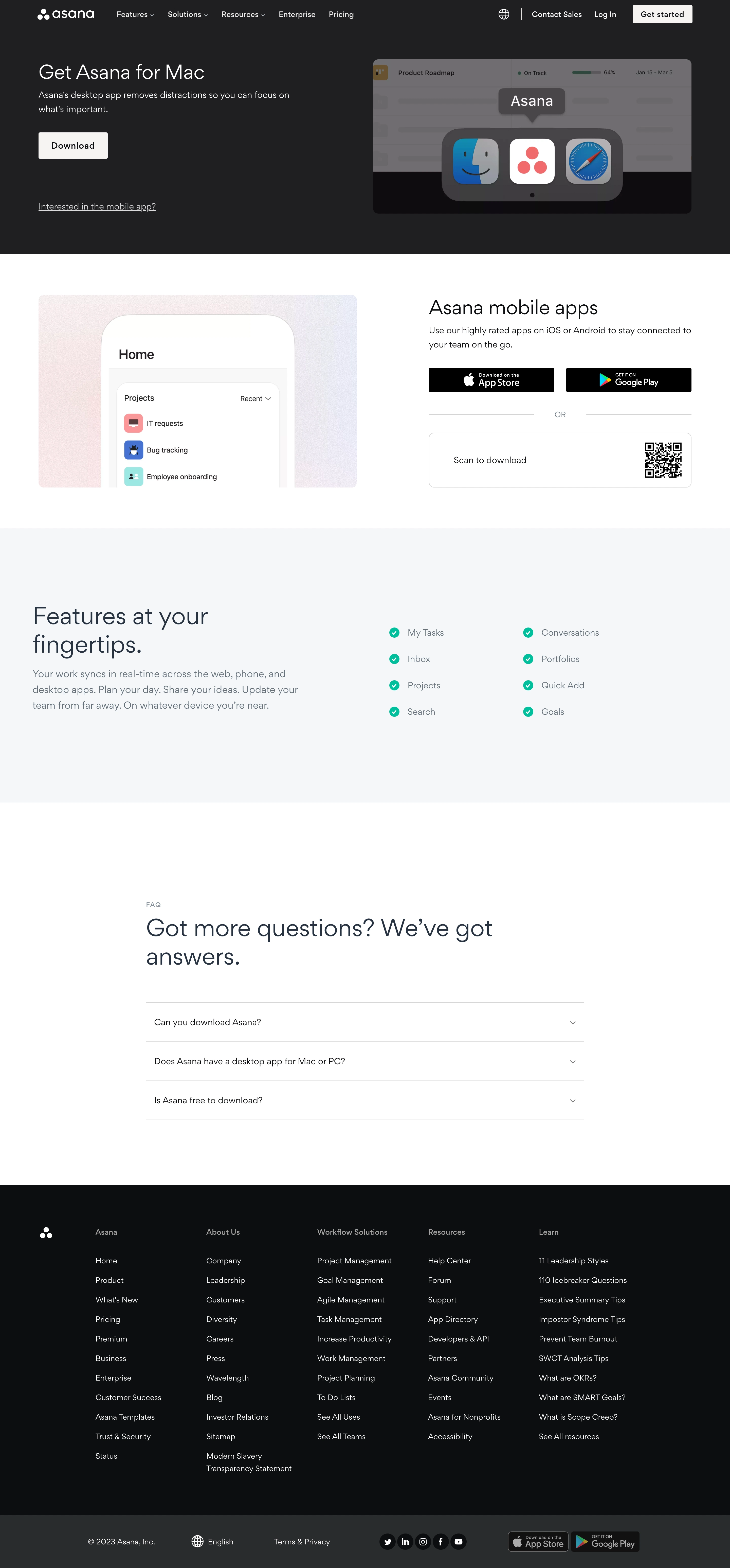

Asana Download Page

Asana
Organize team projects
Designed by
No items found.

Bookmark
Bookmark

Design with AI
Thank you! Your submission has been received!
Oops! Something went wrong while submitting the form.
# Design from Reference: Asana Download Page
Create an original, high-fidelity visual design inspired by the reference. Prioritize composition, typography, colors, spacing, and component styling over technical implementation.
## Reference
- **Product:** Asana
- **Category:** Download Page
- **Screenshot:** https://cdn.prod.website-files.com/5e9dc792e1210c5325f7ebbc/6acad96cbd9ce0e960551eaa_6acad8e66cd44b3ad4d8538d_cms-6c6319f7a281f81686cdc9b2.webp
Analyze the screenshot first. If inaccessible, request it rather than guessing.
## Content
{{content.instructions}}
{{content.data}}
Preserve essential messaging and factual accuracy. Adapt structure and copy length for visual balance; never invent product claims.
## Visual Design
### Overall aesthetic
- **Style:** Product download page with a dark desktop-app hero, bright mobile-download section, pale feature band, and dark multi-column footer.
- **Character:** Light-weight geometric sans-serif headings, simple rectangular actions, large product imagery, and generous white space.
- **Contrast:** White hero text reverses on charcoal; later sections use dark slate on white or pale blue-gray.
### Page composition
- **Capture and scale:** 2880 × 6182 image px. CSS estimates assume a 2× capture, approximately 1440 × 3091 CSS px; scale is unverified. All portions inspected.
- **Header:** White brand/navigation across a dark row, with globe, sales, login, and white signup action right.
- **Desktop hero:** Two columns: Mac download heading, short description, white Download button, and mobile anchor link left; large app-switcher/product image right.
- **Mobile section:** Large phone/home-screen crop left; heading, paragraph, two store badges, or divider, and bordered QR-download block right.
- **Feature band:** Pale full-width area with large heading/copy left and eight checked capabilities in two columns right.
- **FAQ:** Narrower centered white section, small eyebrow, large two-line heading, and three collapsed rows.
- **Footer:** Black region with brand mark and five link groups; lower charcoal strip contains copyright, language, legal, social icons, and store badges.
### Information hierarchy
- **Primary task:** Mac heading and Download action lead the desktop hero.
- **Mobile alternatives:** Store badges and QR code provide parallel routes in a separate bright section.
- **Capabilities:** Large heading introduces concise checklist items rather than detailed cards.
- **FAQ:** Three questions form the final assistance layer before global navigation.
- **Footer:** Group headings are quieter gray, while individual links are pale and readable.
### Typography
- **Family:** Geometric proportional sans serif; exact identity is unverified.
- **Hero / mobile headings:** Approximately 40px regular with 48px line-height.
- **Feature / FAQ headings:** Approximately 48–50px regular with 56px leading.
- **Body:** Approximately 18–20px with 28–32px line-height.
- **Navigation/actions:** Approximately 14–18px medium.
- **FAQ rows:** Approximately 18px regular.
- **Footer:** Approximately 14–16px with 38px row pitch.
- **Precision:** CSS sizes, weights, and leading are visual estimates.
### Colors & surfaces
- **White:** Sampled #FFFFFF.
- **Hero:** Sampled #1E1F21.
- **Footer:** Sampled #0D0E10.
- **Lower footer strip:** Sampled #2A2B2C.
- **Feature band:** Sampled #F4F8F9.
- **Illustration neutral:** Sampled #716D71 in the desktop mockup.
- **Text roles:** White hero text, slate headings/body, muted footer headings.
- **Accent details:** Teal circular checks and colorful product/store icons remain localized.
### Components
- **Download action:** White rectangle approximately 138 × 52px with dark text and slight 2–3px radius.
- **Desktop artwork:** Rounded landscape product scene with Mac app-switcher overlay and a large Asana icon between system icons.
- **Phone image:** Broad pastel-textured surround with cropped rounded device and project list.
- **Store badges:** Two black landscape badges side by side, roughly 248 × 48px each.
- **QR panel:** Thin gray rounded rectangle with scan instruction left and QR code right, approximately 520 × 108px.
- **Feature checks:** Small teal circles with white ticks, aligned in two four-item columns.
- **FAQ rows:** Thin horizontal rules and small down chevrons at right; only collapsed states are shown.
- **Footer socials:** White symbols in dark circles; store badges repeat in the bottom strip.
- **State limits:** No download progress, QR destination, expanded FAQ, or alternate operating-system state is demonstrated.
### Visual rhythm
- **Section alternation:** Dark hero, white mobile section, pale features, white FAQ, then dark footer.
- **Two-column consistency:** Desktop and mobile sections reverse image/text balance while keeping broad margins.
- **Whitespace:** Large vertical padding gives each platform route a distinct chapter.
- **FAQ restraint:** Three compact rows sit beneath a large heading with broad surrounding space.
- **Footer density:** Long link columns contrast with the simpler product sections.
### Responsive
- **Observed state:** Desktop only; mobile page behavior is unverified.
- **Layout recommendation:** Stack hero/mobile columns and preserve heading-to-action order.
- **Download recommendation:** Present platform-appropriate options deliberately rather than inferring device detection from the screenshot.
- **QR recommendation:** Hide or replace the QR route when the page is already on the target mobile device, if product requirements call for it.
- **Feature/footer recommendation:** Reduce check columns and wrap navigation groups.
- **FAQ recommendation:** Keep full-width accessible question controls with visible focus.
### Adaptation guidance
- **Preserve:** Clear desktop/mobile separation, prominent download action, store/QR alternatives, concise feature checklist, and quiet FAQ.
- **Starting geometry:** Approximately 40px platform headings, 18px body, 52px download action, and broad two-column sections under the unverified 2× assumption.
- **Asset fidelity:** Use official supplied app/store/device assets and a real approved QR destination.
- **Content fidelity:** Platform support and download claims must reflect actual product requirements.
- **Implementation recommendation:** Provide meaningful download labels and accessible accordion behavior; no software download was performed from the reference.
Use this context to reproduce the reference's visual language: layout, typography, colors, spacing, borders, radii, and distinctive elements. The screenshot takes priority if descriptions conflict.
## Direction
{{preferences.fidelityInstructions}}
## Output
{{output.instructions}}
Deliver a polished, cohesive design with precise alignment, hierarchy, and spacing. Produce the requested visual artifact, not just a description. If unsupported, explain the limitation.

.avif)
Category
Patterns
No items found.
Tech Stack

Added on
October 13, 2023
Similar screens



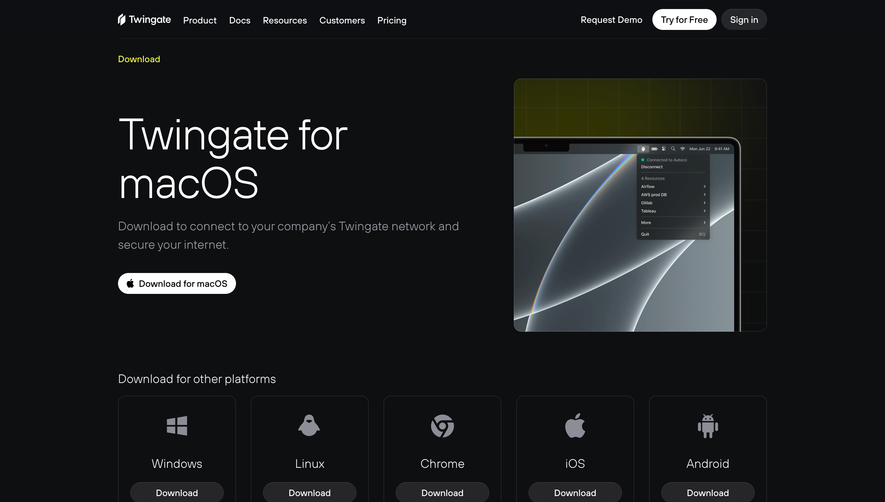

Upgrade to SaaSFrame Pro now to see similar examples.
Monthly
$18 /month
Billed $18 monthly
Browse all screens & flows
Filter and search screens & flows
Search text in screenshots
Access Figma files
Access mobile versions
Join now
Quarterly
$16 /month
Billed $48 quarterly
Browse all screens & flows
Filter and search screens & flows
Search text in screenshots
Access Figma files
Access mobile versions
Join now
Yearly
$15 /month
Billed $180 yearly
Browse all screens & flows
Filter and search screens & flows
Search text in screenshots
Access Figma files
Access mobile versions
Join now