.webp)
Thank you! Your submission has been received!
Oops! Something went wrong while submitting the form.
Get SaaSFrame Pro
Monthly
$18
Quarterly
$48
Yearly
$180
Upgrade to access this feature
Browse all screens & flows
Filter and search screens & flows
Access Figma files
Access mobile versions
Bookmark screens & flows
Join now


Airtable Integrations Page

Airtable
Organize Anything, With Anyone
Designed by
No items found.

Bookmark
Bookmark

Design with AI
Thank you! Your submission has been received!
Oops! Something went wrong while submitting the form.
# Design from Reference: Airtable Integrations Page
Create an original, high-fidelity visual design inspired by the reference. Prioritize composition, typography, colors, spacing, and component styling over technical implementation.
## Reference
- **Product:** Airtable
- **Category:** Integrations Library
- **Screenshot:** https://cdn.prod.website-files.com/5e9dc792e1210c5325f7ebbc/62ec9c81c8eb8367f38d62ff_1659623313724-screenshot-device-122e2f0f292b2cf7c5a9cd9d8b04714b-1659604303726.webp
Analyze the screenshot first. If inaccessible, request it rather than guessing.
## Content
{{content.instructions}}
{{content.data}}
Preserve essential messaging and factual accuracy. Adapt structure and copy length for visual balance; never invent product claims.
## Visual Design
### Overall aesthetic
- **Character:** A simple integration directory combines a saturated purple introduction with a spacious white logo grid.
- **Visual language:** Colorful service marks supply variety while plain text labels, gray categories and extensive whitespace keep browsing orderly.
### Page composition
- **Capture:** The source is 1440 × 3615 image pixels, inspected through the blank area beneath the footer. Approximate image-pixel dimensions are used; CSS scale is unverified.
- **Header:** A slim announcement strip precedes a corporate navigation row with brand, links and sales/signup/sign-in actions.
- **Hero:** A full-width purple band contains a narrow left-aligned heading and multiline explanation within a centered text column.
- **Introduction:** Two short paragraphs on white explain integration routes, with several blue inline links.
- **Directory:** Thirty-two integration entries form a three-column grid, each pairing a large service mark with name and category; the final row has two entries.
- **Closing:** A centered request prompt leads to a footer navigation/social row, five link columns and a pale legal/app-store strip.
### Information hierarchy
- **Purpose:** The purple introductory band establishes automation before the service catalog.
- **Scanning:** Large logos identify entries first, followed by semibold names and quieter gray category labels.
- **Secondary routes:** Blue text links in the introduction and request prompt provide alternatives without competing with the catalog.
- **Footer:** Group headings organize dense link lists; badges add small New/Popular distinctions.
### Typography
- **Family:** Rounded sans-serif forms are visible; exact family is unverified.
- **Hero:** The heading is approximately 32 pixels, regular/medium weight; supporting copy is around 23–24 pixels with 34-pixel leading.
- **Introduction:** Approximately 22 pixels with 33-pixel leading, including inline blue links.
- **Directory:** Names are roughly 14 pixels and semibold; categories are around 15–16 pixels and gray.
- **Navigation/footer:** Header and footer links use around 16 pixels; legal utilities are smaller.
### Colors & surfaces
- **Measured base:** White #FFFFFF dominates the directory and footer.
- **Measured hero:** Purple #8B46FF and nearby #8A45FE form the saturated opening band.
- **Measured secondary surfaces:** Pale pink #F9F2F5 supports the announcement strip; cool gray #F2F3F7 supports the legal/app-store footer.
- **Accent relationships:** Blue links and signup controls contrast with dark text; service logos retain their own distinct colors.
### Components
- **Directory entries:** Approximately 80-pixel logo areas align beside two-line text blocks; entries have no enclosing card border or shadow.
- **Navigation actions:** An outlined Contact sales button and filled blue signup button sit beside a simple sign-in link.
- **Grid:** Three broad columns share consistent logo/text offsets and generous horizontal gutters.
- **Request prompt:** A narrow text block near the center includes a blue linked phrase rather than a large filled CTA.
- **Footer groups:** Five columns of links sit below a thin horizontal rule, with small pill badges on selected items and Show more links in three groups.
- **Store badges:** Two dark marketplace badges align at the right of the pale bottom strip.
### Visual rhythm
- **Directory cadence:** Entries repeat at roughly 145-pixel vertical intervals, maintaining substantial whitespace between logo rows.
- **Text alignment:** Hero, introduction and request prompt use a narrower centered text column, contrasting with the wider logo grid.
- **Footer density:** The catalog's open rhythm tightens into grouped footer links; a large blank white area remains below the final strip in the capture.
### Responsive
- **Observed state:** Only the desktop directory is shown; mobile layout is unverified.
- **Recommended grid:** Reduce to two and then one column while preserving logo/name/category associations.
- **Recommended navigation:** Collapse corporate links and stack footer groups when necessary; keep announcement text and action readable.
- **Recommended text:** Make the narrow explanatory column fluid with sufficient side padding and natural line wrapping.
### Adaptation guidance
- **Preserve simplicity:** Keep entries open and borderless rather than converting every integration into a heavy card.
- **Logo consistency:** Normalize visual logo bounds without distorting brand marks.
- **Catalog fidelity:** Treat names and integration availability as captured content; do not infer current connection capabilities from this image.
- **Accessibility:** Provide meaningful service labels, accessible link names and sufficient contrast for gray categories and purple-band copy.
Use this context to reproduce the reference's visual language: layout, typography, colors, spacing, borders, radii, and distinctive elements. The screenshot takes priority if descriptions conflict.
## Direction
{{preferences.fidelityInstructions}}
## Output
{{output.instructions}}
Deliver a polished, cohesive design with precise alignment, hierarchy, and spacing. Produce the requested visual artifact, not just a description. If unsupported, explain the limitation.

.avif)
Category
Patterns
No items found.


Added on
July 5, 2020
Similar screens
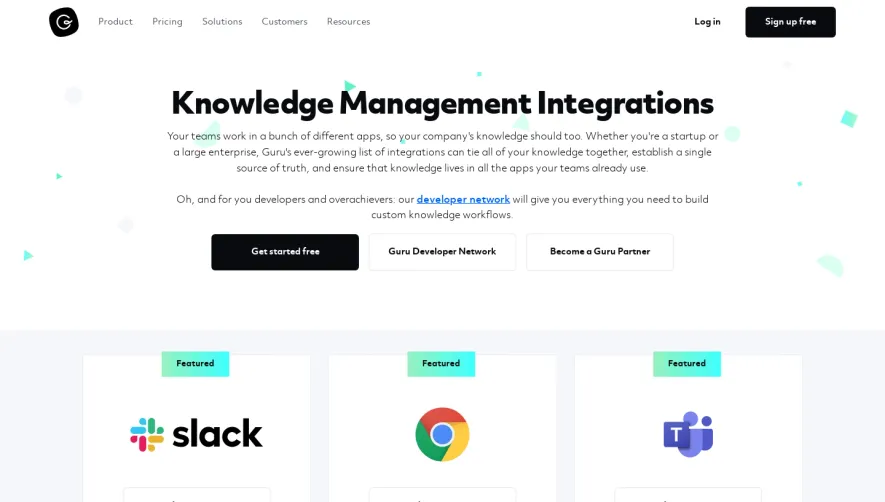


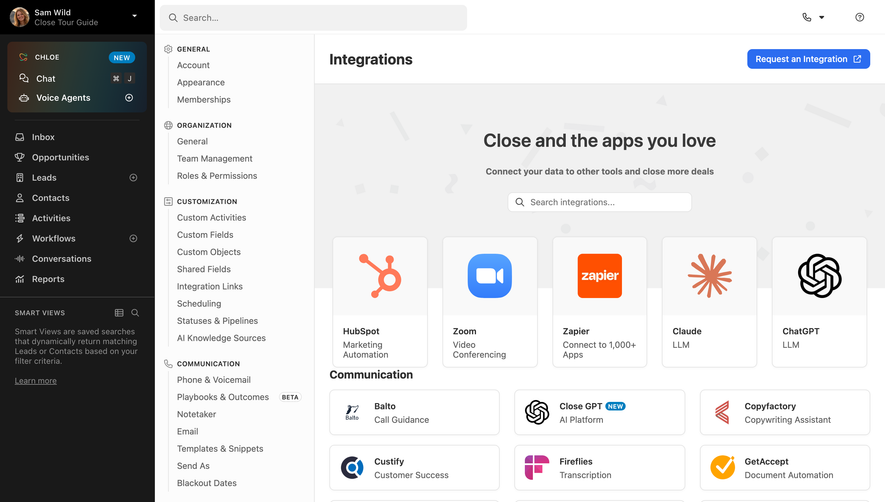



Upgrade to SaaSFrame Pro now to see similar examples.
Monthly
$18 /month
Billed $18 monthly
Browse all screens & flows
Filter and search screens & flows
Search text in screenshots
Access Figma files
Access mobile versions
Join now
Quarterly
$16 /month
Billed $48 quarterly
Browse all screens & flows
Filter and search screens & flows
Search text in screenshots
Access Figma files
Access mobile versions
Join now
Yearly
$15 /month
Billed $180 yearly
Browse all screens & flows
Filter and search screens & flows
Search text in screenshots
Access Figma files
Access mobile versions
Join now