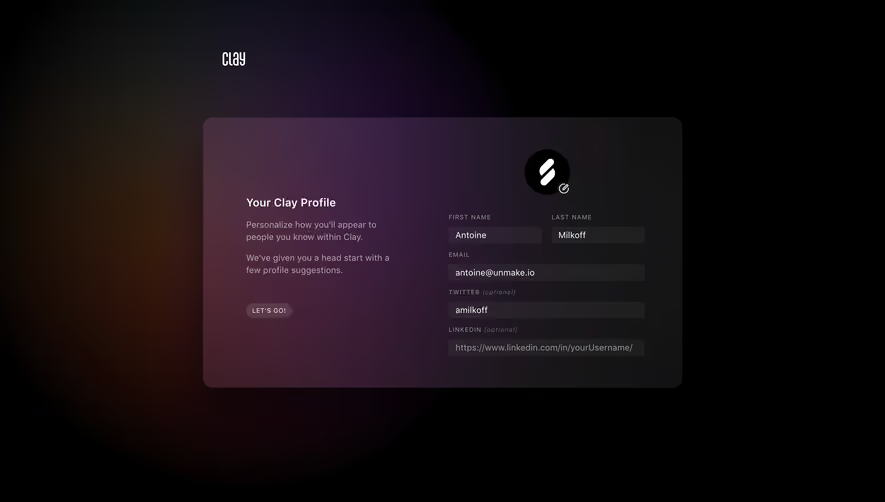
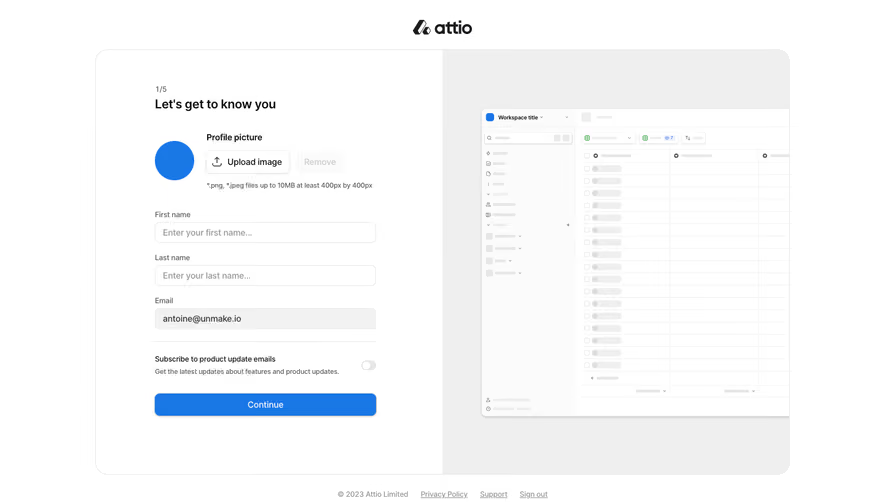
Generate a new design based on this screen using your own content.
Thank you! Your submission has been received!
Oops! Something went wrong while submitting the form.
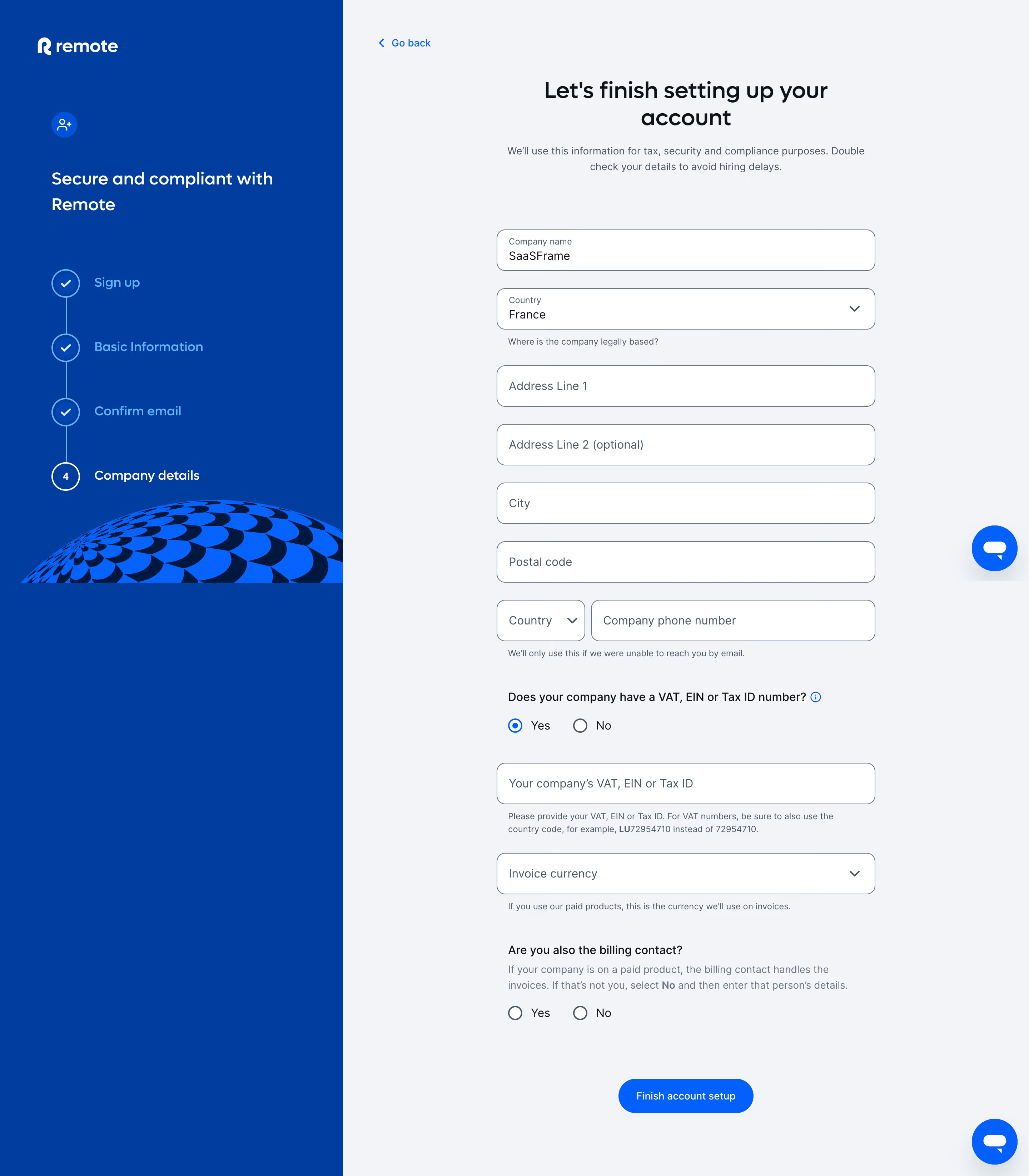
# Design from Reference: Remote Complete Company Details
Create an original, high-fidelity visual design inspired by the reference. Prioritize composition, typography, colors, spacing, and component styling over technical implementation.
## Reference
- **Product:** Remote
- **Category:** Account Setup
- **Screenshot:** https://cdn.prod.website-files.com/5e9dc792e1210c5325f7ebbc/6acad798fbf1299940aab57e_6acad6436cd44b3ad4d75bb0_cms-d724b743107f8e2a74656fe6.webp
Analyze the screenshot first. If inaccessible, request it rather than guessing.
## Content
{{content.instructions}}
{{content.data}}
Preserve essential messaging and factual accuracy. Adapt structure and copy length for visual balance; never invent product claims.
## Visual Design
Use this context to reproduce the reference's visual language: layout, typography, colors, spacing, borders, radii, and distinctive elements. The screenshot takes priority if descriptions conflict.
## Direction
{{preferences.fidelityInstructions}}
## Output
{{output.instructions}}
Deliver a polished, cohesive design with precise alignment, hierarchy, and spacing. Produce the requested visual artifact, not just a description. If unsupported, explain the limitation.
Employ Remote’s onboarding dashboard exudes a polished, minimalist aesthetic with a distinctly modern touch. The interface favors open space, clean lines, and carefully restrained color pops, cultivating a sense of professionalism and ease. This restrained visual language signals trustworthiness and focus, perfect for HR and onboarding tools.
Layout and Structure
The page is organized into a clear linear flow, leading the user through the onboarding checklist step by step. A simple header provides global navigation, while the main area centers on a progress-driven dashboard card, ensuring primary actions stay in focus. Supportive content—like FAQs and messaging—remains accessible yet unobtrusive, contributing to effortless navigation without visual clutter.
Visual Elements
Custom icons succinctly accompany each onboarding step, reinforcing clarity and injecting a subtle personality into the journey. The design avoids elaborate illustration or animation, opting for crisp vector elements and soft backgrounds. Status indicators and progress bars provide at-a-glance information, helping users gauge their journey intuitively.
Color Palette and Typography
Soft neutrals form the backbone, accented by Remote’s signature blue and strategic uses of green for completion cues. Generous whitespace enhances content legibility. Typography is eminently readable—a modern sans-serif in varied weights, with robust use of hierarchy for headings, subheads, and calls to action.
User Experience Patterns & Standout Choices
Stepwise task lists promote clarity, supporting users with succinct microcopy and frictionless CTAs. The sticky header keeps crucial navigation onscreen, and contextual tooltips smooth out uncertainties. The tone is confident yet welcoming—elevating the routine task of onboarding into a seamless, reassuring experience.
.webp)




.avif)