.webp)
Thank you! Your submission has been received!
Oops! Something went wrong while submitting the form.
Get SaaSFrame Pro
Monthly
$18
Quarterly
$48
Yearly
$180
Upgrade to access this feature
Browse all screens & flows
Filter and search screens & flows
Access Figma files
Access mobile versions
Bookmark screens & flows
Join now
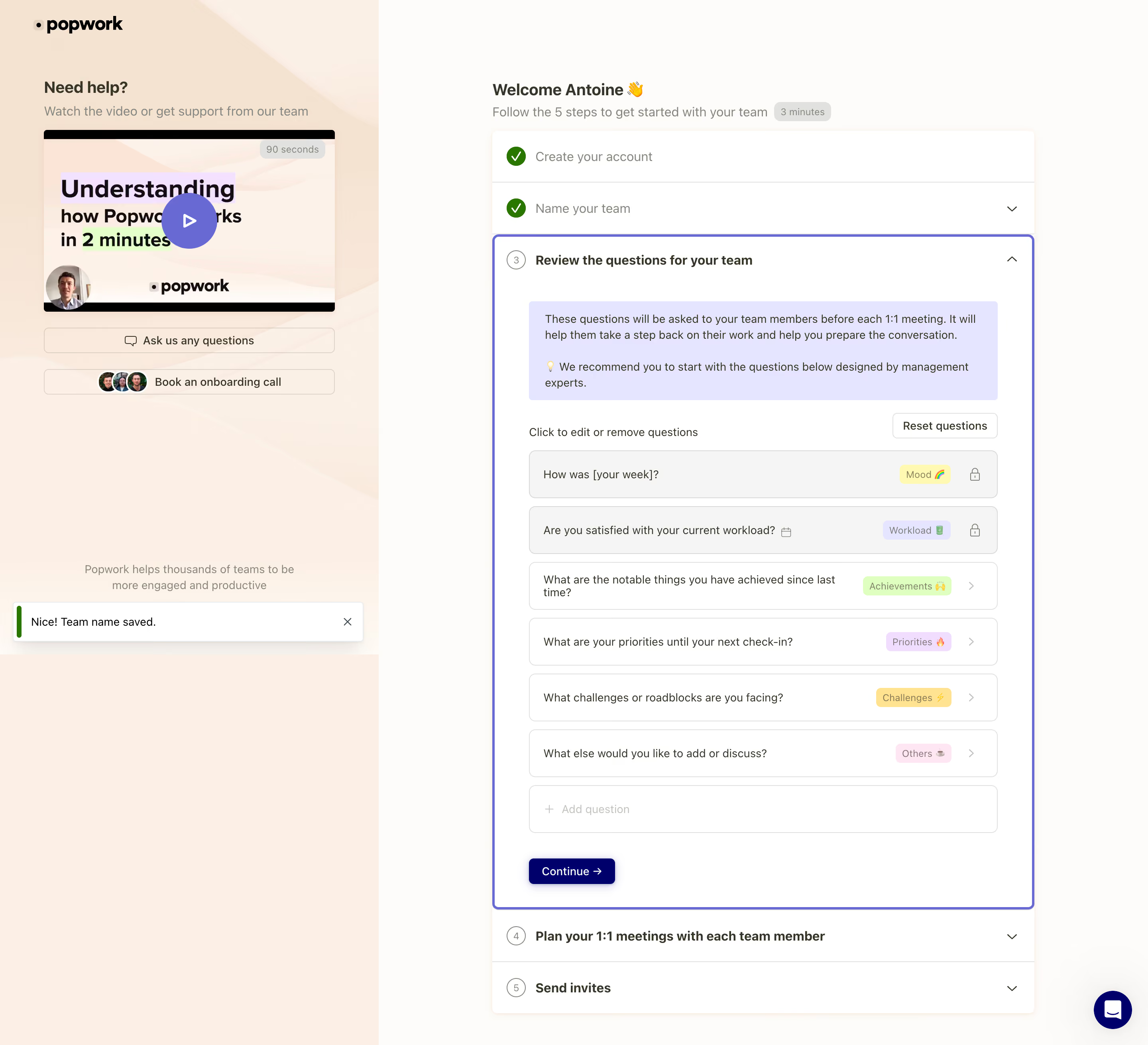
Popwork Account Setup

Popwork
The app for managers and their teams
Designed by
No items found.

Bookmark
Bookmark

Design with AI
Thank you! Your submission has been received!
Oops! Something went wrong while submitting the form.
# Design from Reference: Popwork Account Setup
Create an original, high-fidelity visual design inspired by the reference. Prioritize composition, typography, colors, spacing, and component styling over technical implementation.
## Reference
- **Product:** Popwork
- **Category:** Account Setup
- **Screenshot:** https://cdn.prod.website-files.com/5e9dc792e1210c5325f7ebbc/6acb65cdb206c0d3f8f0f81e_6acb6512a88b2511fbea82cd_cms-3a06801f4b15fdf9d4c14653.webp
Analyze the screenshot first. If inaccessible, request it rather than guessing.
## Content
{{content.instructions}}
{{content.data}}
Preserve essential messaging and factual accuracy. Adapt structure and copy length for visual balance; never invent product claims.
## Visual Design
### Overall aesthetic
- **Style:** A warm, supportive onboarding workspace with a peach help rail and a structured accordion checklist on an off-white main surface.
- **Character:** Soft pastel tags, human support imagery, and a violet active-step outline make a detailed setup task feel approachable.
### Page composition
- **Capture and scale:** The screenshot measures 2880 × 2622 pixels, consistent with an estimated 2× capture. Following dimensions are estimated CSS pixels under that assumption.
- **Split layout:** The left help rail is roughly 475 px wide, about one third of the viewport. The right region contains an approximately 680 px-wide checklist with generous surrounding margins.
- **Support rail:** The logo sits at top, followed by a help heading, short sentence, video thumbnail/play control, question and onboarding-call actions, and a low-positioned reassurance line. A success toast overlays its lower area.
- **Checklist:** A personalized welcome and duration chip lead into five steps. The first two show green completion checks; the third, question review, is expanded and outlined violet. Meeting planning and invitations remain collapsed below.
### Information hierarchy
- **Task sequence:** The numbered/completed step structure makes progress explicit. The active third step is the central visual focus.
- **Active content:** A lavender explanatory callout precedes an editing instruction, Reset questions control, six question rows, a muted Add question row, and Continue.
- **Support:** Video and human-help actions remain available alongside the workflow without interrupting the active checklist.
### Typography
- **Family:** A neutral sans serif is visible; the exact family is unverified.
- **Headings and steps:** Welcome/help headings are approximately 20 px semibold. Step titles are around 16 px bold, with completed labels softer and lighter.
- **Body:** Instructions and question text are approximately 14–15 px with 20–22 px line-height. Tags and duration chips are around 12 px.
- **Actions:** Compact buttons use approximately 14 px text. The video thumbnail contains heavier display lettering as part of its artwork.
### Colors & surfaces
- **Foundation:** Sampled sRGB #FEFCFA defines the warm main surface; #FFFFFF defines the checklist and controls. Peach tones include #FCEFE5, #FDF0E5, #FAF0E6, and #F5E3D1.
- **Callout and neutrals:** Sampled lavender #E5E5FF fills the explanatory panel, while #F5F5F4 supports neutral question surfaces.
- **States:** Violet outlines the active step, green marks completed steps and the toast edge, and deep navy fills Continue. Exact state-accent hex values are unverified.
- **Tags:** Small category chips use distinct pale yellow, lavender, lime, pink, and orange backgrounds, paired with muted text and tiny emoji.
### Components
- **Checklist shell:** A white rounded container has subtle warm edge/shadow definition. Collapsed steps use thin horizontal dividers and right chevrons.
- **Active step:** A roughly 2–3 px violet border surrounds the expanded region, with approximately 8 px corner radius. Its body is inset around 44 px from the step edge.
- **Question rows:** Six approximately 60 px-high bordered rounded rows place question text left, category chip near the right, and lock or chevron at the far edge. The first two appear muted and locked; editable rows are white.
- **Support controls:** Two slim outlined buttons span the help column. One uses a speech-bubble icon, the other overlapping staff avatars. The video thumbnail includes a circular violet play button.
- **Feedback:** A white success toast has a green vertical indicator, short message, close X, and soft shadow. A dark chat bubble appears at bottom right.
### Visual rhythm
- **Spacing:** Use roughly 10–12 px between question rows and 24–32 px between callout, editing toolbar, list, and continuation action.
- **Alignment:** Keep step numbers/checks in one narrow gutter and all step labels aligned. Within the active content, instructions, question rows, and action share a stable left edge.
- **Balance:** The large warm support rail offsets the denser checklist without adding more form fields.
### Responsive
- **Observed state:** Only desktop is shown.
- **Recommended reflow:** Move support content into a compact help section or collapsible panel above/below the checklist. Let question text wrap and move chips beneath it if needed.
- **Interaction space:** Keep locks/chevrons and step toggles distinct, and ensure toast/chat controls do not obscure Continue on small screens.
### Adaptation guidance
- **Preserve:** Retain the supportive split layout, visible progress, outlined active accordion step, explanatory callout, and individually categorized editable rows.
- **Adapt:** Use the new workflow's genuine steps and questions. Keep completion, locked, editable, and pending states visually distinct.
- **Avoid:** Do not reuse the reference's account name or claim that a step is complete without actual workflow state.
Use this context to reproduce the reference's visual language: layout, typography, colors, spacing, borders, radii, and distinctive elements. The screenshot takes priority if descriptions conflict.
## Direction
{{preferences.fidelityInstructions}}
## Output
{{output.instructions}}
Deliver a polished, cohesive design with precise alignment, hierarchy, and spacing. Produce the requested visual artifact, not just a description. If unsupported, explain the limitation.

.avif)
Category
Patterns
No items found.
Tech Stack



Added on
June 27, 2023


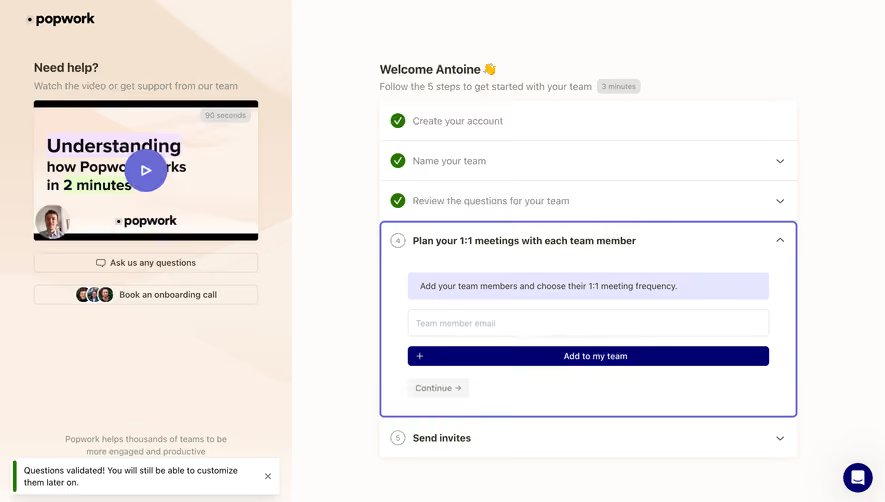


Similar screens
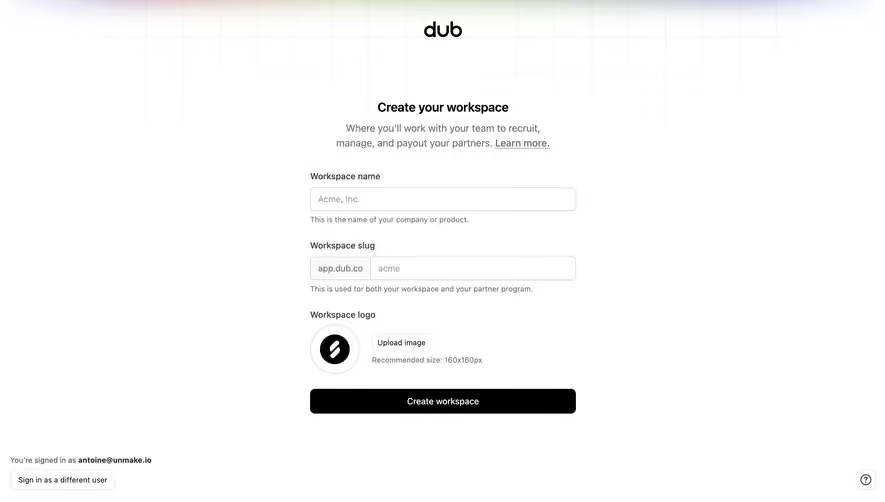




Upgrade to SaaSFrame Pro now to see similar examples.
Monthly
$18 /month
Billed $18 monthly
Browse all screens & flows
Filter and search screens & flows
Search text in screenshots
Access Figma files
Access mobile versions
Join now
Quarterly
$16 /month
Billed $48 quarterly
Browse all screens & flows
Filter and search screens & flows
Search text in screenshots
Access Figma files
Access mobile versions
Join now
Yearly
$15 /month
Billed $180 yearly
Browse all screens & flows
Filter and search screens & flows
Search text in screenshots
Access Figma files
Access mobile versions
Join now