Design with AI
Generate a new design based on this screen using your own content.
# Design from Reference: Frame Product Tour
Create an original, high-fidelity visual design inspired by the reference. Prioritize composition, typography, colors, spacing, and component styling over technical implementation.
## Reference
- **Product:** Frame
- **Category:** Product Tour
- **Screenshot:** https://cdn.prod.website-files.com/5e9dc792e1210c5325f7ebbc/6acad9c5a43009b06fe6bfe0_6acad94dfbf1299940ab3de1_cms-2d0a57b97c76aef82e874446.webp
Analyze the screenshot first. If inaccessible, request it rather than guessing.
## Content
{{content.instructions}}
{{content.data}}
Preserve essential messaging and factual accuracy. Adapt structure and copy length for visual balance; never invent product claims.
## Visual Design
### Overall aesthetic
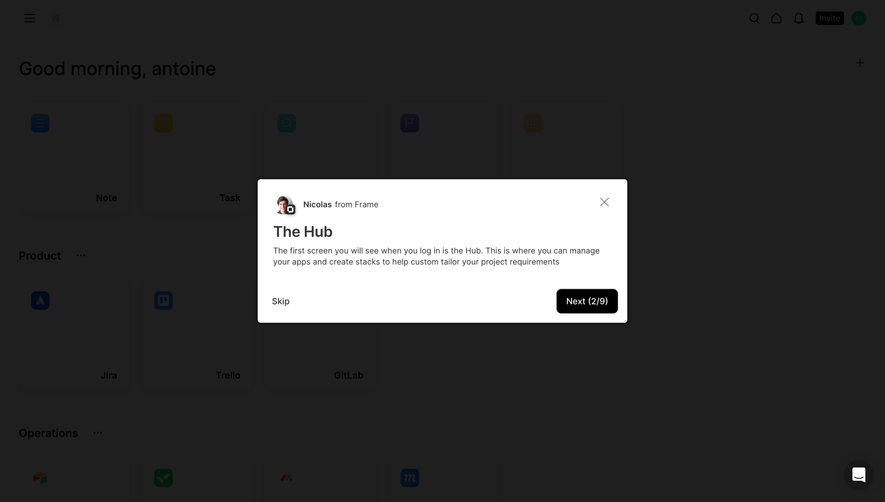
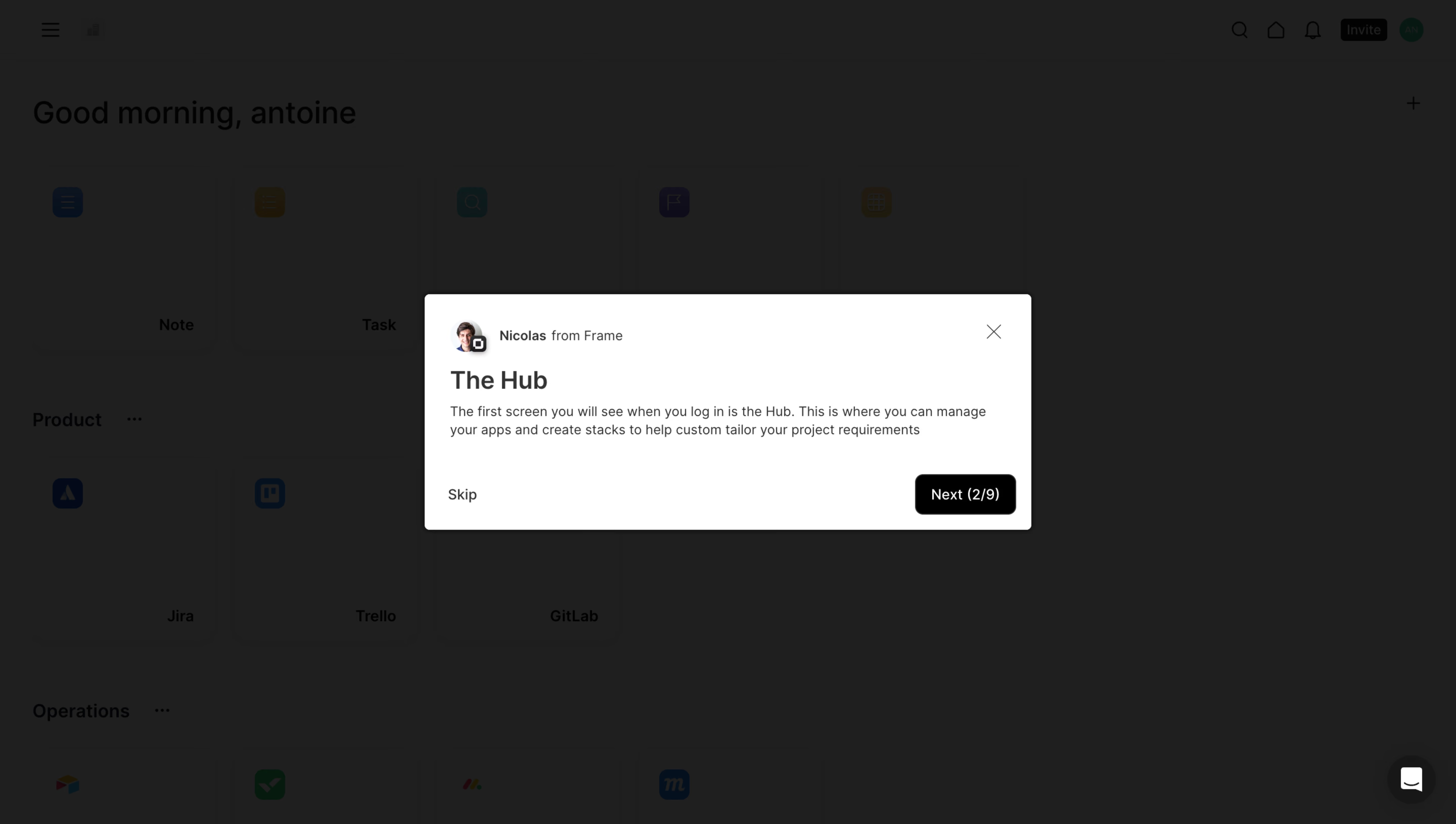
- **Character:** Focused white product-tour modal over a deeply dimmed application hub.
- **Visual tone:** Compact human attribution, straightforward copy and black progression button keep the lesson practical.
- **Scale:** The source measures 5760 × 3260 image px. Dimensions below estimate a 1440 × 815 CSS layout at 4× scale; device ratio and zoom are unverified.
### Page composition
- **Background:** A hub dashboard with greeting, app/category tiles and top utilities remains visible through the dark overlay.
- **Modal:** A centered approximately 600 × 232 CSS px white rectangle contains attribution, title, explanatory paragraph and bottom actions.
- **Header:** Small circular portrait and sender attribution sit upper left; a thin X sits upper right.
- **Actions:** Skip aligns bottom left; black Next (2/9) aligns bottom right.
### Information hierarchy
- **Lesson:** The Hub is the main heading.
- **Explanation:** A short paragraph describes managing apps and creating stacks in the hub.
- **Attribution:** Small sender identity gives a human guide context without dominating.
- **Progress:** Next (2/9) exposes the current tour position directly in the action.
- **State:** No tour advancement, skipping or application change is demonstrated.
### Typography
- **Family:** Neutral sans-serif; exact identity is unverified.
- **Title:** Approximately 24 px, medium-to-bold.
- **Body:** Around 14 px with 19–20 px leading.
- **Attribution:** Roughly 13 px, with sender name stronger than accompanying text.
- **Actions:** Approximately 14–15 px, white on black for progression.
### Colors & surfaces
- **Measured overlay:** ICC-aware sRGB sampling yields #1F1F1F and #1E1E1E across dimmed areas; these are composite screenshot colors.
- **Measured modal:** #FFFFFF provides the bright foreground.
- **Measured action:** #000000 appears in the primary button.
- **Neutrals:** Fine gray close icon and body text soften the stark black/white contrast.
- **Depth:** A subtle modal shadow and small corners separate the panel.
### Components
- **Attribution row:** Small portrait with tiny overlapping app badge precedes text.
- **Tour panel:** Approximately 24 px padding and 4–6 px corners frame compact content.
- **Next:** Roughly 100 × 40 CSS px black rounded rectangle.
- **Skip:** Plain dark text with no filled background.
- **Background tiles:** Faint app icons and labels remain context only; their details are not the tour's main focus.
### Visual rhythm
- **Compact stack:** Attribution, heading and paragraph use small consistent gaps.
- **Footer separation:** A larger blank interval precedes the action row.
- **Centering:** Broad dark margins isolate the small lesson panel.
- **Alignment:** All text shares a left axis; actions span the panel width.
### Responsive
- **Evidence limit:** Only desktop is shown; recommendations follow.
- **Modal:** Use fluid width with comfortable margins and allow copy wrapping.
- **Controls:** Keep Skip and Next reachable and clearly separated.
- **Focus:** Preserve keyboard navigation independent of the dimmed hub.
### Adaptation guidance
- **Reusable pattern:** Present one concise lesson per step with explicit progress and a skip path.
- **State clarity:** Distinguish tour progression from actual application changes.
- **Accessibility:** Label the dialog, trap/restore focus and announce step count.
- **Content discipline:** Keep guide attribution small and lesson copy brief.
Use this context to reproduce the reference's visual language: layout, typography, colors, spacing, borders, radii, and distinctive elements. The screenshot takes priority if descriptions conflict.
## Direction
{{preferences.fidelityInstructions}}
## Output
{{output.instructions}}
Deliver a polished, cohesive design with precise alignment, hierarchy, and spacing. Produce the requested visual artifact, not just a description. If unsupported, explain the limitation.
.webp)



.avif)