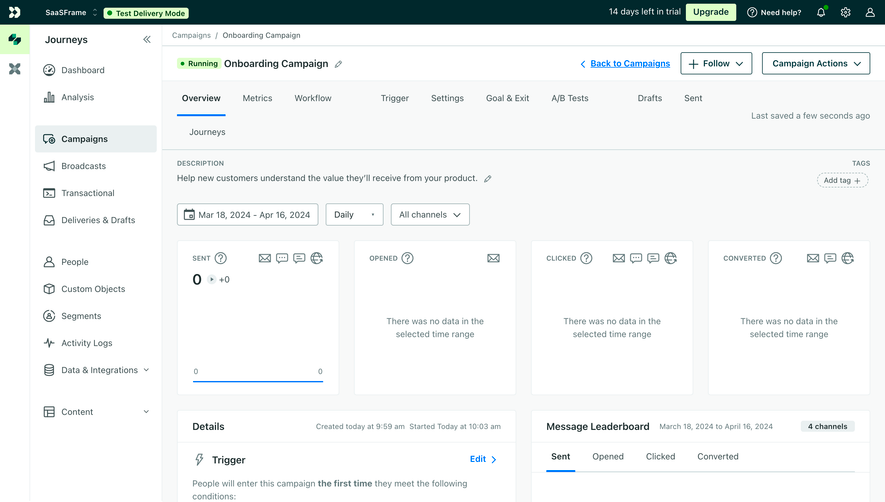
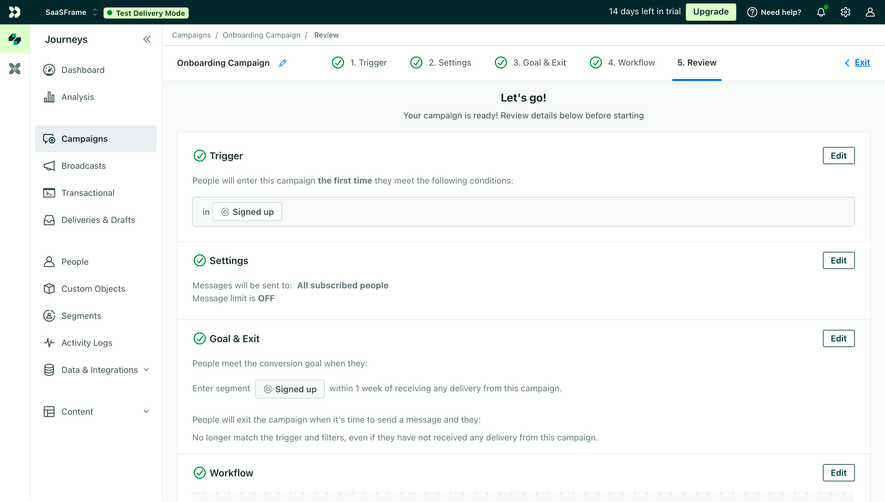
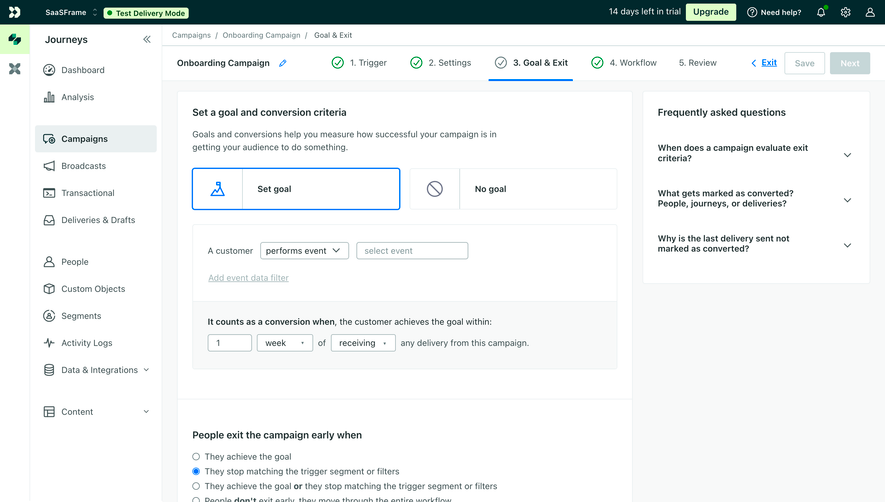
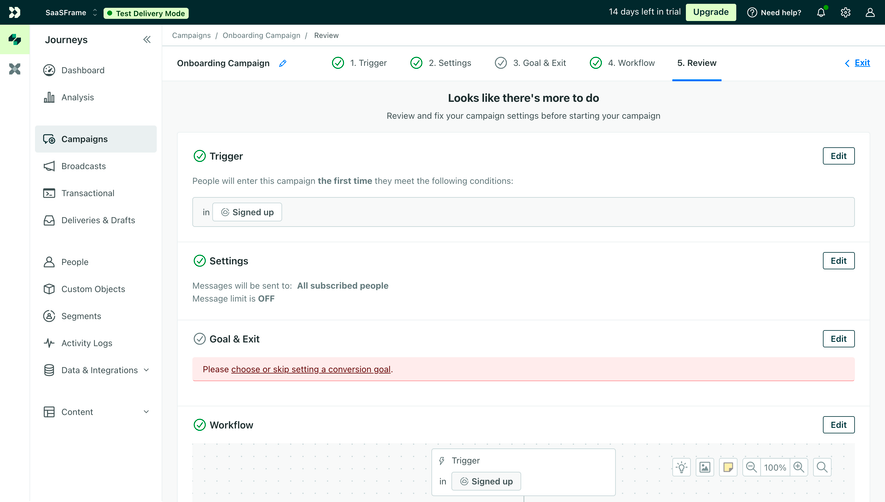
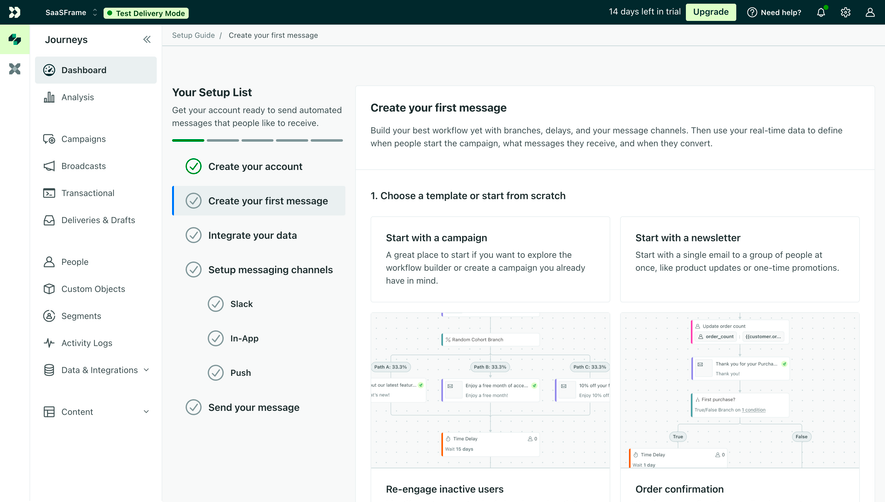
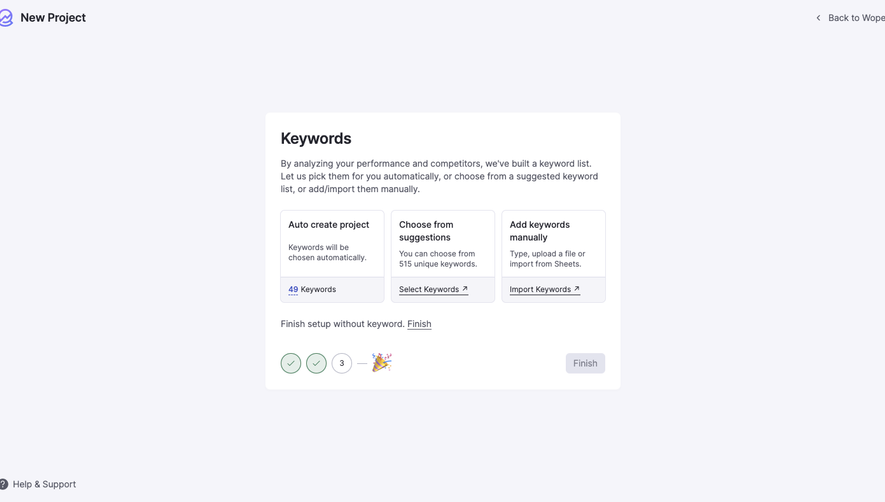
Generate a new design based on this screen using your own content.
Thank you! Your submission has been received!
Oops! Something went wrong while submitting the form.
# Design from Reference: Customer.io First Campaign Created
Create an original, high-fidelity visual design inspired by the reference. Prioritize composition, typography, colors, spacing, and component styling over technical implementation.
## Reference
- **Product:** Customer.io
- **Category:** User Onboarding
- **Screenshot:** https://cdn.prod.website-files.com/5e9dc792e1210c5325f7ebbc/6aca27eeaca7079066e8e8c8_6aca27129784a71bf850024a_cms-2b8984472bef52aa7fb16be9.webp
Analyze the screenshot first. If inaccessible, request it rather than guessing.
## Content
{{content.instructions}}
{{content.data}}
Preserve essential messaging and factual accuracy. Adapt structure and copy length for visual balance; never invent product claims.
## Visual Design
Use this context to reproduce the reference's visual language: layout, typography, colors, spacing, borders, radii, and distinctive elements. The screenshot takes priority if descriptions conflict.
## Direction
{{preferences.fidelityInstructions}}
## Output
{{output.instructions}}
Deliver a polished, cohesive design with precise alignment, hierarchy, and spacing. Produce the requested visual artifact, not just a description. If unsupported, explain the limitation.
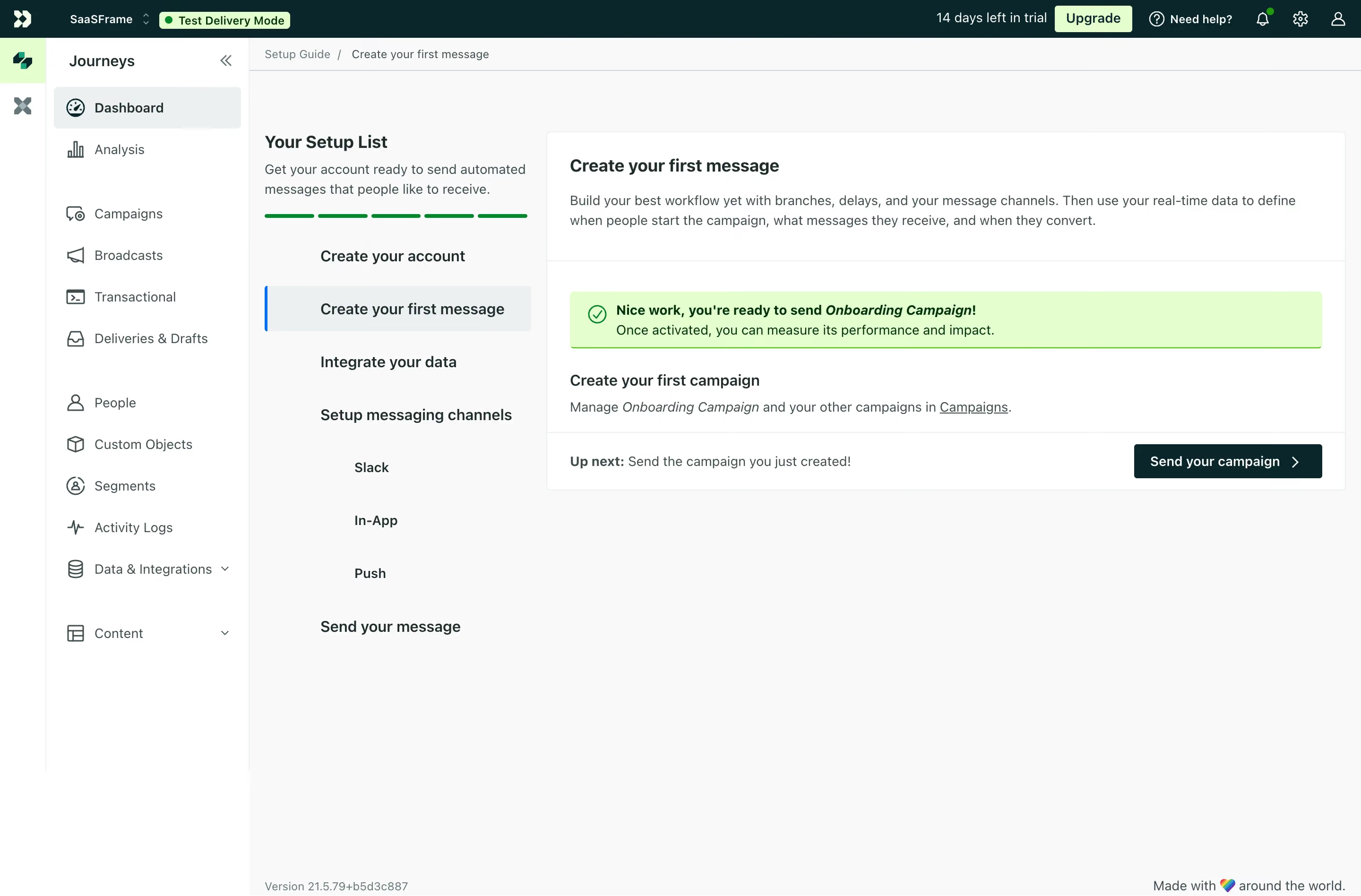
First thing you notice is that green progress bar. Six solid segments filled in, giving you instant confidence you're almost done. It's a small detail but it does so much heavy lifting for motivation. The left sidebar keeps the setup list anchored while the right panel expands on whatever step you're on. Smart split.
Clean Hierarchy, No Clutter
The success banner with the green checkmark and "Nice work, you're ready to send Onboarding Campaign!" hits perfectly. Bold italic on the campaign name draws your eye without screaming. Below it, the layout breathes. There's generous whitespace between the campaign creation section and the CTA. That dark green "Send your campaign" button with the arrow is the obvious next move. You can't miss it.
What Makes It Work
The typography is understated. Nothing fancy, just clear weight hierarchy doing the job. The left nav uses subtle icons and groups sections logically with visible spacing gaps between categories like People, Segments, and Data & Integrations. The "Test Delivery Mode" pill badge in the top bar is a thoughtful touch. Keeps you aware of your environment without being intrusive.
.webp)




.avif)