.webp)
Thank you! Your submission has been received!
Oops! Something went wrong while submitting the form.
Get SaaSFrame Pro
Monthly
$18
Quarterly
$48
Yearly
$180
Upgrade to access this feature
Browse all screens & flows
Filter and search screens & flows
Access Figma files
Access mobile versions
Bookmark screens & flows
Join now
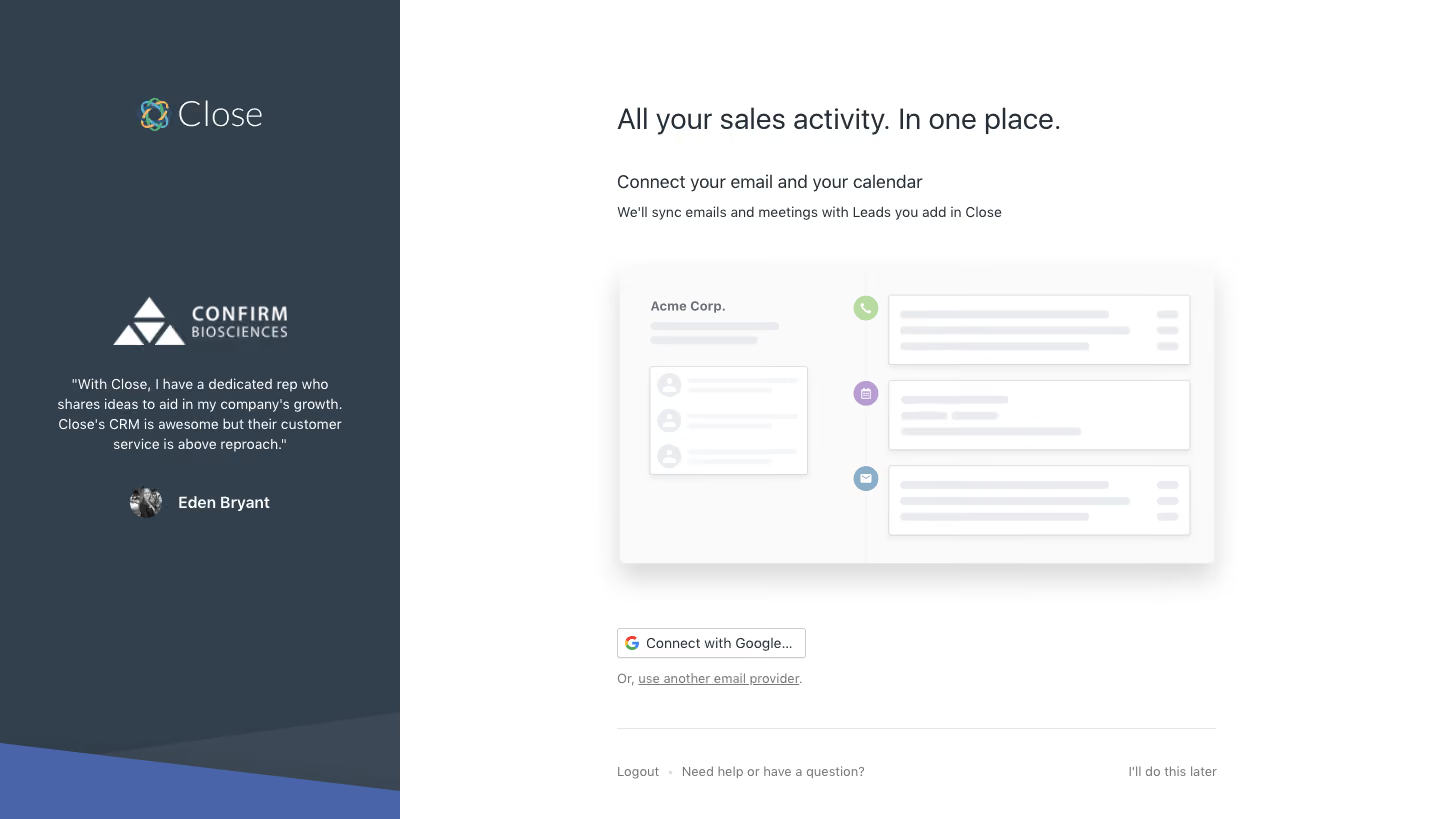
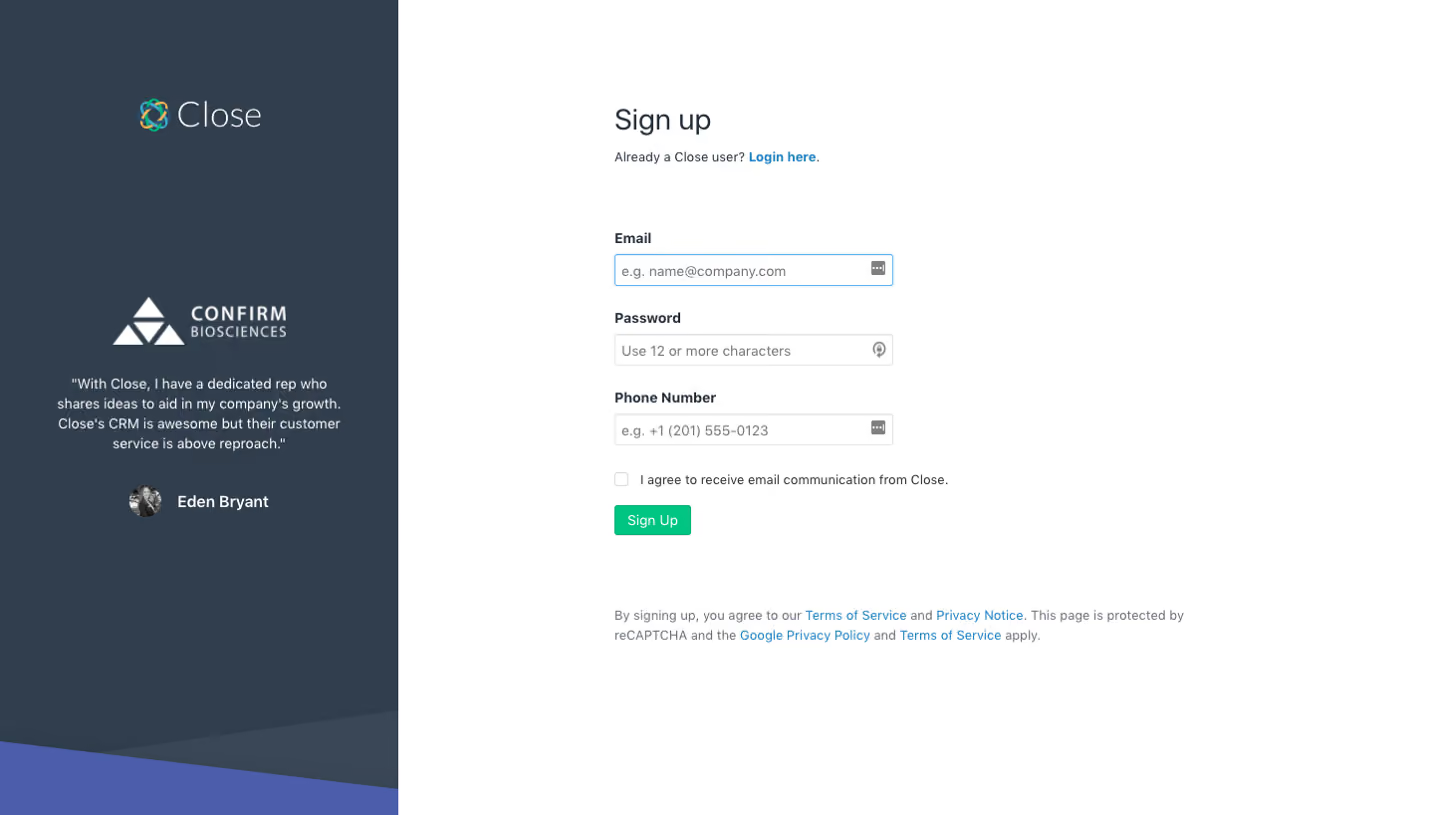
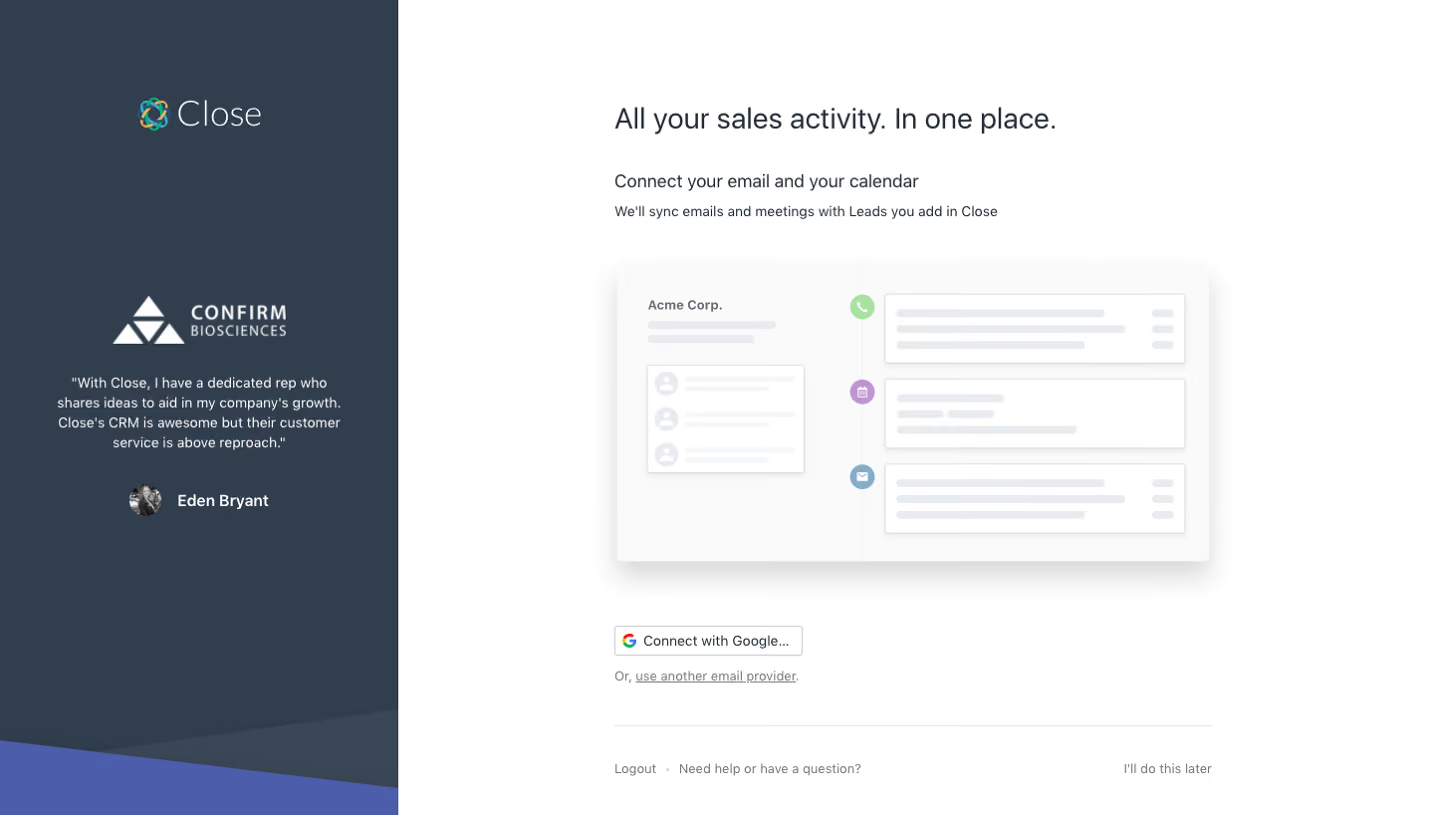
Close Sign Up Flow

Close
Inside Sales Software
Designed by
No items found.

Bookmark
Bookmark

Design with AI
Thank you! Your submission has been received!
Oops! Something went wrong while submitting the form.
# Design from Reference: Close Sign Up Flow
Create an original, high-fidelity visual design inspired by the reference. Prioritize composition, typography, colors, spacing, and component styling over technical implementation.
## Reference
- **Product:** Close
- **Category:** Account Setup
- **Screenshot:** https://cdn.prod.website-files.com/5e9dc792e1210c5325f7ebbc/6acbbf7a4d71070f5fd4150d_6acbbea2476aea3982e40f5d_cms-8a32d3b242adb649cf98a84c.webp
Analyze the screenshot first. If inaccessible, request it rather than guessing.
## Content
{{content.instructions}}
{{content.data}}
Preserve essential messaging and factual accuracy. Adapt structure and copy length for visual balance; never invent product claims.
## Visual Design
### Overall aesthetic
- **Style:** Split onboarding connection screen with a dark testimonial rail and a bright, spacious setup area.
- **Character:** Slate-blue branding, restrained sans-serif text, muted product illustration, and a compact provider connection action.
- **Surface treatment:** White main canvas with a softly shadowed CRM illustration; dark sidebar ends in overlapping diagonal blue shapes.
### Page composition
- **Capture and scale:** 1440 × 819 image px. CSS estimates assume approximately 1× capture; scale is unverified.
- **Left rail:** Approximately 400px wide, full height, with Close brand near the top, customer logo in the middle, quotation below, and small portrait/attribution.
- **Main column:** Approximately 600px wide, beginning near x=617px.
- **Intro:** Large one-line sales-activity heading, smaller connection prompt, and explanatory sentence.
- **Illustration:** Wide CRM activity mockup beneath the intro, with company/contact block left and timeline cards right.
- **Connection area:** Small Google connection button and alternate-provider text link below the illustration.
- **Bottom utility row:** Fine rule above logout/help at left and defer link at right.
### Information hierarchy
- **Main promise:** Large heading identifies the value of connecting sales activity.
- **Task prompt:** Email/calendar connection line introduces the practical step.
- **Visual explanation:** Muted CRM timeline illustrates the resulting unified activity view.
- **Primary route:** Google connection button is the visible provider action; alternate provider is an underlined text link.
- **Reassurance:** Customer quotation and attribution occupy the dark rail.
- **Secondary routes:** Logout, help, and defer remain at the bottom.
### Typography
- **Family:** Neutral proportional sans serif; exact identity is unverified.
- **Main heading:** Approximately 30px regular with 38px line-height.
- **Task prompt:** Approximately 18px regular.
- **Support / utility:** Approximately 14px with 20px line-height.
- **Testimonial:** Approximately 14px centered with 20px leading; attribution uses stronger weight.
- **Brand:** Thin white wordmark beside multicolor symbol.
- **Precision:** CSS sizes and weights are visual estimates.
### Colors & surfaces
- **Canvas:** Sampled #FFFFFF.
- **Rail:** Sampled #323F4D.
- **Diagonal accent:** Sampled #4A64AA.
- **Illustration canvas:** Sampled #FAFAFA.
- **Skeleton content:** Sampled #E9EBEE.
- **Secondary rail tone:** Sampled #3C4855.
- **Text hierarchy:** Dark slate main copy, gray utility text, and white testimonial content.
- **Illustration accents:** Small green, purple, and blue circles identify call, calendar, and email events.
### Components
- **CRM mockup:** Approximately 600 × 300px with small corner radius and broad soft shadow.
- **Activity timeline:** Thin vertical line with three colored circular icons; white outlined event cards contain gray placeholder lines.
- **Contact block:** Small white card with circular avatar placeholders and short gray text bars.
- **Provider button:** Compact white rectangle about 190 × 30px, thin gray border, multicolor Google icon, and text.
- **Alternate route:** Small muted underlined provider link directly below.
- **Testimonial identity:** White customer logo, centered quote, and small circular portrait beside bold name.
- **State limits:** No account chooser, connection confirmation, or synchronization result is visible.
### Visual rhythm
- **Contrast:** Dense dark reassurance rail balances an open white task area.
- **Alignment:** Main heading, prompt, illustration, provider action, and lower utility rule share the same left edge.
- **Spacing:** Large gap between illustration and connection controls; compact spacing within the prompt group.
- **Footer rhythm:** Bottom utilities are separated from the connection task by a broad pause and thin rule.
### Responsive
- **Observed state:** Desktop only; mobile layout is unverified.
- **Layout recommendation:** Prioritize connection controls and move testimonial below or into a compact banner.
- **Width recommendation:** Keep a fluid roughly 600px main column with 20–24px gutters.
- **Illustration recommendation:** Scale the mockup without shrinking actual instructions.
- **Action recommendation:** Maintain a comfortably tappable provider control and accessible defer/help links.
### Adaptation guidance
- **Preserve:** Clear email/calendar task, dark customer-proof rail, illustrative activity timeline, and quiet alternate route.
- **Starting geometry:** Approximately 400px rail, 600px main column, 30px heading, and 14px support copy under the unverified 1× assumption.
- **Content fidelity:** Use approved customer testimonial and actual integration capabilities.
- **Implementation recommendation:** Use the real provider authorization flow with clear progress/error feedback; static pixels do not prove synchronization behavior.
- **State fidelity:** Reconstruct the connection step, not a generic signup form or connected dashboard.
Use this context to reproduce the reference's visual language: layout, typography, colors, spacing, borders, radii, and distinctive elements. The screenshot takes priority if descriptions conflict.
## Direction
{{preferences.fidelityInstructions}}
## Output
{{output.instructions}}
Deliver a polished, cohesive design with precise alignment, hierarchy, and spacing. Produce the requested visual artifact, not just a description. If unsupported, explain the limitation.

.avif)
Category
Patterns
No items found.
Tech Stack




Added on
February 4, 2023
Found in 1 flow

Similar screens



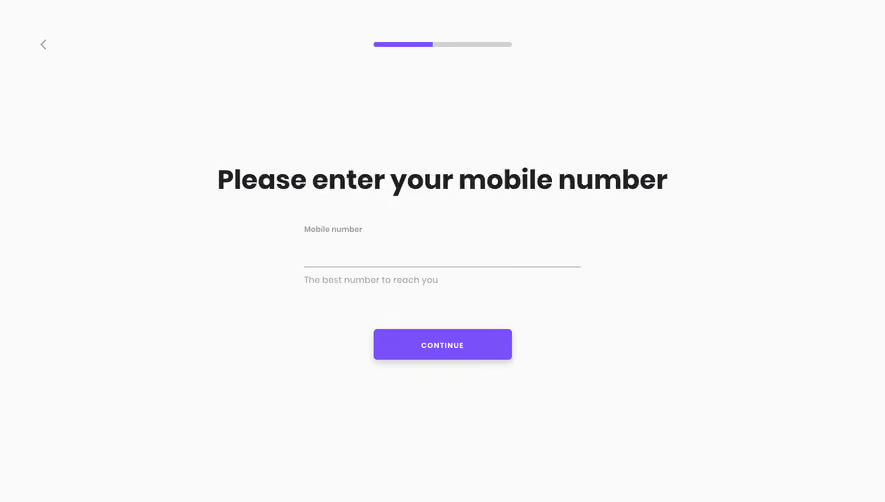



Upgrade to SaaSFrame Pro now to see similar examples.
Monthly
$18 /month
Billed $18 monthly
Browse all screens & flows
Filter and search screens & flows
Search text in screenshots
Access Figma files
Access mobile versions
Join now
Quarterly
$16 /month
Billed $48 quarterly
Browse all screens & flows
Filter and search screens & flows
Search text in screenshots
Access Figma files
Access mobile versions
Join now
Yearly
$15 /month
Billed $180 yearly
Browse all screens & flows
Filter and search screens & flows
Search text in screenshots
Access Figma files
Access mobile versions
Join now