Generate a new design based on this screen using your own content.
Thank you! Your submission has been received!
Oops! Something went wrong while submitting the form.
# Design from Reference: Claude Privacy Settings
Create an original, high-fidelity visual design inspired by the reference. Prioritize composition, typography, colors, spacing, and component styling over technical implementation.
## Reference
- **Product:** Claude
- **Category:** Settings
- **Screenshot:** https://cdn.prod.website-files.com/5e9dc792e1210c5325f7ebbc/69971c1f8bd681db355569a9_rIVQ4FmMstmi83sfjcvvSfTjxMSWUoi8SvmSLzn-6fw.avif
Analyze the screenshot first. If inaccessible, request it rather than guessing.
## Content
{{content.instructions}}
{{content.data}}
Preserve essential messaging and factual accuracy. Adapt structure and copy length for visual balance; never invent product claims.
## Visual Design
Use this context to reproduce the reference's visual language: layout, typography, colors, spacing, borders, radii, and distinctive elements. The screenshot takes priority if descriptions conflict.
## Direction
{{preferences.fidelityInstructions}}
## Output
{{output.instructions}}
Deliver a polished, cohesive design with precise alignment, hierarchy, and spacing. Produce the requested visual artifact, not just a description. If unsupported, explain the limitation.
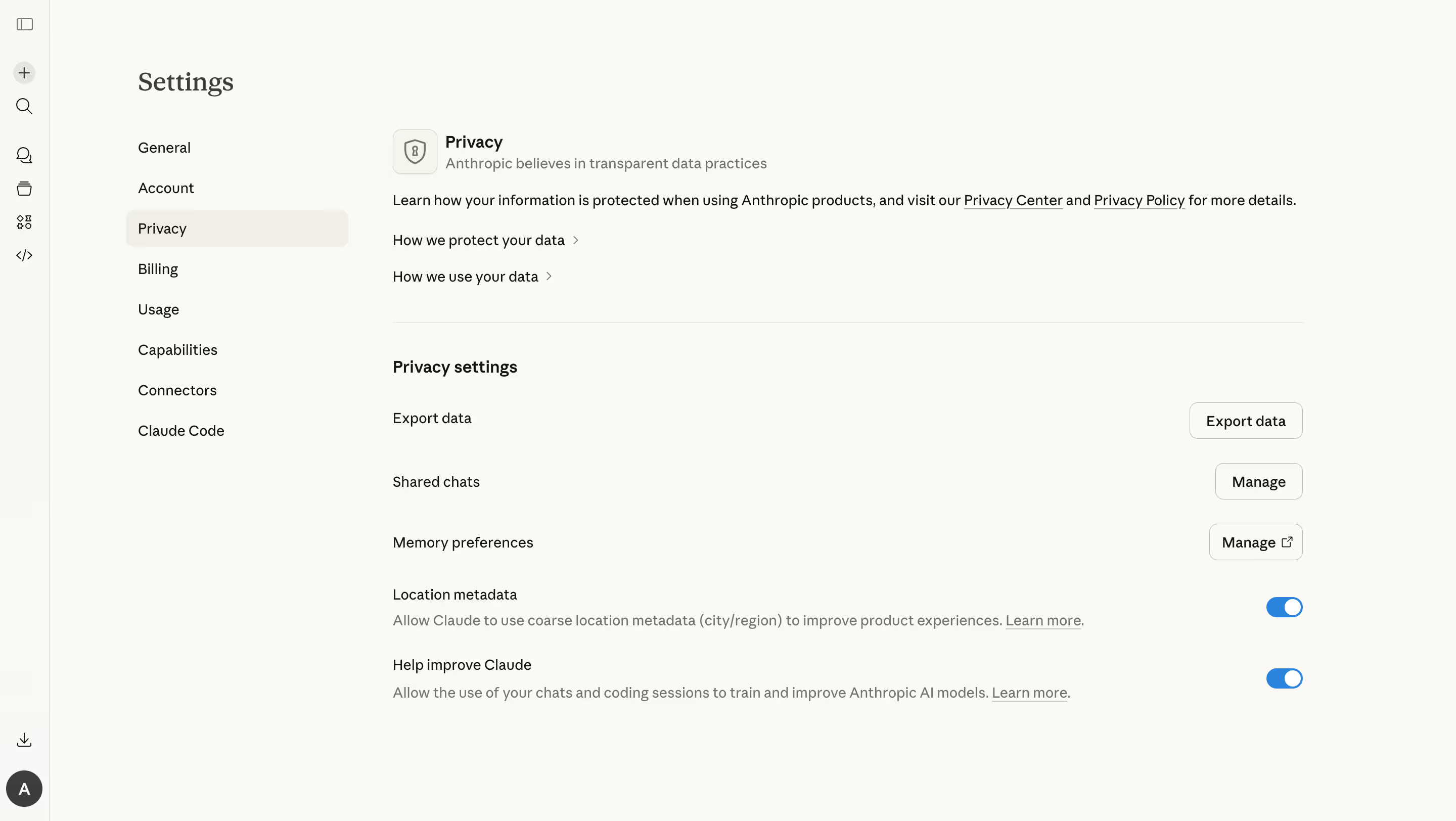
This is Anthropic's privacy settings page for Claude, and it's a masterclass in making dense policy stuff feel approachable. The warm off-white background immediately sets a calm tone. Nothing screams at you. The left sidebar navigation is dead simple with just enough categories to orient without overwhelming.
Structure That Just Works
The layout follows a clear hierarchy. You get the privacy philosophy up top, expandable info links in the middle, then actionable settings below. Each setting row is generously spaced with consistent alignment between labels on the left and controls on the right. Those blue toggle switches pop against the neutral palette and make it instantly obvious what's active. The "Export data" and "Manage" buttons use outlined styles that stay subtle until you need them.
What Makes It Stand Out
Typography is restrained. One weight shift between headers and body copy does all the heavy lifting. The shield icon next to "Privacy" adds a small trust signal without being cheesy. Honestly, most settings pages feel like an afterthought. This one feels intentional and respectful of the user's time.
.webp)



.avif)