.webp)
Thank you! Your submission has been received!
Oops! Something went wrong while submitting the form.
Get SaaSFrame Pro
Monthly
$18
Quarterly
$48
Yearly
$180
Upgrade to access this feature
Browse all screens & flows
Filter and search screens & flows
Access Figma files
Access mobile versions
Bookmark screens & flows
Join now
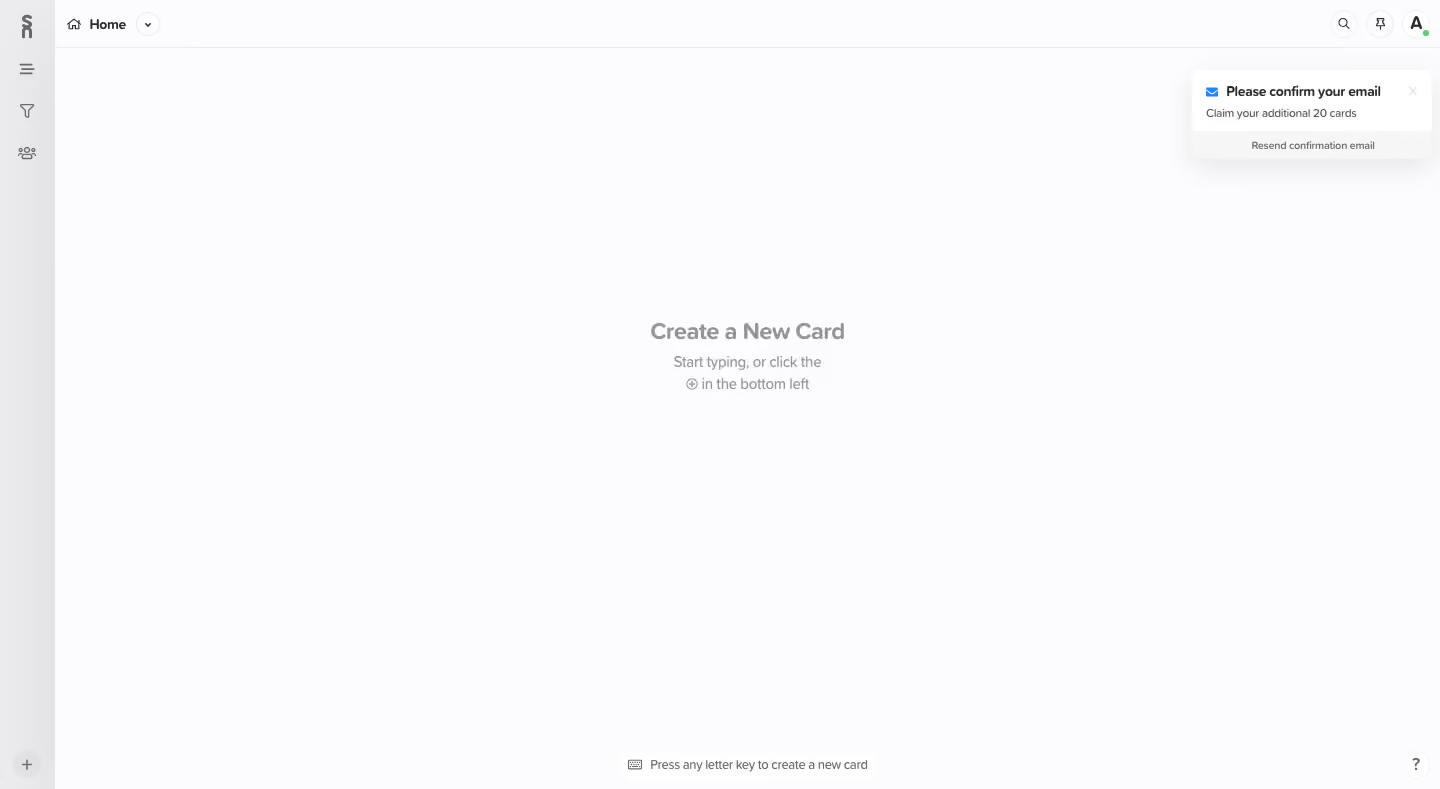
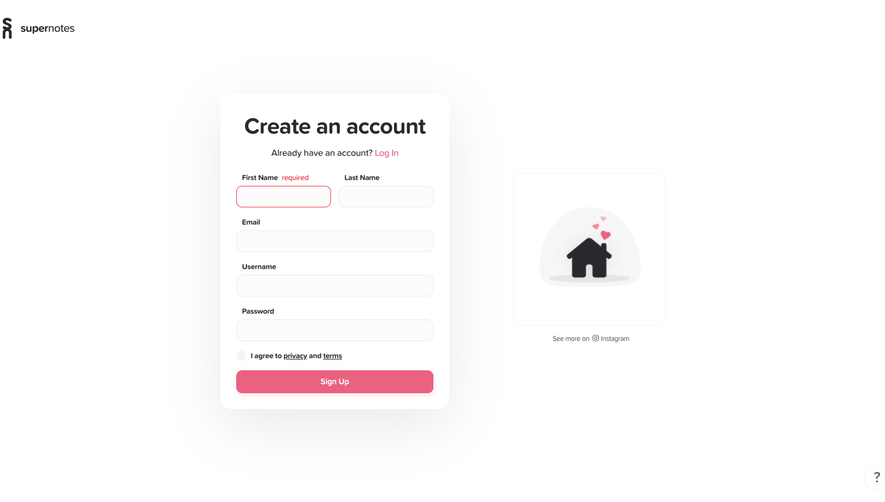
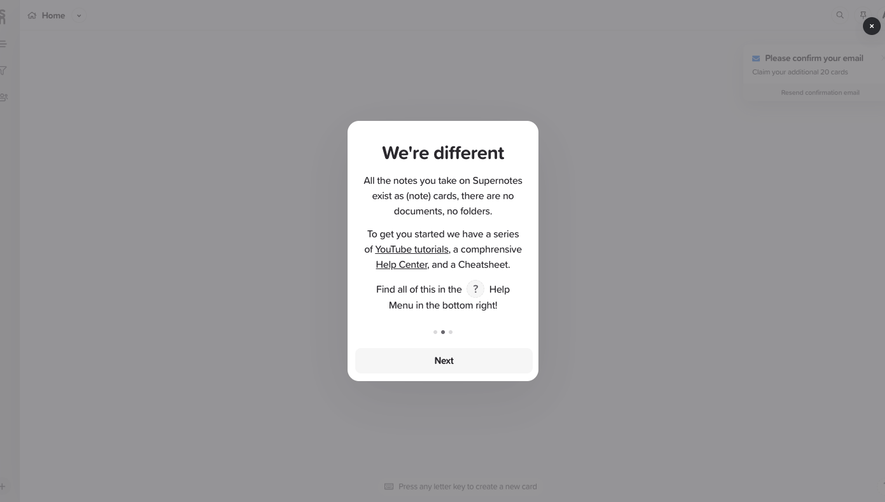
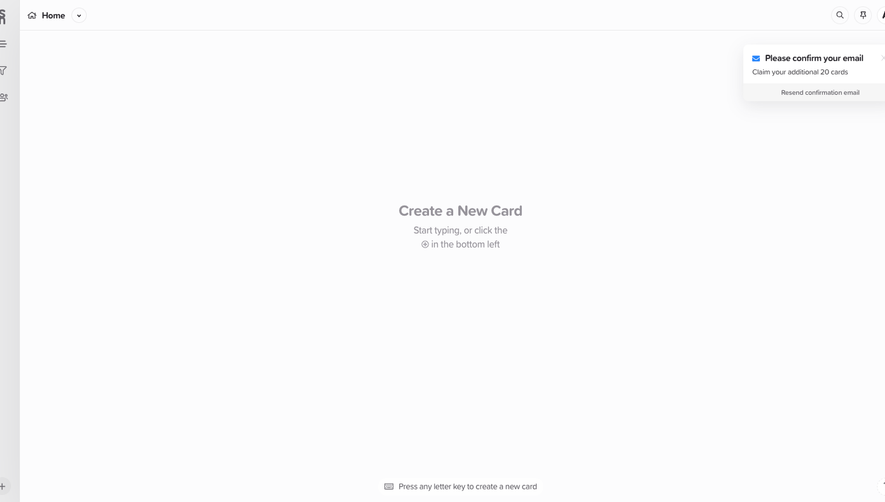
Supernotes Sign Up Flow

Supernotes
Collect your thoughts
Designed by
No items found.

Bookmark
Bookmark

Design with AI
Thank you! Your submission has been received!
Oops! Something went wrong while submitting the form.
# Design from Reference: Supernotes Sign Up Flow
Create an original, high-fidelity visual design inspired by the reference. Prioritize composition, typography, colors, spacing, and component styling over technical implementation.
## Reference
- **Product:** Supernotes
- **Category:** Empty State
- **Screenshot:** https://cdn.prod.website-files.com/5e9dc792e1210c5325f7ebbc/6acc0d3bea6cae5cb6f1c298_6acc084c7b5449ca13279bff_cms-73d6b69a963b0116ce3b98fc-v3.webp
Analyze the screenshot first. If inaccessible, request it rather than guessing.
## Content
{{content.instructions}}
{{content.data}}
Preserve essential messaging and factual accuracy. Adapt structure and copy length for visual balance; never invent product claims.
## Visual Design
### Overall aesthetic
- **Style:** A sparse note-taking workspace uses an almost-white canvas, slim gray navigation rail and understated empty-state guidance.
- **Character:** Small icons and quiet gray text keep attention on the blank editing area; a floating confirmation notice supplies the only prominent message.
### Page composition
- **Capture:** The image measures 1440 × 789 pixels. Dimensions below are approximate image pixels; CSS scale is unverified.
- **Sidebar:** A roughly 55-pixel-wide gray rail runs the full height, with a stacked brand mark and three navigation icons near the top, plus a circular add control at the bottom.
- **Top bar:** A roughly 48-pixel-high toolbar spans the remaining width. Home navigation sits left; search, pin and avatar controls sit right.
- **Canvas:** The broad empty surface contains a centered creation prompt around the upper-middle of the available area.
- **Overlays:** An email-confirmation notice floats near the top right. A small keyboard hint sits near the bottom center and a circular help control at bottom right.
### Information hierarchy
- **Empty-state task:** The central Create a New Card heading is followed by two lines of lighter instruction.
- **Persistent navigation:** Home and the compact icon controls provide context without competing with the empty state.
- **Confirmation:** A bold notice title, small supporting line and separated resend action form a compact secondary hierarchy.
- **Shortcut:** The bottom keyboard hint reinforces the creation action at a much smaller scale.
### Typography
- **Family:** Neutral sans serif throughout; font identity is unverified.
- **Empty state:** Heading approximately 22 pixels, semibold; guidance around 14–15 pixels with 22-pixel leading.
- **Toolbar:** Home is around 13 pixels, medium or semibold.
- **Notice:** Title around 12–13 pixels bold; supporting copy and resend text around 10–11 pixels.
- **Utility text:** Bottom shortcut guidance is about 12 pixels and medium gray.
### Colors & surfaces
- **Measured canvas:** The dominant near-white is #FCFCFD; white #FFFFFF occurs in controls and notice surfaces.
- **Neutral details:** Samples include #EAEAEB, #EBEBEC and #F6F6F6 in light UI regions.
- **Text contrast:** Main interface labels use dark gray, while the empty state and instructions are deliberately softer gray.
- **Accents:** A small blue envelope marks the notice, and a green presence dot appears beside the avatar. Exact accent hex values are unverified.
- **Depth:** A broad soft shadow lifts the top-right notice; the rest of the workspace is largely flat.
### Components
- **Rail icons:** Small monochrome outline glyphs are centered in the rail, with roughly 40-pixel vertical spacing.
- **Toolbar controls:** Search and pin sit in small circular outlined buttons; the avatar is another circular control with an initial and status dot.
- **Empty state:** Unboxed centered text occupies only a small portion of the canvas, preserving extensive writing space.
- **Notice:** Approximately 240 × 90 pixels with rounded corners, envelope, close glyph, title and supporting line; its lower action strip has a subtle contrasting fill.
- **Creation control:** A small circular plus button anchors the rail's bottom edge.
- **Help:** A dotted or lightly outlined circle containing a question mark sits in the bottom-right corner.
### Visual rhythm
- **Density:** Navigation is compact at the edges while the canvas remains almost entirely empty.
- **Alignment:** Rail controls share a vertical axis; toolbar items sit on one baseline; empty-state content is centered in the main area.
- **Spacing:** The two-line empty-state instruction follows closely after the heading, while the surrounding whitespace is intentionally vast.
### Responsive
- **Evidence:** Only a wide desktop workspace is observed; no mobile behavior or editor interaction is established.
- **Recommended shell:** Keep navigation accessible through a collapsible rail or compact menu on narrow screens.
- **Recommended overlays:** Reposition the confirmation notice to avoid obscuring primary content and retain dismiss/resend access.
- **Recommended guidance:** Keep the empty state centered in available space, with readable text and no fixed desktop offsets.
### Adaptation guidance
- **Preserve:** Retain the quiet near-white canvas, narrow rail, low-density toolbar and concise central creation guidance.
- **Implementation:** Build the application shell separately from the empty state and confirmation notice so each can reflow independently.
- **Accessibility:** Provide labels for icon-only controls, visible focus and adequate text contrast while maintaining the restrained palette.
- **Scope:** This frame shows an empty workspace and confirmation notice; later signup steps, editing behavior and card layouts are not demonstrated.
Use this context to reproduce the reference's visual language: layout, typography, colors, spacing, borders, radii, and distinctive elements. The screenshot takes priority if descriptions conflict.
## Direction
{{preferences.fidelityInstructions}}
## Output
{{output.instructions}}
Deliver a polished, cohesive design with precise alignment, hierarchy, and spacing. Produce the requested visual artifact, not just a description. If unsupported, explain the limitation.

.avif)
Category
Patterns
No items found.
Tech Stack


Added on
February 4, 2023


Similar screens




Upgrade to SaaSFrame Pro now to see similar examples.
Monthly
$18 /month
Billed $18 monthly
Browse all screens & flows
Filter and search screens & flows
Search text in screenshots
Access Figma files
Access mobile versions
Join now
Quarterly
$16 /month
Billed $48 quarterly
Browse all screens & flows
Filter and search screens & flows
Search text in screenshots
Access Figma files
Access mobile versions
Join now
Yearly
$15 /month
Billed $180 yearly
Browse all screens & flows
Filter and search screens & flows
Search text in screenshots
Access Figma files
Access mobile versions
Join now