.avif)





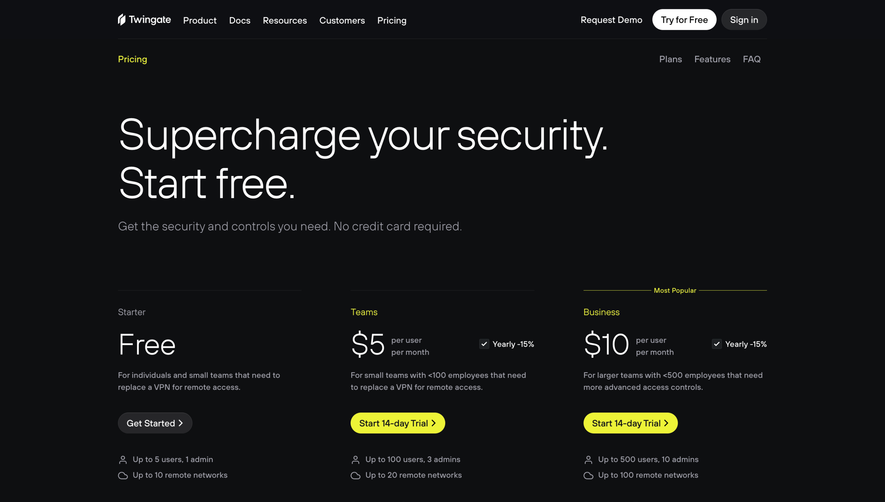
1. Header: The header of the page includes the logo of the company and a prompt for users to sign up for a free trial. 2. Hero Section: The hero section features a prominent heading that says "Choose the plan that works for you." Below this heading are three pricing plans - Basic, Standard, and Pro - each with unique features. 3. Comparison Table: A comparison table follows the three pricing plans, which provides a detailed breakdown of each plan's features across six categories. Users can compare and contrast the features of each plan to help them make a decision. 4. Testimonials: After the comparison table, there is a section dedicated to customer testimonials. Here, users can read what others think about the product and how it has helped their business. 5. Frequently Asked Questions: The frequently asked questions section is a comprehensive list of questions and answers that users may have about the pricing plans. This section includes information about payment methods, billing, and how to upgrade or downgrade the plans. 6. Contact Form: The final section of the page includes a contact form that users can fill out to get in touch with the support team if they have any further queries. Overall, the page is designed to provide users with all the information they need to make an informed decision about which pricing plan suits their needs the best. The clear and concise breakdown of each plan's features combined with customer testimonials and a list of frequently asked questions makes it easy for users to understand the product and pricing structure. Additionally, the contact form at the end of the page provides users with a convenient way to get in touch with the support team if they have any queries.
.webp)


Monday Pricing Page

Monday
The Work OS that powers remote teamwork
Designed by
No items found.
Category
Patterns
No items found.
Tech Stack
Added on
May 10, 2020