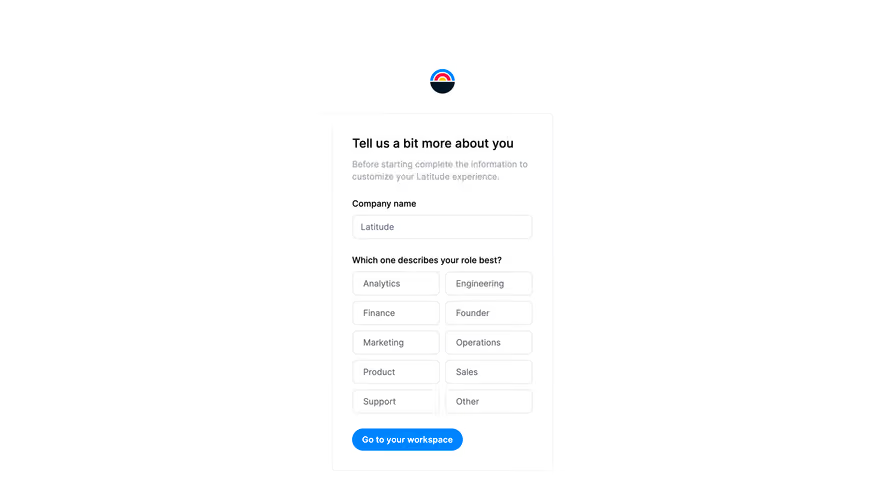
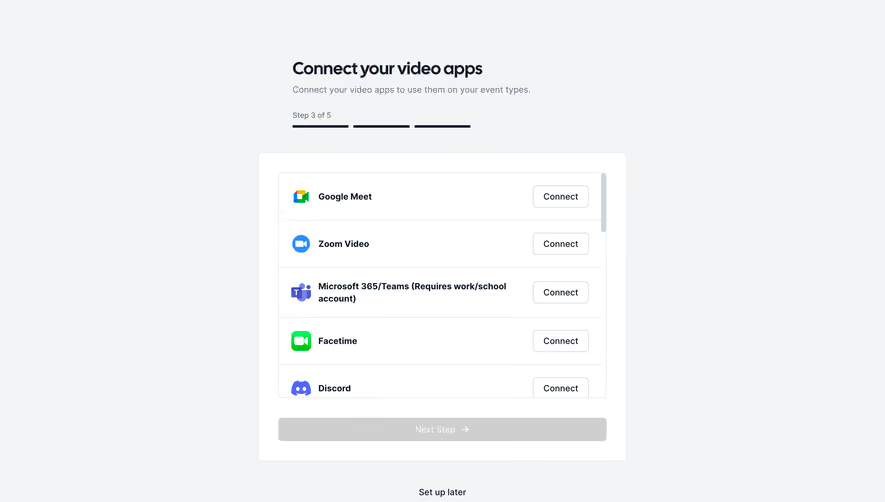
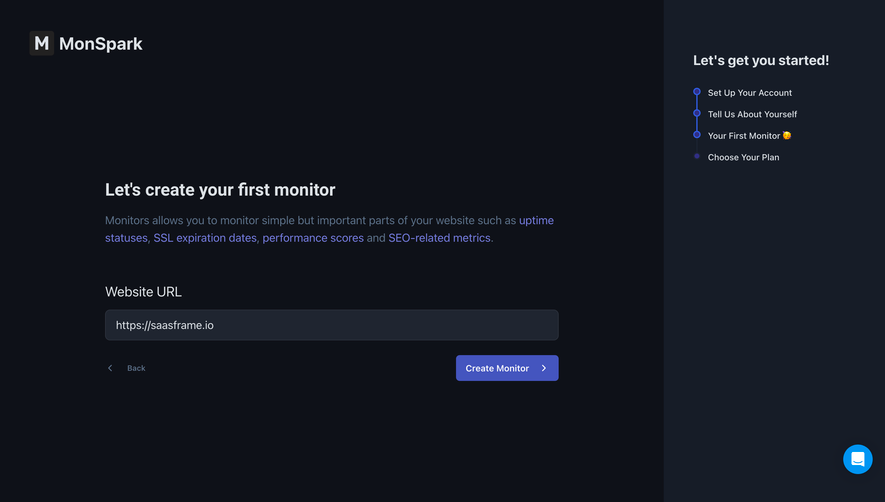
Generate a new design based on this screen using your own content.
Thank you! Your submission has been received!
Oops! Something went wrong while submitting the form.
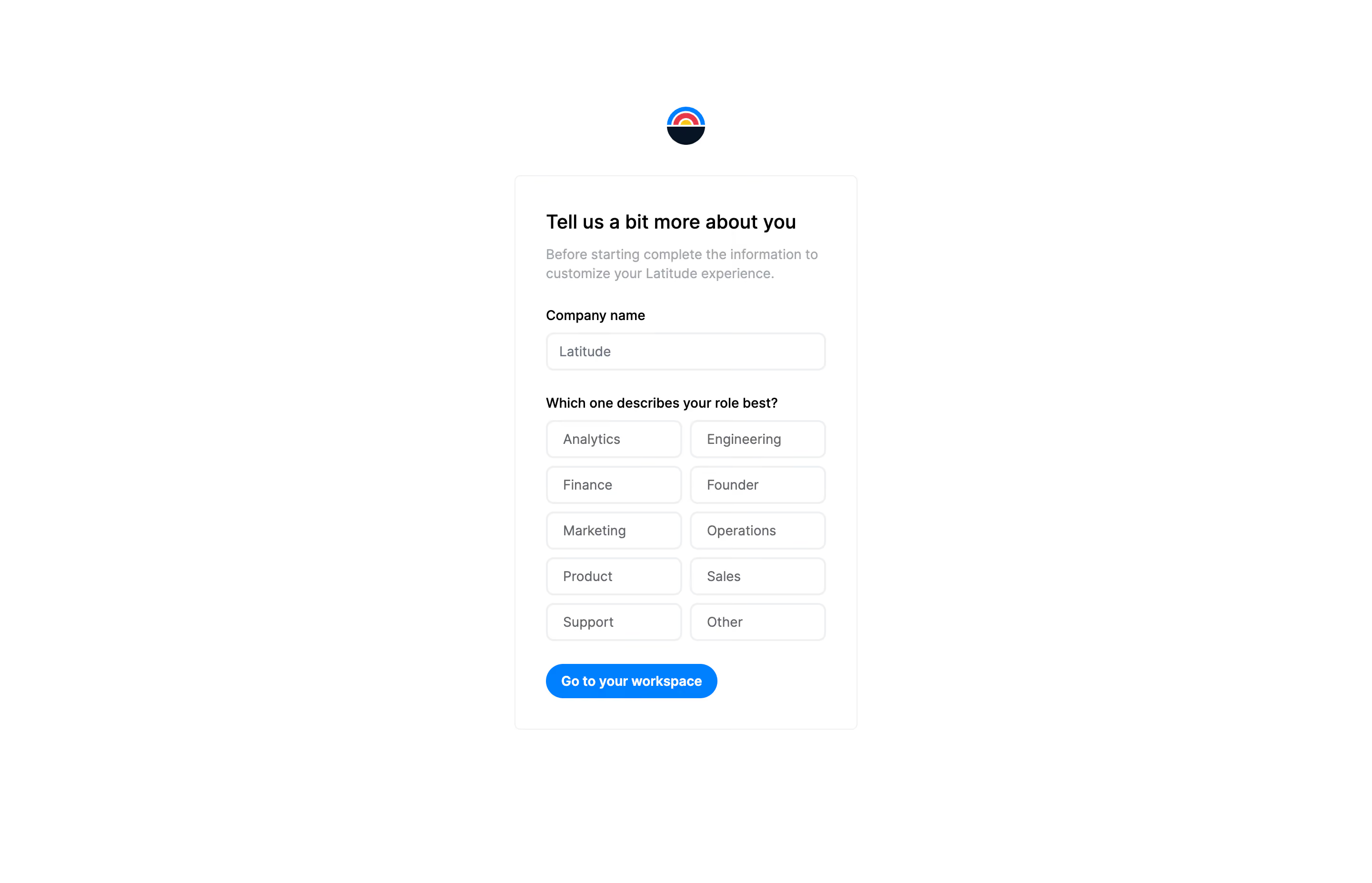
# Design from Reference: Latitude Account Setup
Create an original, high-fidelity visual design inspired by the reference. Prioritize composition, typography, colors, spacing, and component styling over technical implementation.
## Reference
- **Product:** Latitude
- **Category:** Account Setup
- **Screenshot:** https://cdn.prod.website-files.com/5e9dc792e1210c5325f7ebbc/6acad5cfd05a3f53c0a6e4e5_6acad54a81d0b61fedf5cabd_cms-4dda091dbbe021275615735f.webp
Analyze the screenshot first. If inaccessible, request it rather than guessing.
## Content
{{content.instructions}}
{{content.data}}
Preserve essential messaging and factual accuracy. Adapt structure and copy length for visual balance; never invent product claims.
## Visual Design
Use this context to reproduce the reference's visual language: layout, typography, colors, spacing, borders, radii, and distinctive elements. The screenshot takes priority if descriptions conflict.
## Direction
{{preferences.fidelityInstructions}}
## Output
{{output.instructions}}
Deliver a polished, cohesive design with precise alignment, hierarchy, and spacing. Produce the requested visual artifact, not just a description. If unsupported, explain the limitation.
Latitude’s “Edit User” page showcases a crisp, minimalist aesthetic that radiates modern professionalism. The interface is deliberately stripped back, letting form fields and interactive elements breathe within generous white space. Subtle accent colors add personality without sacrificing visual clarity, resulting in a balanced look that feels both sleek and welcoming—a perfect marriage of utility and user comfort.
Layout and Structure
The layout is resolutely focused and task-oriented. A simple headline anchors the top, followed by a card-like container for user details. Input fields are stacked vertically with clear labels and logical grouping, making editing straightforward. Primary action buttons (“Save,” “Cancel”) are isolated at the footer of the form for immediate access, eliminating distractions and keeping the user’s attention on the main task.
Visual Elements
Visual cues are limited but impactful. Minimal icons delicately identify input fields, and micro animations such as soft button hover states add subtle interactivity. The lack of background images or decorative illustrations maintains a direct, purpose-driven atmosphere, reinforcing trust and efficiency.
Color Palette and Typography
A calming palette of off-whites, gentle grays, and a distinctive accent color (often blue or teal) guides the eye and highlights important actions. Typography is clean and modern, with a clear hierarchy: bold headlines, medium-weight labels, and legible body copy assure quick scanning and comprehension.
User Experience Patterns & Notable Choices
Effortless navigation is underpinned by sticky headers and consistent feedback on form actions. Dialogs and error messages are concise and visually differentiated, ensuring transparency and user confidence. The standout design decision is the refined restraint—everything unnecessary is trimmed away, putting all the focus on completing user-driven tasks with speed and assurance.
Tone and Feel
The page’s tone feels trustworthy and quietly confident, signaling innovation through simplicity. The user experience is streamlined for productivity, evoking a sense of calm control—ideal inspiration for SaaS teams seeking clarity and elegance over noise.
.webp)




.avif)