Maps
18
Provide geographic context with SaaS Map patterns. Explore how to embed interactive maps for asset tracking, team distribution, or localized data visualization within your product.
.webp)
A geographic map places information in a spatial context. In SaaS products, it may show visitor activity, locations, assets, service coverage, or work distributed across regions. The useful starting point is the question geography helps answer, rather than the appeal of an animated globe.
A map can reveal distribution and proximity, but it does not automatically explain quantities or significance. Users need to know what each marker represents, which period or scope applies, and how to inspect details. A visually striking map with unexplained dots can create interest without supporting a decision.
Begin with the underlying data model. Define the mapped object, location granularity, count rule, and update behavior. Then choose the visual layer, supporting summaries, and interaction around that model. Geographic presentation should make the data easier to understand rather than suggest precision or completeness the product cannot establish.
Visitors' captured global view shows a globe-like map with individual colored markers and numbered purple markers. A compact panel summarizes pages, referrers, and countries. The composition gives geographic activity a large surface while retaining a small set of quantitative context.
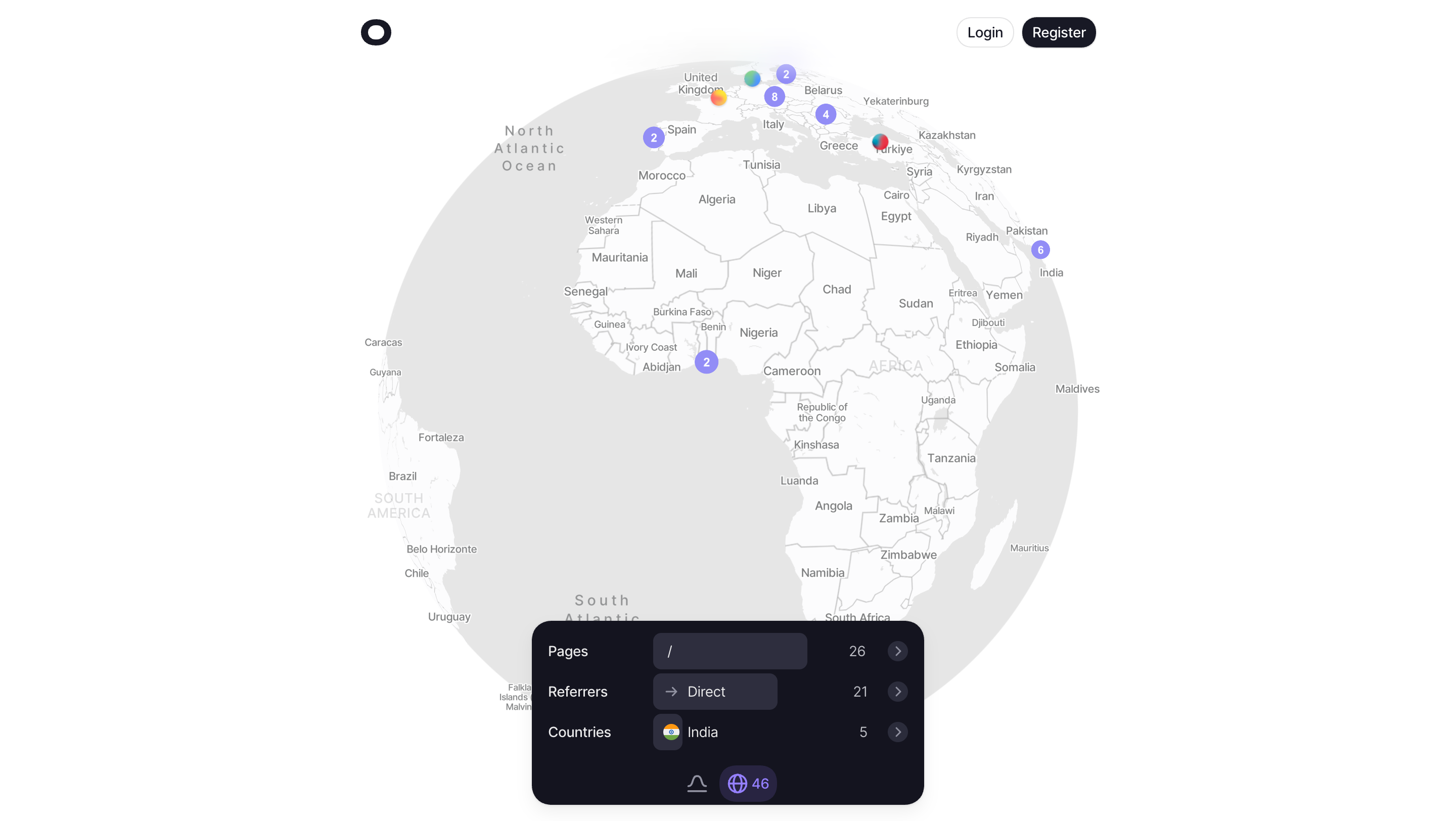
The numbered markers appear to group activity, but the screenshot alone does not establish the grouping rule. A comparable interface should explain whether the number represents visitors, events, locations, or another unit. Do not rely on the familiar appearance of a cluster to communicate its actual meaning.
The global view can support broad orientation, but exact comparison may require a list or table. A dense region can be visually prominent for several reasons. Provide supporting quantities so users do not equate visual density with a precise ranking without inspecting the data.
Visitors' second capture shows a regional view focused on Europe, with more local labels visible. The summary panel remains present. This demonstrates two geographic scales in the same visual language, although it does not establish the gesture or control used to move between them.
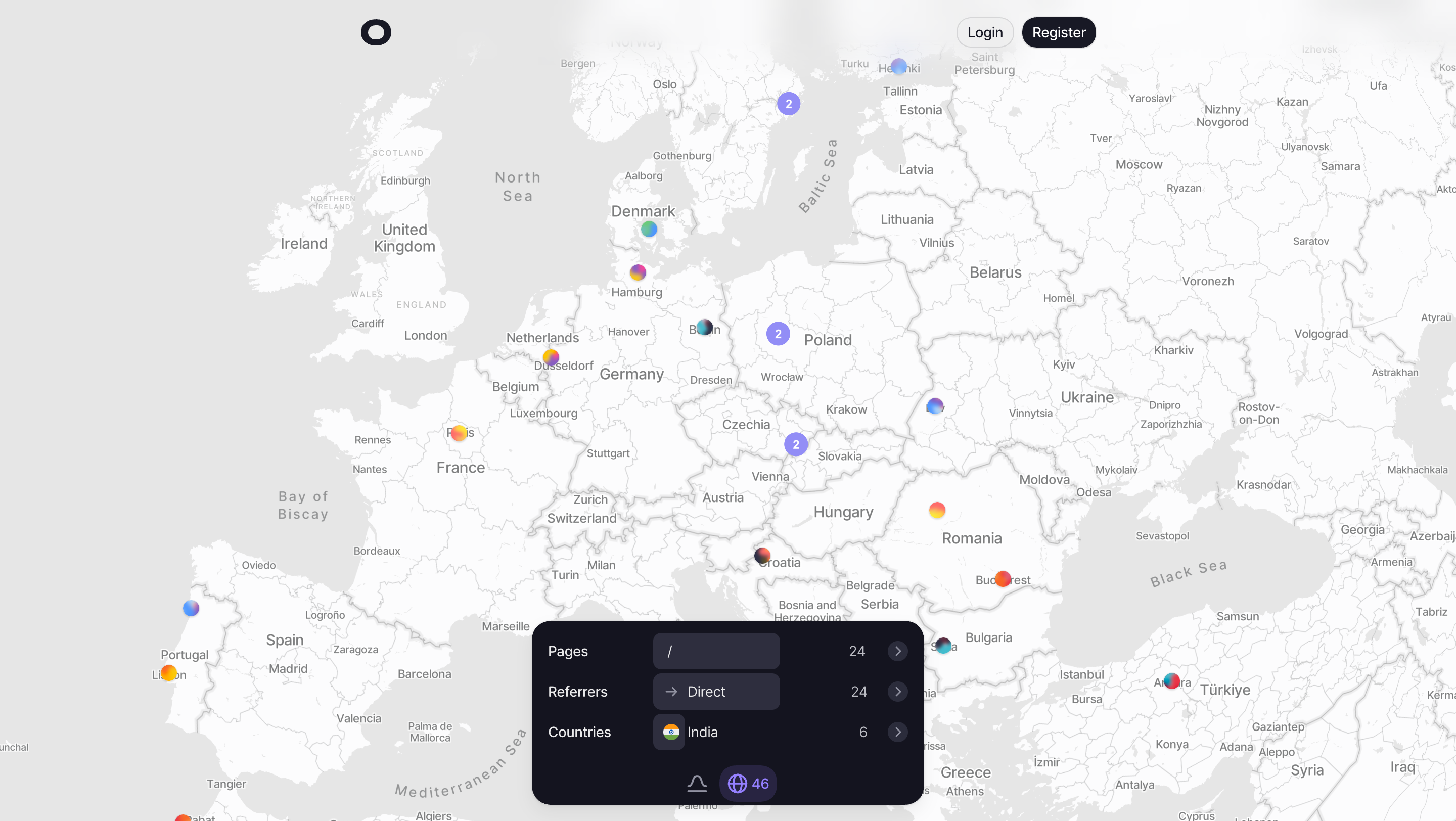
A closer view should clarify local relationships without silently changing the data scope. If zoom only changes presentation, keep the totals consistent with that rule. If the product filters to the visible region, make the changed scope explicit. Users should not have to guess whether moving the map changes the measurement.
The two captured panels contain different values, so they should not be treated as a controlled before-and-after experiment. They show presentation states, not proof that zoom caused a count change. Keep this distinction when analyzing screenshots and when designing comparisons.
A marker needs a clear unit and meaning. It may represent one object, a recent event, or an aggregated location. A cluster should explain how several markers are summarized and what happens when users inspect it. The number should not appear to be an exact value of a different quantity.
Geographic areas require another rule. Coloring a region can represent a total, rate, category, or status. These meanings need a legend or readable explanation. A large area should not appear more important merely because it occupies more screen space.
Choose aggregation around the task and density. Individual markers can support inspection of objects, while aggregation can keep a crowded map readable. Preserve access to relevant detail and avoid presenting an aggregated point as the precise location of every object it summarizes.
A map of current activity differs from a historical distribution. Identify the time basis and update behavior where users rely on them. A static capture cannot prove that a map updates in real time, even when the collection item uses that description.
Location precision also needs a product-defined explanation. Country, city, facility, and exact address are different granularities. If the source provides an approximate location, do not present a point with wording that implies a confirmed precise address. The visual should match the information available.
Distinguish no activity from unavailable data. A blank region may have no matching objects, missing location information, or a source problem. Explain the relevant condition and avoid treating an unplotted object as proof that it does not exist.
Clicking or focusing a marker can open a detail view, select a group, or apply a filter. Define the action and make its result understandable. A marker should not look interactive if it provides no useful inspection route.
Detail should identify the object, location, and relevant measurement. Keep the relationship to the map visible and provide a way back without losing the selected area. If a cluster expands, explain what the resulting items represent and preserve the scope.
Supporting lists can make exact comparison easier. Users may need to rank countries, inspect a location with several objects, or find an item by name. A map and list can work together, provided their filters and selection remain consistent.
Users need to move, zoom, and return to a useful overview without losing orientation. Provide recognizable controls or another usable navigation route where the map supports interaction. Avoid relying exclusively on a gesture that is difficult to discover.
Scrolling conflicts deserve review. A map embedded in a page can capture a gesture intended to scroll the document. Touch and pointer behavior may need different treatment. Make the interaction predictable and preserve access to content outside the map.
Keyboard users should be able to inspect meaningful geographic information without navigating an impractical number of decorative marks. Offer a usable list or summary route when needed. The supplied screenshots establish visible geography and panels, not accessible navigation behavior.
A neutral base map can keep data marks prominent, while stronger geography can support location finding. Choose the balance around the task. Dense labels can obscure markers, and vivid markers can obscure the underlying geography. Review the combination at several scales.
Color should have a defined meaning when it encodes data. If it is merely decorative, avoid letting users infer categories from it. A legend can help, but the underlying distinction should also be available through labels or detail. Do not make color the only path to an important status.
The Visitors captures use a restrained geographic surface with brighter marks and a dark summary panel. This creates separation among geography, activity, and quantitative context. A comparable design should preserve readability and ensure that the overlay does not hide the area users are trying to inspect.
A full-width map may become difficult to inspect on a phone if a floating panel covers most of it. Adapt the relationship between map and summaries deliberately. A collapsible or separate detail surface can preserve geographic space while retaining context.
Keep labels and controls readable with text enlargement. Avoid shrinking the entire interface to preserve a desktop composition. If a layer loads separately from the data, distinguish the two states. Users should not mistake an unloaded basemap for an empty dataset.
Failures need a useful alternative. A supporting list or summary can preserve access to information when geographic rendering is unavailable. Identify any stale data that remains visible and offer an appropriate recovery route. Do not leave unexplained markers on a blank surface indefinitely.
Permissions and public presentation also matter. If a map exposes location-linked objects, ensure the visible granularity and detail follow the actual access model. Sharing an overview should not unexpectedly make private records available through marker inspection.
Ask users to identify a region, inspect a marker, explain a numbered group, and compare two locations. Include a zoom change and a filtered dataset. Observe whether they understand the measurement and whether they can distinguish presentation changes from scope changes.
Test exact retrieval as well as overview comprehension. A beautiful map can be poor at finding a named object. Evaluate the supporting list or search route and review how selection returns to the geographic view.
Use this checklist:
Maintain map definitions when source data changes. A new location field or aggregation rule can alter what marks represent without changing the visual component. Review legends, summaries, and exports together so the presentation continues to describe the same measurement.
For shared images or exported reports, retain the scope and legend needed to interpret the map. A geographic image separated from its dashboard may lose its time basis or unit. Include the relevant context rather than relying on the recipient to know the original view.
Review how map selection interacts with the summary panel. A country chosen in a list may highlight a region, filter markers, or simply show its details. These operations should have distinct visible results. If selection changes the scope, provide a clear way to reset it and return to the full dataset.
Keep counts aligned with aggregation changes. A closer view may split a numbered group into several markers without increasing the underlying quantity. Explain the relationship where users compare states, and avoid animation or wording that implies new activity merely because the representation changed. This keeps geographic exploration distinct from a change in the data itself.
Only when spatial relationships are the main task. Tables and lists often support exact comparison and retrieval better. The formats can work together with consistent scope and selection.
That depends on the product's rule. It may change presentation only or filter to the visible area. Make the behavior explicit and keep summaries aligned with it.
A defined quantity such as grouped objects or events. Explain the unit and aggregation rule, and provide a useful inspection route. Do not assume that the familiar cluster shape communicates its meaning.
Explore the SaaSFrame geographic-map examples to compare overview, regional detail, and the context that makes spatial data useful.