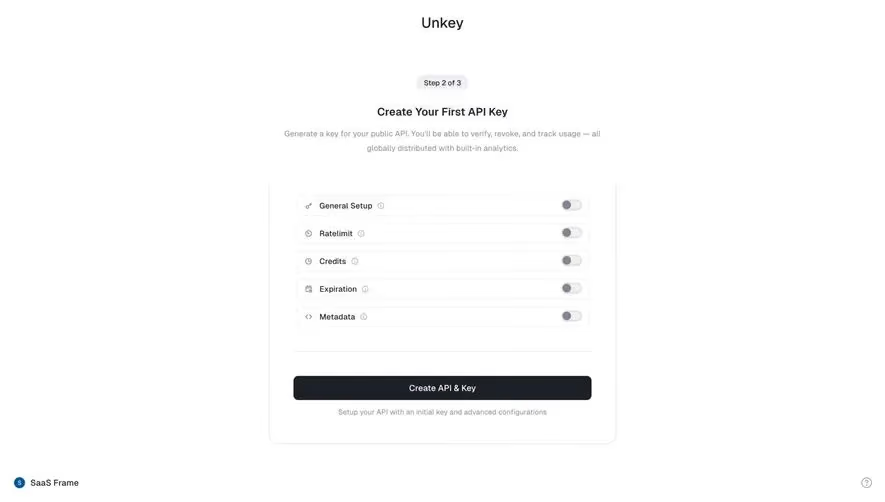
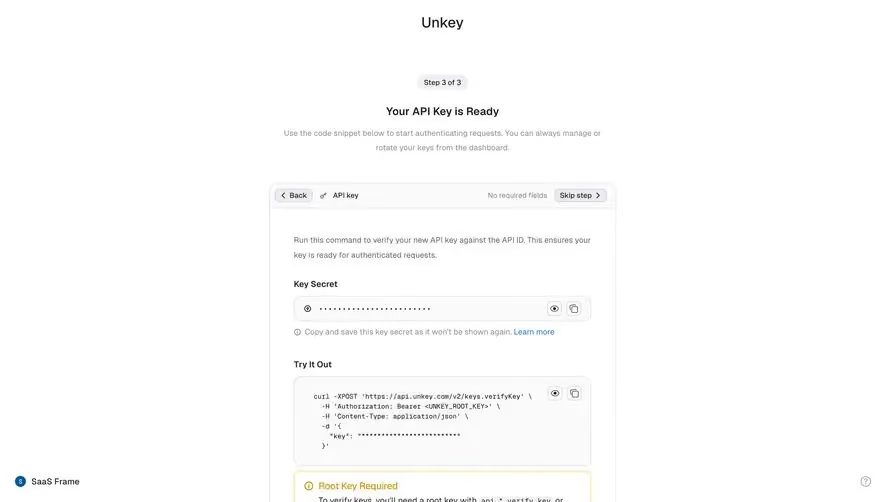
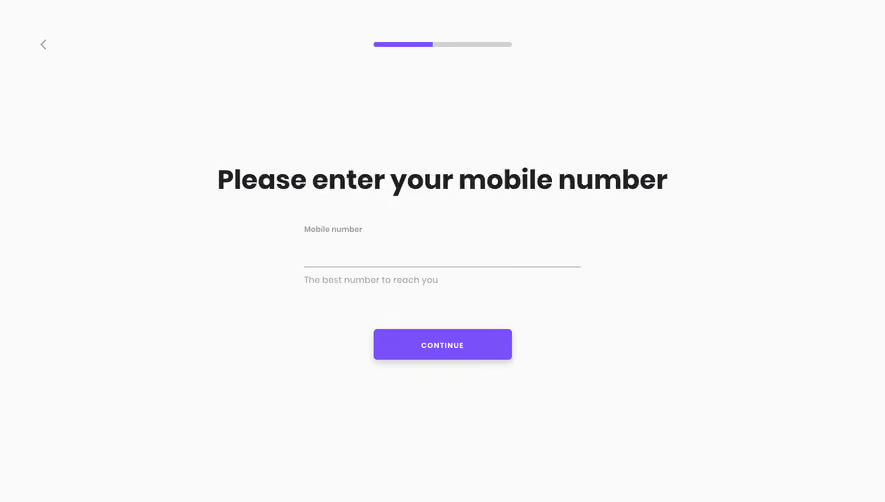
Generate a new design based on this screen using your own content.
Thank you! Your submission has been received!
Oops! Something went wrong while submitting the form.
# Design from Reference: Unkey Create First API Key
Create an original, high-fidelity visual design inspired by the reference. Prioritize composition, typography, colors, spacing, and component styling over technical implementation.
## Reference
- **Product:** Unkey
- **Category:** Account Setup
- **Screenshot:** https://cdn.prod.website-files.com/5e9dc792e1210c5325f7ebbc/697b75e08fbd503ac6926aef_ylJUCCBbbjp42reO5DOSjsXPtBIgwJBpRqb0bmGgGP8.avif
Analyze the screenshot first. If inaccessible, request it rather than guessing.
## Content
{{content.instructions}}
{{content.data}}
Preserve essential messaging and factual accuracy. Adapt structure and copy length for visual balance; never invent product claims.
## Visual Design
Use this context to reproduce the reference's visual language: layout, typography, colors, spacing, borders, radii, and distinctive elements. The screenshot takes priority if descriptions conflict.
## Direction
{{preferences.fidelityInstructions}}
## Output
{{output.instructions}}
Deliver a polished, cohesive design with precise alignment, hierarchy, and spacing. Produce the requested visual artifact, not just a description. If unsupported, explain the limitation.
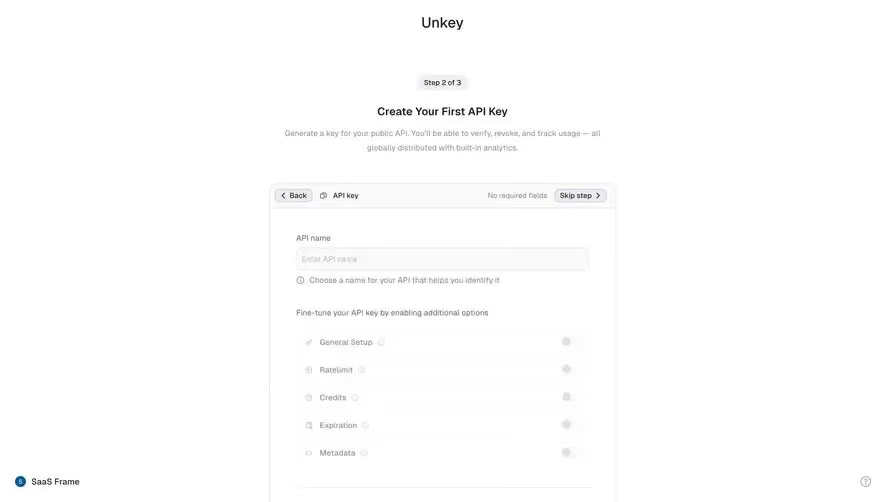
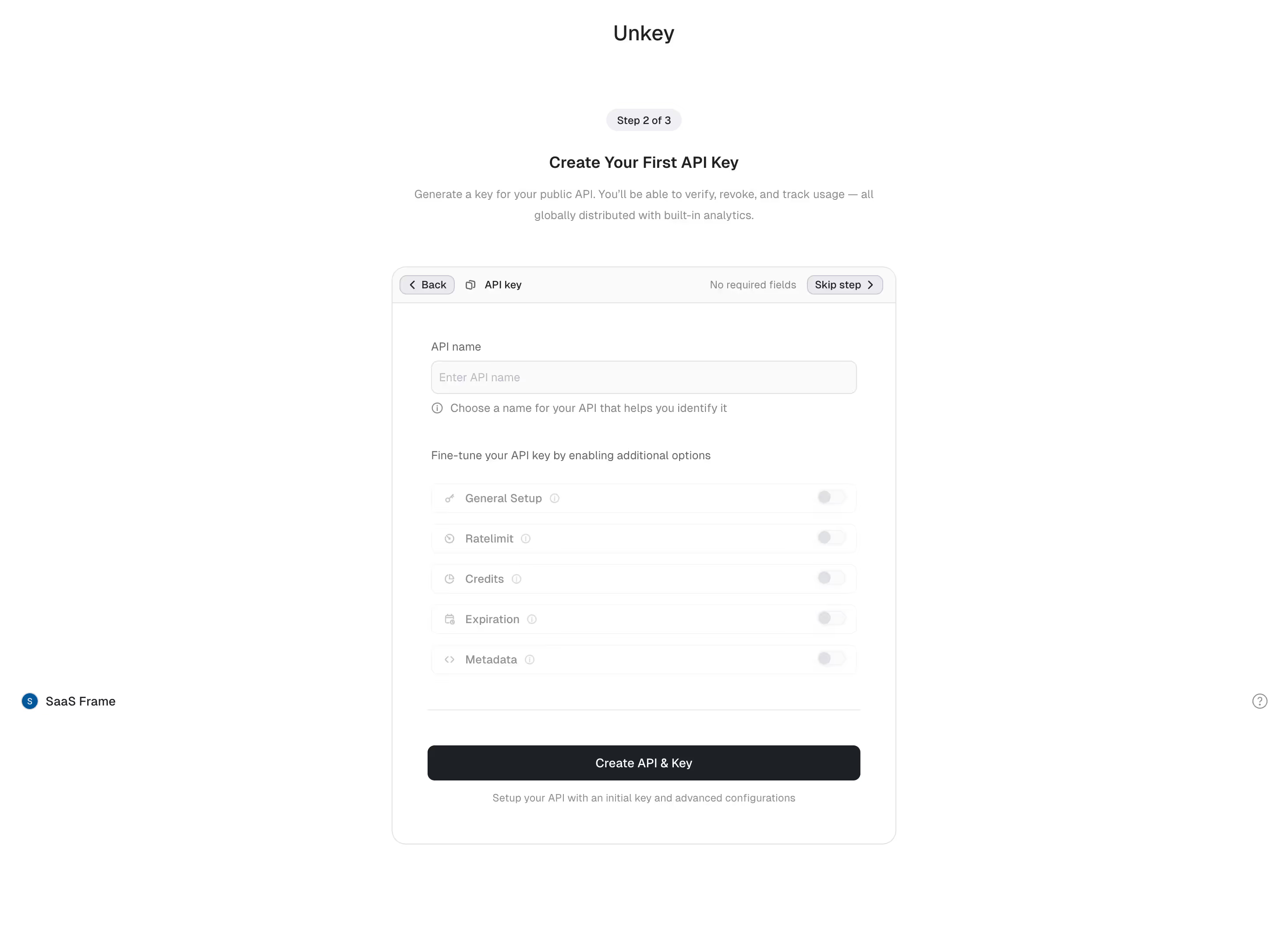
Unkey's API key creation flow is a masterclass in reducing friction. Step 2 of 3, clearly marked with a subtle pill badge at the top. The hierarchy here is tight. Bold heading, supportive subtext explaining exactly what you're doing and why. No fluff.
Smart Progressive Disclosure
What stands out is the toggle-based options section. General Setup, Ratelimit, Credits, Expiration, Metadata. All collapsed by default with toggles off. This keeps the form feeling lightweight even though there's real power underneath. You're not overwhelmed, you just see what you need. The "No required fields" label paired with "Skip step" in the top right is a confidence booster. It tells users they won't get stuck.
Restrained and Intentional
The palette is almost entirely monochrome. Black button at the bottom anchors the page. Typography is simple, likely Inter or similar. Small info icons next to each toggle hint at depth without cluttering. The whole thing feels like it respects your time. That "Create API & Key" CTA is impossible to miss against all that white space.
.webp)



.avif)