Design with AI
Generate a new design based on this screen using your own content.
# Design from Reference: Moss Set a monthly spend limit
Create an original, high-fidelity visual design inspired by the reference. Prioritize composition, typography, colors, spacing, and component styling over technical implementation.
## Reference
- **Product:** Moss
- **Category:** Billing
- **Screenshot:** https://cdn.prod.website-files.com/5e9dc792e1210c5325f7ebbc/6acf525bb863e99d7aeec455_tFXnBX8LqzyT6Nz3C67JMccZ5Csnt743ni2Kbcn1Yjk.png
Analyze the screenshot first. If inaccessible, request it rather than guessing.
## Content
{{content.instructions}}
{{content.data}}
Preserve essential messaging and factual accuracy. Adapt structure and copy length for visual balance; never invent product claims.
## Visual Design
### Overall aesthetic
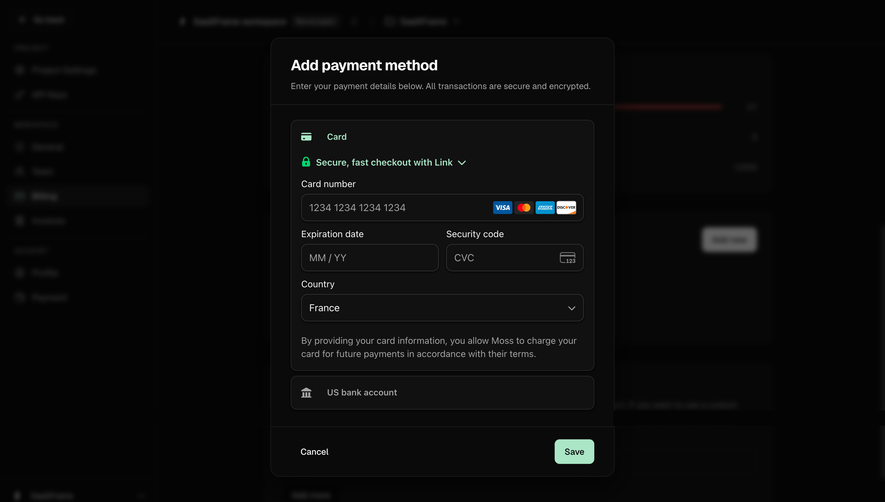
- **Direction:** A compact dark billing dialog floats above a heavily dimmed and blurred workspace.
- **Emphasis:** White typography, a simple monetary input and two contrasting footer actions produce a focused settings interaction.
### Page composition
- **Observed canvas:** Source 2880 × 1624 pixels; geometry below refers to the 1400 × 789 inspection rendering. A roughly 2× source-to-CSS scale is plausible but unverified.
- **Dialog:** Centered near x451, y250, approximately 497 × 290px, with about 24px horizontal body padding.
- **Regions:** Heading and close control, two-line explanation, labeled amount field and helper text occupy the body; a full-width divider introduces a right-aligned action footer.
- **Background:** A left navigation rail and billing content remain faintly visible. Their blurred details should not be reconstructed.
### Information hierarchy
- **Task heading:** Monthly spend limit is the strongest text inside the modal.
- **Input sequence:** An explanatory paragraph precedes the monthly ceiling label, the visible $100 value and a subdued immediate-effect helper.
- **Decision row:** A white unlimited option sits immediately left of a muted green spend-limit action; the close cross is isolated in the upper right.
### Typography
- **Heading:** Approximately 18px semibold, 22px line height, in inspection pixels.
- **Body and field:** Explanatory text and amount are approximately 14px regular, with 19–20px line height; the external field label is about 13px medium.
- **Helper and buttons:** Helper text is approximately 12px; action labels around 14px medium. All appear sans serif, with exact family unverified.
### Colors & surfaces
- **Measured dark palette:** Source samples include #040404, #070707, #111111, #050505, #060606 and #080808. The near-black veil dominates the image; #111111 is consistent with the dialog surface.
- **Foreground roles:** Heading and label are near white, explanatory text is medium gray, helper text darker gray, and input boundaries are subtle charcoal.
- **Action contrast:** One button is near white with dark text; the primary button appears desaturated sage green with dark text. The green hex is not asserted without a semantic sample.
### Components
- **Modal shell:** Roughly 12px corner radius, a faint 1px outline and a broad dark shadow distinguish it from the backdrop.
- **Money input:** Approximately 449 × 39px with a 6px radius, thin gray border and around 16px horizontal inset. No active focus ring is visible.
- **Footer buttons:** Approximately 132 × 40px and 127 × 40px, separated by about 12px; corners are around 7–8px.
- **Close control:** Small gray cross near the top-right corner. Validation, loading, success and hover states are not visible.
### Visual rhythm
- **Body cadence:** Heading-to-copy spacing is around 10px; copy-to-field-label spacing about 22px, followed by a compact label/input gap.
- **Field helper:** The helper sits about 12px below the input, before a larger gap to the footer separator.
- **Footer:** Around 12px vertical padding and 24px side padding keep the two actions compact and aligned to the input’s right edge.
### Responsive
- **Observed scope:** The screenshot shows a desktop dialog only; small-screen behavior is not established.
- **Recommended adaptation:** Cap the modal width and use viewport gutters of at least 16px; allow explanatory text to wrap without horizontal overflow.
- **Recommended actions:** Stack buttons if the available width cannot retain readable labels and adequate touch targets. Keep the monetary field full width.
### Adaptation guidance
- **Preserve:** Retain the compact labeled-field hierarchy, immediate-effect helper and distinct unlimited versus capped-spend actions.
- **Implement:** Use semantic dialog labeling, contained keyboard focus and a clearly named close control. These are implementation recommendations, not visible behaviors.
- **Complete states:** Add a deliberate amount-validation treatment and clear confirmation feedback; do not infer application branding from the record title or blurred workspace.
Use this context to reproduce the reference's visual language: layout, typography, colors, spacing, borders, radii, and distinctive elements. The screenshot takes priority if descriptions conflict.
## Direction
{{preferences.fidelityInstructions}}
## Output
{{output.instructions}}
Deliver a polished, cohesive design with precise alignment, hierarchy, and spacing. Produce the requested visual artifact, not just a description. If unsupported, explain the limitation.
.webp)




.avif)