Design with AI
Generate a new design based on this screen using your own content.
# Design from Reference: Miro Onboarding Emails
Create an original, high-fidelity visual design inspired by the reference. Prioritize composition, typography, colors, spacing, and component styling over technical implementation.
## Reference
- **Product:** Miro
- **Category:** Onboarding Email
- **Screenshot:** https://cdn.prod.website-files.com/5e9dc792e1210c5325f7ebbc/6acbc07c7ce271b12870b7c7_6acbbfd60f0c77113b58cf82_cms-8076a3342e143541134c4fc6.webp
Analyze the screenshot first. If inaccessible, request it rather than guessing.
## Content
{{content.instructions}}
{{content.data}}
Preserve essential messaging and factual accuracy. Adapt structure and copy length for visual balance; never invent product claims.
## Visual Design
### Overall aesthetic
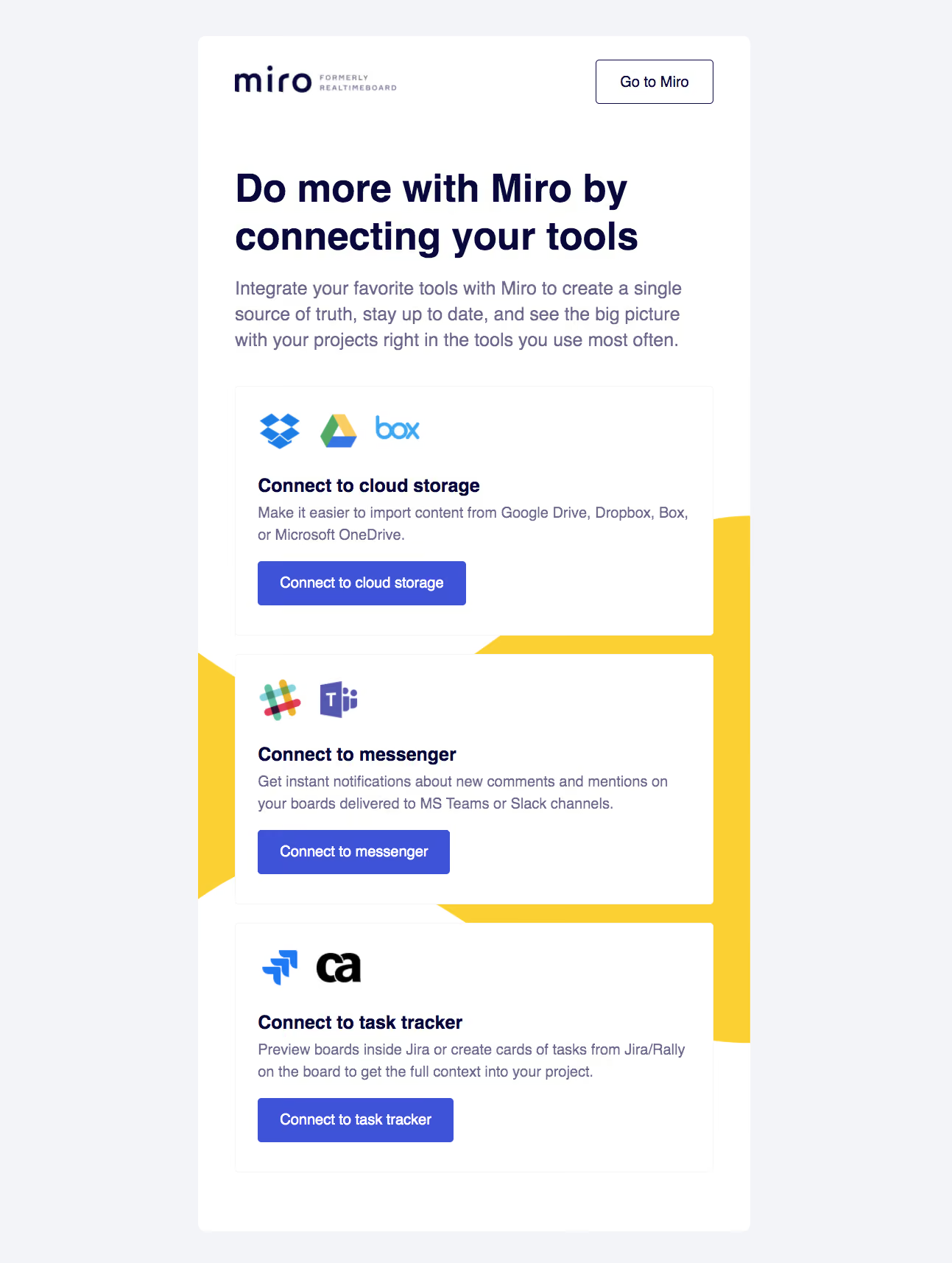
- **Style:** A branded onboarding email with a white rounded sheet, navy typography, indigo actions, and a bold yellow geometric background accent.
- **Character:** Instructional and modular, organizing integration choices into three clear cards.
### Page composition
- **Capture and scale:** 1293 × 1715 screenshot pixels. Following sizes are approximate screenshot pixels; CSS scale is unverified.
- **Frame:** A roughly 750 px-wide white sheet is centered on pale lavender-gray. Brand lockup sits top left and outlined Go to Miro top right.
- **Intro:** A large two-line headline and three-line description introduce tool connections.
- **Modules:** Three stacked white bordered cards cover cloud storage, messaging, and task tracking. Each contains partner logos, title, short description, and filled action. A large yellow angular shape sits behind the card stack.
### Information hierarchy
- **Message:** The headline establishes integration benefits before the specific choices.
- **Card hierarchy:** Partner marks identify each category, followed by bold title, muted explanation, and direct connection action.
- **Global action:** The top outlined product link remains secondary to the three contextual actions.
### Typography
- **Family:** Neutral sans serif; exact identity unverified.
- **Display:** Headline approximately 52 px bold with 64 px line-height.
- **Body:** Intro around 25 px with 35 px leading; card descriptions 20–21 px with 30 px leading.
- **Controls:** Card titles around 27 px bold and action labels approximately 20 px.
### Colors & surfaces
- **Foundation:** Sampled sRGB #F3F4F8 defines the outer canvas and #FFFFFF the sheet/cards.
- **Brand:** Sampled yellow #FAD033 forms the geometric accent; indigo #3F53D9 fills actions.
- **Ink:** Sampled navy #070938 defines headings; muted #6B6987 supports body copy. #F5F5F5 supports fine boundaries.
### Components
- **Sheet:** Large white rounded rectangle with generous approximately 50 px padding and no strong shadow.
- **Cards:** Thin-bordered white modules with small radii and approximately 30 px inner padding. Logos form compact horizontal groups at top.
- **Actions:** Indigo rectangular buttons have slight 4–5 px radii, white text, and generous horizontal padding.
- **Background accent:** The yellow shape is partially occluded by cards, remaining decorative rather than a text surface.
### Visual rhythm
- **Spacing:** Use 25–30 px card gaps, about 40 px between intro and stack, and consistent logo-to-title-to-copy-to-action spacing.
- **Alignment:** All card contents share a stable left edge; cards match width while copy length varies.
### Responsive
- **Observed state:** Captured email only.
- **Recommended reflow:** Use fluid sheet/cards, reduce side padding to 20–24 px on phones, and allow partner-logo rows to wrap.
- **Email usability:** Keep action labels live/readable and ensure decorative yellow artwork does not obstruct text.
### Adaptation guidance
- **Preserve:** Retain the modular integration categories, navy/indigo hierarchy, and yellow geometric layer.
- **Adapt:** Use supported integrations and authentic partner marks with relevant destinations.
- **Avoid:** Do not copy legacy branding or imply integrations unavailable in the new product.
Use this context to reproduce the reference's visual language: layout, typography, colors, spacing, borders, radii, and distinctive elements. The screenshot takes priority if descriptions conflict.
## Direction
{{preferences.fidelityInstructions}}
## Output
{{output.instructions}}
Deliver a polished, cohesive design with precise alignment, hierarchy, and spacing. Produce the requested visual artifact, not just a description. If unsupported, explain the limitation.
.webp)



.avif)