.webp)
Thank you! Your submission has been received!
Oops! Something went wrong while submitting the form.
Get SaaSFrame Pro
Monthly
$18
Quarterly
$48
Yearly
$180
Upgrade to access this feature
Browse all screens & flows
Filter and search screens & flows
Access Figma files
Access mobile versions
Bookmark screens & flows
Join now
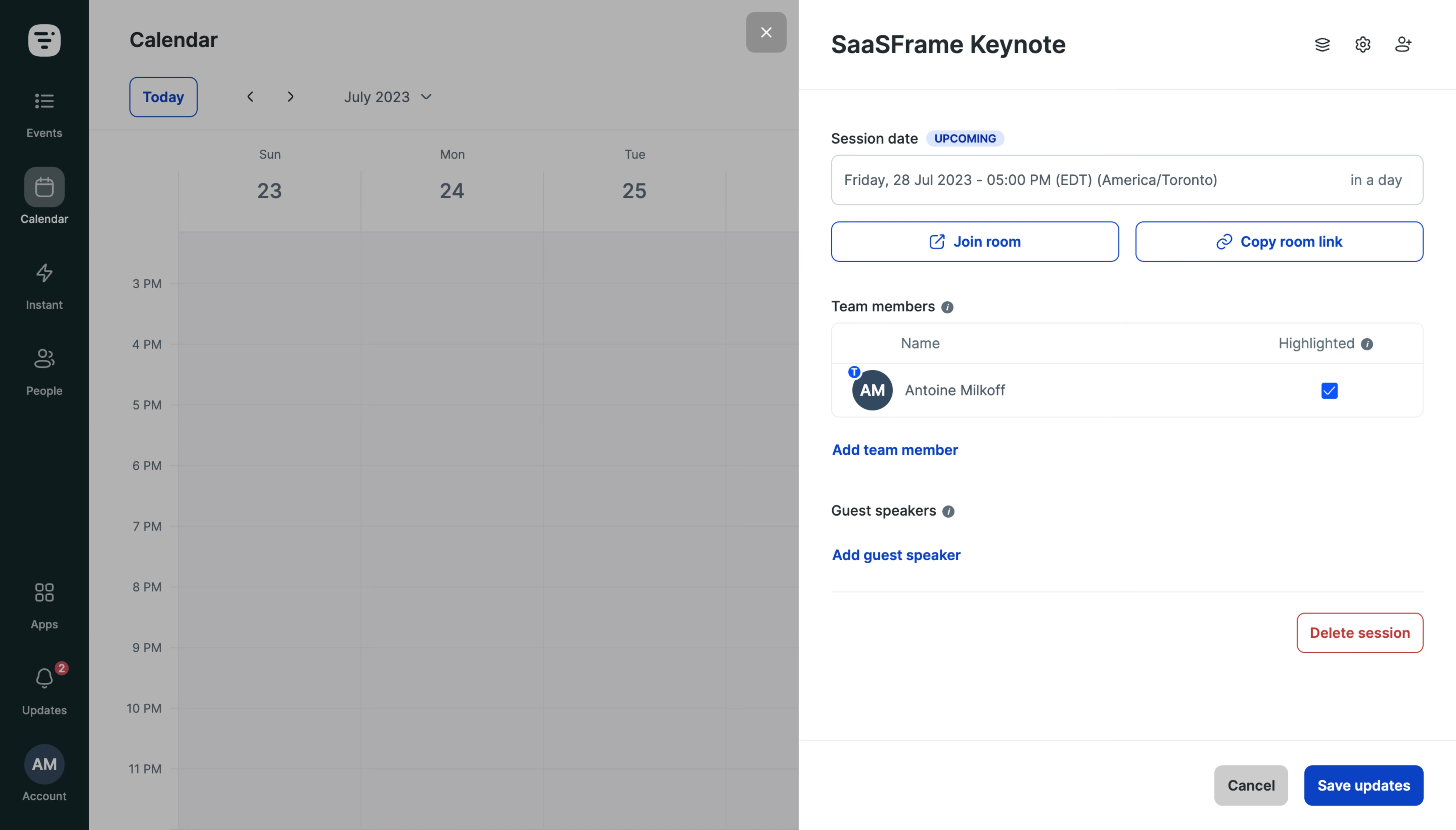
Livestorm Event Details

Livestorm
Video Conferencing
Designed by
No items found.

Bookmark
Bookmark

Design with AI
Thank you! Your submission has been received!
Oops! Something went wrong while submitting the form.
# Design from Reference: Livestorm Event Details
Create an original, high-fidelity visual design inspired by the reference. Prioritize composition, typography, colors, spacing, and component styling over technical implementation.
## Reference
- **Product:** Livestorm
- **Category:** Details
- **Screenshot:** https://cdn.prod.website-files.com/5e9dc792e1210c5325f7ebbc/6acb61b9c08cd859ff851bac_6acadc7fa89cb1b6e4f91160_cms-d758a6de1e71ca3394eeaff6.webp
Analyze the screenshot first. If inaccessible, request it rather than guessing.
## Content
{{content.instructions}}
{{content.data}}
Preserve essential messaging and factual accuracy. Adapt structure and copy length for visual balance; never invent product claims.
## Visual Design
### Overall aesthetic
- **Character:** A practical event-management interface uses a white detail drawer over a dimmed calendar, a dark-green navigation rail, and blue operational controls.
- **Evidence:** Original image dimensions are 5760 × 3284 px, inspected at 1400 × 798 px. Dimensions below are inspection pixels; a roughly 1440 px CSS layout at 4× capture is plausible but unverified.
- **State:** A session-details panel is open. The underlying calendar remains visible through a gray overlay.
### Page composition
- **Navigation:** An approximately 85 inspection px dark rail at left contains a top brand icon, stacked navigation items, and lower utility/account items.
- **Calendar:** The dimmed main view shows a Calendar title, Today control, month navigation, weekday columns, and hourly rows.
- **Drawer:** A white panel begins near x768 and fills the remaining right side. Its header contains the event title and three small icon controls.
- **Body:** Session date/status, two room actions, team-member table, guest-speaker area, and a separated destructive action form the content stack.
- **Footer:** A distinct bottom action band contains Cancel and filled blue Save updates aligned right. A close control appears just outside the panel near its upper-left boundary.
### Information hierarchy
- **Event identity:** A bold event title heads the drawer; the upcoming badge and date field establish session timing.
- **Room access:** Two equal outlined blue buttons, Join room and Copy room link, sit immediately beneath the date.
- **People:** Team members appear in a bordered table with name and highlighted-state columns. One row is visible, with a checked highlighted box.
- **Secondary actions:** Blue text links add a team member or guest speaker. The red outlined deletion control is separated below these sections.
- **Commit actions:** The persistent-looking bottom band groups cancellation and saving; fixed positioning is inferred only from the visible composition.
### Typography
- **Family:** A neutral interface sans serif is used; exact identity is unverified.
- **Drawer title:** Approximately 24–25 inspection px, bold, with around 30 px line-height.
- **Section labels:** About 14 px medium to semibold, paired with small information icons.
- **Fields and table:** Approximately 14 px with 20 px line-height; header/secondary text uses muted slate.
- **Actions:** Buttons and add links use approximately 14 px semibold text. The uppercase status badge is around 10–11 px bold.
### Colors & surfaces
- **Measured source palette:** Samples include white #FFFFFF, overlay grays #ACACAE and #B2B2B2, deep green #081C1D, action blue #0043CB, and muted gray #A2A6A8.
- **Semantic use:** White grounds the active drawer; dark green anchors navigation. Blue marks room access, add links, checks, and save.
- **Overlay:** The calendar is visibly desaturated and darkened, emphasizing the active panel.
- **Destructive accent:** Red identifies the deletion button. Thin pale gray-blue lines define fields, table borders, and section boundaries.
### Components
- **Date field:** A wide outlined rectangle about 570 × 48 inspection px, with date/time text left and relative timing right; a small pale-blue upcoming badge sits by its label.
- **Room buttons:** Two equal outlined controls about 277 × 40 px with 8 px radii and leading external-link/chain icons.
- **Member table:** Approximately 570 px wide, rounded 8 px, with a header divider, circular initial avatar, name text, and a blue checked square.
- **Information icons:** Small filled circular symbols follow the people-section labels.
- **Delete action:** A red outlined rectangle roughly 122 × 40 px, aligned right below a horizontal rule.
- **Footer actions:** Cancel uses a gray fill; Save updates uses solid blue and white text. Both have modest rounding and around 40 px height.
- **Close control:** A gray rounded square with a white cross sits over the dimmed region near the drawer edge.
### Visual rhythm
- **Drawer padding:** Content is inset approximately 32 px from each drawer edge.
- **Vertical grouping:** Date and room controls form a compact group; roughly 35–40 px gaps distinguish people sections.
- **Table rhythm:** Header and member row have generous vertical padding compared with compact body labels.
- **Empty space:** A large white region below the destructive control separates it from the bottom commit actions.
### Responsive
- **Observed limit:** Only a desktop drawer state is available; actual mobile behavior is unverified.
- **Recommended panel:** Expand to a full-width detail view on narrow screens while preserving a clear close/back action.
- **Recommended controls:** Stack room buttons if necessary, allow long dates to wrap, and keep the highlighted checkbox associated with its row.
- **Recommended footer:** Keep save/cancel reachable without covering content, and account for safe-area padding and on-screen keyboards.
### Adaptation guidance
- **Preserve:** Retain the calendar/detail relationship, clear session-date context, equal room actions, structured member table, and separated destructive control.
- **Implement:** Use an accessible dialog or drawer with managed focus and keyboard dismissal. Provide accessible names for icon-only controls.
- **State design:** Define unsaved-change, copy confirmation, validation, and deletion confirmation states separately; none are visible here.
- **Validate:** Confirm true CSS dimensions, typography, scroll behavior, long member-name handling, and keyboard access. The screenshot supplies only the displayed event state.
Use this context to reproduce the reference's visual language: layout, typography, colors, spacing, borders, radii, and distinctive elements. The screenshot takes priority if descriptions conflict.
## Direction
{{preferences.fidelityInstructions}}
## Output
{{output.instructions}}
Deliver a polished, cohesive design with precise alignment, hierarchy, and spacing. Produce the requested visual artifact, not just a description. If unsupported, explain the limitation.

.avif)
Category




Added on
July 31, 2023
Similar screens



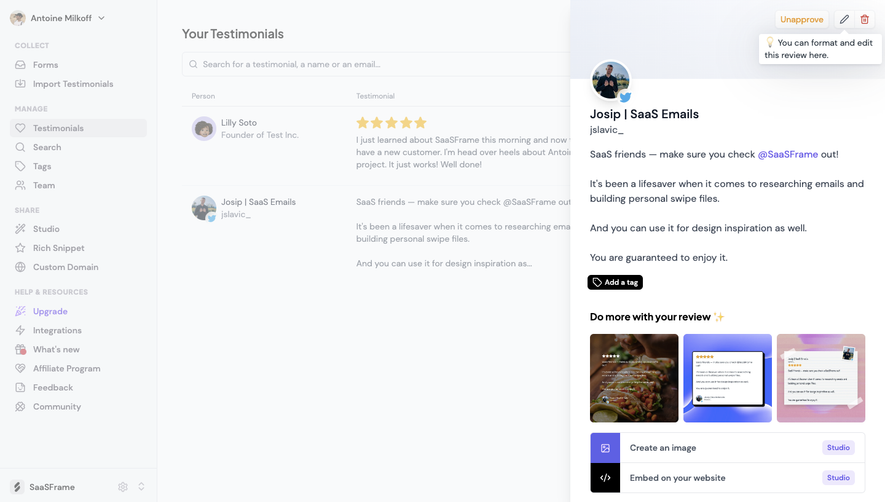

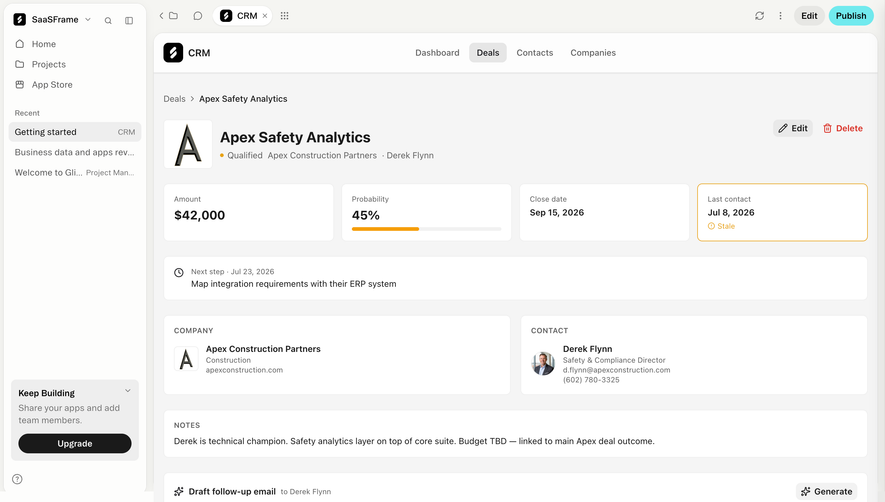

Upgrade to SaaSFrame Pro now to see similar examples.
Monthly
$18 /month
Billed $18 monthly
Browse all screens & flows
Filter and search screens & flows
Search text in screenshots
Access Figma files
Access mobile versions
Join now
Quarterly
$16 /month
Billed $48 quarterly
Browse all screens & flows
Filter and search screens & flows
Search text in screenshots
Access Figma files
Access mobile versions
Join now
Yearly
$15 /month
Billed $180 yearly
Browse all screens & flows
Filter and search screens & flows
Search text in screenshots
Access Figma files
Access mobile versions
Join now