.webp)
Thank you! Your submission has been received!
Oops! Something went wrong while submitting the form.
Get SaaSFrame Pro
Monthly
$18
Quarterly
$48
Yearly
$180
Upgrade to access this feature
Browse all screens & flows
Filter and search screens & flows
Access Figma files
Access mobile versions
Bookmark screens & flows
Join now
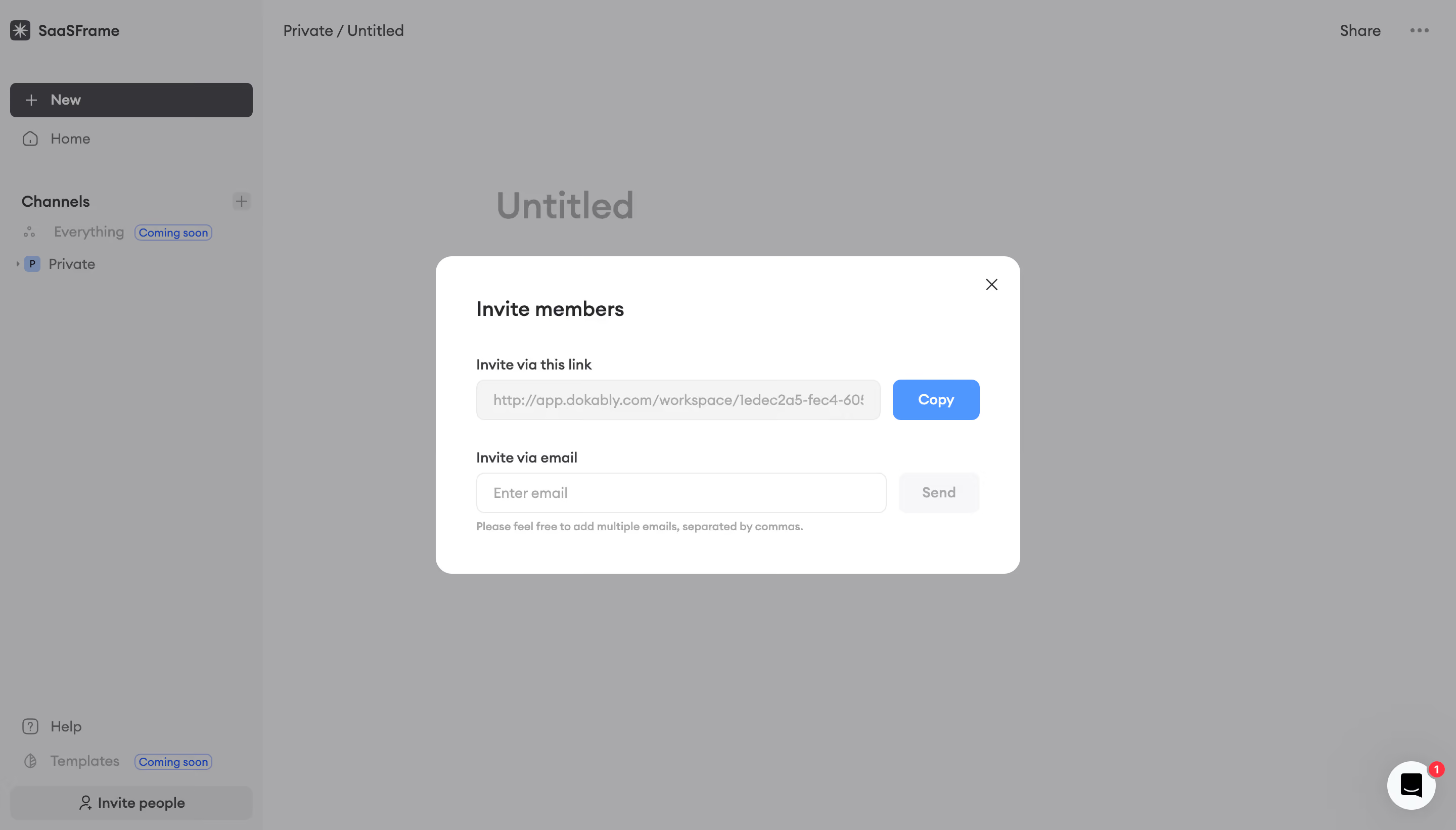
Dokably Invite Team Members

Dokably
All-in-one product management
Designed by
No items found.

Bookmark
Bookmark

Design with AI
Thank you! Your submission has been received!
Oops! Something went wrong while submitting the form.
# Design from Reference: Dokably Invite Team Members
Create an original, high-fidelity visual design inspired by the reference. Prioritize composition, typography, colors, spacing, and component styling over technical implementation.
## Reference
- **Product:** Dokably
- **Category:** Invite Team Members
- **Screenshot:** https://cdn.prod.website-files.com/5e9dc792e1210c5325f7ebbc/6acb6c0c5391d62536b67109_6acb6aabba79854b969ebdf9_cms-0a2b6cdfe13f9a07bb4c9001.webp
Analyze the screenshot first. If inaccessible, request it rather than guessing.
## Content
{{content.instructions}}
{{content.data}}
Preserve essential messaging and factual accuracy. Adapt structure and copy length for visual balance; never invent product claims.
## Visual Design
### Overall aesthetic
- **Style:** Minimal workspace invitation dialog with a neutral palette and a single blue utility action.
- **Visual character:** White modal, softly rounded fields, restrained typography, and a dimmed document workspace.
- **Surface treatment:** The dialog is a flat white container; background navigation and document content are visually suppressed.
### Page composition
- **Screenshot size:** 2880 × 1642 image px. CSS estimates assume an unverified 2× capture.
- **Workspace:** Left sidebar approximately 260 CSS px wide; document breadcrumb and Share controls remain visible behind the overlay.
- **Dialog:** Approximately 580 × 314 CSS px, horizontally centered and close to the vertical center.
- **Header:** Invite members at upper left with an independent close icon at upper right.
- **Content:** Link-sharing row above an email-invitation row, with a short comma-separated-address instruction beneath the latter.
### Information hierarchy
- **Primary focus:** Invitation title establishes the task before the two invitation methods.
- **Method hierarchy:** Link invitation appears first, pairing a read-only-looking URL field with an enabled Copy action.
- **Secondary method:** Email entry pairs a blank field with a visibly subdued Send button.
- **Supporting context:** Background sidebar includes workspace identity, New, channels, and Invite people; these are context rather than dialog actions.
### Typography
- **Family:** Rounded proportional sans serif; exact font is unverified.
- **Dialog title:** Approximately 20 CSS px, weight 600, line-height 26 px.
- **Labels:** Approximately 14 CSS px, weight 500–600, line-height 20 px.
- **Fields and buttons:** Approximately 14 CSS px; buttons use semibold text.
- **Helper:** Approximately 11–12 CSS px, regular, line-height 16 px.
- **Precision:** Sizes and weights are visual reconstruction estimates, not extracted CSS.
### Colors & surfaces
- **Dialog:** Sampled sRGB #FFFFFF.
- **URL surface:** Sampled light gray #F4F4F4; email field remains white.
- **Primary action:** Sampled blue #4F97FF with white text.
- **Dark text:** Sampled #353538 appears in the interface; labels use a dark neutral.
- **Muted surfaces:** Sampled #F7F7F8 and border #EAEAEA support the subdued controls.
- **Overlay:** Sampled #A9A9AA and #A5A5A7 are composited background pixels, not the underlying workspace's original colors.
### Components
- **Dialog shell:** Approximately 16 CSS px corners and 40 px horizontal padding.
- **Link row:** URL field approximately 400 CSS px wide and 40 px high; Copy about 86 × 40 px, separated by 12 px.
- **Email row:** Input approximately 406 × 40 CSS px, followed by an approximately 80 px-wide Send control.
- **Fields:** Thin pale outline, roughly 8 px radius, and about 16 px horizontal text inset.
- **Close:** Small unboxed cross, approximately 16 CSS px, inset around 24 px from the top/right.
- **Observed state:** URL text is clipped within the field; Send appears inactive while email is empty. Copy behavior is not demonstrated.
### Visual rhythm
- **Alignment:** Title, labels, fields, and helper share the same left edge.
- **Vertical spacing:** About 32 px between title and first label; about 28 px separates invitation groups.
- **Row rhythm:** Both methods pair a broad field with a compact right-hand action.
- **Background balance:** Broad blank document canvas keeps the centered dialog dominant.
### Responsive
- **Observed version:** Desktop only; responsive and interactive behavior are unverified.
- **Dialog recommendation:** Use viewport-safe width with 20–24 px outer margins.
- **Row recommendation:** Stack Copy/Send beneath fields when the horizontal row becomes too narrow.
- **Text recommendation:** Keep long invitation URLs clipped or scrollable within their field.
- **Focus recommendation:** Keep the close control and email helper visible without obscuring actions.
### Adaptation guidance
- **Preserve:** Two-method invitation structure, quiet white shell, blue Copy emphasis, and consistent field/action alignment.
- **Starting dimensions:** Approximately 580 px dialog width, 40 px control height, 16 px shell radius, and 40 px desktop padding.
- **Content fidelity:** Replace URL and workspace identity with actual invitation data; never reuse a screenshot invitation link.
- **State fidelity:** Show Send availability from actual validation, and provide copy/send feedback only when implemented.
- **Decoration:** Keep the workspace subdued and avoid unrelated illustration inside this functional modal.
Use this context to reproduce the reference's visual language: layout, typography, colors, spacing, borders, radii, and distinctive elements. The screenshot takes priority if descriptions conflict.
## Direction
{{preferences.fidelityInstructions}}
## Output
{{output.instructions}}
Deliver a polished, cohesive design with precise alignment, hierarchy, and spacing. Produce the requested visual artifact, not just a description. If unsupported, explain the limitation.

.avif)
Category
Tech Stack

Added on
May 6, 2023
Similar screens
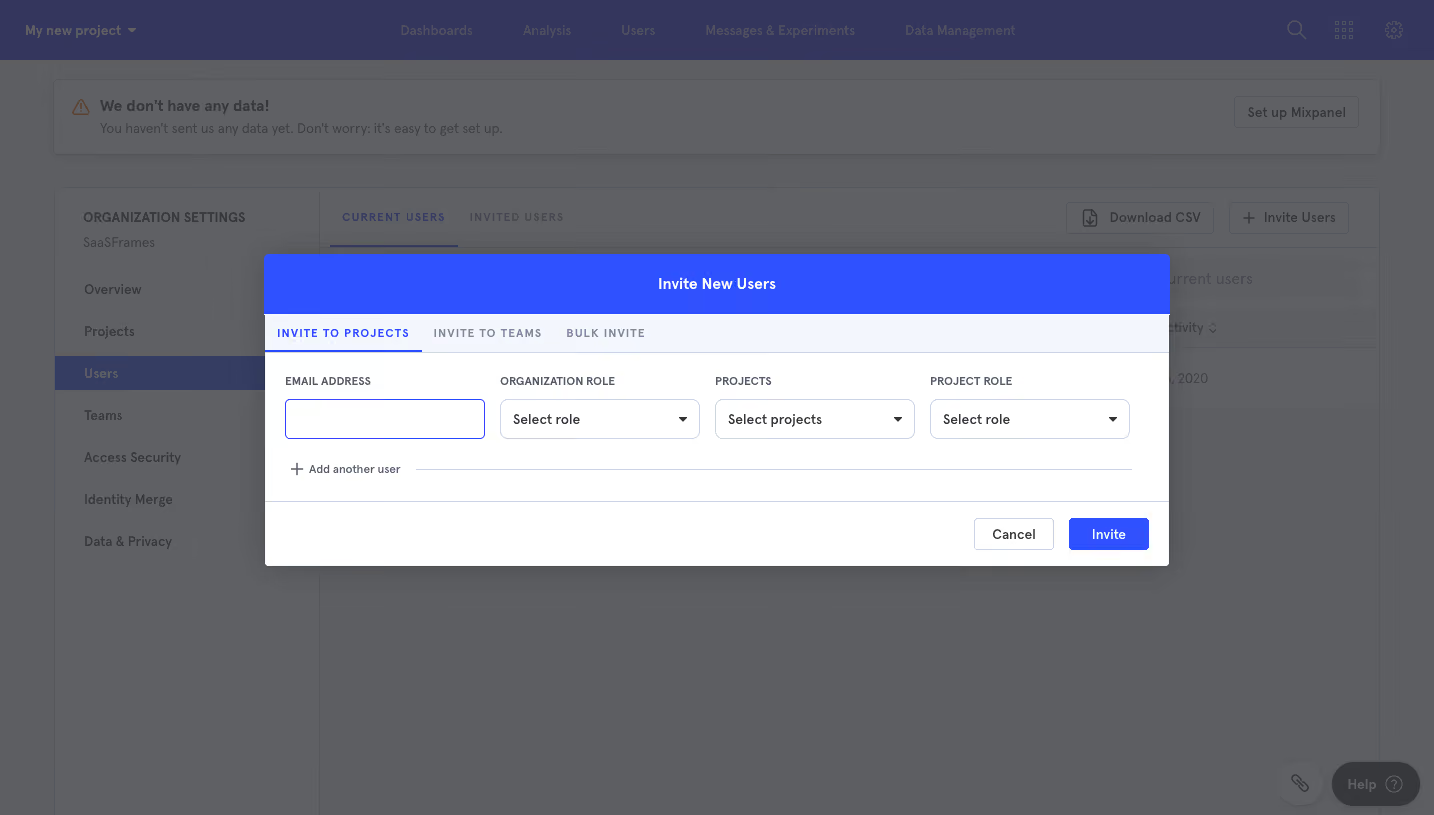



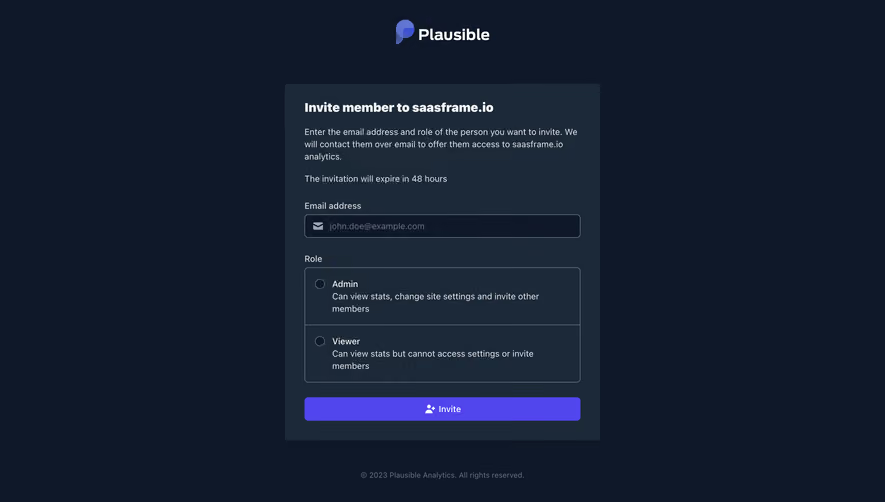

Upgrade to SaaSFrame Pro now to see similar examples.
Monthly
$18 /month
Billed $18 monthly
Browse all screens & flows
Filter and search screens & flows
Search text in screenshots
Access Figma files
Access mobile versions
Join now
Quarterly
$16 /month
Billed $48 quarterly
Browse all screens & flows
Filter and search screens & flows
Search text in screenshots
Access Figma files
Access mobile versions
Join now
Yearly
$15 /month
Billed $180 yearly
Browse all screens & flows
Filter and search screens & flows
Search text in screenshots
Access Figma files
Access mobile versions
Join now