.webp)
Thank you! Your submission has been received!
Oops! Something went wrong while submitting the form.
Get SaaSFrame Pro
Monthly
$18
Quarterly
$48
Yearly
$180
Upgrade to access this feature
Browse all screens & flows
Filter and search screens & flows
Access Figma files
Access mobile versions
Bookmark screens & flows
Join now
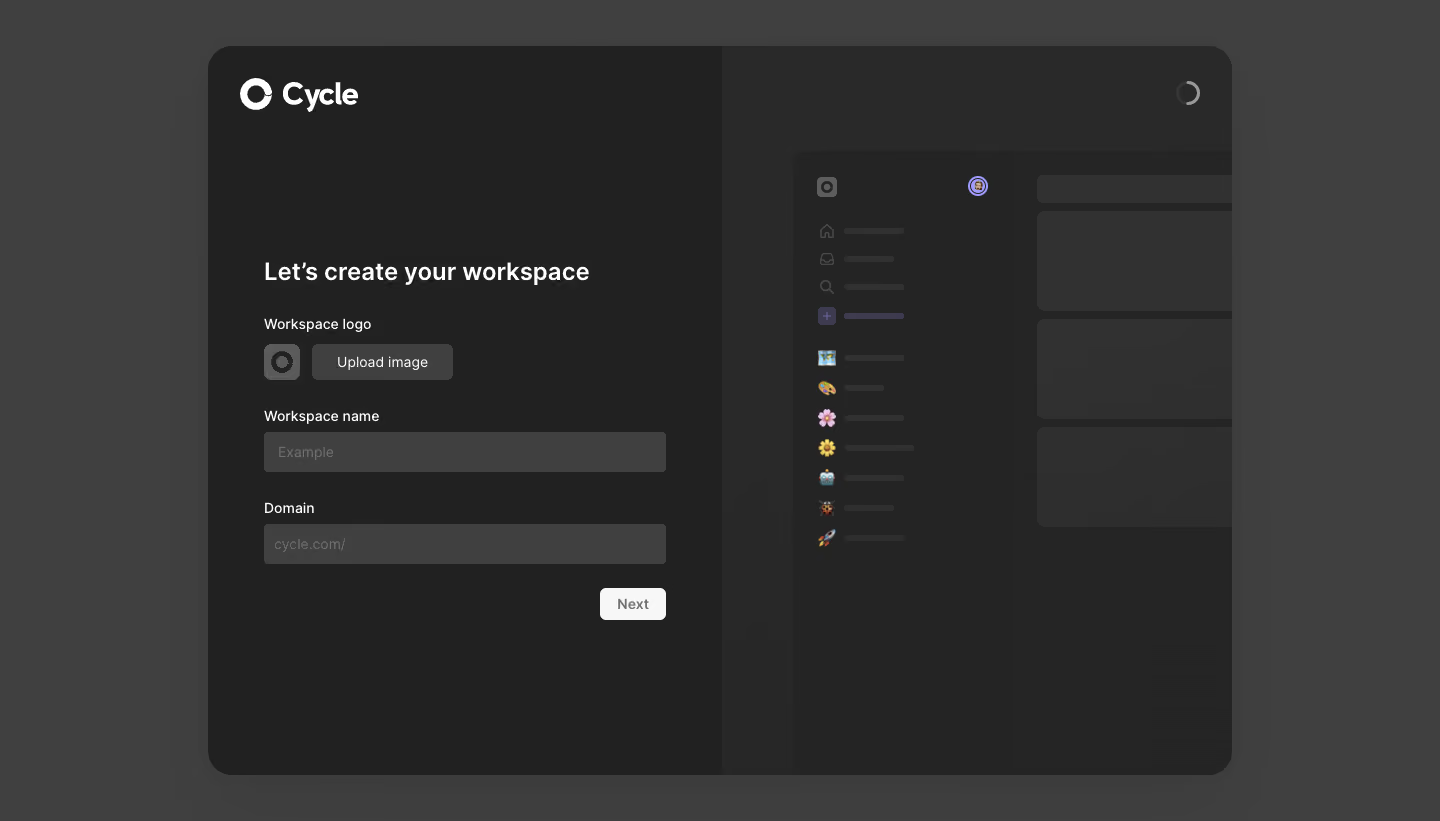
Cycle Account Setup

Cycle
Ship stuff people need.
Designed by
No items found.

Bookmark
Bookmark

Design with AI
Thank you! Your submission has been received!
Oops! Something went wrong while submitting the form.
# Design from Reference: Cycle Account Setup
Create an original, high-fidelity visual design inspired by the reference. Prioritize composition, typography, colors, spacing, and component styling over technical implementation.
## Reference
- **Product:** Cycle
- **Category:** Account Setup
- **Screenshot:** https://cdn.prod.website-files.com/5e9dc792e1210c5325f7ebbc/6acb72c8018523cfee2da4cb_6acb706da985900f7f28009e_cms-847e4b4651a73b234e8889b4.webp
Analyze the screenshot first. If inaccessible, request it rather than guessing.
## Content
{{content.instructions}}
{{content.data}}
Preserve essential messaging and factual accuracy. Adapt structure and copy length for visual balance; never invent product claims.
## Visual Design
### Overall aesthetic
- **Character:** A dark workspace-creation screen uses a large rounded two-panel window, charcoal surfaces, white typography, and a restrained monochrome form.
- **Mood:** The design feels calm and focused. A dim product preview supplies context without competing with the setup task.
- **Observed scale:** The source measures 1440 × 821 pixels. Measurements below are approximate image pixels; CSS sizes assume an unverified 1× capture.
### Page composition
- **Outer canvas:** A medium charcoal background surrounds a centered window approximately 1025 × 730 pixels, with corners around 24 pixels.
- **Split window:** The left half contains the logo and form. The right half uses a slightly lighter dark surface and contains a cropped, faded product preview.
- **Brand placement:** A white Cycle symbol and wordmark sit near the top-left corner of the window, about 32 pixels from its left edge.
- **Form block:** A roughly 400-pixel-wide column begins lower down with a workspace-creation heading. Logo upload, workspace name, and domain appear in that order.
- **Continuation:** A small light Next button aligns to the form’s right edge beneath the domain input.
- **Preview and status:** The right pane shows a schematic sidebar and stacked content cards, fading toward the bottom. A small incomplete circular indicator appears near the window’s upper-right corner.
### Information hierarchy
- **Task heading:** The bold workspace-creation heading anchors the form and is the strongest text beneath the brand.
- **Field sequence:** Each field has a visible label above its control, creating a straightforward top-to-bottom setup path.
- **Identity first:** The workspace-logo upload appears before the name and domain, emphasizing workspace identity.
- **Preview hierarchy:** Placeholder bars, muted icons, and dim cards establish a product silhouette rather than readable content.
- **Action state:** The Next control has gray text on a pale fill while the fields are empty. The screenshot alone does not prove whether it is disabled.
- **Status limit:** The upper-right circular mark resembles a progress/loading indicator, but its animation or meaning is not established by the static capture.
### Typography
- **Typeface appearance:** A clean neutral sans-serif is used. Exact font identity is unverified.
- **Brand role:** The wordmark is bold and approximately 30–32 pixels in the observed image.
- **Form heading:** Approximately 24 pixels, semibold, with line-height around 30 pixels and neutral tracking.
- **Labels and controls:** Field labels, upload text, and input placeholders are around 14–15 pixels, regular to medium weight.
- **Button:** Next uses approximately 14-pixel semibold text.
- **Contrast hierarchy:** Labels and heading are bright; placeholders are substantially dimmer. Preview text is represented by bars rather than legible typography.
### Colors & surfaces
- **Measured grays:** #404040 is a major outer/control shade; #212121 forms the dark left panel, and #242424/#292929 contribute to the right pane and preview.
- **Additional measured neutrals:** #3F3F3F and #313131 appear in control/preview surfaces. The palette is dominated by neutral gray rather than colored UI chrome.
- **Text:** White or near-white is used for branding, heading, and labels. Input placeholders and preview symbols are low-contrast gray.
- **Accent detail:** Small purple highlights and colorful emoji-like sidebar symbols appear only in the product preview.
- **Depth:** The main window has subtle separation from the outer canvas. Inputs and upload controls are flat filled rectangles without prominent outlines.
- **Preview fade:** A dark gradient reduces the visibility of the product mockup toward its bottom and right areas.
### Components
- **Brand lockup:** A white open circular symbol sits beside the Cycle name.
- **Logo upload row:** A small square workspace-icon preview, about 36 pixels across, sits beside an Upload image button approximately 140 × 36 pixels.
- **Name input:** A full-width filled gray field, roughly 400 × 40 pixels, displays a muted example placeholder.
- **Domain input:** A matching field beneath the Domain label shows a subdued service-domain prefix. No entered custom value is visible.
- **Next button:** Approximately 66 × 32 pixels, with a small 5–6-pixel radius and pale fill, aligned at the lower-right of the form column.
- **Preview sidebar:** Small outlined navigation icons and short muted bars form the upper rows; a series of colorful symbols and bars continues below.
- **Preview cards:** Large dark rounded rectangles stack in the main preview area, with a narrow header-like bar above.
- **Circular indicator:** A small gray partial ring is positioned near the top-right of the overall window.
- **Unshown states:** No uploaded logo, entered value, validation error, focus ring, successful creation, or next step is visible.
### Visual rhythm
- **Strong division:** The midpoint split clearly separates active setup from contextual illustration.
- **Vertical field cadence:** Labels sit close to controls, while roughly 28–32 pixels separate the larger field groups.
- **Wide breathing room:** The form occupies the central portion of the left pane, leaving substantial empty space above and below.
- **Aligned edges:** Heading, labels, and full-width fields share a left edge; the Next button shares the fields’ right edge.
- **Muted repetition:** Repeated preview bars and cards create visual texture without introducing readable competing content.
### Responsive
- **Evidence limit:** Only a desktop setup window is captured. Mobile and narrow-screen behavior are unverified.
- **Recommended stacking:** Hide or move the decorative preview below the form on small screens, keeping setup fields and the action first.
- **Recommended sizing:** Make the form fluid within 20–24-pixel gutters, retain comfortable input height, and avoid scaling down text.
- **Recommended window:** Reduce outer margins and corner rounding on small viewports so the form has sufficient width.
- **Recommended controls:** Keep upload and continuation controls keyboard accessible with clear focus, loading, disabled, and error states.
### Adaptation guidance
- **Preserve task clarity:** Use a short identity form with logo, name, domain, and one continuation action.
- **Separate illustration from state:** Treat the dim right-hand workspace as contextual artwork unless it is intentionally wired to form values. Do not imply live preview behavior without implementing it.
- **Use accessible contrast:** The captured placeholders and preview are very muted. Ensure real labels, input values, and actionable controls meet the required readability in implementation.
- **Define missing behavior:** Specify domain validation, logo constraints, required fields, and Next availability from actual product requirements.
- **Build from neutral tokens:** Use the measured charcoal layers, consistent small control radii, and a bright text hierarchy, reserving color for meaningful emphasis.
Use this context to reproduce the reference's visual language: layout, typography, colors, spacing, borders, radii, and distinctive elements. The screenshot takes priority if descriptions conflict.
## Direction
{{preferences.fidelityInstructions}}
## Output
{{output.instructions}}
Deliver a polished, cohesive design with precise alignment, hierarchy, and spacing. Produce the requested visual artifact, not just a description. If unsupported, explain the limitation.

.avif)
Category
Patterns
Tech Stack

Added on
March 6, 2023
Found in 1 flow


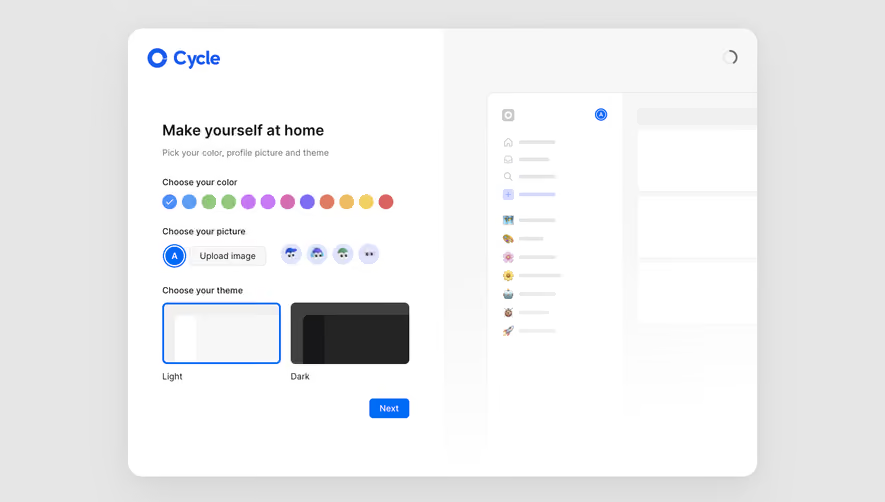


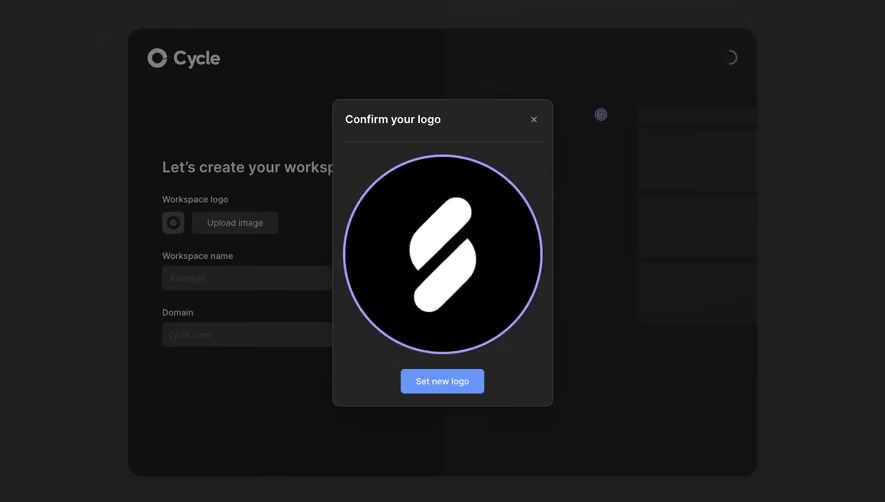

Similar screens
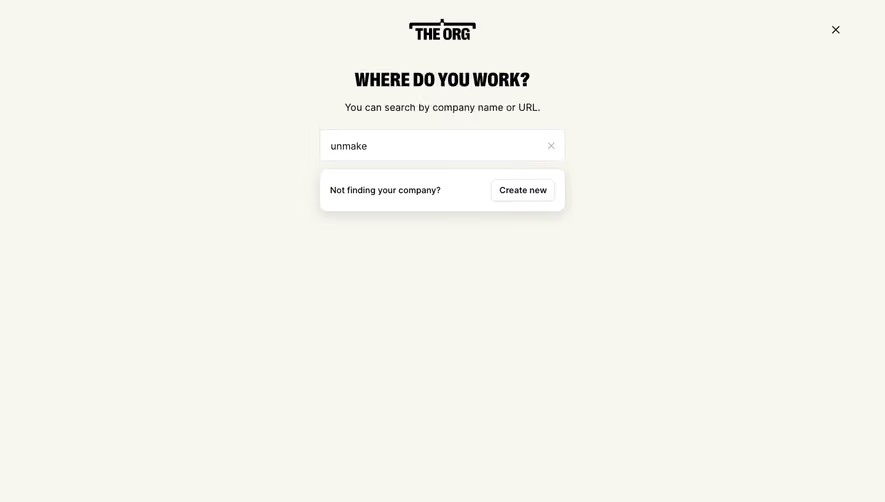





Upgrade to SaaSFrame Pro now to see similar examples.
Monthly
$18 /month
Billed $18 monthly
Browse all screens & flows
Filter and search screens & flows
Search text in screenshots
Access Figma files
Access mobile versions
Join now
Quarterly
$16 /month
Billed $48 quarterly
Browse all screens & flows
Filter and search screens & flows
Search text in screenshots
Access Figma files
Access mobile versions
Join now
Yearly
$15 /month
Billed $180 yearly
Browse all screens & flows
Filter and search screens & flows
Search text in screenshots
Access Figma files
Access mobile versions
Join now