Generate a new design based on this screen using your own content.
Thank you! Your submission has been received!
Oops! Something went wrong while submitting the form.
# Design from Reference: Conduktor 404 Page
Create an original, high-fidelity visual design inspired by the reference. Prioritize composition, typography, colors, spacing, and component styling over technical implementation.
## Reference
- **Product:** Conduktor
- **Category:** 404 Page
- **Screenshot:** https://cdn.prod.website-files.com/5e9dc792e1210c5325f7ebbc/6acb6767994832179b5606bd_6acb66bfb8517e813b42ba4c_cms-1af584578212b40c95253b82.webp
Analyze the screenshot first. If inaccessible, request it rather than guessing.
## Content
{{content.instructions}}
{{content.data}}
Preserve essential messaging and factual accuracy. Adapt structure and copy length for visual balance; never invent product claims.
## Visual Design
Use this context to reproduce the reference's visual language: layout, typography, colors, spacing, borders, radii, and distinctive elements. The screenshot takes priority if descriptions conflict.
## Direction
{{preferences.fidelityInstructions}}
## Output
{{output.instructions}}
Deliver a polished, cohesive design with precise alignment, hierarchy, and spacing. Produce the requested visual artifact, not just a description. If unsupported, explain the limitation.
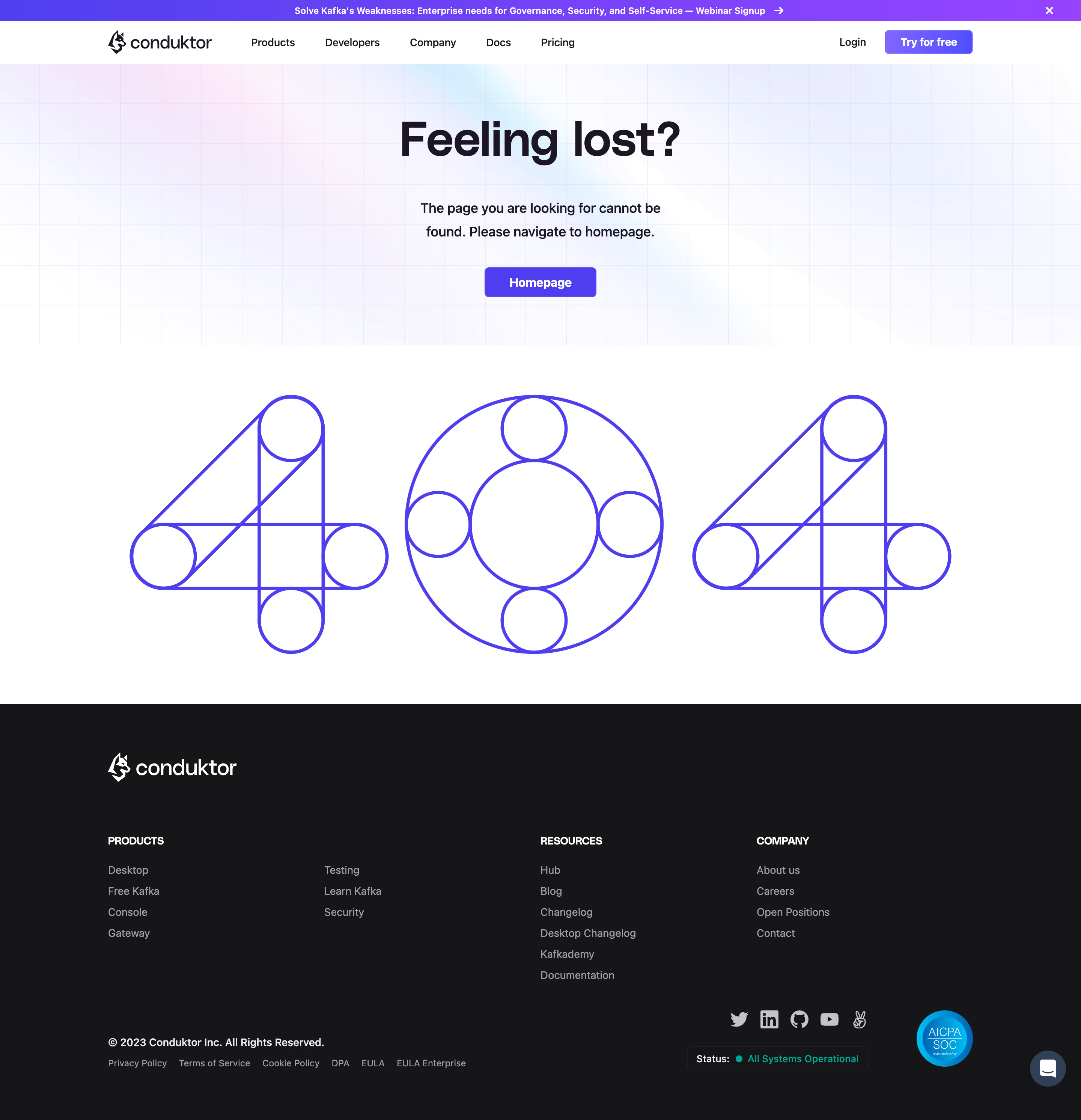
Conduktor’s 404 page radiates a modern, playful energy while remaining unmistakably professional—perfectly suited to SaaS. The visual design skews minimalist, leveraging abundant white space and a limited, high-contrast color palette. Subtle branding and a lighthearted error message set a friendly tone that softens the frustration of landing on a broken link. ###
Layout & Structure
The page’s layout is elegantly simple: a bold hero illustration takes center stage, accompanied by a succinct headline (“Oops! Page not found”) and a concise error explanation. Actionable navigation links (“Back to Home”) are immediately visible, guiding users back on track. Absence of clutter—no feature sections or footers—keeps the user’s attention focused and flow unobstructed. ###
Visual Elements
Custom illustrated graphics exemplify brand character, using smooth lines and subtle gradients that feel modern and unique. The main illustration—a penguin floating in an inflatable donut—instantly communicates the sense of being lost but keeps the experience welcoming and memorable. There’s movement in the artwork, subtly hinting at animation and making the design more dynamic. ###
Color Palette & Typography
The palette pairs cool blues and purples with vibrant accent colors, creating both trust and vibrancy. Typography is bold yet inviting: the prominent headline employs a large, friendly sans-serif, contrasted against lighter body text. This clear hierarchy aids scanning and quickly reassures the user. ###
User Experience & Unique Choices
UX patterns are intuitive—a single, prominent CTA ensures users aren’t stranded. Playful visuals paired with crisp messaging enhance engagement even in error states. The memorable illustration and lack of unnecessary elements turn a dead-end page into a moment of delight, reflecting an innovative, people-first approach to SaaS design.


.avif)

.webp)