Design with AI
Generate a new design based on this screen using your own content.
# Design from Reference: Asana Sign Up Flow
Create an original, high-fidelity visual design inspired by the reference. Prioritize composition, typography, colors, spacing, and component styling over technical implementation.
## Reference
- **Product:** Asana
- **Category:** Account Setup
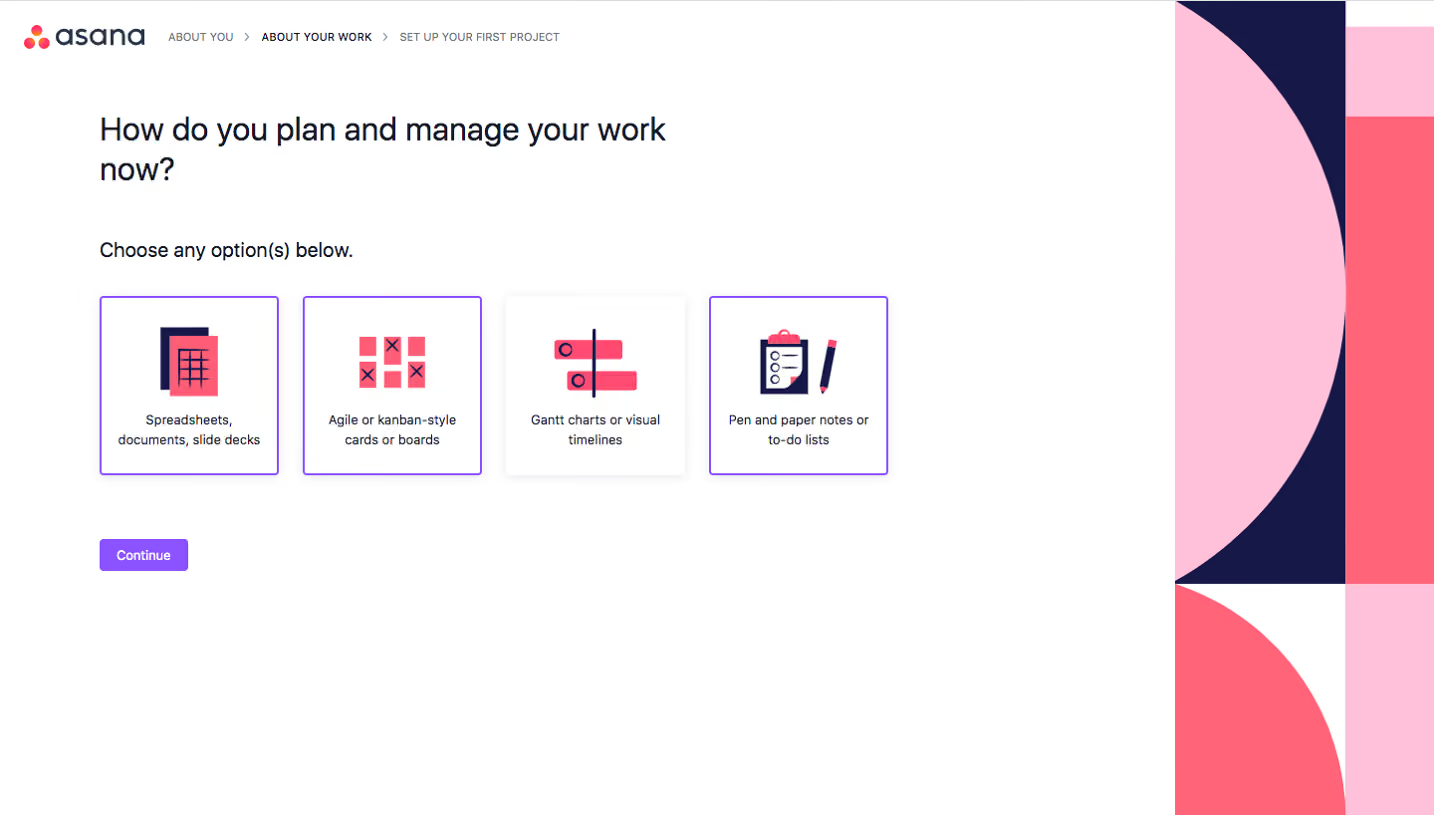
- **Screenshot:** https://cdn.prod.website-files.com/5e9dc792e1210c5325f7ebbc/6acbc86a6b0a1061299bac59_6acbc60c681d3a08a1ee3428_cms-cb35f8027ad678c96721da3f.webp
Analyze the screenshot first. If inaccessible, request it rather than guessing.
## Content
{{content.instructions}}
{{content.data}}
Preserve essential messaging and factual accuracy. Adapt structure and copy length for visual balance; never invent product claims.
## Visual Design
### Overall aesthetic
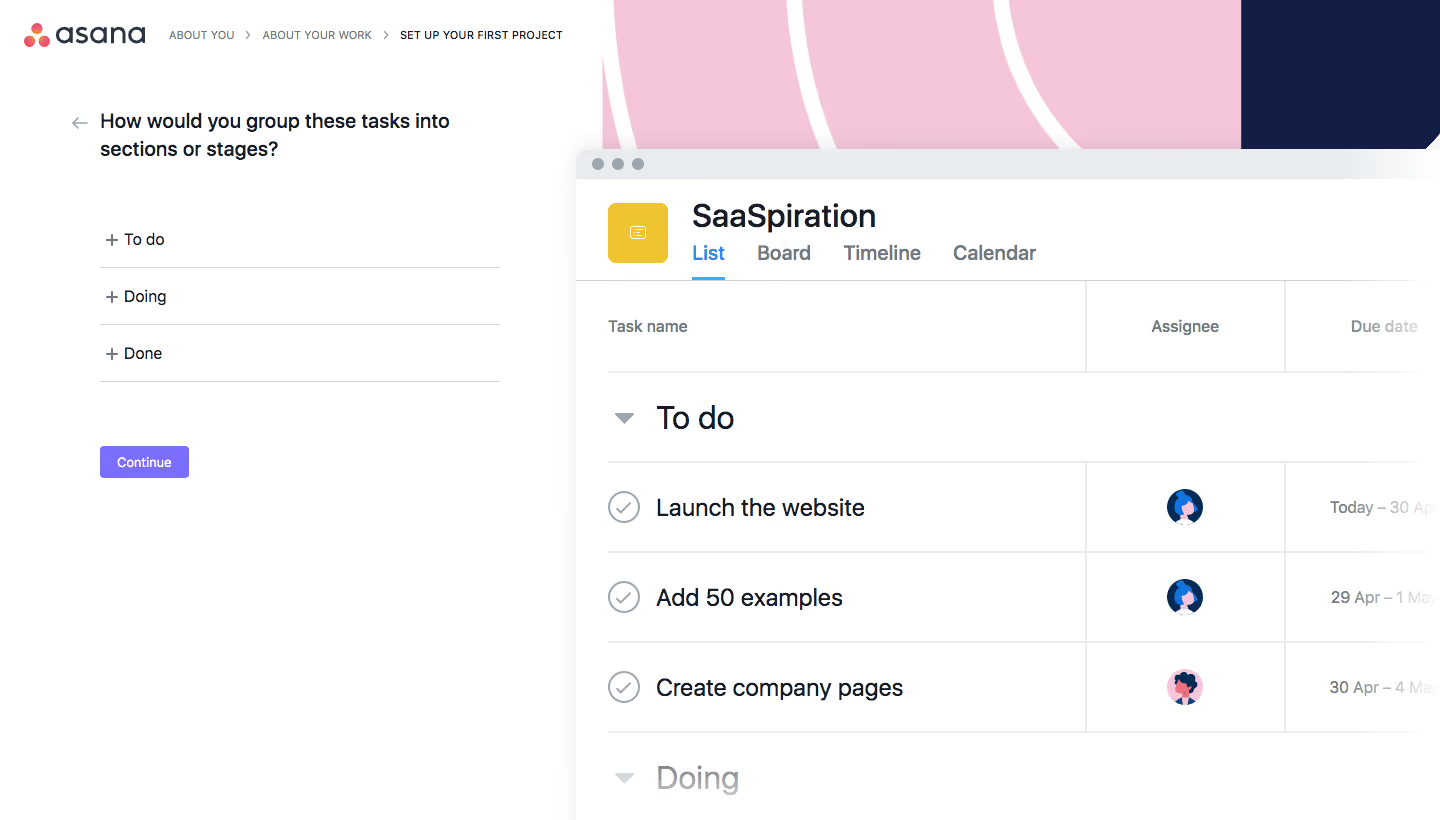
- **Character:** Bright, approachable project onboarding with a concise form beside a large illustrative live-preview window.
### Page composition
- **Canvas:** 1440 × 820 screenshot pixels; estimated CSS dimensions are close to screenshot scale, although capture scale is unverified.
- **Structure:** Logo and three-step breadcrumb occupy the upper left. A roughly 400px-wide question area sits below, while an oversized project preview begins around x=575px and extends beyond the right/bottom edges.
### Information hierarchy
- **Priority:** Current setup step, two-line grouping question, three section-name rows and Continue.
- **Preview:** Project title and view tabs lead into a table showing section headings, completion icons, assignees and due dates.
### Typography
- **Family:** Neutral sans-serif; exact font is unverified.
- **Scale:** Estimated heading 20px medium, editable rows 16px, breadcrumb 10–11px uppercase and action 13–14px. The enlarged illustrative preview uses larger 24–30px text.
### Colors & surfaces
- **Sampled palette:** White #FFFFFF, pink #F5C6DA, light gray #E8ECEE, navy #131E47 and dark text #151B27.
- **Accents:** Violet Continue button, blue active List tab and yellow project icon. Pink/navy abstract curves frame the preview background.
### Components
- **Inputs:** Three minimally styled section-name rows with leading plus signs and thin bottom rules, rather than boxed fields.
- **Preview window:** Pale gray browser strip with three dots, rounded upper corner, subtle shadow and structured table borders.
- **Geometry:** Estimated 4px action radius, 48–56px row spacing and 24–32px gaps around the question.
### Visual rhythm
- **Spacing:** Compact question area is surrounded by generous white space; the preview creates a dramatic larger-scale counterweight.
- **Alignment:** Form rows share a fixed left edge, while breadcrumb and brand stay in a separate top band.
### Responsive
- **Guidance:** Mobile is not shown. Keep the form first and place a scaled preview below or behind a disclosure; maintain readable editable rows.
### Adaptation guidance
- **Transfer:** Preserve the immediate connection between entering section names and seeing a project structure. Replace sample tasks with relevant onboarding examples.
Use this context to reproduce the reference's visual language: layout, typography, colors, spacing, borders, radii, and distinctive elements. The screenshot takes priority if descriptions conflict.
## Direction
{{preferences.fidelityInstructions}}
## Output
{{output.instructions}}
Deliver a polished, cohesive design with precise alignment, hierarchy, and spacing. Produce the requested visual artifact, not just a description. If unsupported, explain the limitation.
.webp)



.avif)