Design with AI
Generate a new design based on this screen using your own content.
# Design from Reference: Monday Onboarding Emails
Create an original, high-fidelity visual design inspired by the reference. Prioritize composition, typography, colors, spacing, and component styling over technical implementation.
## Reference
- **Product:** Monday
- **Category:** Onboarding Email
- **Screenshot:** https://cdn.prod.website-files.com/5e9dc792e1210c5325f7ebbc/6acbc690edc235600abc92d2_6acbc0f8996643535b5bdbe8_cms-d447369ffdf8005d4589ddb2.webp
Analyze the screenshot first. If inaccessible, request it rather than guessing.
## Content
{{content.instructions}}
{{content.data}}
Preserve essential messaging and factual accuracy. Adapt structure and copy length for visual balance; never invent product claims.
## Visual Design
### Overall aesthetic
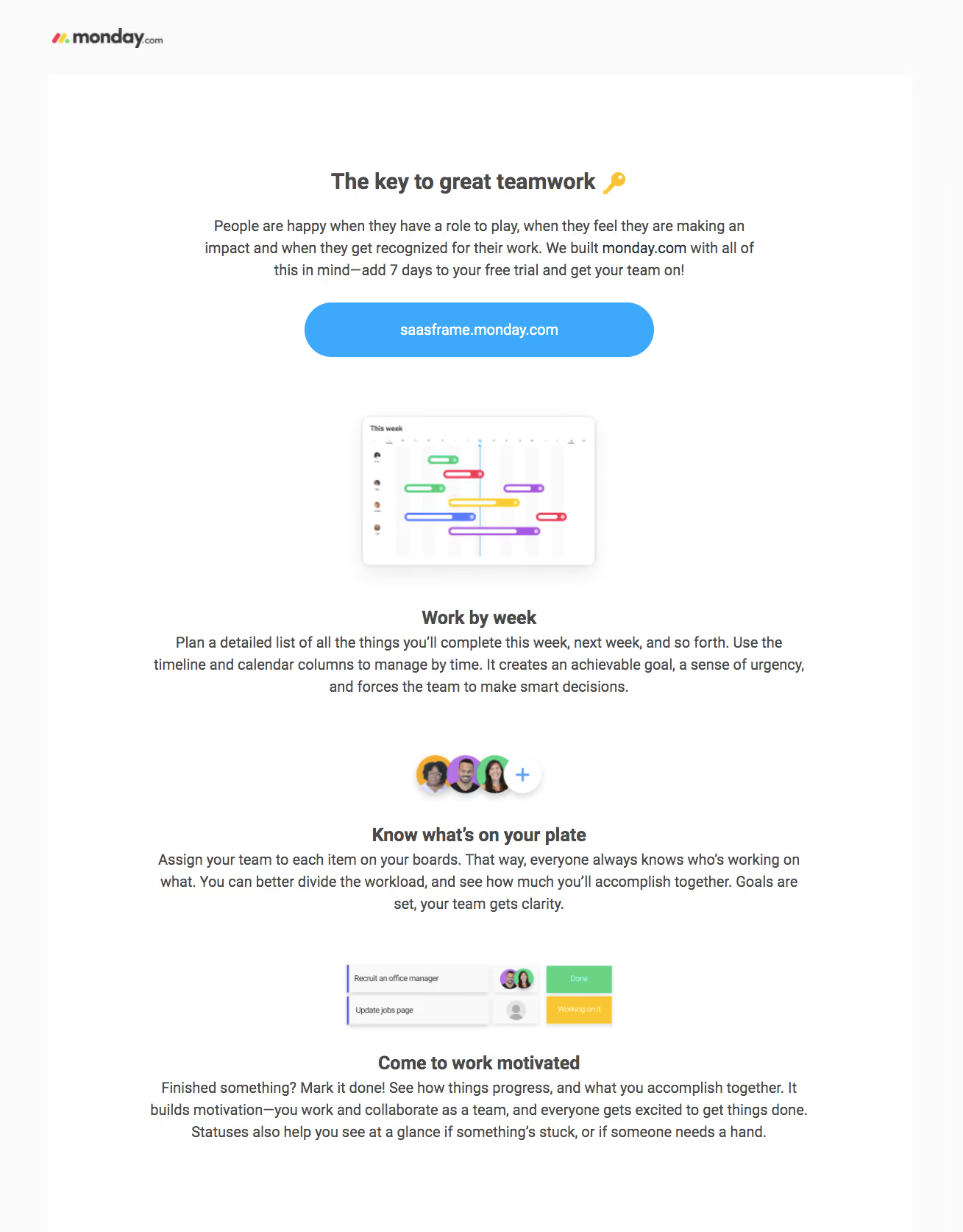
- **Style:** A clean onboarding email uses centered text, a white content area, bright blue capsule action and small colorful product illustrations.
- **Character:** Friendly teamwork guidance and generous spacing create a light instructional tone.
### Page composition
- **Capture:** The source measures 1309 × 1674 pixels. Dimensions below refer to image pixels; email CSS scale is unverified.
- **Brand:** A small logo sits upper left on a pale outer region.
- **Main panel:** A broad white column contains a centered heading with key emoji, introductory paragraph and large blue workspace button.
- **Instruction sequence:** Three centered illustrated blocks explain weekly planning, assignment and completion/status concepts.
- **Lower edge:** The final heading and paragraph conclude the visible white panel; no administrative footer is shown.
### Information hierarchy
- **Opening:** Bold teamwork heading leads a three-line introduction.
- **Primary route:** The blue button uses the workspace address as its label.
- **Learning blocks:** Each pairs a small product illustration with a bold subheading and short paragraph.
- **Illustrations:** Timeline bars, grouped avatars and status rows provide concrete visual examples without large screenshots.
### Typography
- **Family:** Neutral sans serif; exact identity is unverified.
- **Main heading:** Approximately 30 pixels, bold.
- **Body:** Around 20 pixels with 30-pixel leading.
- **Subheadings:** Around 24–26 pixels, bold.
- **Action:** Around 20 pixels, bold, white and centered.
### Colors & surfaces
- **Measured base:** White #FFFFFF and pale #FAFAFA dominate.
- **Action:** Bright blue #3EA9FB fills the workspace capsule.
- **Text:** Dark gray #4A4A4A supplies most copy.
- **Illustrations:** Green, pink, violet, yellow and blue distinguish timeline/status elements.
- **Depth:** Small soft shadows lift the illustrated timeline panel and avatar group.
### Components
- **Workspace CTA:** Approximately 475 × 74 pixels, fully rounded ends and centered white label.
- **Timeline illustration:** A roughly 320 × 205-pixel white rounded panel contains small avatars and colored horizontal bars.
- **Avatar group:** Three overlapping circular portraits plus a white circular add control.
- **Status illustration:** Two compact horizontal task rows contain small assignee avatars and green/yellow status blocks.
- **Text blocks:** Unboxed centered headings and paragraphs span much more width than their illustrations.
### Visual rhythm
- **Spacing:** Large 70–90-pixel gaps separate illustrated lessons.
- **Alignment:** Illustrations, headings, body copy and CTA share a central axis.
- **Density:** Wide text lines contrast with small concentrated product visuals.
### Responsive
- **Evidence:** One email capture is shown; mobile rendering is unverified.
- **Recommended column:** Use a fluid email width with adequate side padding and natural text wrapping.
- **Action:** Retain a comfortable tap target while allowing long workspace labels to wrap safely.
- **Scale:** Establish intended CSS width before copying the source-image typography sizes.
### Adaptation guidance
- **Preserve:** Keep the centered instructional sequence, blue capsule action and colorful small examples.
- **Content:** Use actual workspace destination and supplied onboarding copy.
- **Assets:** Keep illustration proportions and avoid inventing unreadable internal labels.
- **Behavior:** The screenshot does not establish trial-extension or workspace-action outcomes.
Use this context to reproduce the reference's visual language: layout, typography, colors, spacing, borders, radii, and distinctive elements. The screenshot takes priority if descriptions conflict.
## Direction
{{preferences.fidelityInstructions}}
## Output
{{output.instructions}}
Deliver a polished, cohesive design with precise alignment, hierarchy, and spacing. Produce the requested visual artifact, not just a description. If unsupported, explain the limitation.
.webp)



.avif)